> ## Documentation Index
> Fetch the complete documentation index at: https://manual.voiceping.net/llms.txt
> Use this file to discover all available pages before exploring further.

# How to Delete Your Account

> Steps to delete your VoicePing account

export const ContactEn = () => <>
    <Tip>
      If you have any questions, please contact us via <a href="https://forms.gle/6AUho7oj3zBr79e96">this form</a>.
    </Tip>

    <h2>Official Links</h2>

    <CardGroup cols={2}>
      <Card title="Official Website" icon="globe" href="https://voiceping.net/en/">
        Visit our official website
      </Card>
      <Card title="X (Twitter)" icon="x-twitter" href="https://x.com/VoicePingMedia">
        Follow us on X
      </Card>
      <Card title="Facebook" icon="facebook" href="https://www.facebook.com/voiceping.inc">
        Like us on Facebook
      </Card>
      <Card title="LinkedIn" icon="linkedin" href="https://www.linkedin.com/company/28684130/">
        Connect on LinkedIn
      </Card>
    </CardGroup>
  </>;

# How to Delete Your Account

1. Click the gear icon at the top right of the app

<Frame>
  <img src="https://mintcdn.com/test-cf63e467/4vHpBWNcRcAS0vJ1/ja/images/account-deletion/01-settings-icon.png?fit=max&auto=format&n=4vHpBWNcRcAS0vJ1&q=85&s=85a2b2a6107604bc5bd8e1e857170b2a" alt="Settings Icon" width="1802" height="1376" data-path="ja/images/account-deletion/01-settings-icon.png" />
</Frame>

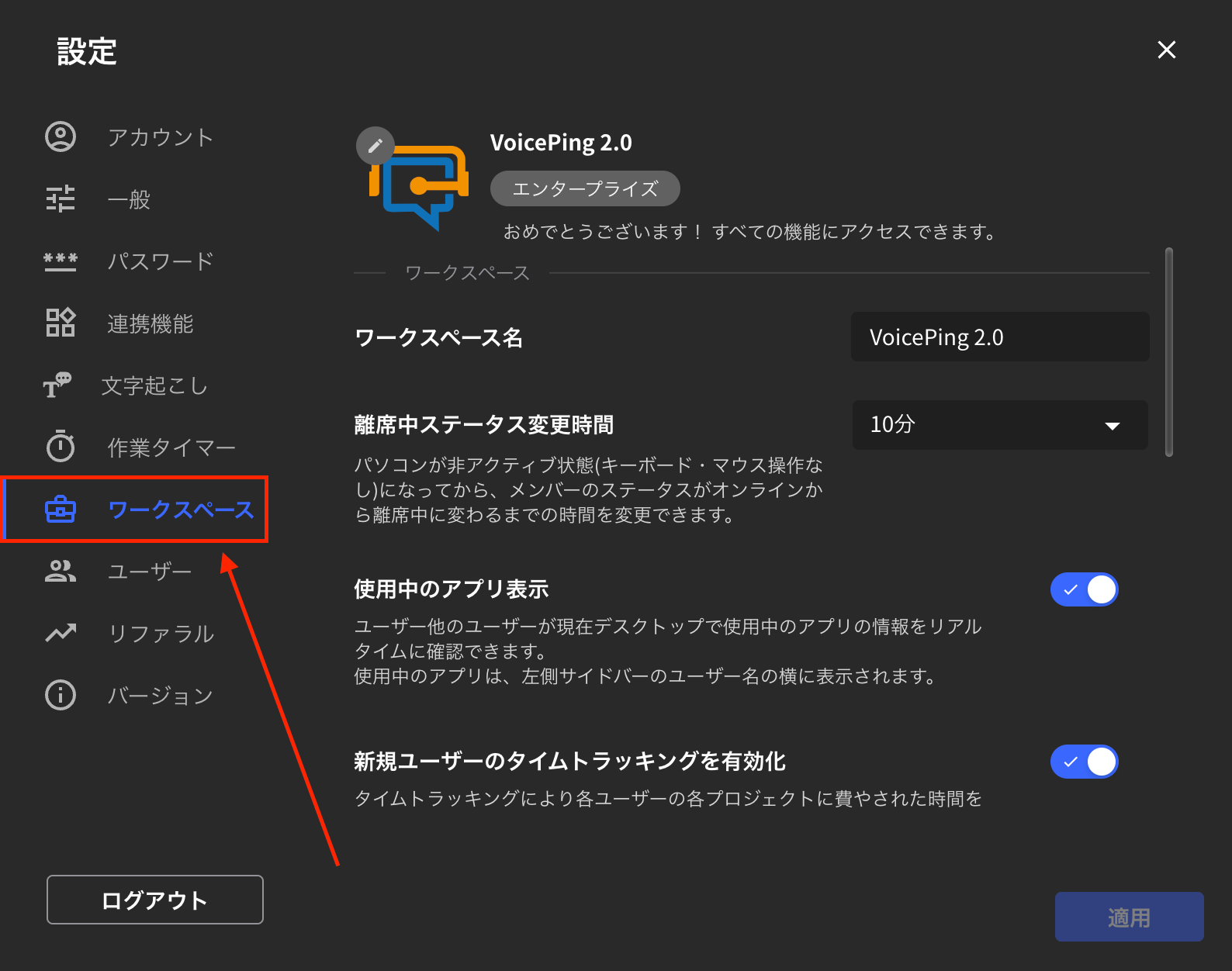
2. Click the "Workspace" tab

<Frame>
  <img src="https://mintcdn.com/test-cf63e467/4vHpBWNcRcAS0vJ1/ja/images/account-deletion/02-workspace-tab.png?fit=max&auto=format&n=4vHpBWNcRcAS0vJ1&q=85&s=b1d78d4fbabc1bb171f7de9ccc5d2a91" alt="Workspace Tab" width="1588" height="1252" data-path="ja/images/account-deletion/02-workspace-tab.png" />
</Frame>

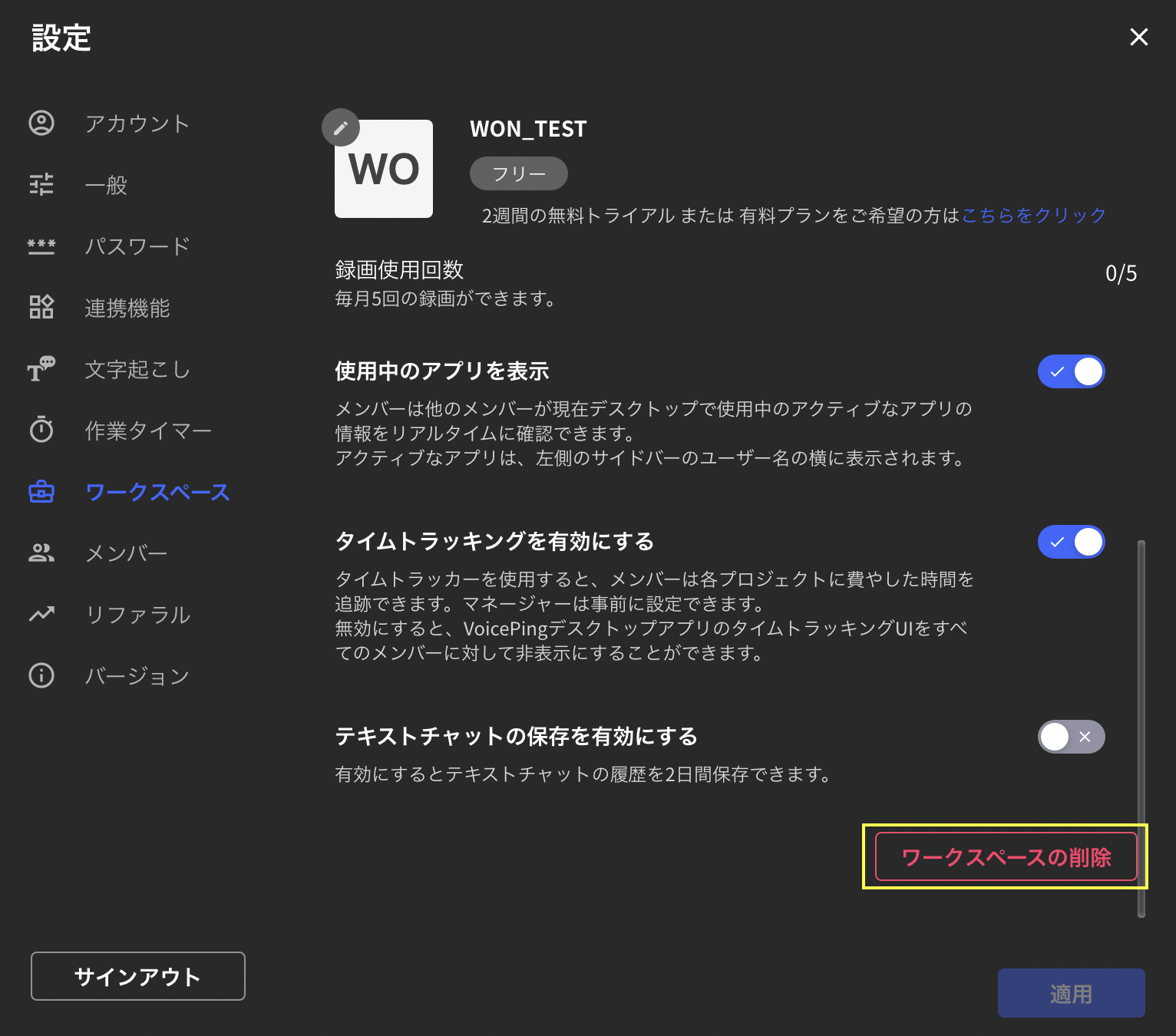
3. Scroll down and click "Delete Workspace" on the bottom right
<Frame>
  <img src="https://mintcdn.com/test-cf63e467/4vHpBWNcRcAS0vJ1/ja/images/account-deletion/03-workspace-delete-button.png?fit=max&auto=format&n=4vHpBWNcRcAS0vJ1&q=85&s=45d2017febea238bd8482c95e4be33f8" alt="Delete Workspace Button" width="1532" height="1350" data-path="ja/images/account-deletion/03-workspace-delete-button.png" />
</Frame>

4. Enter the workspace name you want to delete and click "Delete" at the bottom right

<Frame>
  <img src="https://mintcdn.com/test-cf63e467/4vHpBWNcRcAS0vJ1/ja/images/account-deletion/04-workspace-name-input.png?fit=max&auto=format&n=4vHpBWNcRcAS0vJ1&q=85&s=b7712f50b18ca37b1c1065a748c768e5" alt="Workspace Name Input" width="1606" height="1400" data-path="ja/images/account-deletion/04-workspace-name-input.png" />
</Frame>

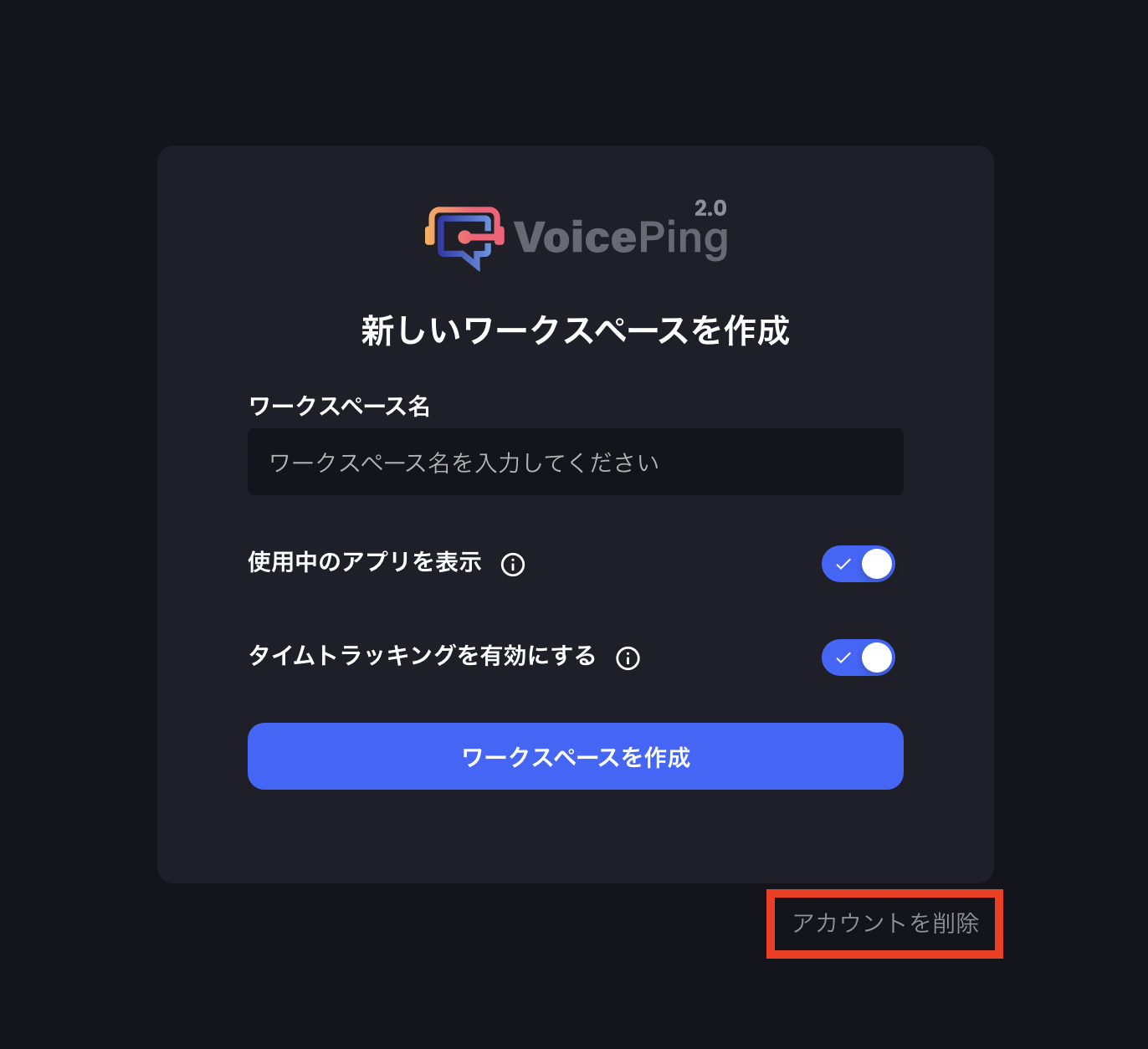
5. Click "Delete Account" at the bottom right of the screen that appears
<Frame>
  <img src="https://mintcdn.com/test-cf63e467/4vHpBWNcRcAS0vJ1/ja/images/account-deletion/05-account-delete-button.png?fit=max&auto=format&n=4vHpBWNcRcAS0vJ1&q=85&s=897be1d52868f316bab32fb27ba1f315" alt="Delete Account Button" width="1372" height="1254" data-path="ja/images/account-deletion/05-account-delete-button.png" />
</Frame>

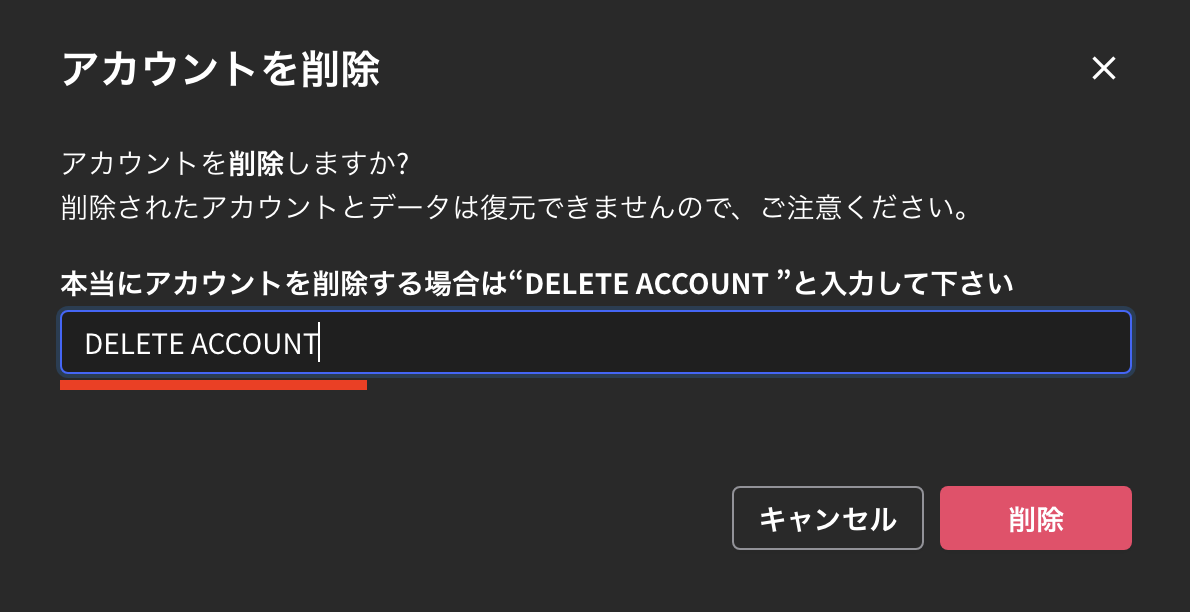
6. Enter "DELETE ACCOUNT" and click "Delete" at the bottom right to complete the account deletion
<Frame>
  <img src="https://mintcdn.com/test-cf63e467/4vHpBWNcRcAS0vJ1/ja/images/account-deletion/06-delete-account-confirm.png?fit=max&auto=format&n=4vHpBWNcRcAS0vJ1&q=85&s=170e58431ef99fadbe6a85bc316016b8" alt="DELETE ACCOUNT Confirmation" width="1190" height="612" data-path="ja/images/account-deletion/06-delete-account-confirm.png" />
</Frame>

<ContactEn />