> ## Documentation Index
> Fetch the complete documentation index at: https://manual.voiceping.net/llms.txt
> Use this file to discover all available pages before exploring further.
# Product Feedback
> Send improvement ideas, feature requests, and screenshots to the VoicePing team from Settings > Product Feedback.
export const ContactEn = () => <>
If you have any questions, please contact us via this form.
## Official Links
Visit our official website
Follow us on X
Like us on Facebook
Connect on LinkedIn
;
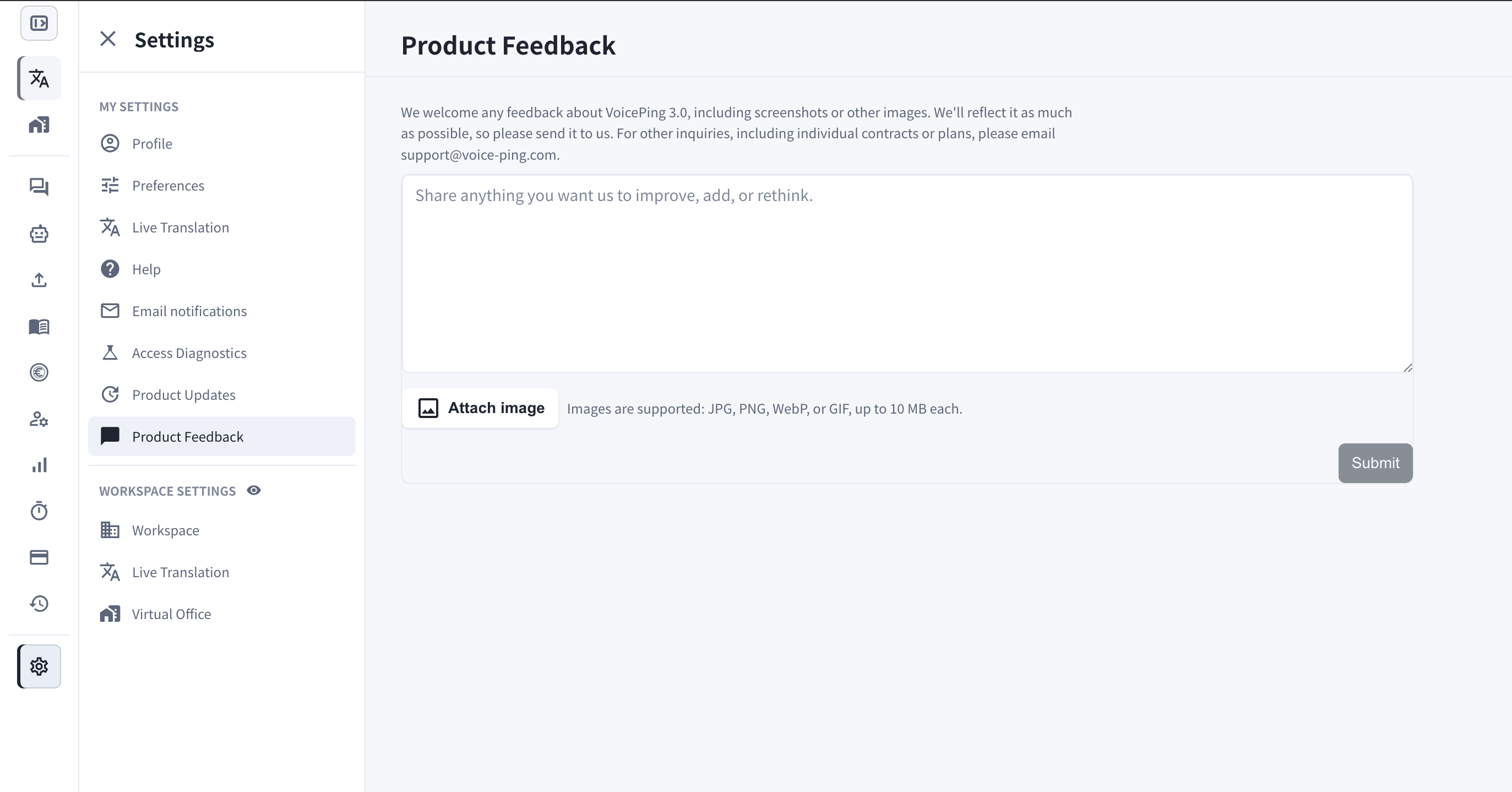
 Product Feedback lets you send your thoughts about VoicePing 3.0 directly to the team from inside the app.
## What Is It For?
* Share anything you want us to **improve, add, or rethink** — feature requests, usability issues, or rough edges you run into.
* Attach **screenshots or other images** so we can see exactly what you mean.
* Every submission goes straight to the VoicePing team, and we reflect it in the product as much as possible.
For other inquiries, including individual contracts or plans, please email [support@voice-ping.com](mailto:support@voice-ping.com).
## How to Navigate
1. Open **Settings**.
2. Under **My Settings**, select **Product Feedback**.
3. Write your message in the text box.
4. Optionally click **Attach image** — JPG, PNG, WebP, or GIF are supported, up to 10 MB each.
5. Click **Submit**.
Product Feedback lets you send your thoughts about VoicePing 3.0 directly to the team from inside the app.
## What Is It For?
* Share anything you want us to **improve, add, or rethink** — feature requests, usability issues, or rough edges you run into.
* Attach **screenshots or other images** so we can see exactly what you mean.
* Every submission goes straight to the VoicePing team, and we reflect it in the product as much as possible.
For other inquiries, including individual contracts or plans, please email [support@voice-ping.com](mailto:support@voice-ping.com).
## How to Navigate
1. Open **Settings**.
2. Under **My Settings**, select **Product Feedback**.
3. Write your message in the text box.
4. Optionally click **Attach image** — JPG, PNG, WebP, or GIF are supported, up to 10 MB each.
5. Click **Submit**.