> ## Documentation Index
> Fetch the complete documentation index at: https://manual.voiceping.net/llms.txt
> Use this file to discover all available pages before exploring further.

# 辞書機能（文字起こし辞書・翻訳辞書）

> 専門用語や固有名詞の文字起こし・翻訳精度を高める辞書の設定方法

export const FeedbackJa = () => <>
    <Tip>
      この機能へのご意見・ご要望は、<a href="/ja/product-feedback">Product Feedback</a>からお寄せください。
    </Tip>

    <h2>公式リンク</h2>

    <CardGroup cols={2}>
      <Card title="公式サイト" icon="globe" href="https://voiceping.net/">
        VoicePing公式サイト
      </Card>
      <Card title="X (Twitter)" icon="x-twitter" href="https://x.com/VoicePingMedia">
        VoicePing公式X
      </Card>
      <Card title="Facebook" icon="facebook" href="https://www.facebook.com/voiceping.inc">
        VoicePing公式Facebook
      </Card>
      <Card title="LinkedIn" icon="linkedin" href="https://www.linkedin.com/company/28684130/">
        VoicePing公式LinkedIn
      </Card>
    </CardGroup>
  </>;

<Note>
  有料プラン対象です。無料プランをご利用中の方は、プランをアップグレードしてください。
</Note>

## カスタムフレーズ辞書デモ

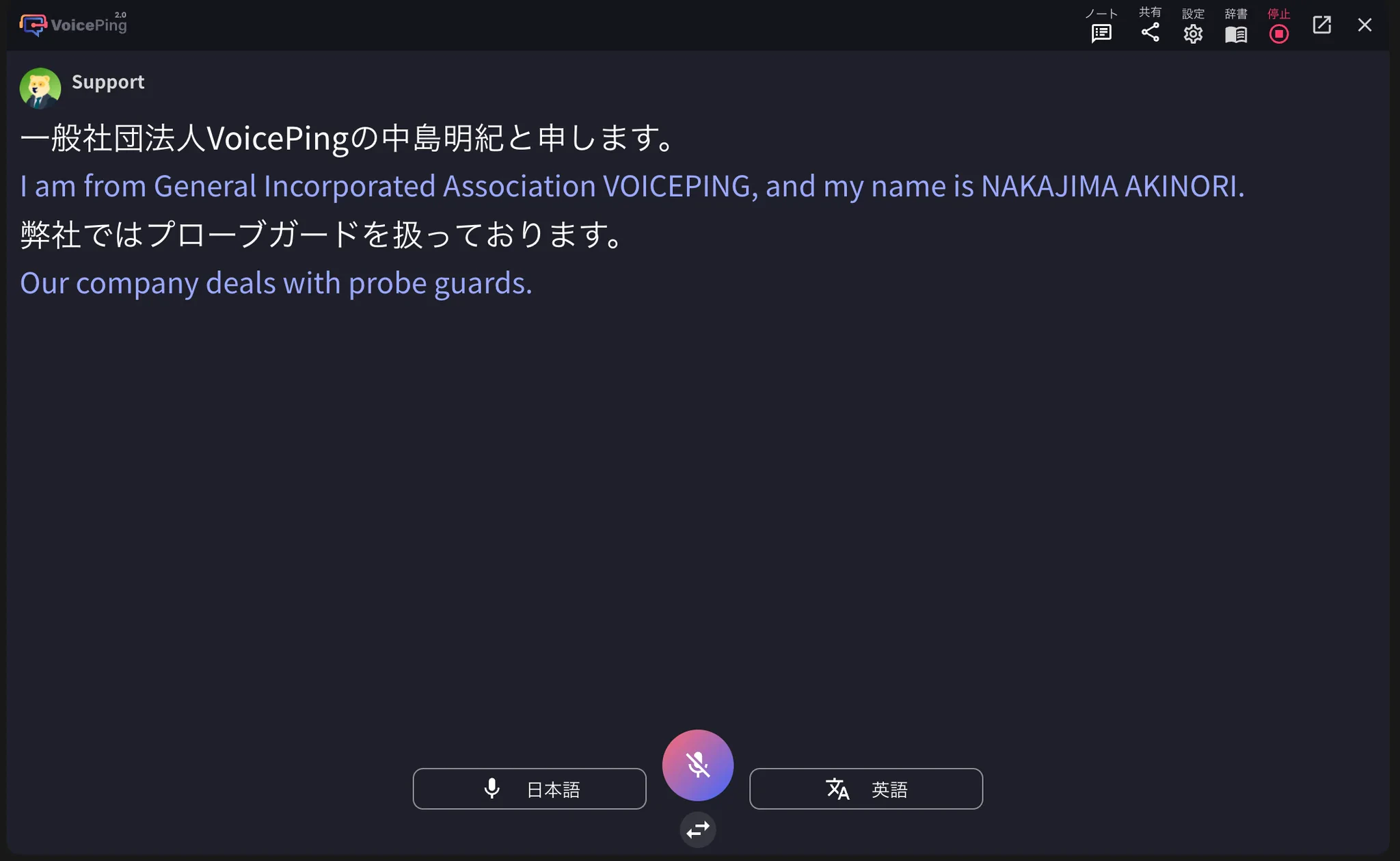
専門用語、ブランド名、社内用語は、音声認識で誤変換されることがあります。VoicePingの辞書に正しい表記や翻訳を登録すると、文字起こし・翻訳の精度を高められます。

<iframe width="560" height="315" src="https://www.youtube.com/embed/y3Di6rYXciI" title="カスタムフレーズ辞書デモ" frameborder="0" allow="accelerometer; autoplay; clipboard-write; encrypted-media; gyroscope; picture-in-picture" allowfullscreen />

**文字起こし辞書**と**翻訳辞書**を使うと、発音や同音異義語による誤変換を減らせます。設定は**ワークスペースの全メンバーに適用**されます。

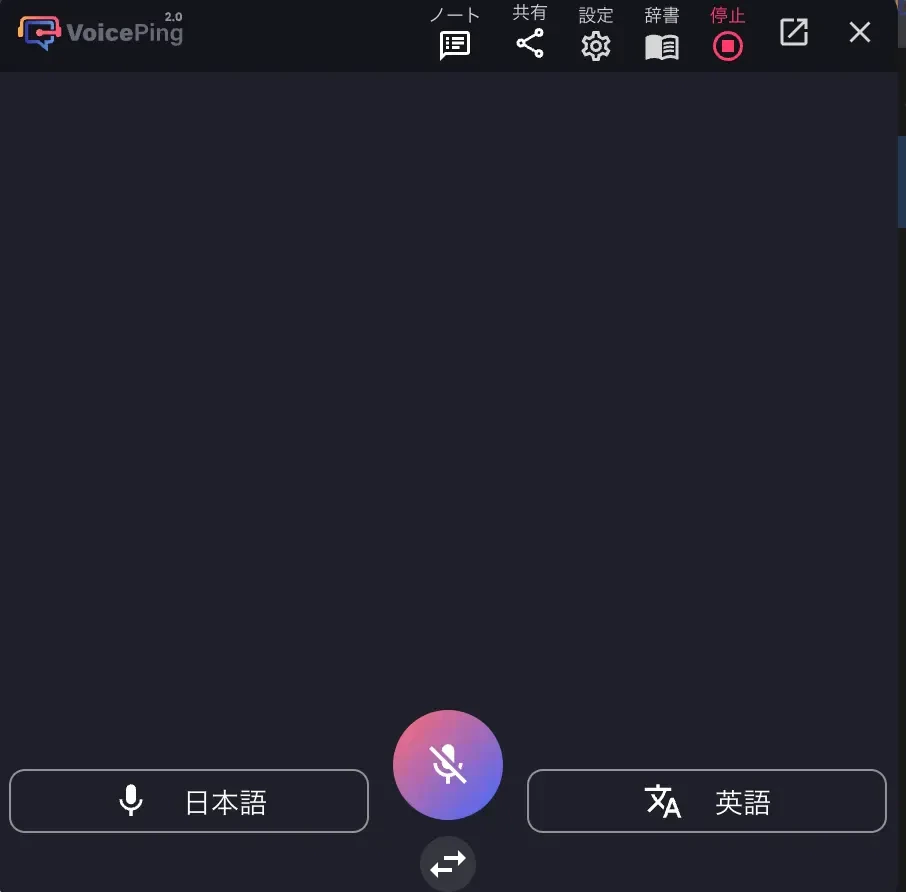
## 辞書機能の種類

<Frame>
  <img src="https://mintcdn.com/test-cf63e467/yJOLVx6nWj9-gzC6/ja/images/dictionary/01-dictionary-overview.webp?fit=max&auto=format&n=yJOLVx6nWj9-gzC6&q=85&s=5a02935c597e07d42799681f293b2476" alt="辞書機能概要" width="906" height="892" data-path="ja/images/dictionary/01-dictionary-overview.webp" />
</Frame>

| 種類          | 説明                                           |
| ----------- | -------------------------------------------- |
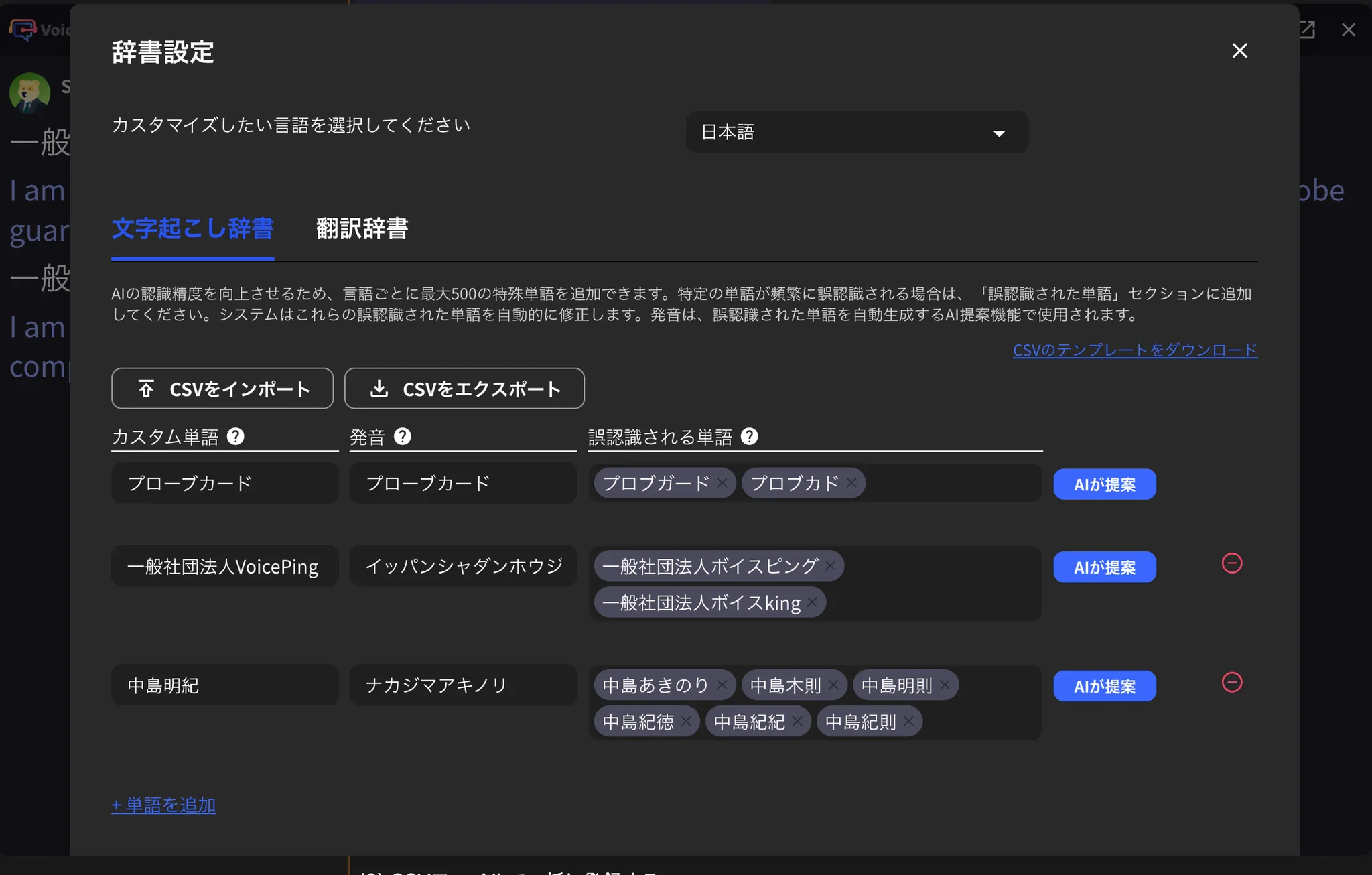
| **文字起こし辞書** | 単語の表記と読み（カタカナ）を登録し、誤認識された文字起こしを正しい表記に置き換えます。 |
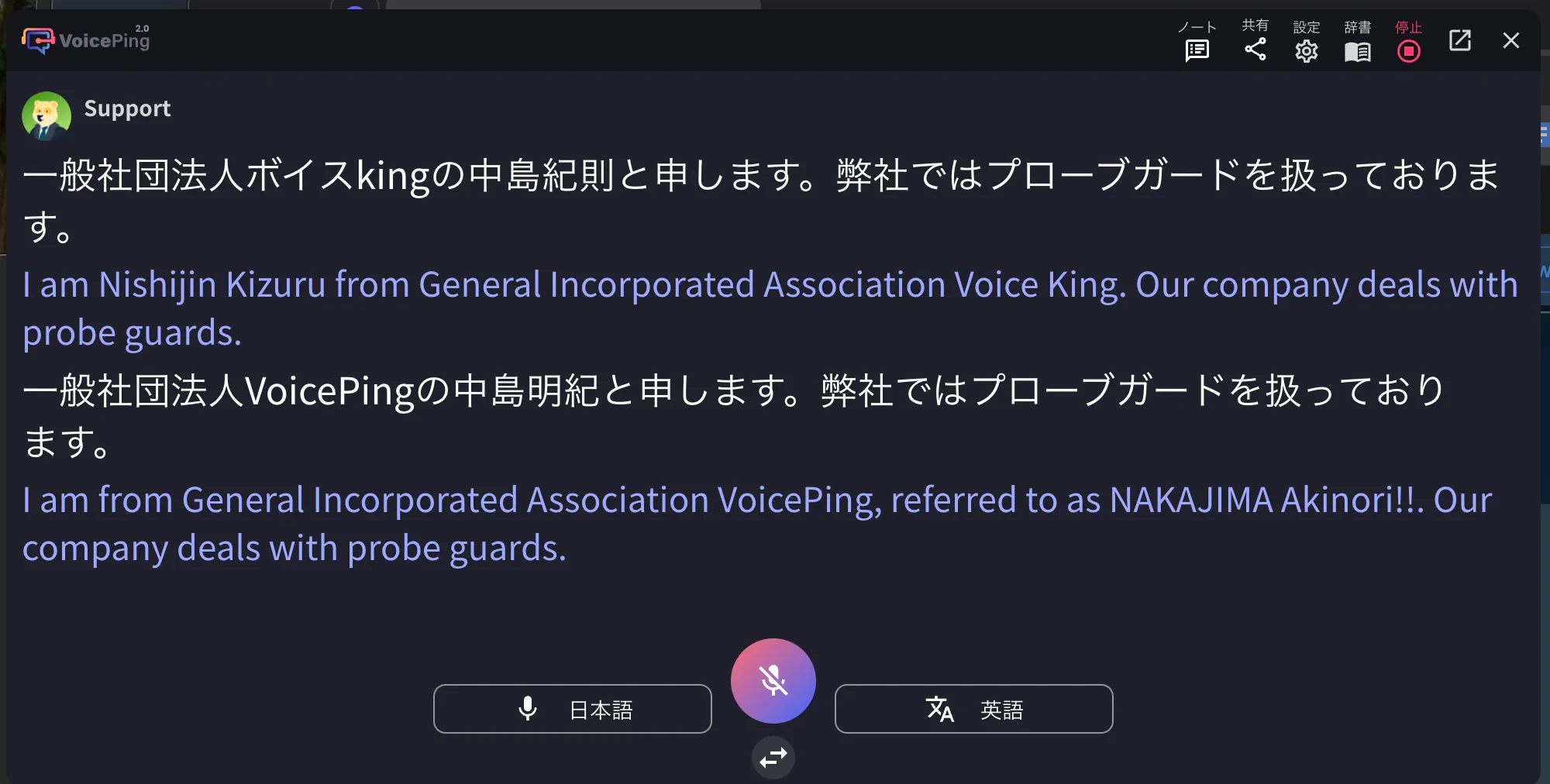
| **翻訳辞書**    | 文字起こし辞書に登録した単語について、言語ごとの訳語を指定します。            |

<Frame>
  <img src="https://mintcdn.com/test-cf63e467/yJOLVx6nWj9-gzC6/ja/images/dictionary/02-transcription-dictionary.webp?fit=max&auto=format&n=yJOLVx6nWj9-gzC6&q=85&s=c3977795894a1d1afc8208f710d350ae" alt="文字起こし辞書" width="2048" height="1306" data-path="ja/images/dictionary/02-transcription-dictionary.webp" />
</Frame>

<Frame>
  <img src="https://mintcdn.com/test-cf63e467/yJOLVx6nWj9-gzC6/ja/images/dictionary/03-translation-dictionary.webp?fit=max&auto=format&n=yJOLVx6nWj9-gzC6&q=85&s=79fa181e031bd285b3e9a9a7202efe5b" alt="翻訳辞書" width="2000" height="1012" data-path="ja/images/dictionary/03-translation-dictionary.webp" />
</Frame>

## 文字起こし辞書の使い方

### 1. 辞書機能を開く

文字起こし・翻訳を開始した後、右上の辞書アイコンをクリックします。

### 2. 単語を登録する

#### 画面から登録する

カスタム単語と読みを入力し、実際の文字起こし結果を確認します。誤変換された表記は「誤認識される単語」に入力してください。

<Frame>
  <img src="https://mintcdn.com/test-cf63e467/yJOLVx6nWj9-gzC6/ja/images/dictionary/04-add-new-term.webp?fit=max&auto=format&n=yJOLVx6nWj9-gzC6&q=85&s=3e4d576d8d181888853f660f4148dad9" alt="新規単語追加" width="1312" height="636" data-path="ja/images/dictionary/04-add-new-term.webp" />
</Frame>

<Frame>
  <img src="https://mintcdn.com/test-cf63e467/yJOLVx6nWj9-gzC6/ja/images/dictionary/05-term-entry-form.webp?fit=max&auto=format&n=yJOLVx6nWj9-gzC6&q=85&s=3f96568948f674dd152422725454cc50" alt="単語入力フォーム" width="1250" height="562" data-path="ja/images/dictionary/05-term-entry-form.webp" />
</Frame>

<Frame>
  <img src="https://mintcdn.com/test-cf63e467/yJOLVx6nWj9-gzC6/ja/images/dictionary/06-dictionary-list.webp?fit=max&auto=format&n=yJOLVx6nWj9-gzC6&q=85&s=964f66106dba576c23692b140775d46b" alt="辞書リスト" width="2044" height="1388" data-path="ja/images/dictionary/06-dictionary-list.webp" />
</Frame>

<Frame>
  <img src="https://mintcdn.com/test-cf63e467/yJOLVx6nWj9-gzC6/ja/images/dictionary/07-edit-delete-term.webp?fit=max&auto=format&n=yJOLVx6nWj9-gzC6&q=85&s=0bd4d8e65ca6109f22fe0f101deba027" alt="単語編集・削除" width="2048" height="1259" data-path="ja/images/dictionary/07-edit-delete-term.webp" />
</Frame>

#### CSVファイルで一括登録する

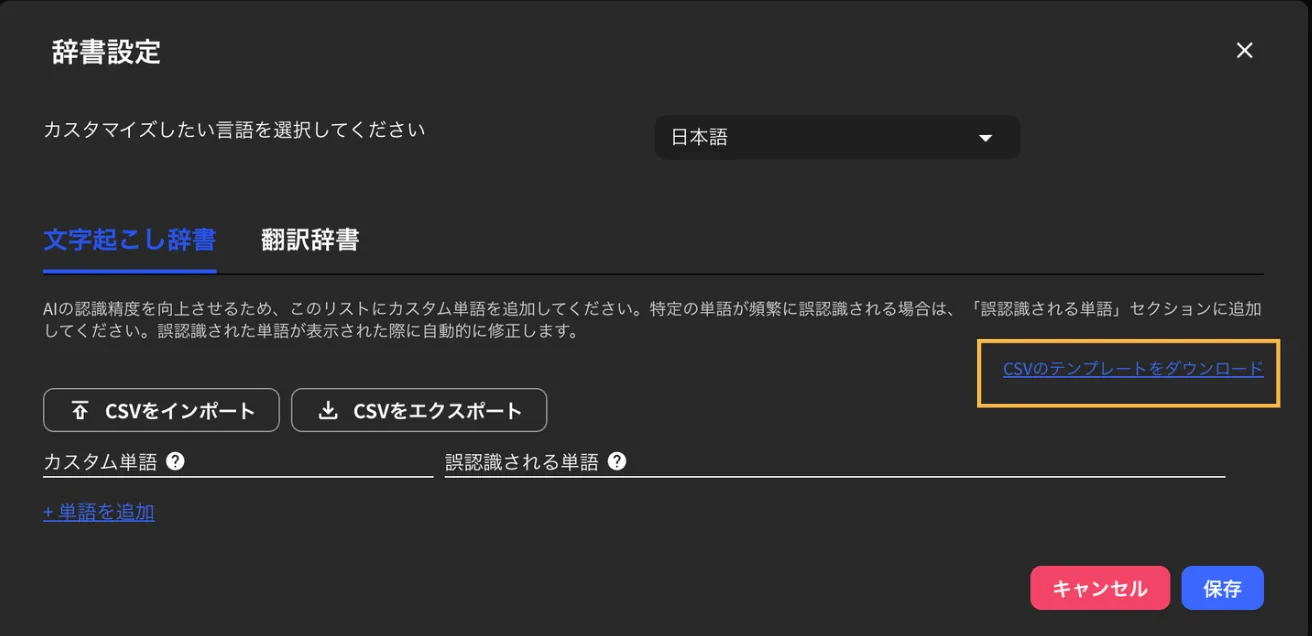
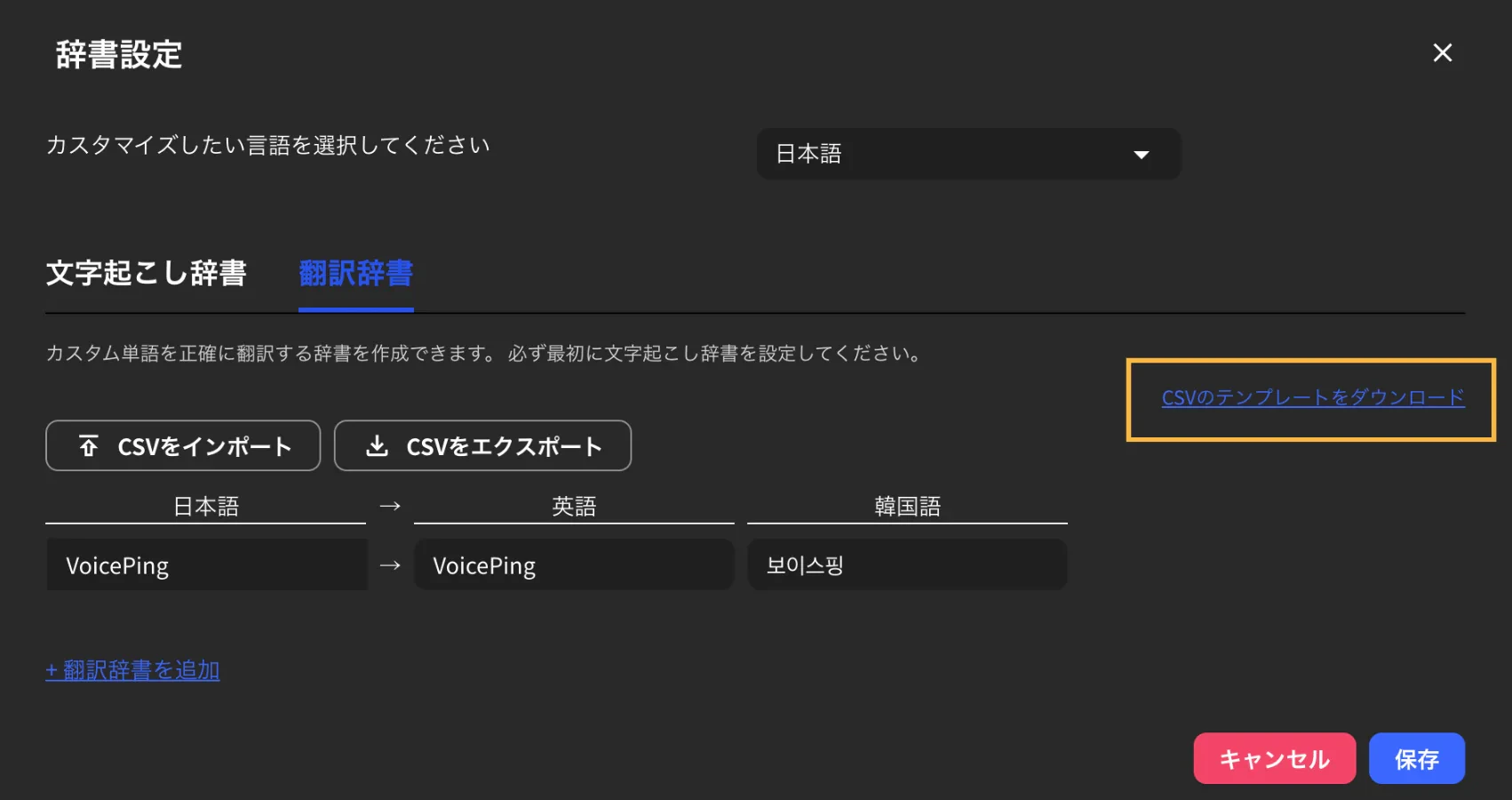
1. CSVテンプレートをダウンロードします。

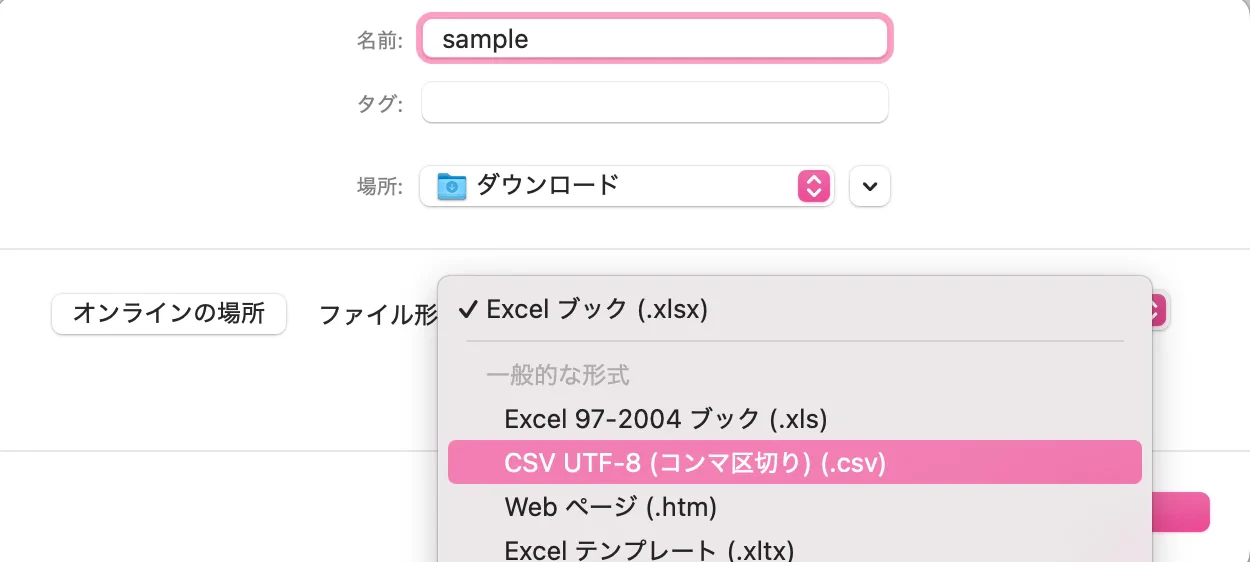
2. テンプレートの「カスタム単語」と「誤認識される単語」に、単語の表記と読みを入力して保存します。

<Tip>
  文字化けを防ぐため、文字コードをUTF-8にして保存してください。
</Tip>

<Frame>
  <img src="https://mintcdn.com/test-cf63e467/yJOLVx6nWj9-gzC6/ja/images/dictionary/05-term-entry-form.webp?fit=max&auto=format&n=yJOLVx6nWj9-gzC6&q=85&s=3f96568948f674dd152422725454cc50" alt="CSVフォーマット例" width="1250" height="562" data-path="ja/images/dictionary/05-term-entry-form.webp" />
</Frame>

3. 「CSVをインポート」から作成したファイルをアップロードします。

<Frame>
  <img src="https://mintcdn.com/test-cf63e467/yJOLVx6nWj9-gzC6/ja/images/dictionary/08-csv-import.webp?fit=max&auto=format&n=yJOLVx6nWj9-gzC6&q=85&s=b3088e1240af017e3ad3d0aeb50df527" alt="CSVインポート" width="1702" height="900" data-path="ja/images/dictionary/08-csv-import.webp" />
</Frame>

<Warning>
  CSVをインポートすると既存の設定が上書きされます。設定済みの辞書は、事前にエクスポートしてバックアップしてください。
</Warning>

4. \*\*「保存」\*\*をクリックします。

## 翻訳辞書の使い方

### 1つの単語を追加する

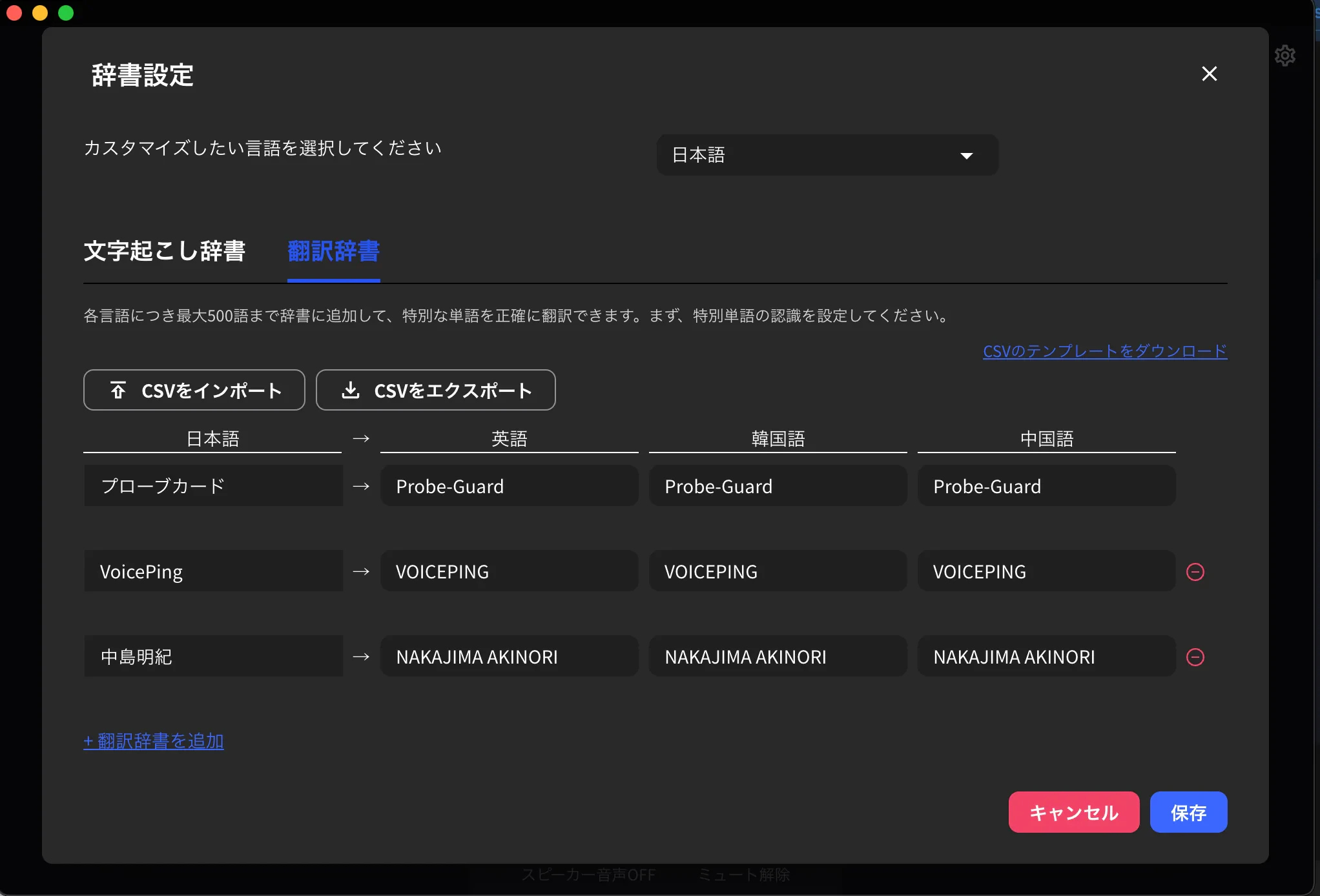
翻訳辞書タブを開き、言語ごとの訳語を設定します。初期設定の日本語、英語、韓国語、中国語以外を使う場合は、ワークスペースの設定言語を変更してください。

### CSVファイルで一括登録する

1. CSVテンプレートをダウンロードします。

2. テンプレートへ各言語ごとの表記を入力し、ファイルを保存します。

<Tip>
  文字化けを防ぐため、文字コードをUTF-8にして保存してください。
</Tip>

3. 「CSVをインポート」から作成したファイルをアップロードします。

<Warning>
  CSVをインポートすると既存の設定が上書きされます。設定済みの辞書は、事前にエクスポートしてバックアップしてください。
</Warning>

4. \*\*「保存」\*\*をクリックします。

<FeedbackJa />