> ## Documentation Index
> Fetch the complete documentation index at: https://manual.voiceping.net/llms.txt
> Use this file to discover all available pages before exploring further.
# Event Log
> VoicePing 3.0 の Event Log で、ユーザー、アクセス、設定、バーチャルオフィス、会議、Web Meeting Bot、請求、タイムトラッキングの履歴を確認します。
export const FeedbackJa = () => <>
このフィーチャーへのご意見やご要望は、Product Feedback からチームへお送りください。
公式リンク
公式ウェブサイトはこちら
Xでフォロー
Facebookでいいね
LinkedInでつながる
;
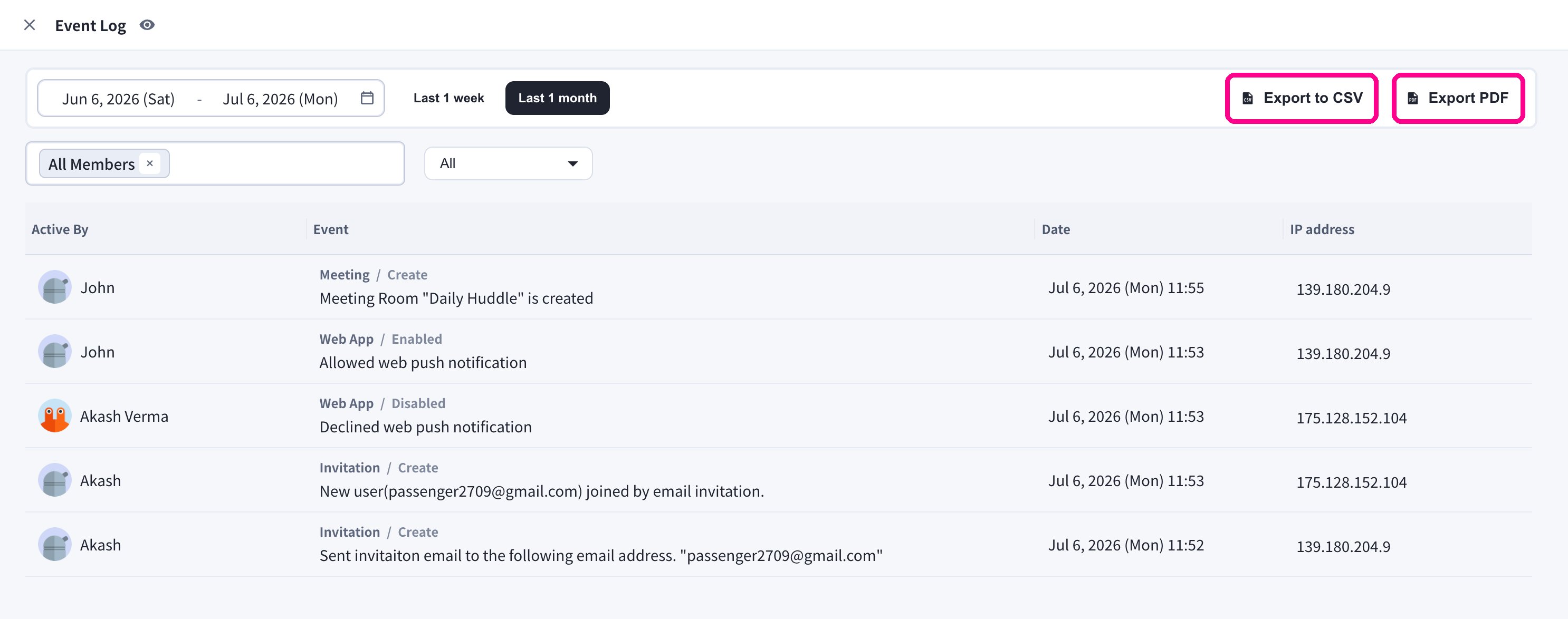
ワークスペース管理者は **Event Log** で重要なワークスペース活動を監査できます。
## Event Log を開く
1. VoicePing デスクトップアプリを開きます。
2. 左サイドバーから **Event Log** を選択します。
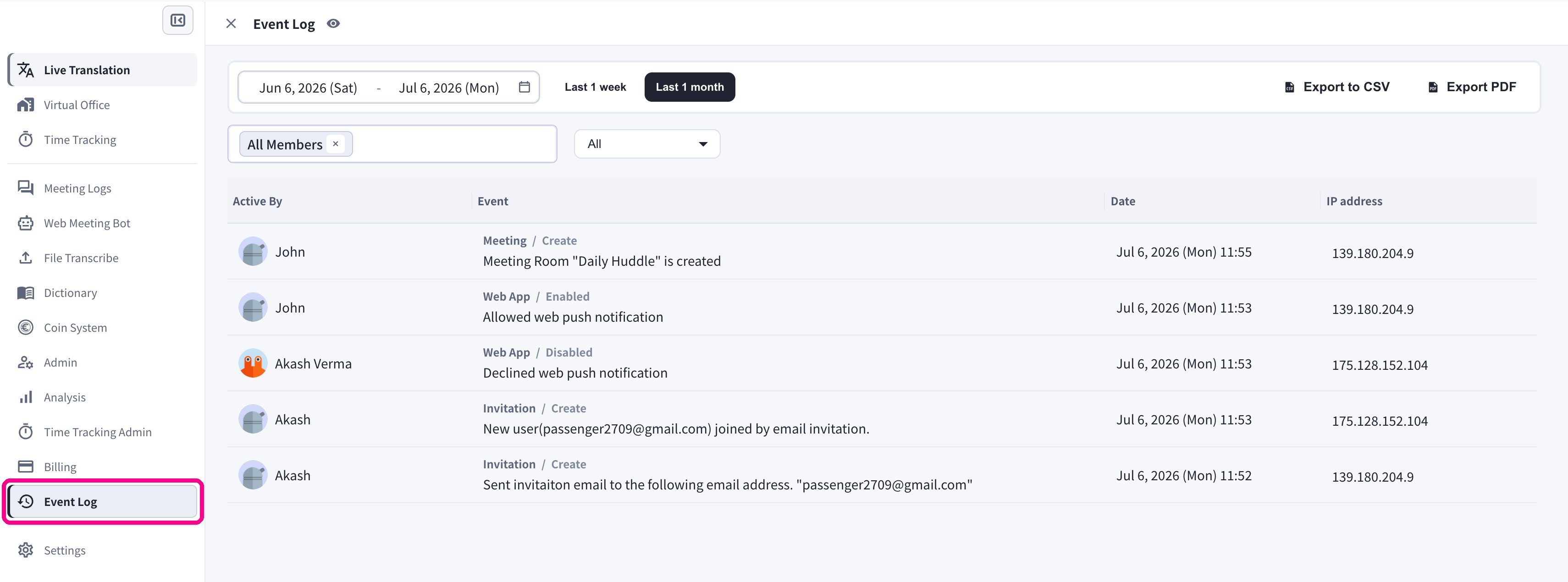 各エントリには、操作したメンバー(**Active By**)、イベントのカテゴリと詳細、**日時**、操作元の **IP アドレス**が表示されます。
## フィルター
| フィルター | 用途 |
| ------------------- | ------------------------ |
| **Date range** | 特定期間の履歴を確認します。 |
| **Member selector** | 1 名以上のユーザーに絞り込みます。 |
| **Category** | プロダクトまたはセキュリティ領域で絞り込みます。 |
### 期間
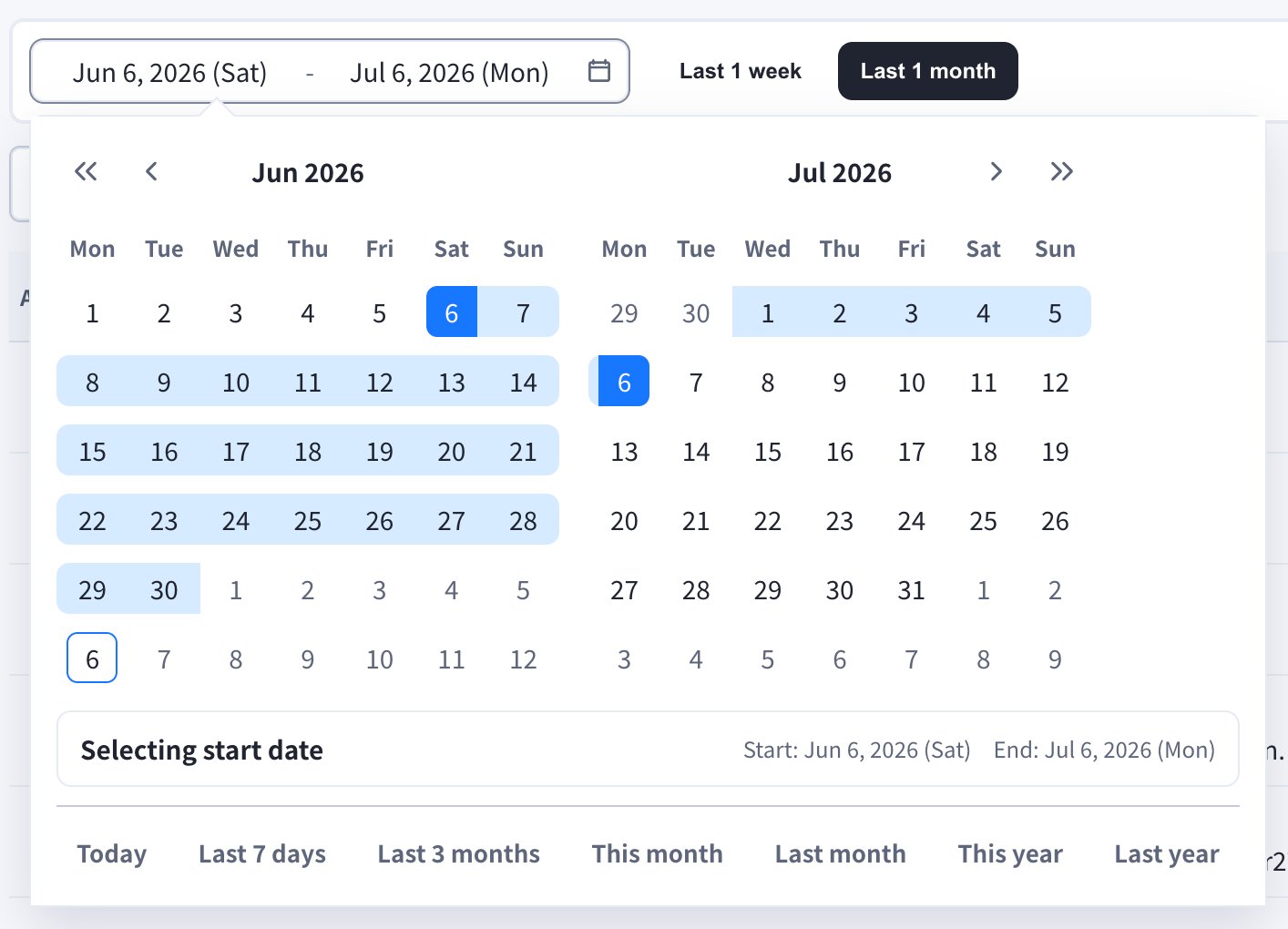
**Last 1 week** / **Last 1 month** のクイックボタンを使用するか、日付フィールドを開いて任意の期間を指定します。カレンダーには **Today**、**Last 7 days**、**Last 3 months**、**This month**、**Last month**、**This year**、**Last year** のショートカットも用意されています。
各エントリには、操作したメンバー(**Active By**)、イベントのカテゴリと詳細、**日時**、操作元の **IP アドレス**が表示されます。
## フィルター
| フィルター | 用途 |
| ------------------- | ------------------------ |
| **Date range** | 特定期間の履歴を確認します。 |
| **Member selector** | 1 名以上のユーザーに絞り込みます。 |
| **Category** | プロダクトまたはセキュリティ領域で絞り込みます。 |
### 期間
**Last 1 week** / **Last 1 month** のクイックボタンを使用するか、日付フィールドを開いて任意の期間を指定します。カレンダーには **Today**、**Last 7 days**、**Last 3 months**、**This month**、**Last month**、**This year**、**Last year** のショートカットも用意されています。
 ### メンバー
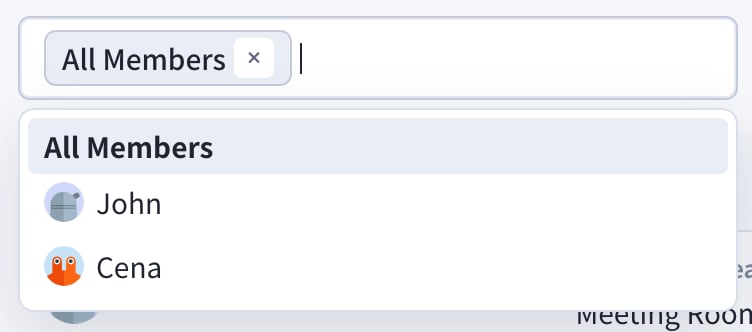
**All Members** で全員のイベントを表示するか、特定のメンバーを選択してそのイベントのみに絞り込みます。
### メンバー
**All Members** で全員のイベントを表示するか、特定のメンバーを選択してそのイベントのみに絞り込みます。
 ### カテゴリ
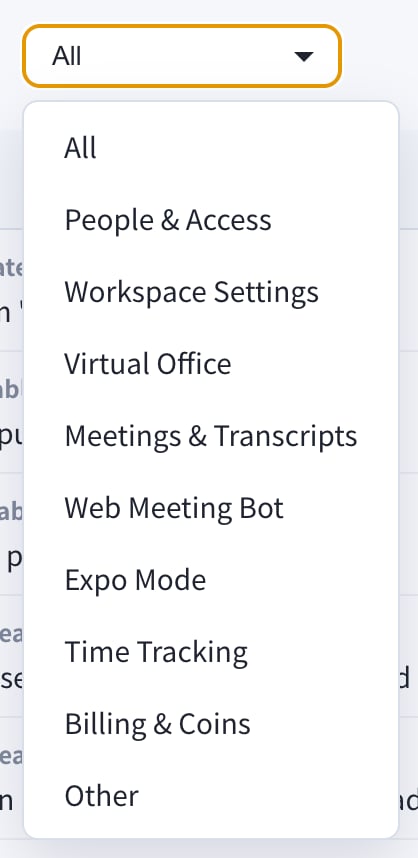
カテゴリのドロップダウンで対象領域を絞り込みます。
### カテゴリ
カテゴリのドロップダウンで対象領域を絞り込みます。
 * All
* People & Access
* Workspace Settings
* Virtual Office
* Meetings & Transcripts
* Web Meeting Bot
* Expo Mode
* Time Tracking
* Billing & Coins
* Other
## エクスポート
Event Log 画面外で監査履歴を共有する場合は、右上の **Export to CSV** または **Export PDF** ボタンを使用します。
* All
* People & Access
* Workspace Settings
* Virtual Office
* Meetings & Transcripts
* Web Meeting Bot
* Expo Mode
* Time Tracking
* Billing & Coins
* Other
## エクスポート
Event Log 画面外で監査履歴を共有する場合は、右上の **Export to CSV** または **Export PDF** ボタンを使用します。
 Event Log はワークスペース監査履歴用です。利用傾向やダッシュボードを確認する場合は [Analysis](/ja/analytics) を使用してください。