> ## Documentation Index
> Fetch the complete documentation index at: https://manual.voiceping.net/llms.txt
> Use this file to discover all available pages before exploring further.

# フロアを作成・設定する

> 2Dマップ型の仮想オフィス「フロア」を作成し、名前、背景、参加メンバーなどを設定する方法

export const FeedbackJa = () => <>
    <Tip>
      この機能へのご意見・ご要望は、<a href="/ja/product-feedback">Product Feedback</a>からお寄せください。
    </Tip>

    <h2>公式リンク</h2>

    <CardGroup cols={2}>
      <Card title="公式サイト" icon="globe" href="https://voiceping.net/">
        VoicePing公式サイト
      </Card>
      <Card title="X (Twitter)" icon="x-twitter" href="https://x.com/VoicePingMedia">
        VoicePing公式X
      </Card>
      <Card title="Facebook" icon="facebook" href="https://www.facebook.com/voiceping.inc">
        VoicePing公式Facebook
      </Card>
      <Card title="LinkedIn" icon="linkedin" href="https://www.linkedin.com/company/28684130/">
        VoicePing公式LinkedIn
      </Card>
    </CardGroup>
  </>;

<Tip>
  プランごとに作成できるフロア数の上限が異なります。詳細は[料金プラン](/ja/pricing)を参照してください。
</Tip>

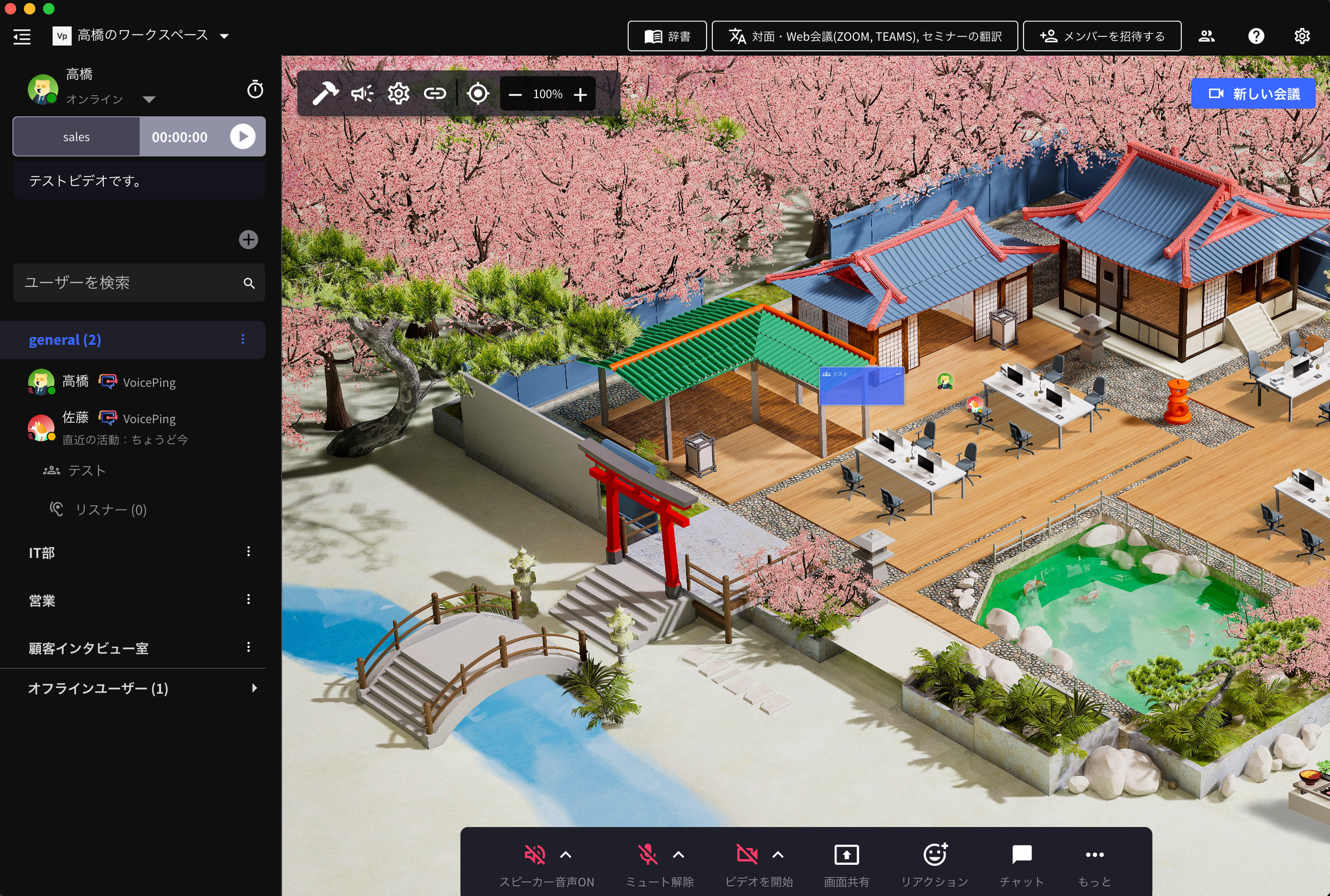
「フロア」は、VoicePingにログインすると表示される2Dマップ型の仮想オフィスです。席で作業したり、近くのメンバーと会話したり、会議を開いたりできます。

1つのワークスペースに複数のフロアを作成し、部門や用途ごとに使い分けられます。

<Frame>
  <img src="https://mintcdn.com/test-cf63e467/f2HgNBkhlFN3O04X/ja/images/floor-setup/01-floor-creation-settings.png?fit=max&auto=format&n=f2HgNBkhlFN3O04X&q=85&s=6e7f91fc03c3c9935ddbc5ed545d0166" alt="フロアの作成と設定" width="2048" height="1380" data-path="ja/images/floor-setup/01-floor-creation-settings.png" />
</Frame>

## フロアを作成する

<iframe src="https://www.loom.com/embed/762065cef4364ec8be896ef4d7c1286c" width="100%" height="400" frameBorder="0" allow="accelerometer; autoplay; clipboard-write; encrypted-media; gyroscope; picture-in-picture" allowFullScreen />

* 左側のメニュー上部にある「＋」をクリックして、フロアを追加します。
* フロアごとに参加するワークスペースメンバーを割り当てられます。

## フロアの設定

アプリ上部の歯車アイコンから、フロアの設定を開きます。

<iframe src="https://www.loom.com/embed/9211c51e703a45b7b00096161fcd74b7" width="100%" height="400" frameBorder="0" allow="accelerometer; autoplay; clipboard-write; encrypted-media; gyroscope; picture-in-picture" allowFullScreen />

<Note>
  **「設定」からできること**

  * フロア名の変更
  * ゲスト用Webアプリの有効化（外部ゲストによるブラウザからのフロアアクセスを許可）
  * フロア背景のカスタマイズ
  * 割り当てるメンバーの変更
</Note>

<FeedbackJa />