> ## Documentation Index
> Fetch the complete documentation index at: https://manual.voiceping.net/llms.txt
> Use this file to discover all available pages before exploring further.

# IPアドレス制限（IP Restriction）

> Admin > IP Restrictionでワークスペースへのアクセス元を許可IPアドレスに制限する手順

export const FeedbackJa = () => <>
    <Tip>
      この機能へのご意見・ご要望は、<a href="/ja/product-feedback">Product Feedback</a>からお寄せください。
    </Tip>

    <h2>公式リンク</h2>

    <CardGroup cols={2}>
      <Card title="公式サイト" icon="globe" href="https://voiceping.net/">
        VoicePing公式サイト
      </Card>
      <Card title="X (Twitter)" icon="x-twitter" href="https://x.com/VoicePingMedia">
        VoicePing公式X
      </Card>
      <Card title="Facebook" icon="facebook" href="https://www.facebook.com/voiceping.inc">
        VoicePing公式Facebook
      </Card>
      <Card title="LinkedIn" icon="linkedin" href="https://www.linkedin.com/company/28684130/">
        VoicePing公式LinkedIn
      </Card>
    </CardGroup>
  </>;

\*\*IP Restriction（IPアドレス制限）\*\*では、登録したIPアドレス以外からワークスペースへアクセスできないように設定します。

<Note>
  IP Restrictionは有料プラン限定です。Freeプランでは表示されません。
</Note>

## IP Restrictionを開く

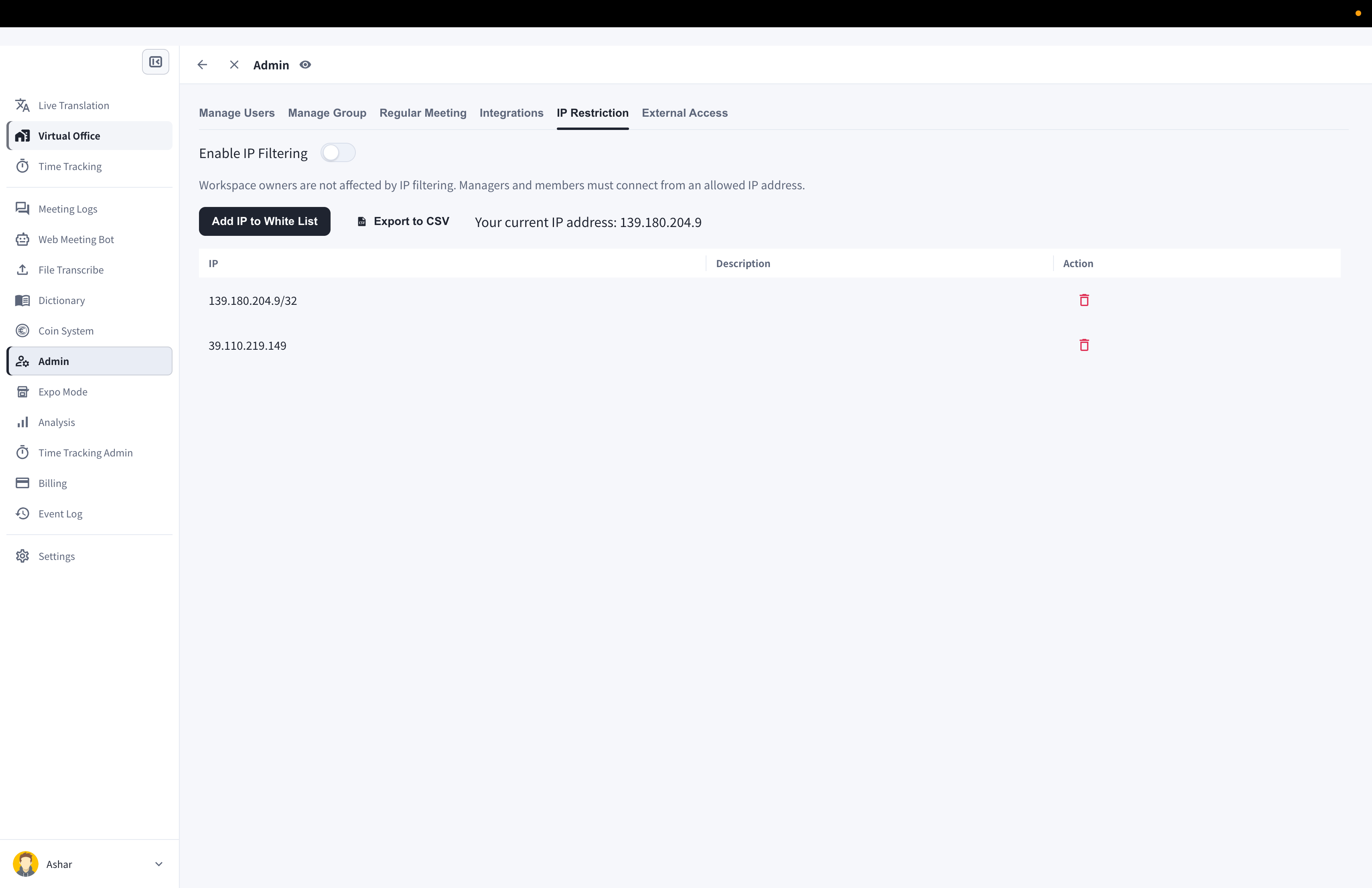
1. **Admin**を開きます。
2. **IP Restriction**を選択します。
3. 画面に表示される現在のIPを確認します。

<Frame>
  <img src="https://mintcdn.com/test-cf63e467/gwYYf2JyOC1avljj/en/images/ip-whitelist/01-ip-restriction-screen.png?fit=max&auto=format&n=gwYYf2JyOC1avljj&q=85&s=5ddb31e08e93193817371322cf6e8d98" alt="IP Restriction画面 — Enable IP Filteringトグル、現在のIPアドレス、許可IP一覧" width="3420" height="2214" data-path="en/images/ip-whitelist/01-ip-restriction-screen.png" />
</Frame>

## フィルタリングを有効にする

1. 許可するIPアドレスを少なくとも1つ追加します。
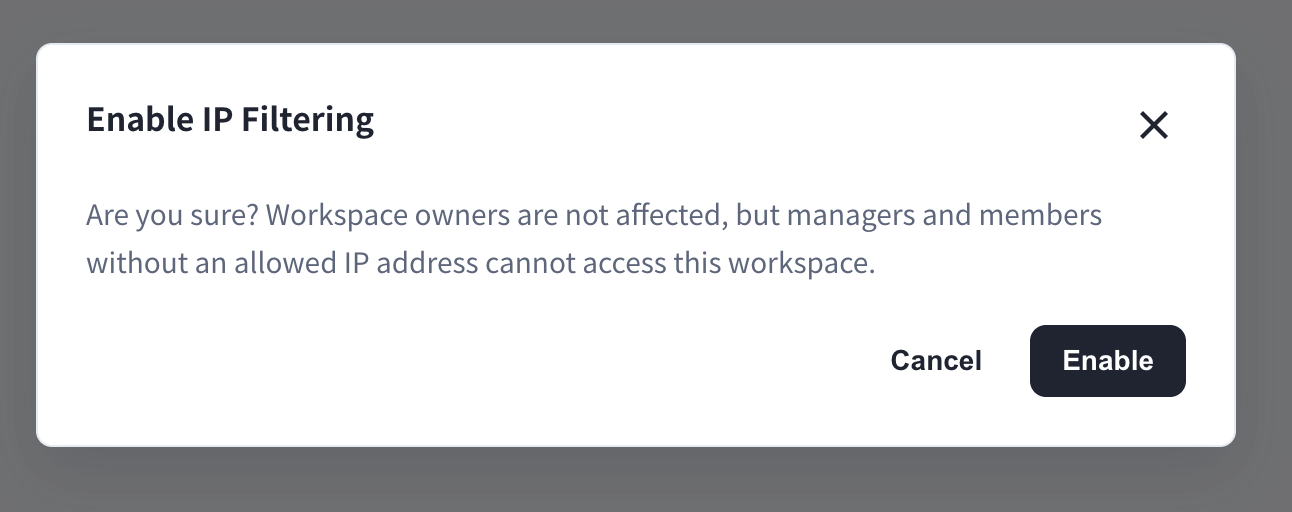
2. **Enable IP Filtering**をオンにします。
3. 確認ダイアログを承認します。

<Frame>
  <img src="https://mintcdn.com/test-cf63e467/gwYYf2JyOC1avljj/en/images/ip-whitelist/02-enable-filtering-confirmation.png?fit=max&auto=format&n=gwYYf2JyOC1avljj&q=85&s=c04dda1dfa283247899752064310c164" alt="Enable IP Filteringの確認ダイアログ — ワークスペースオーナーは影響を受けませんが、マネージャーとメンバーは許可IPからの接続が必要です" width="1292" height="512" data-path="en/images/ip-whitelist/02-enable-filtering-confirmation.png" />
</Frame>

## 許可IPアドレスを管理する

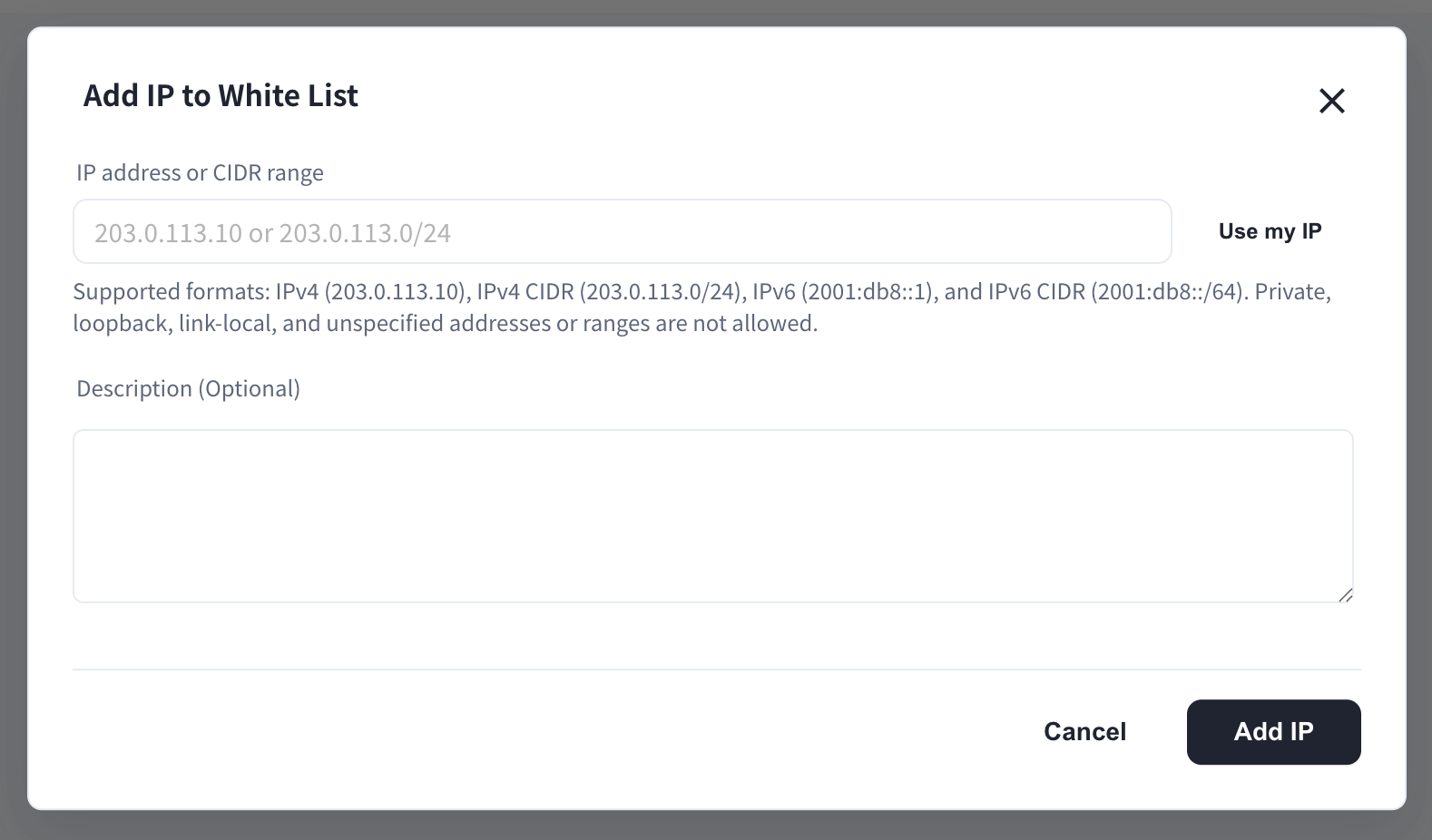
* IPアドレスにはメモや説明を付けて登録できます。
* 不要になったIPアドレスは削除できます。
* 一覧はCSV形式でエクスポートできます。

<Frame>
  <img src="https://mintcdn.com/test-cf63e467/gwYYf2JyOC1avljj/en/images/ip-whitelist/03-add-ip-modal.png?fit=max&auto=format&n=gwYYf2JyOC1avljj&q=85&s=8925134d00c2c4b0c82a1b101d8ba862" alt="Add IP to White Listダイアログ — IPアドレスまたはCIDR範囲、対応フォーマット、任意の説明" width="1578" height="926" data-path="en/images/ip-whitelist/03-add-ip-modal.png" />
</Frame>

<Warning>
  フィルタリングを有効にする前に、許可IP一覧を必ず確認してください。許可範囲外のユーザーはアクセスできなくなる場合があります。
</Warning>

<FeedbackJa />