> ## Documentation Index
> Fetch the complete documentation index at: https://manual.voiceping.net/llms.txt
> Use this file to discover all available pages before exploring further.
# Product Feedback
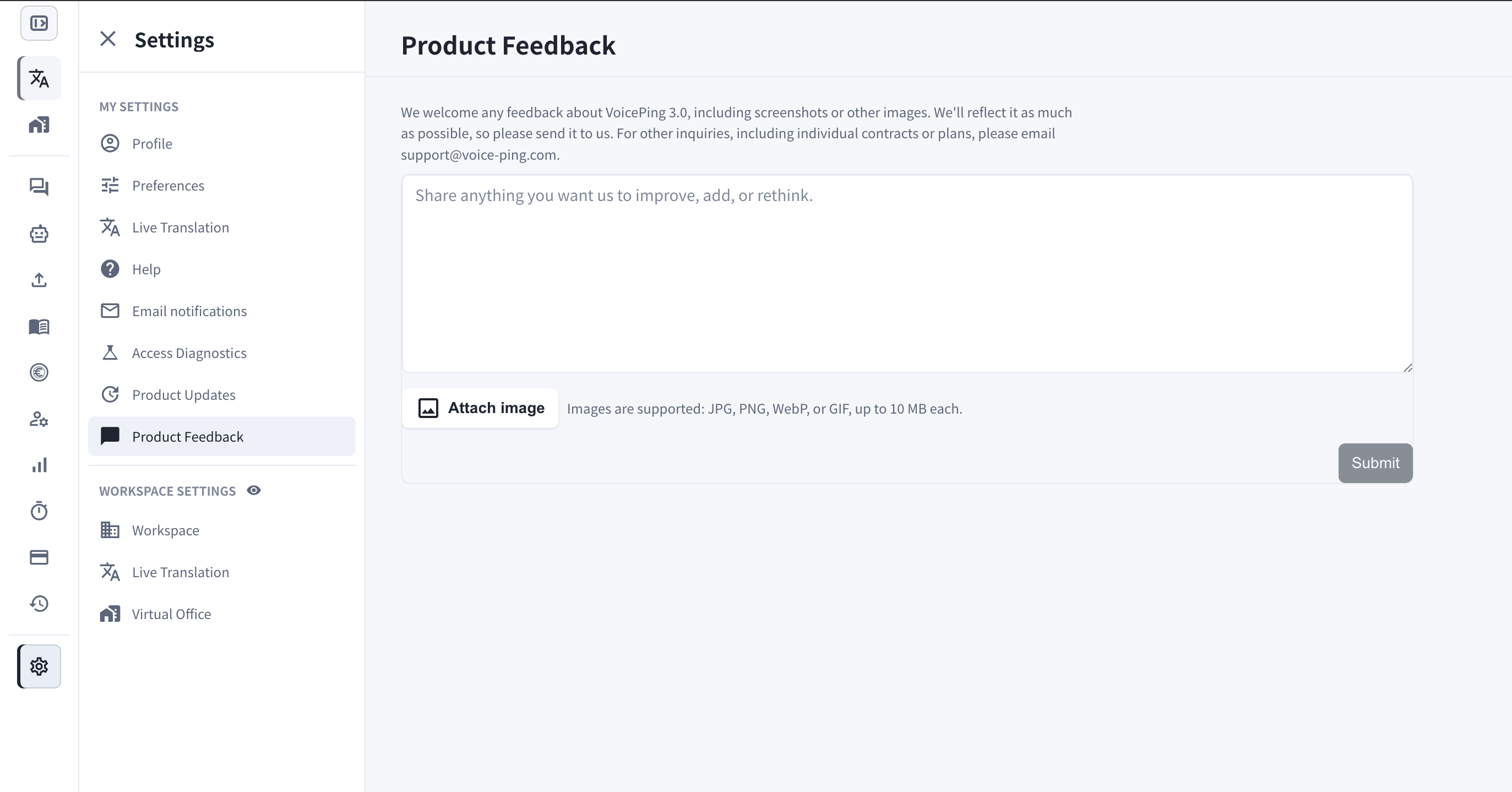
> Settings > Product Feedback から改善アイデアや要望、スクリーンショットを VoicePing チームに送信します。
export const ContactJa = () => <>
ご不明な点がございましたら、こちらのフォームよりお問い合わせください。
## 公式リンク
公式ウェブサイトはこちら
Xでフォロー
Facebookでいいね
LinkedInでつながる
;
 Product Feedback では、VoicePing 3.0 についてのご意見をアプリ内からチームへ直接送信できます。
## 何のための機能?
* **改善・追加・見直し** してほしいことを何でも共有できます — 機能要望、使いにくい点、気になる粗さなど。
* **スクリーンショットや画像** を添付して、状況を正確に伝えられます。
* 送信内容は VoicePing チームに直接届き、可能な限り製品へ反映します。
個別契約やプランなどその他のお問い合わせは、[support@voice-ping.com](mailto:support@voice-ping.com) までメールでご連絡ください。
## 開き方
1. **Settings** を開きます。
2. **My Settings** の **Product Feedback** を選択します。
3. テキストボックスにメッセージを入力します。
4. 必要に応じて **Attach image** をクリックします — JPG、PNG、WebP、GIF に対応し、各ファイル最大 10 MB です。
5. **Submit** をクリックします。
Product Feedback では、VoicePing 3.0 についてのご意見をアプリ内からチームへ直接送信できます。
## 何のための機能?
* **改善・追加・見直し** してほしいことを何でも共有できます — 機能要望、使いにくい点、気になる粗さなど。
* **スクリーンショットや画像** を添付して、状況を正確に伝えられます。
* 送信内容は VoicePing チームに直接届き、可能な限り製品へ反映します。
個別契約やプランなどその他のお問い合わせは、[support@voice-ping.com](mailto:support@voice-ping.com) までメールでご連絡ください。
## 開き方
1. **Settings** を開きます。
2. **My Settings** の **Product Feedback** を選択します。
3. テキストボックスにメッセージを入力します。
4. 必要に応じて **Attach image** をクリックします — JPG、PNG、WebP、GIF に対応し、各ファイル最大 10 MB です。
5. **Submit** をクリックします。