> ## Documentation Index
> Fetch the complete documentation index at: https://manual.voiceping.net/llms.txt
> Use this file to discover all available pages before exploring further.

# 文字起こし・翻訳テキストのリアルタイム編集

> 音声認識・翻訳の誤りをリアルタイムで修正する方法

export const FeedbackJa = () => <>
    <Tip>
      このフィーチャーへのご意見やご要望は、<a href="/ja/product-feedback">Product Feedback</a> からチームへお送りください。
    </Tip>

    <h2>公式リンク</h2>

    <CardGroup cols={2}>
      <Card title="公式サイト" icon="globe" href="https://voiceping.net/">
        公式ウェブサイトはこちら
      </Card>
      <Card title="X (Twitter)" icon="x-twitter" href="https://x.com/VoicePingMedia">
        Xでフォロー
      </Card>
      <Card title="Facebook" icon="facebook" href="https://www.facebook.com/voiceping.inc">
        Facebookでいいね
      </Card>
      <Card title="LinkedIn" icon="linkedin" href="https://www.linkedin.com/company/28684130/">
        LinkedInでつながる
      </Card>
    </CardGroup>
  </>;

プレゼンター話者が言い間違えた、音声認識・翻訳に誤りがあった場合、**すぐに翻訳を編集でき、修正内容がすべてのゲスト翻訳チャンネルにリアルタイムで反映されます。**

## 使い方

1. **編集したい文章にマウスを合わせます。**
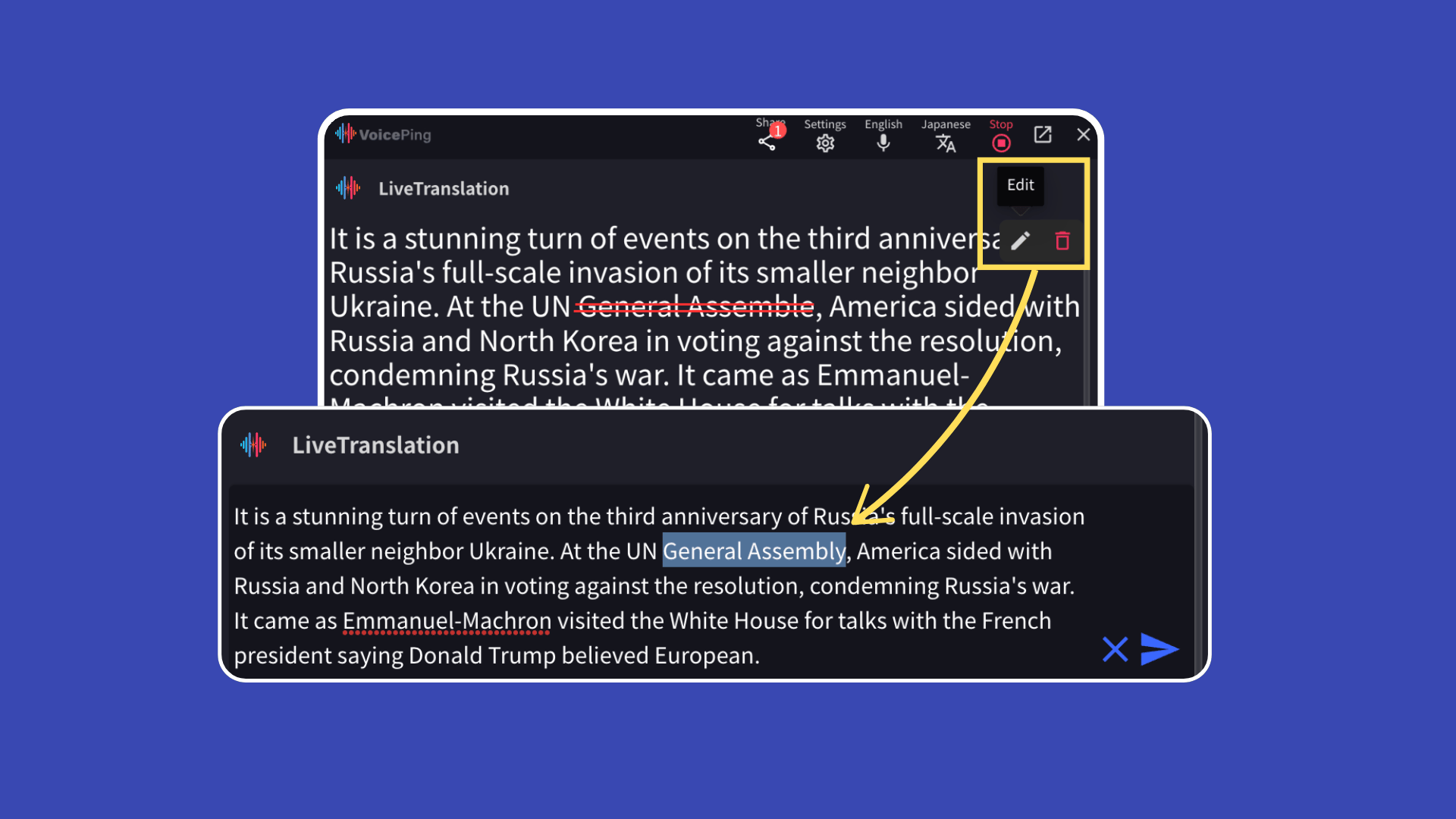
<Frame>
  <img src="https://mintcdn.com/test-cf63e467/rZB_5iopEvtb33Qp/ja/images/realtime-edit/01-edit-hover.png?fit=max&auto=format&n=rZB_5iopEvtb33Qp&q=85&s=953f967d2452391e05227918cfb2b74c" alt="編集したい文章にマウスを合わせる" width="1920" height="1080" data-path="ja/images/realtime-edit/01-edit-hover.png" />
</Frame>

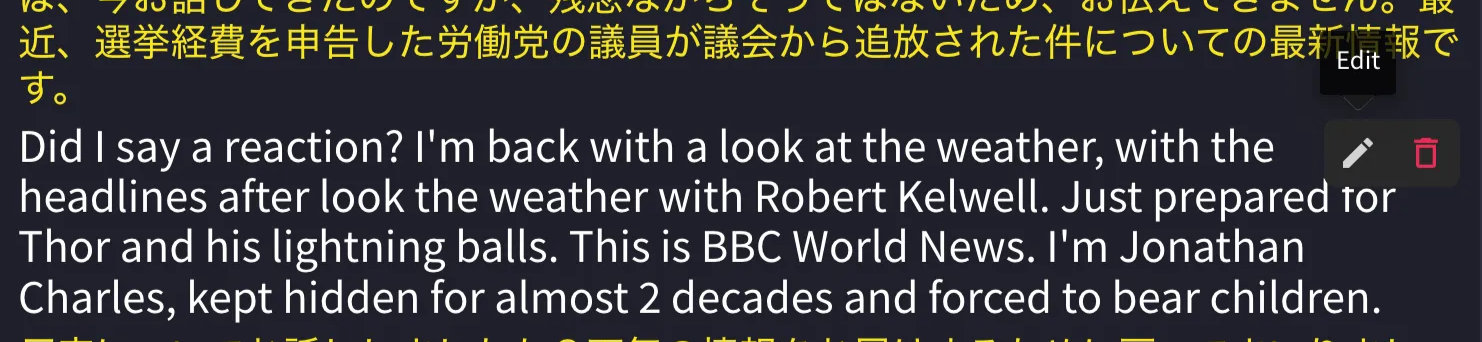
2. **「編集」ボタンをクリックします。**

<Frame>
  <img src="https://mintcdn.com/test-cf63e467/UDonPy9U4TF-4rTr/ja/images/realtime-edit/02-edit-button.png?fit=max&auto=format&n=UDonPy9U4TF-4rTr&q=85&s=30c1ab1e89bec4e886a921f2bf36ac64" alt="編集ボタンをクリック" width="1482" height="342" data-path="ja/images/realtime-edit/02-edit-button.png" />
</Frame>

3. **修正後、右側の青い矢印ボタンをクリックして保存します。**

<Frame>
  <img src="https://mintcdn.com/test-cf63e467/UDonPy9U4TF-4rTr/ja/images/realtime-edit/03-save-edit.png?fit=max&auto=format&n=UDonPy9U4TF-4rTr&q=85&s=efb9ae13672b7899789379c5025b8265" alt="修正内容を保存" width="1262" height="168" data-path="ja/images/realtime-edit/03-save-edit.png" />
</Frame>

### リアルタイムでゲストに反映

編集した内容は、**QRコードまたはURL**で翻訳チャンネルを閲覧しているゲストにリアルタイムで反映されます。

<FeedbackJa />