> ## Documentation Index
> Fetch the complete documentation index at: https://manual.voiceping.net/llms.txt
> Use this file to discover all available pages before exploring further.

# 워크플로우 — 한 번의 회의로부터 고객 제안서 초안 작성

> 제안 리뷰 회의록을 임원 수준의 제안서 초안(요약, 고객 상황, 제안 솔루션, 타임라인, 다음 단계)으로 변환합니다. VoicePing MCP Access를 사용합니다.

export const FeedbackKo = () => <>
    <Tip>
      이 기능에 대한 아이디어나 요청은 <a href="/ko/product-feedback">Product Feedback</a>을 통해 팀에 보내주세요.
    </Tip>

    <h2>공식 링크</h2>

    <CardGroup cols={2}>
      <Card title="공식 웹사이트" icon="globe" href="https://voiceping.net/en/">
        공식 웹사이트 방문
      </Card>
      <Card title="X (Twitter)" icon="x-twitter" href="https://x.com/VoicePingMedia">
        X에서 팔로우
      </Card>
      <Card title="Facebook" icon="facebook" href="https://www.facebook.com/voiceping.inc">
        Facebook에서 좋아요
      </Card>
      <Card title="LinkedIn" icon="linkedin" href="https://www.linkedin.com/company/28684130/">
        LinkedIn에서 연결
      </Card>
    </CardGroup>
  </>;

## 한 번의 회의로부터 고객 제안서 초안 작성

**상황.** 제안 리뷰 회의가 방금 끝났습니다. 고객은 목표를 공유했고, 보안과 관련한 두 가지 우려를 표명했으며, 단계별 타임라인을 요청했습니다. 이제 그 대화를 공식적인 제안서로 바꿔야 합니다. 핵심은 글을 쓰는 것이 아니라 ― 어떤 시그널도 놓치지 않는 것입니다.

이 워크플로우는 [MCP Access](/ko/external-access/mcp) 를 이미 활성화하고 AI 클라이언트에 연결했다고 가정합니다.

<Steps>
  <Step title="특정 회의를 찾기">
    ```text theme={null}
    Search my VoicePing transcripts for the Northstar Capital proposal review meeting.
    Find the most relevant transcript and show me the title, date, participants
    if available, and why it matches.
    ```

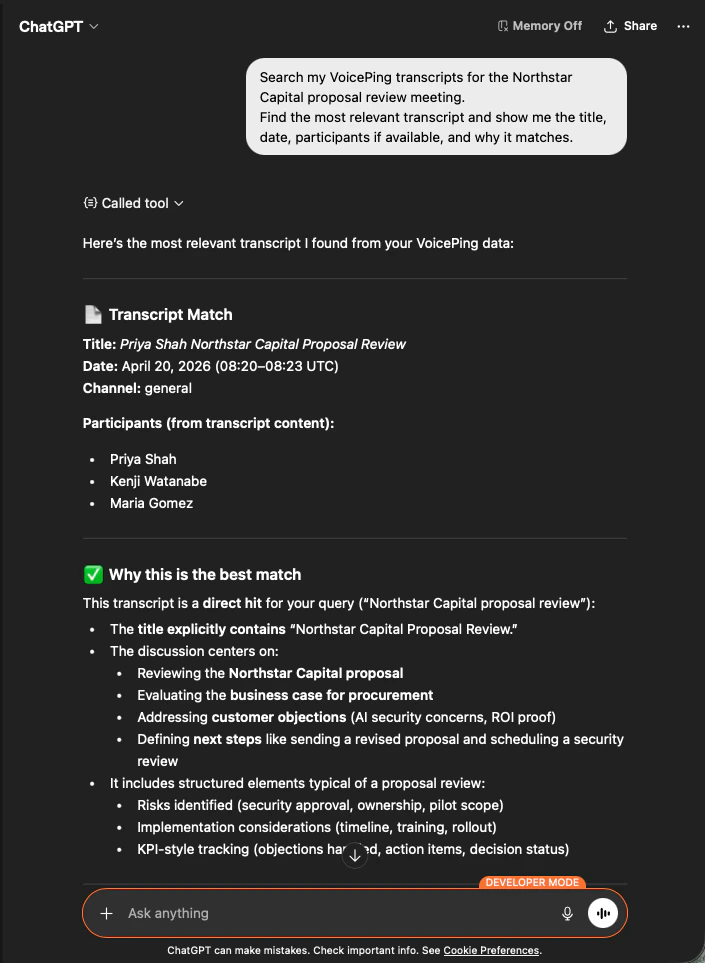
    AI는 정확한 회의록을 식별하고, 참석자를 나열하고, 왜 일치하는지 설명합니다 ― 그래서 제안서가 올바른 회의를 근거로 한다는 것이 확실합니다.

    <div style={{maxWidth: "600px", margin: "0 auto"}}>
      <Frame>
        <img src="https://mintcdn.com/test-cf63e467/z13MfE0CikV5b-4X/en/images/external_access/proposal%20creation%201.png?fit=max&auto=format&n=z13MfE0CikV5b-4X&q=85&s=541234a4b6549b663c1410f3344d4edb" alt="ChatGPT identifying the Northstar Capital proposal review transcript with participants and match reasoning" width="705" height="963" data-path="en/images/external_access/proposal creation 1.png" />
      </Frame>
    </div>
  </Step>

  <Step title="구조화된 제안서 입력값 추출">
    ```text theme={null}
    Read that transcript and extract the key proposal inputs:
    - customer goals
    - pain points
    - requested solution
    - success criteria
    - objections or concerns
    - timeline
    - stakeholders
    - next steps
    ```

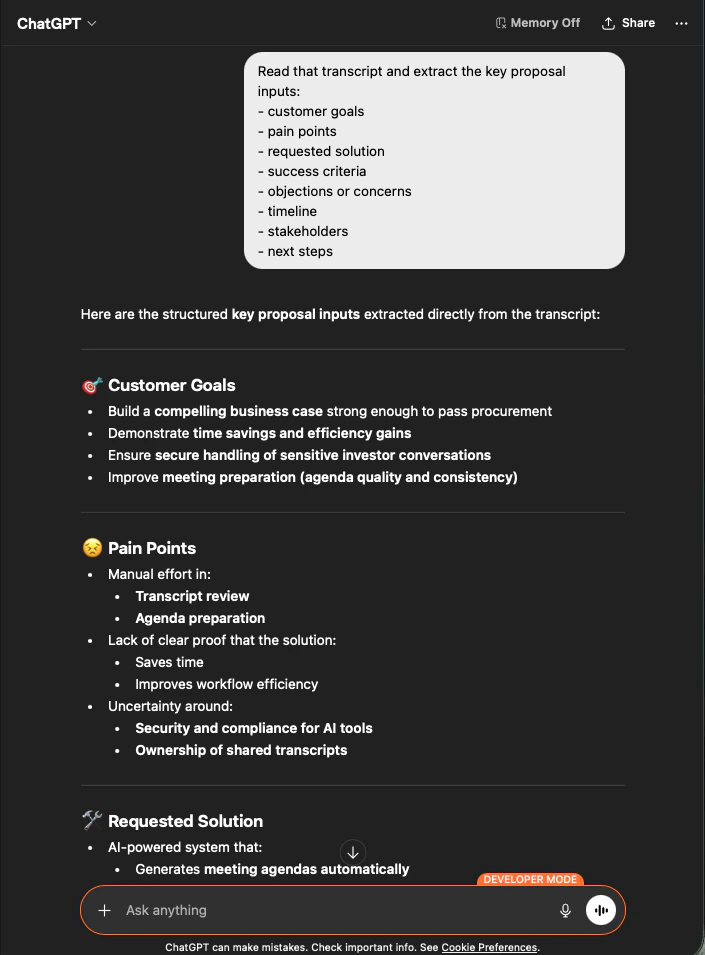
    AI는 요청한 그룹화 그대로 모든 입력값을 뽑아냅니다. 이것이 제안서의 골격입니다 ― 지어낸 것은 없고, 모든 것이 회의록으로 추적 가능합니다.

    <div style={{maxWidth: "600px", margin: "0 auto"}}>
      <Frame>
        <img src="https://mintcdn.com/test-cf63e467/z13MfE0CikV5b-4X/en/images/external_access/proposal%20creation%202.png?fit=max&auto=format&n=z13MfE0CikV5b-4X&q=85&s=65915e908ac022464f1668c6b920706e" alt="ChatGPT extracting structured proposal inputs — customer goals, pain points, requested solution — from a Northstar Capital transcript" width="705" height="955" data-path="en/images/external_access/proposal creation 2.png" />
      </Frame>
    </div>
  </Step>

  <Step title="제안서 초안 생성">
    ```text theme={null}
    Create a customer proposal draft based only on this meeting.
    Structure it with:
    - executive summary
    - customer situation
    - proposed solution
    - implementation scope
    - expected value
    - security or operational considerations
    - timeline
    - next steps
    ```

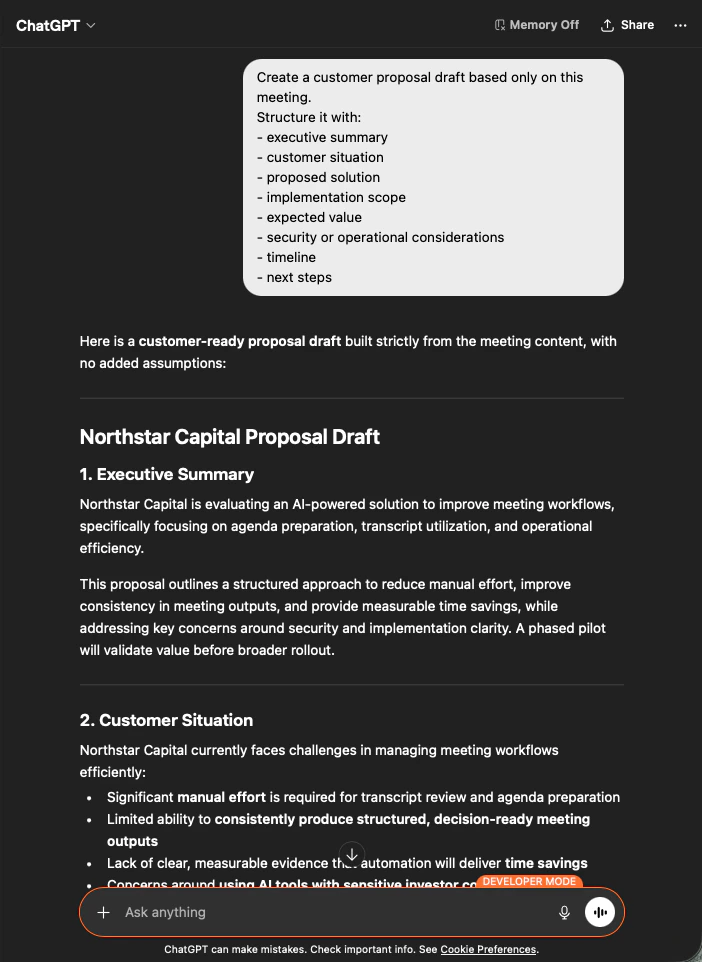
    결과물은 완전한 제안서 초안입니다 ― 먼저 요약, 이어지는 각 섹션은 회의 내용에서만 채워집니다. 톤을 다듬은 뒤 발송하면 됩니다.

    <div style={{maxWidth: "600px", margin: "0 auto"}}>
      <Frame>
        <img src="https://mintcdn.com/test-cf63e467/z13MfE0CikV5b-4X/en/images/external_access/proposal%20creation%203.png?fit=max&auto=format&n=z13MfE0CikV5b-4X&q=85&s=9ef5ea2d403eadf232efd486e8c1a7c8" alt="ChatGPT producing a customer-ready Northstar Capital proposal draft built strictly from meeting content" width="702" height="962" data-path="en/images/external_access/proposal creation 3.png" />
      </Frame>
    </div>
  </Step>
</Steps>

<Note>
  AI에게 **"based only on this meeting"** 과 **"with no added assumptions"** 을 명시하는 것이, 그대로 보낼 수 있는 제안서와 한 줄씩 팩트체크가 필요한 제안서를 가르는 차이입니다.
</Note>

***

## 다음 단계

<CardGroup cols={2}>
  <Card title="외부 접근 개요" icon="arrow-left" href="/ko/external-access">
    스코프, 라이프사이클 제어, 이벤트 로그 허브로 돌아가기.
  </Card>

  <Card title="MCP Access 활성화 방법" icon="plug" href="/ko/external-access/mcp">
    Claude, ChatGPT, Codex, Claude Code, Gemini CLI용 설정 가이드.
  </Card>
</CardGroup>

<FeedbackKo />