> ## Documentation Index
> Fetch the complete documentation index at: https://manual.voiceping.net/llms.txt
> Use this file to discover all available pages before exploring further.
# IP Restriction
> Limit VoicePing workspace access to allowed IP addresses from Admin > IP Restriction.
export const FeedbackKo = () => <>
이 기능에 대한 아이디어나 요청은 Product Feedback을 통해 팀에 보내주세요.
공식 링크
공식 웹사이트 방문
X에서 팔로우
Facebook에서 좋아요
LinkedIn에서 연결
;
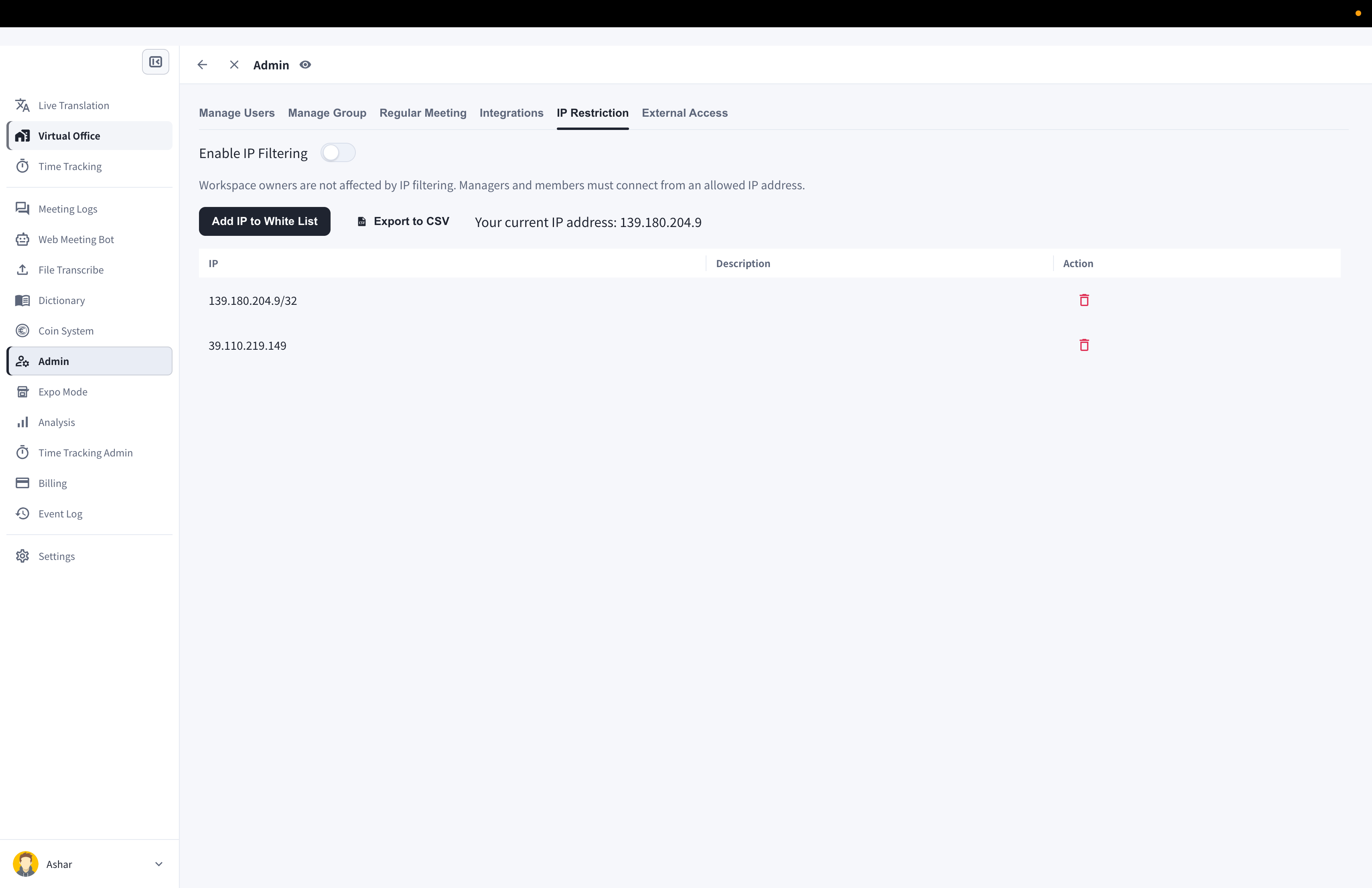
**IP Restriction** limits workspace access to registered IP addresses. The route is still named `ip-whitelist` for compatibility, but the current product label is **IP Restriction**.
IP Restriction is available on paid plans and is hidden on Free workspaces.
## Open IP Restriction
1. Open **Admin**.
2. Select **IP Restriction**.
3. Review the current IP shown on the screen.
 ## Enable Filtering
1. Add at least one allowed IP address.
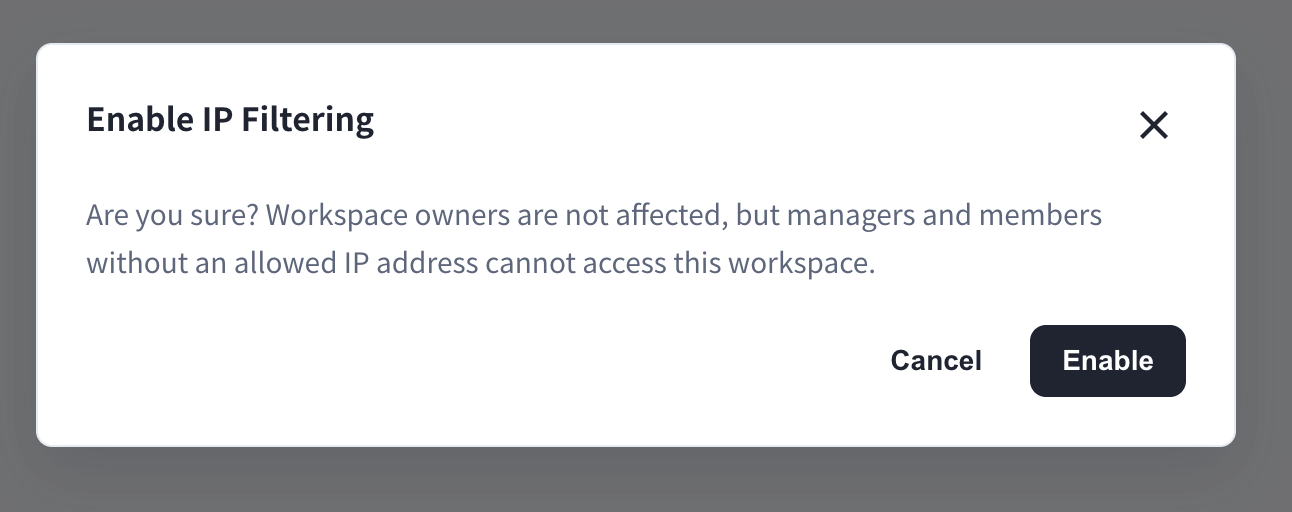
2. Turn on **Enable IP Filtering**.
3. Confirm the warning dialog.
## Enable Filtering
1. Add at least one allowed IP address.
2. Turn on **Enable IP Filtering**.
3. Confirm the warning dialog.
 ## Manage Allowed IP Addresses
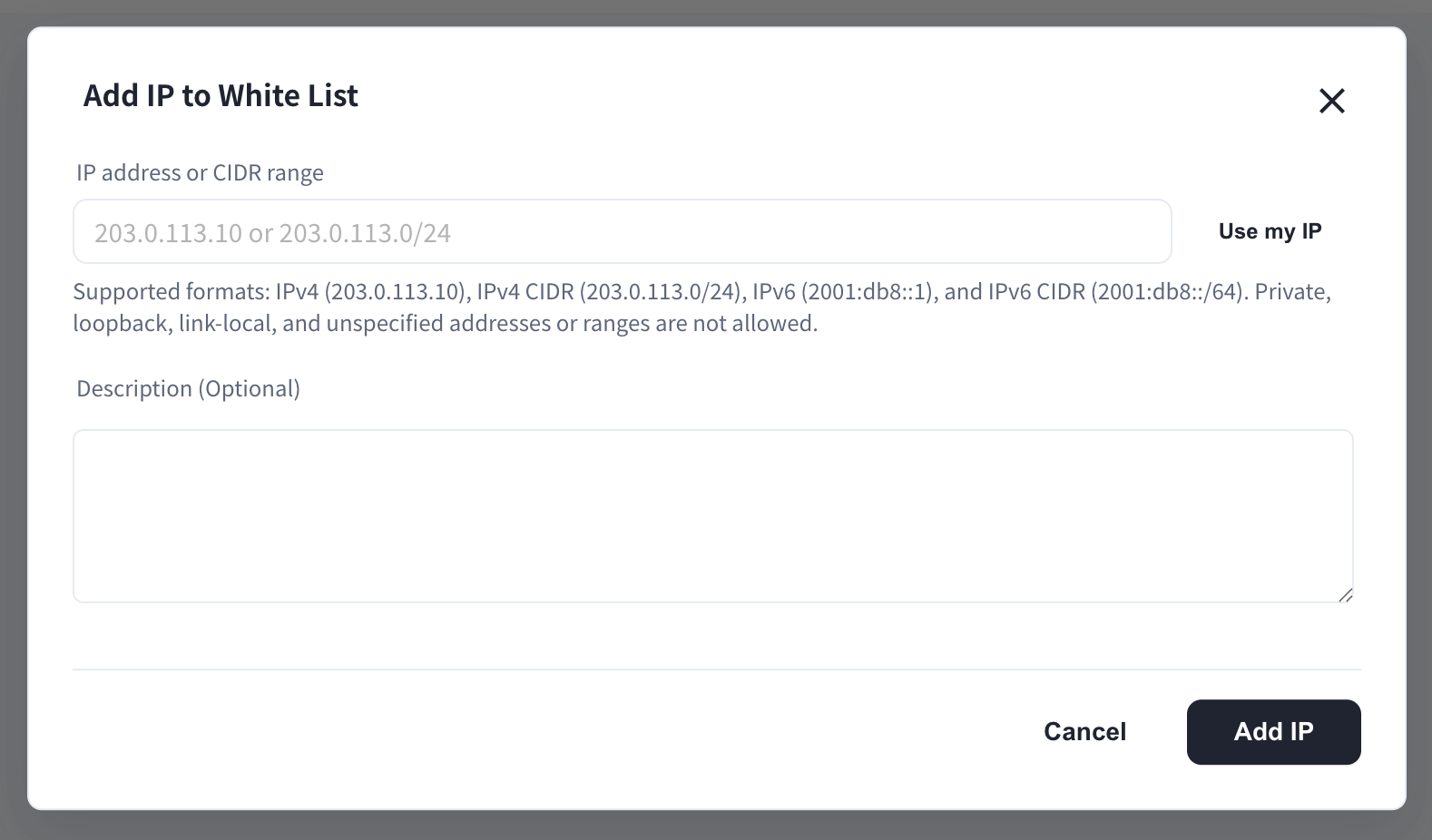
* Add an IP address with an optional memo or description.
* Delete IP addresses that should no longer be allowed.
* Export the list as CSV when needed.
## Manage Allowed IP Addresses
* Add an IP address with an optional memo or description.
* Delete IP addresses that should no longer be allowed.
* Export the list as CSV when needed.
 Confirm the allowed IP list before enabling filtering. Users outside the allowed IP range may lose access.