> ## Documentation Index
> Fetch the complete documentation index at: https://manual.voiceping.net/llms.txt
> Use this file to discover all available pages before exploring further.
# เปลี่ยนบัตรเครดิตสำหรับชำระเงิน
> วิธีเปลี่ยนบัตรที่ลงทะเบียนจาก PC หรือแอปมือถือ
export const ContactTh = () => <>
หากคุณมีคำถามใดๆ กรุณาติดต่อเราผ่าน แบบฟอร์มนี้
ลิงก์อย่างเป็นทางการ
เยี่ยมชมเว็บไซต์อย่างเป็นทางการของเรา
ติดตามเราบน X
ติดตามเราบน Facebook
เชื่อมต่อบน LinkedIn
;
## 1. PC
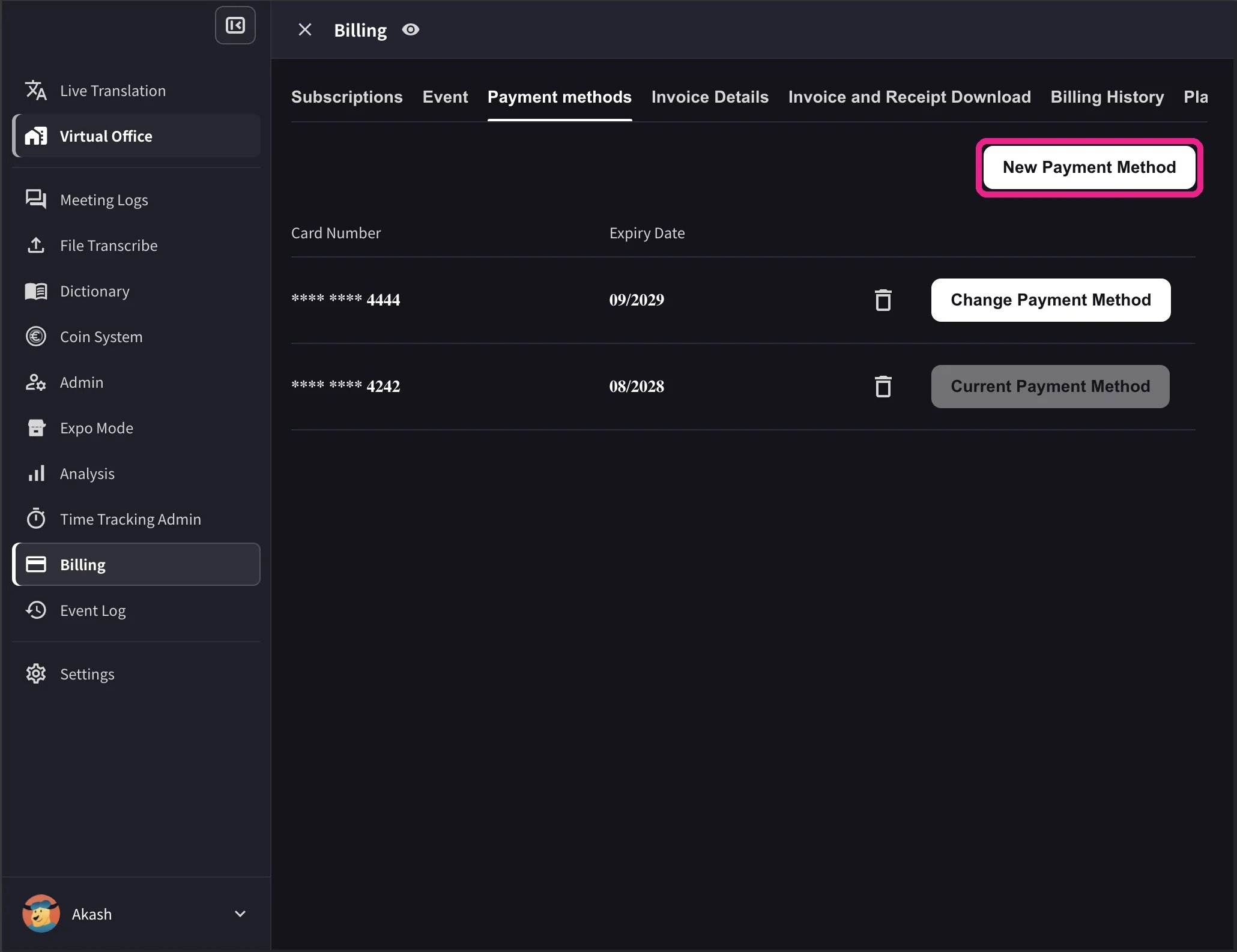
1. เปิดการนำทางด้านบน → **Billing** → **Payment methods** และลงทะเบียนบัตรเครดิตใหม่
 2. In the card list, click **Change Payment Method** on the card you want to use. The active card shows **Current Payment Method** after the change completes.
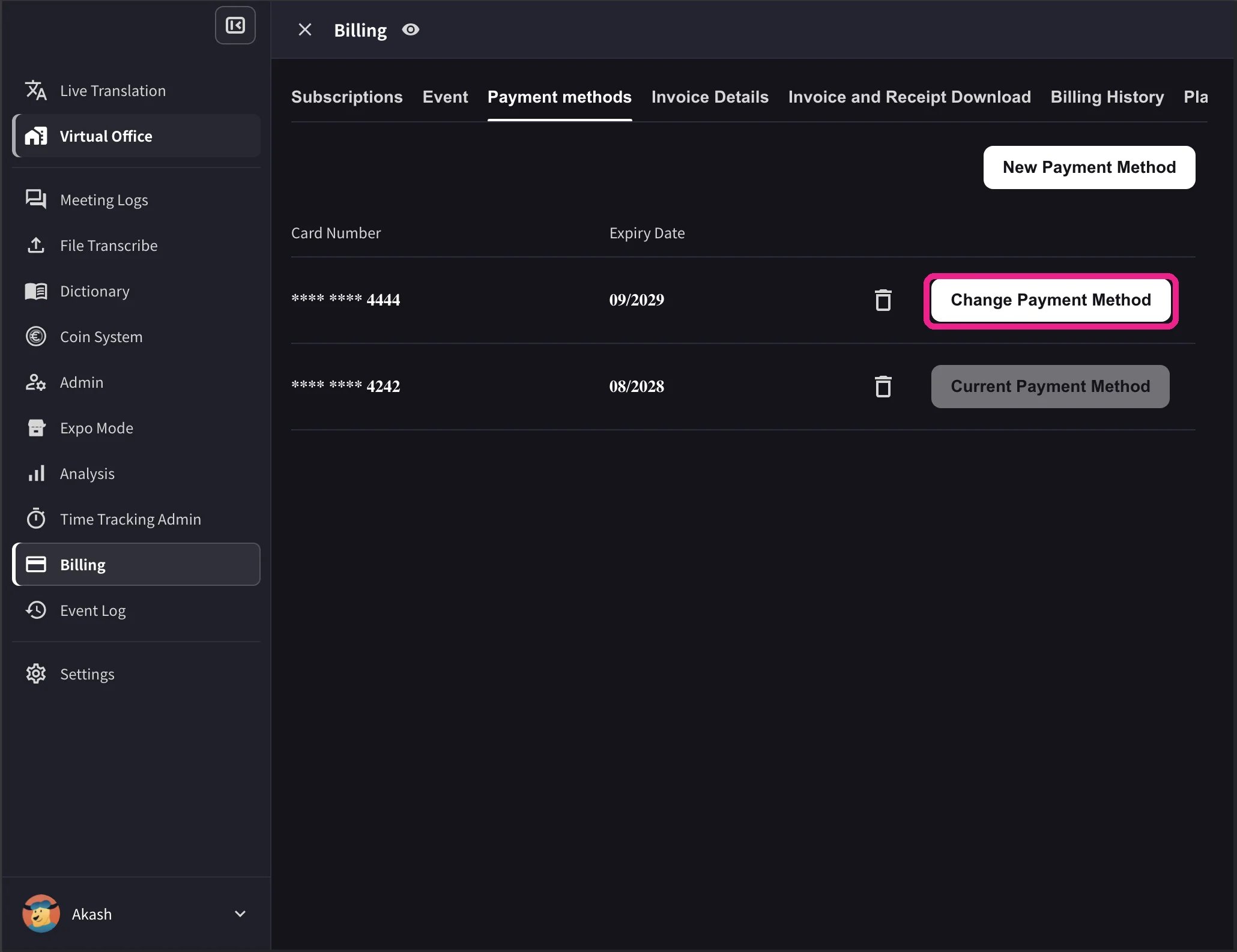 The desktop list also shows card expiry dates and a delete icon. **Change Payment Method** appears only when the workspace has an active Stripe subscription and no scheduled cancellation. Cards that cannot be used with the workspace currency show **Not Supported** instead of the change action.
## 2. Mobile
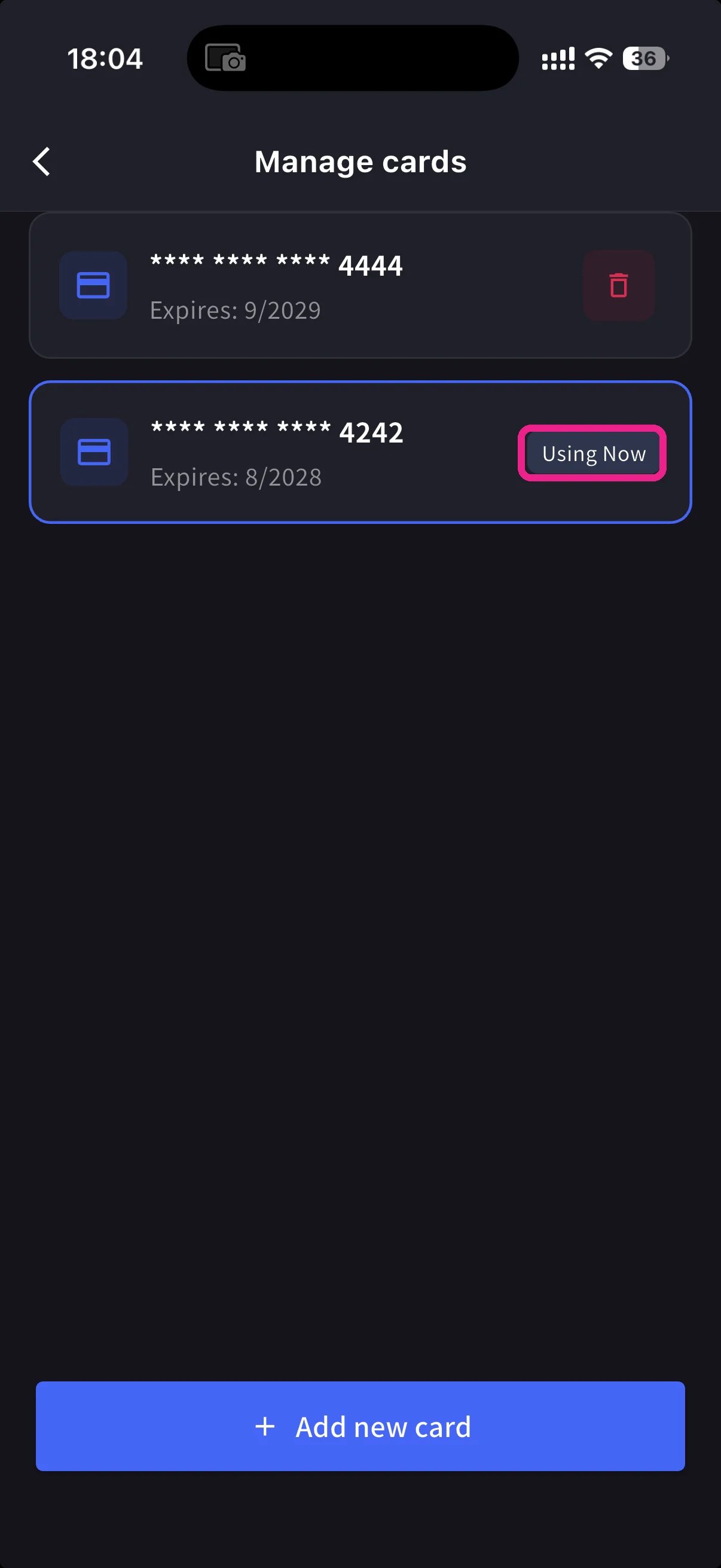
จากแอปมือถือ การจัดการการ์ดอยู่ภายใต้ **Billing → Manage Cards**
เปิดเมนูด้านข้าง → **User Settings** → **Billing** → **Manage Cards** การ์ดทุกใบในไฟล์มีการระบุไว้ อันที่ใช้อยู่นั้นมียาเม็ด **Using Now**
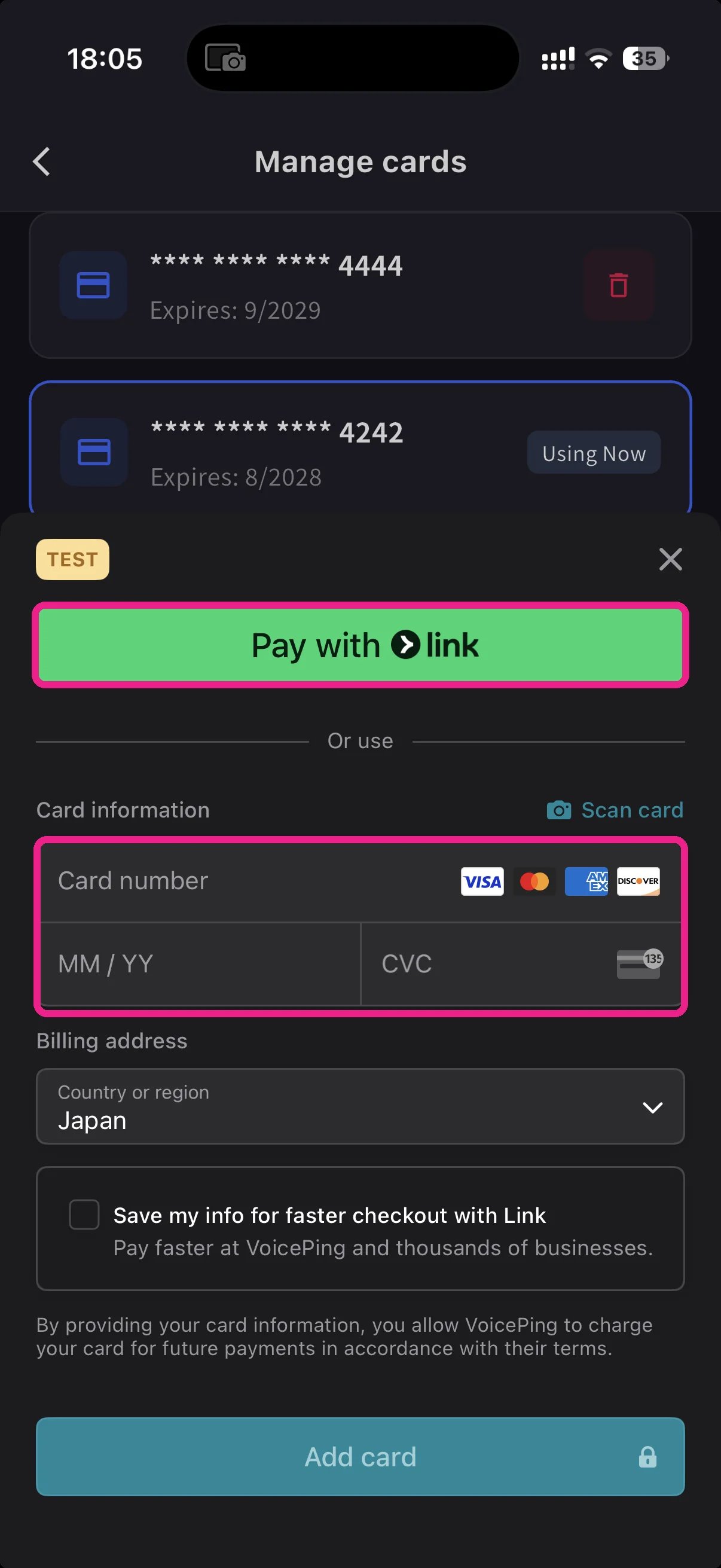
แตะปุ่ม **+ Add new card** สีฟ้าที่ด้านล่าง แผ่นการ์ดเพิ่มเติมมีสองเส้นทาง:
* **Pay with Link** — Stripe Link แตะครั้งเดียวหากหมายเลขโทรศัพท์ของคุณลิงก์อยู่แล้ว
* **Manual card** — พิมพ์ตัวเลข, ดด/ปป, CVC หรือแตะ **📷 Scan card** เพื่อเติมจากกล้อง เลือกประเทศสำหรับการเรียกเก็บเงินแล้วแตะ **Add card**
กลับไปที่ Manage Cards แตะการ์ดที่คุณต้องการใช้ เม็ดยา **Using Now** เคลื่อนไปหามัน การเรียกเก็บเงินในอนาคตจะดำเนินการกับบัตรที่เลือก
การ์ดได้รับโทเค็นโดย Stripe VoicePing ไม่เคยเก็บหมายเลขบัตรดิบ
**Link** บันทึกการพิมพ์ หากคุณเคยใช้ Stripe Link ที่อื่น บัตรของคุณจะเติมอัตโนมัติหลังจากเข้าสู่โทรศัพท์ของคุณ การเปลี่ยนแปลงที่ทำบนมือถือซิงค์กับเว็บแอปทันที
## Related
* [Plan Changes, Cancellation & Trial End](/th/plan-changes) — อัปเกรด ดาวน์เกรด ยกเลิก
* [Invoices, Receipts & Billing Activity](/th/invoices-receipts) — ใบแจ้งหนี้ PDF ใบเสร็จรับเงิน บันทึกเหตุการณ์
The desktop list also shows card expiry dates and a delete icon. **Change Payment Method** appears only when the workspace has an active Stripe subscription and no scheduled cancellation. Cards that cannot be used with the workspace currency show **Not Supported** instead of the change action.
## 2. Mobile
จากแอปมือถือ การจัดการการ์ดอยู่ภายใต้ **Billing → Manage Cards**
เปิดเมนูด้านข้าง → **User Settings** → **Billing** → **Manage Cards** การ์ดทุกใบในไฟล์มีการระบุไว้ อันที่ใช้อยู่นั้นมียาเม็ด **Using Now**
แตะปุ่ม **+ Add new card** สีฟ้าที่ด้านล่าง แผ่นการ์ดเพิ่มเติมมีสองเส้นทาง:
* **Pay with Link** — Stripe Link แตะครั้งเดียวหากหมายเลขโทรศัพท์ของคุณลิงก์อยู่แล้ว
* **Manual card** — พิมพ์ตัวเลข, ดด/ปป, CVC หรือแตะ **📷 Scan card** เพื่อเติมจากกล้อง เลือกประเทศสำหรับการเรียกเก็บเงินแล้วแตะ **Add card**
กลับไปที่ Manage Cards แตะการ์ดที่คุณต้องการใช้ เม็ดยา **Using Now** เคลื่อนไปหามัน การเรียกเก็บเงินในอนาคตจะดำเนินการกับบัตรที่เลือก
การ์ดได้รับโทเค็นโดย Stripe VoicePing ไม่เคยเก็บหมายเลขบัตรดิบ
**Link** บันทึกการพิมพ์ หากคุณเคยใช้ Stripe Link ที่อื่น บัตรของคุณจะเติมอัตโนมัติหลังจากเข้าสู่โทรศัพท์ของคุณ การเปลี่ยนแปลงที่ทำบนมือถือซิงค์กับเว็บแอปทันที
## Related
* [Plan Changes, Cancellation & Trial End](/th/plan-changes) — อัปเกรด ดาวน์เกรด ยกเลิก
* [Invoices, Receipts & Billing Activity](/th/invoices-receipts) — ใบแจ้งหนี้ PDF ใบเสร็จรับเงิน บันทึกเหตุการณ์