> ## Documentation Index
> Fetch the complete documentation index at: https://manual.voiceping.net/llms.txt
> Use this file to discover all available pages before exploring further.
# Doi the thanh toan
> Cach doi the da dang ky tu PC hoac ung dung di dong.
export const ContactVi = () => <>
Nếu bạn có bất kỳ câu hỏi nào, vui lòng liên hệ với chúng tôi qua biểu mẫu này.
Liên kết chính thức
Truy cập website chính thức
Theo dõi trên X
Thích trên Facebook
Kết nối trên LinkedIn
;
## 1. PC
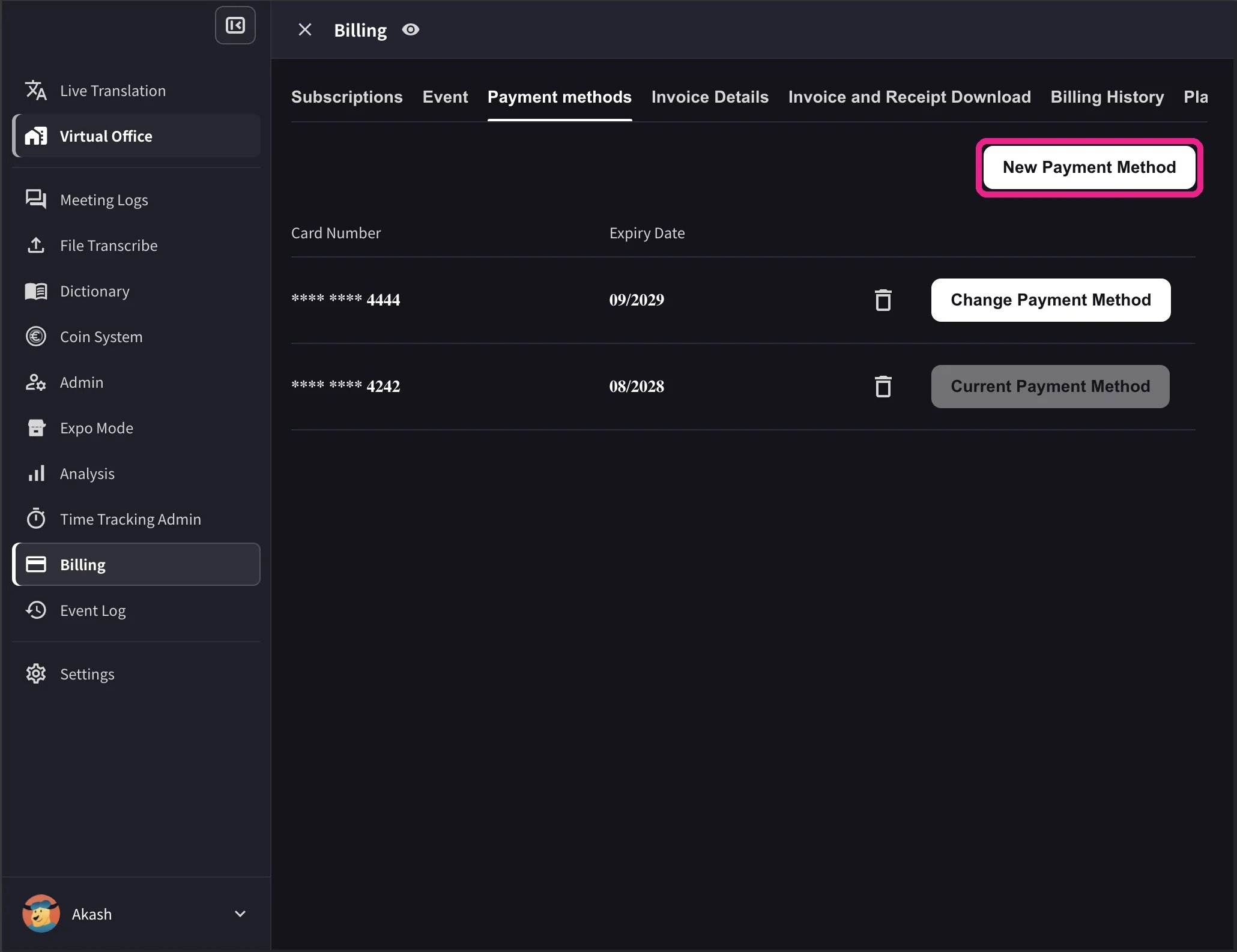
1. Mở nav trên cùng → **Billing** → **Payment methods** và đăng ký thẻ tín dụng mới.
 2. In the card list, click **Change Payment Method** on the card you want to use. The active card shows **Current Payment Method** after the change completes.
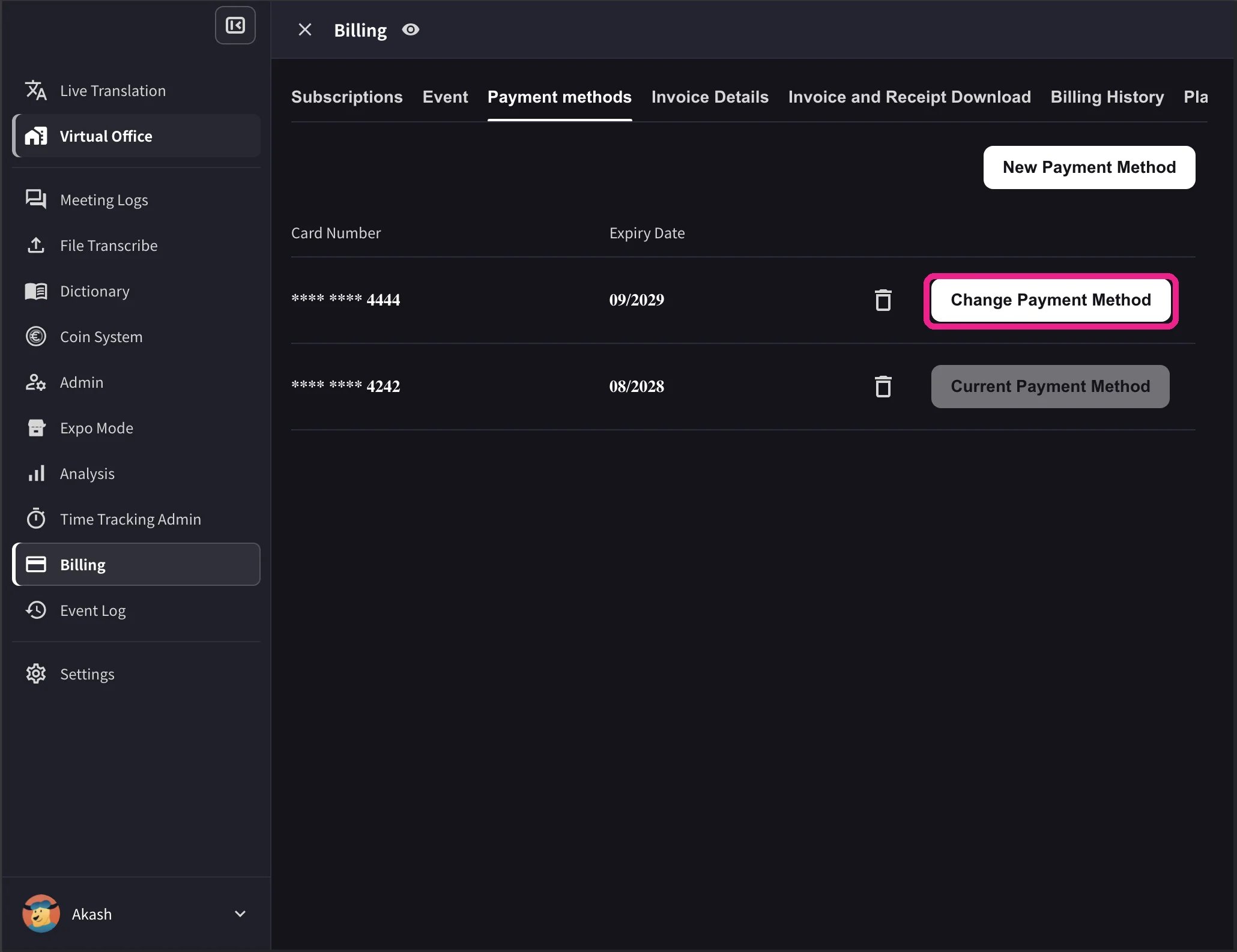 The desktop list also shows card expiry dates and a delete icon. **Change Payment Method** appears only when the workspace has an active Stripe subscription and no scheduled cancellation. Cards that cannot be used with the workspace currency show **Not Supported** instead of the change action.
## 2. Mobile
Từ ứng dụng dành cho thiết bị di động, việc quản lý thẻ có giá trị dưới **Billing → Manage Cards**.
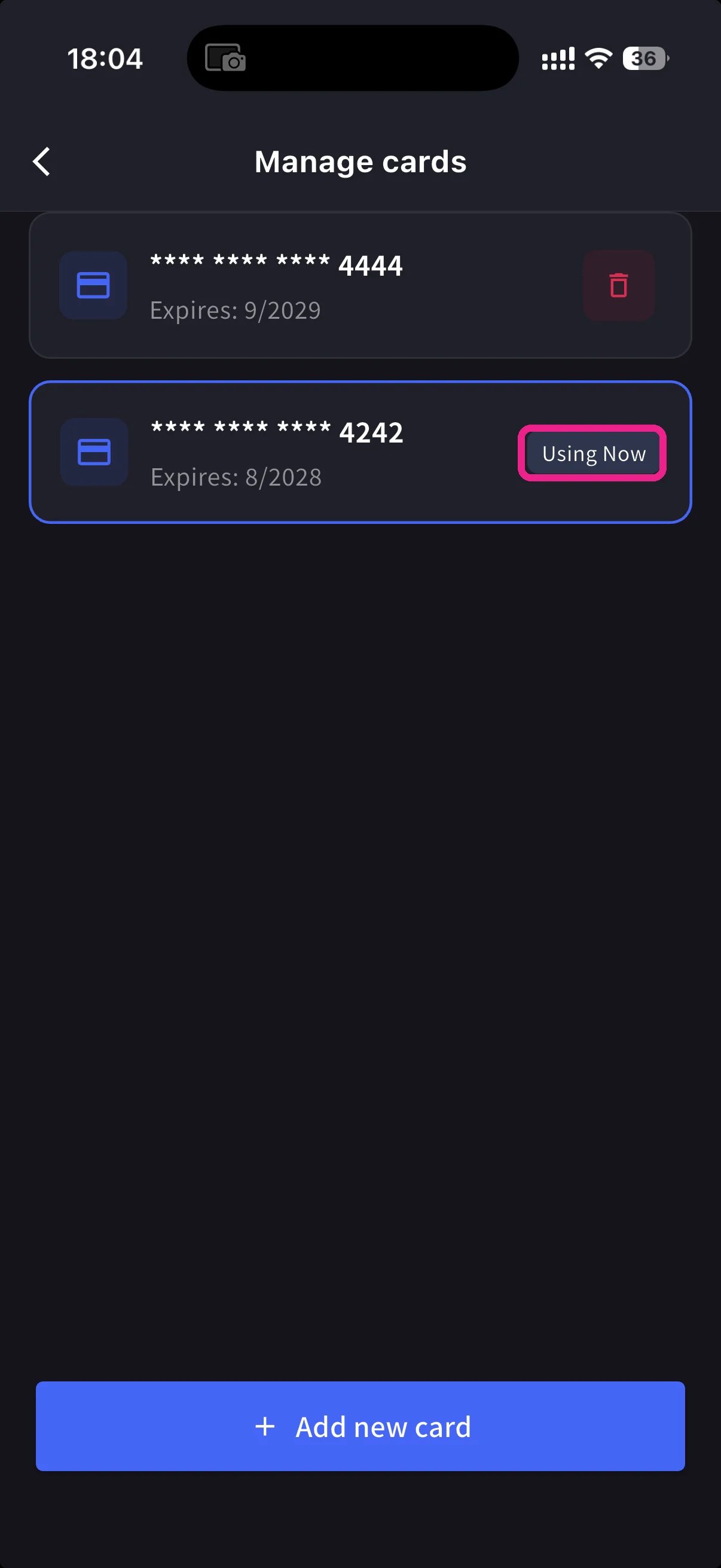
Mở menu bên → **User Settings** → **Billing** → **Manage Cards**. Mỗi thẻ trong hồ sơ đều được liệt kê. Cái đang được sử dụng có một viên thuốc **Using Now**.
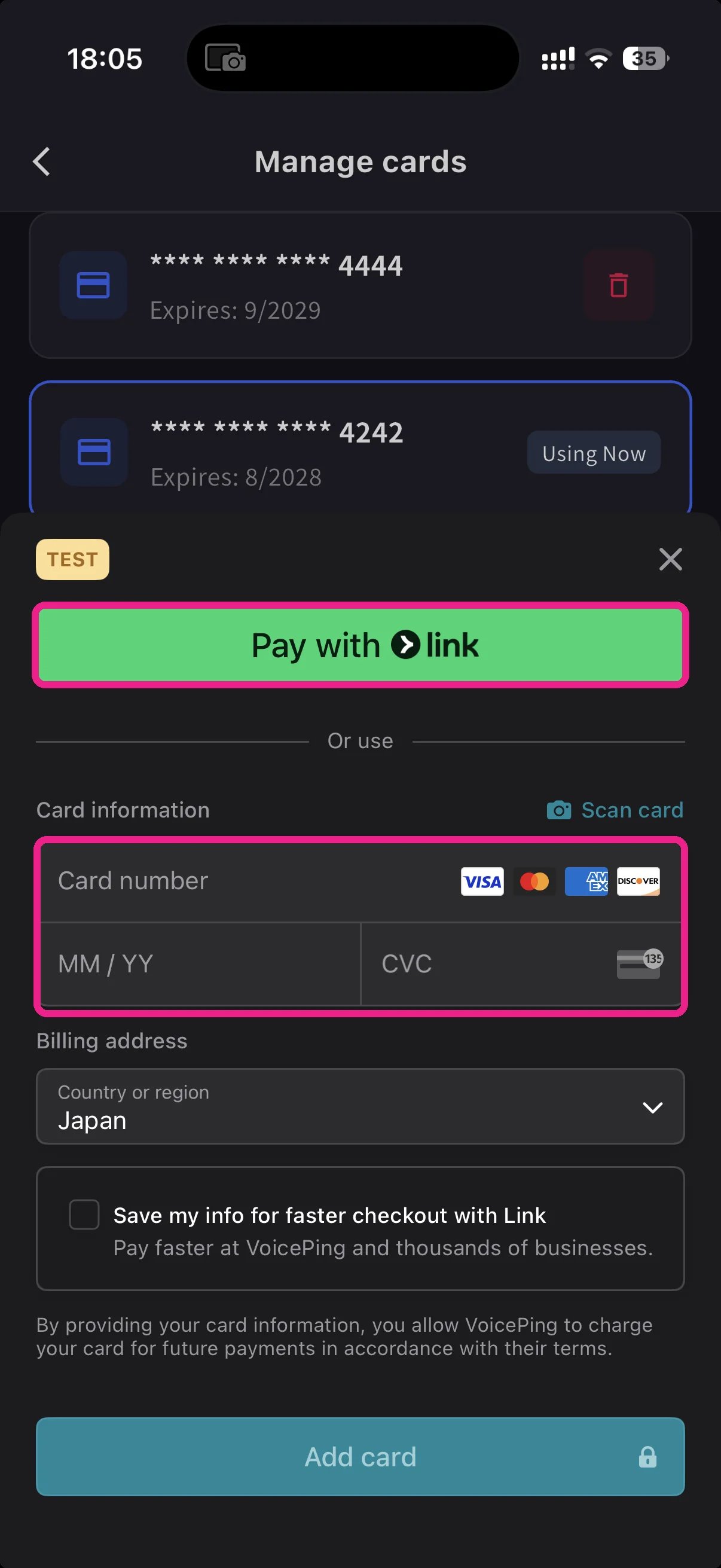
Nhấn vào nút **+ Add new card** màu xanh lam ở dưới cùng. Bảng thẻ bổ sung cung cấp hai đường dẫn:
* **Pay with Link** — Stripe Link một lần nhấn nếu số điện thoại của bạn đã được liên kết.
* **Manual card** — nhập số, MM/YY, CVC hoặc nhấn **📷 Scan card** để điền số từ máy ảnh. Chọn quốc gia thanh toán và nhấn **Add card**.
Quay lại Manage Cards, chạm vào thẻ bạn muốn sử dụng; viên thuốc **Using Now** di chuyển đến đó. Các khoản phí trong tương lai sẽ được tính trên thẻ đã chọn.
Thẻ được mã hóa bởi Stripe. VoicePing không bao giờ lưu trữ số thẻ thô.
**Link** tiết kiệm việc gõ phím. Nếu bạn đã sử dụng Stripe Link ở nơi khác, thẻ của bạn sẽ tự động điền sau khi nhập vào điện thoại. Những thay đổi được thực hiện trên thiết bị di động đồng bộ hóa ngay lập tức với ứng dụng web.
## Related
* [Plan Changes, Cancellation & Trial End](/vi/plan-changes) — nâng cấp, hạ cấp, hủy bỏ
* [Invoices, Receipts & Billing Activity](/vi/invoices-receipts) — hóa đơn PDF, biên lai, nhật ký sự kiện
The desktop list also shows card expiry dates and a delete icon. **Change Payment Method** appears only when the workspace has an active Stripe subscription and no scheduled cancellation. Cards that cannot be used with the workspace currency show **Not Supported** instead of the change action.
## 2. Mobile
Từ ứng dụng dành cho thiết bị di động, việc quản lý thẻ có giá trị dưới **Billing → Manage Cards**.
Mở menu bên → **User Settings** → **Billing** → **Manage Cards**. Mỗi thẻ trong hồ sơ đều được liệt kê. Cái đang được sử dụng có một viên thuốc **Using Now**.
Nhấn vào nút **+ Add new card** màu xanh lam ở dưới cùng. Bảng thẻ bổ sung cung cấp hai đường dẫn:
* **Pay with Link** — Stripe Link một lần nhấn nếu số điện thoại của bạn đã được liên kết.
* **Manual card** — nhập số, MM/YY, CVC hoặc nhấn **📷 Scan card** để điền số từ máy ảnh. Chọn quốc gia thanh toán và nhấn **Add card**.
Quay lại Manage Cards, chạm vào thẻ bạn muốn sử dụng; viên thuốc **Using Now** di chuyển đến đó. Các khoản phí trong tương lai sẽ được tính trên thẻ đã chọn.
Thẻ được mã hóa bởi Stripe. VoicePing không bao giờ lưu trữ số thẻ thô.
**Link** tiết kiệm việc gõ phím. Nếu bạn đã sử dụng Stripe Link ở nơi khác, thẻ của bạn sẽ tự động điền sau khi nhập vào điện thoại. Những thay đổi được thực hiện trên thiết bị di động đồng bộ hóa ngay lập tức với ứng dụng web.
## Related
* [Plan Changes, Cancellation & Trial End](/vi/plan-changes) — nâng cấp, hạ cấp, hủy bỏ
* [Invoices, Receipts & Billing Activity](/vi/invoices-receipts) — hóa đơn PDF, biên lai, nhật ký sự kiện