> ## Documentation Index
> Fetch the complete documentation index at: https://manual.voiceping.net/llms.txt
> Use this file to discover all available pages before exploring further.
# Event Log
> Sử dụng Event Log của VoicePing 3.0 để kiểm tra các sự kiện về thành viên, quyền truy cập, cài đặt workspace, văn phòng ảo, cuộc họp, Web Meeting Bot, thanh toán và theo dõi thời gian.
export const FeedbackVi = () => <>
Có ý tưởng hoặc yêu cầu về tính năng này? Gửi cho nhóm qua Product Feedback.
Liên kết chính thức
Truy cập website chính thức
Theo dõi trên X
Thích trên Facebook
Kết nối trên LinkedIn
;
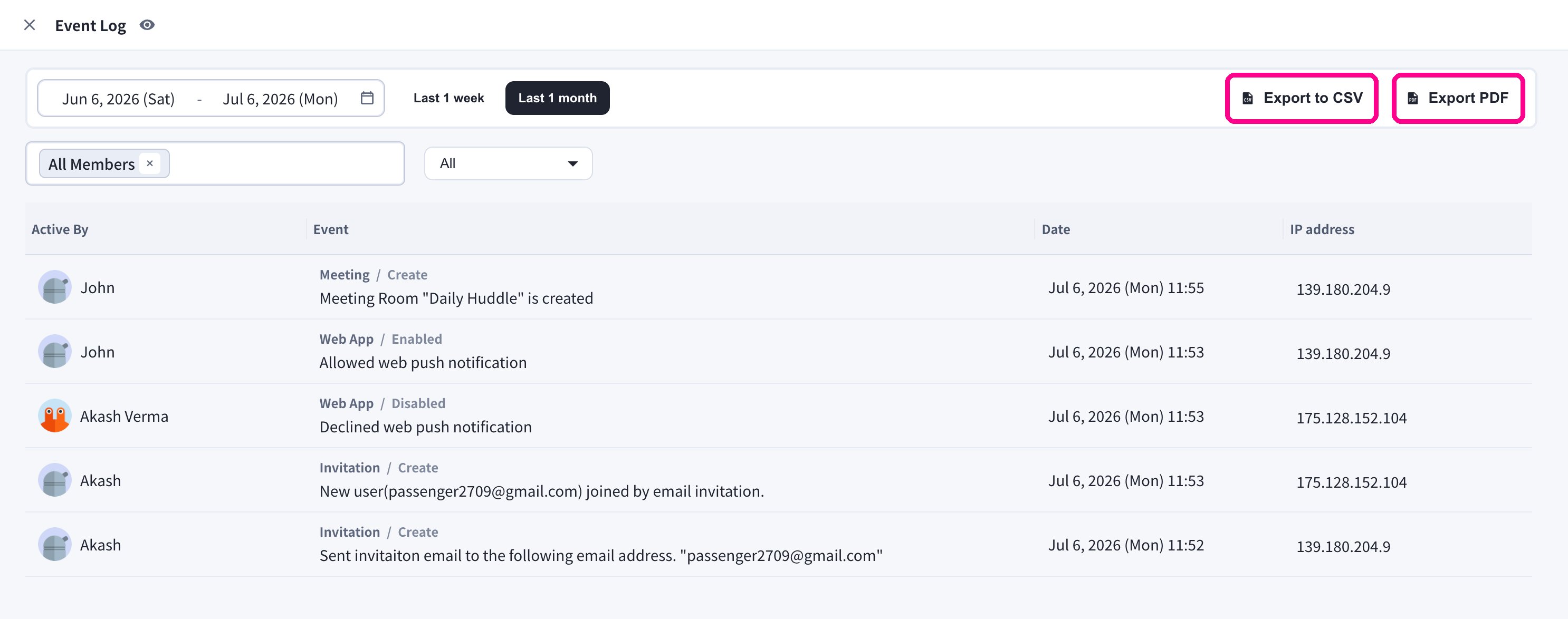
Người quản lý workspace sử dụng **Event Log** để kiểm tra các hoạt động quan trọng trong workspace.
## Mở Event Log
1. Mở ứng dụng VoicePing trên máy tính.
2. Chọn **Event Log** ở thanh bên trái.
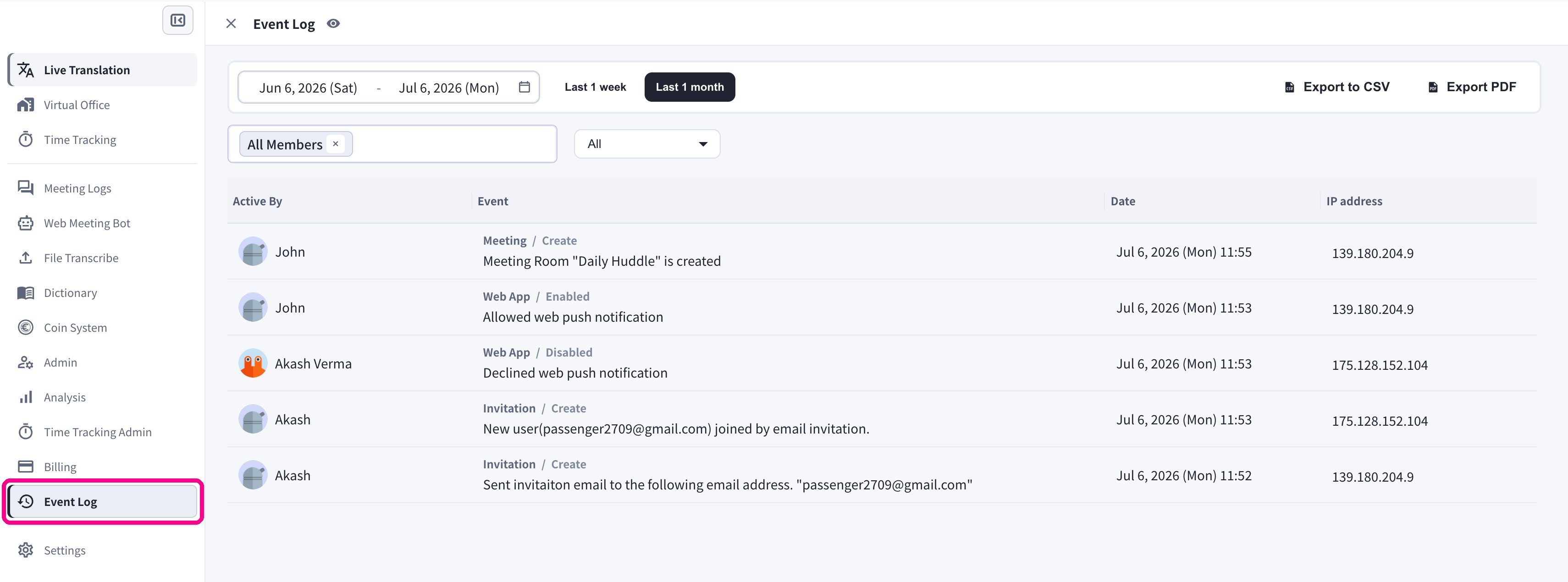 Mỗi mục hiển thị thành viên thực hiện sự kiện (**Active By**), danh mục và chi tiết sự kiện, **ngày giờ**, cùng **địa chỉ IP** nơi thao tác được thực hiện.
## Bộ lọc
| Bộ lọc | Mục đích |
| ------------------- | ----------------------------------------------- |
| **Date range** | Xem lại một khoảng thời gian cụ thể. |
| **Member selector** | Hiển thị sự kiện của một hoặc nhiều người dùng. |
| **Category** | Tập trung vào một mảng sản phẩm hoặc bảo mật. |
### Khoảng thời gian
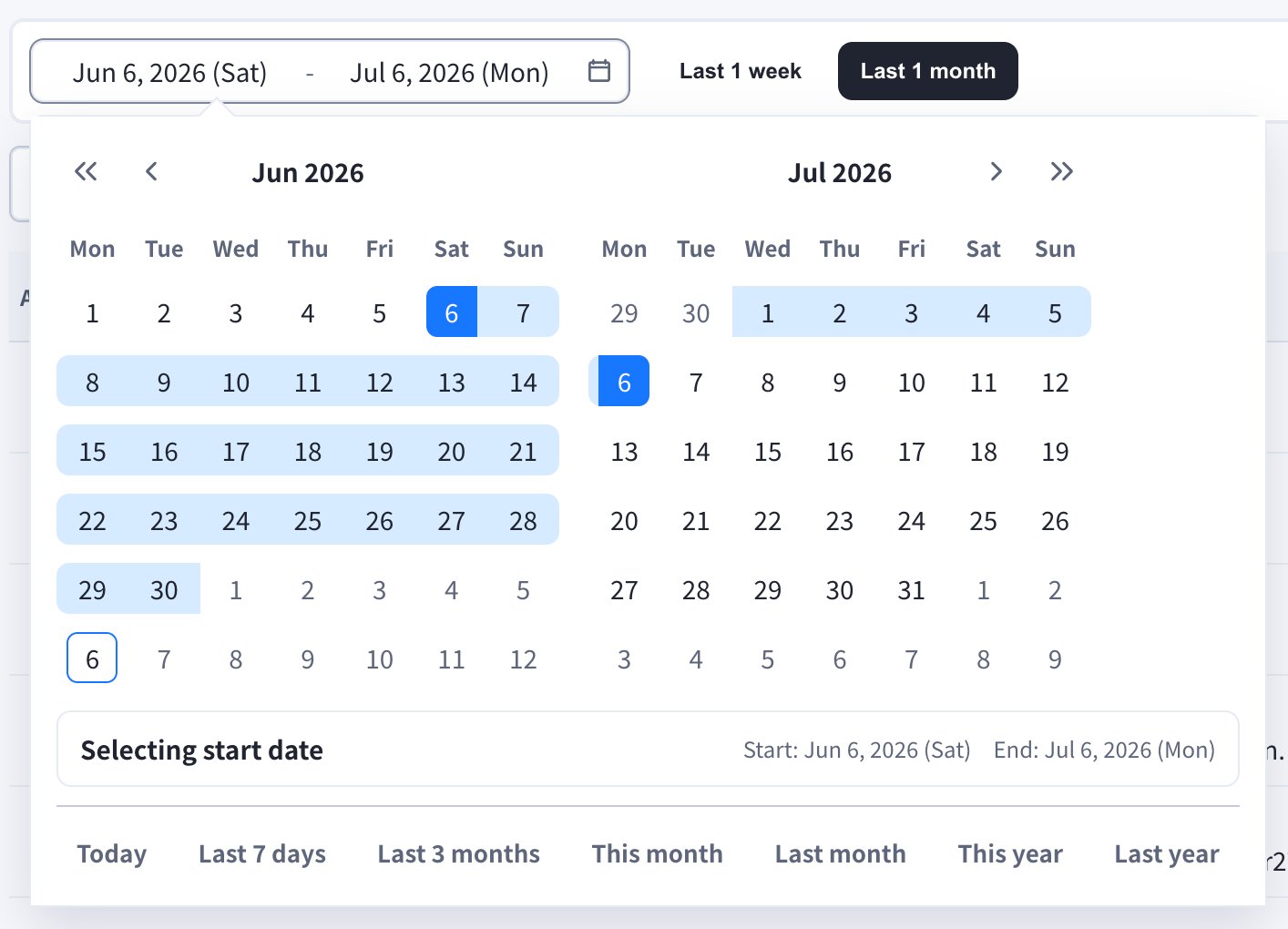
Sử dụng các nút nhanh **Last 1 week** / **Last 1 month**, hoặc mở trường ngày để chọn khoảng thời gian tùy chỉnh. Lịch cũng có các phím tắt như **Today**, **Last 7 days**, **Last 3 months**, **This month**, **Last month**, **This year** và **Last year**.
Mỗi mục hiển thị thành viên thực hiện sự kiện (**Active By**), danh mục và chi tiết sự kiện, **ngày giờ**, cùng **địa chỉ IP** nơi thao tác được thực hiện.
## Bộ lọc
| Bộ lọc | Mục đích |
| ------------------- | ----------------------------------------------- |
| **Date range** | Xem lại một khoảng thời gian cụ thể. |
| **Member selector** | Hiển thị sự kiện của một hoặc nhiều người dùng. |
| **Category** | Tập trung vào một mảng sản phẩm hoặc bảo mật. |
### Khoảng thời gian
Sử dụng các nút nhanh **Last 1 week** / **Last 1 month**, hoặc mở trường ngày để chọn khoảng thời gian tùy chỉnh. Lịch cũng có các phím tắt như **Today**, **Last 7 days**, **Last 3 months**, **This month**, **Last month**, **This year** và **Last year**.
 ### Thành viên
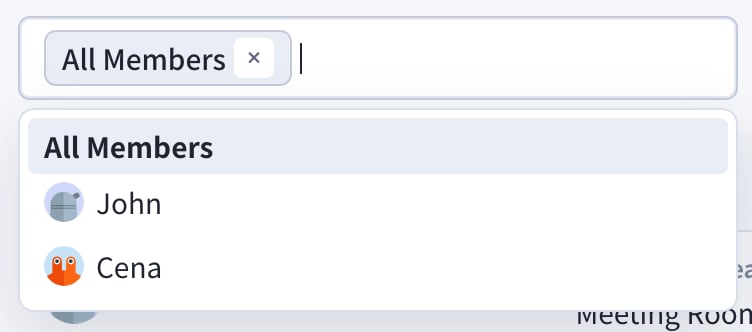
Hiển thị sự kiện của tất cả mọi người với **All Members**, hoặc chọn từng thành viên cụ thể để chỉ xem sự kiện của họ.
### Thành viên
Hiển thị sự kiện của tất cả mọi người với **All Members**, hoặc chọn từng thành viên cụ thể để chỉ xem sự kiện của họ.
 ### Danh mục
Sử dụng menu thả xuống danh mục để tập trung vào một mảng.
### Danh mục
Sử dụng menu thả xuống danh mục để tập trung vào một mảng.
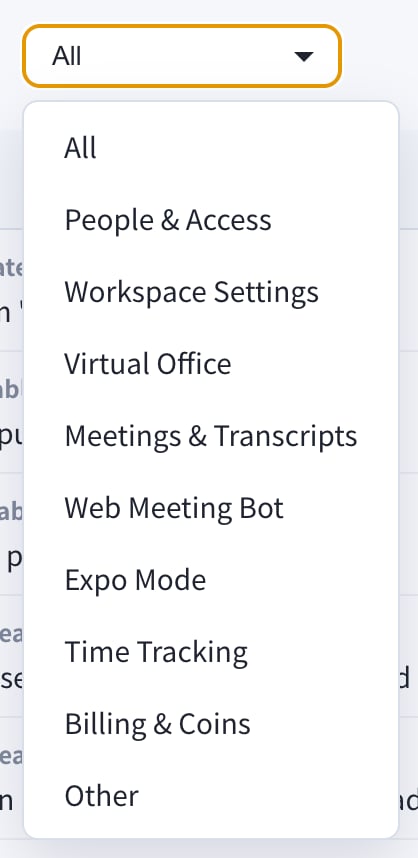 * All
* People & Access
* Workspace Settings
* Virtual Office
* Meetings & Transcripts
* Web Meeting Bot
* Expo Mode
* Time Tracking
* Billing & Coins
* Other
## Xuất dữ liệu
Sử dụng nút **Export to CSV** hoặc **Export PDF** ở góc trên bên phải khi bạn cần chia sẻ nhật ký kiểm tra bên ngoài màn hình Event Log.
* All
* People & Access
* Workspace Settings
* Virtual Office
* Meetings & Transcripts
* Web Meeting Bot
* Expo Mode
* Time Tracking
* Billing & Coins
* Other
## Xuất dữ liệu
Sử dụng nút **Export to CSV** hoặc **Export PDF** ở góc trên bên phải khi bạn cần chia sẻ nhật ký kiểm tra bên ngoài màn hình Event Log.
 Event Log dành cho lịch sử kiểm tra workspace. Để xem xu hướng sử dụng sản phẩm và bảng điều khiển, hãy dùng [Analysis](/vi/analytics).