> ## Documentation Index
> Fetch the complete documentation index at: https://manual.voiceping.net/llms.txt
> Use this file to discover all available pages before exploring further.
# Chia sẻ phụ đề trực tiếp cho Listeners (QR)
> Để người xem đọc phụ đề và bản dịch trên điện thoại của họ — không cài đặt, không tài khoản.
export const FeedbackVi = () => <>
Có ý tưởng hoặc yêu cầu về tính năng này? Gửi cho nhóm qua Product Feedback.
Liên kết chính thức
Truy cập website chính thức
Theo dõi trên X
Thích trên Facebook
Kết nối trên LinkedIn
;
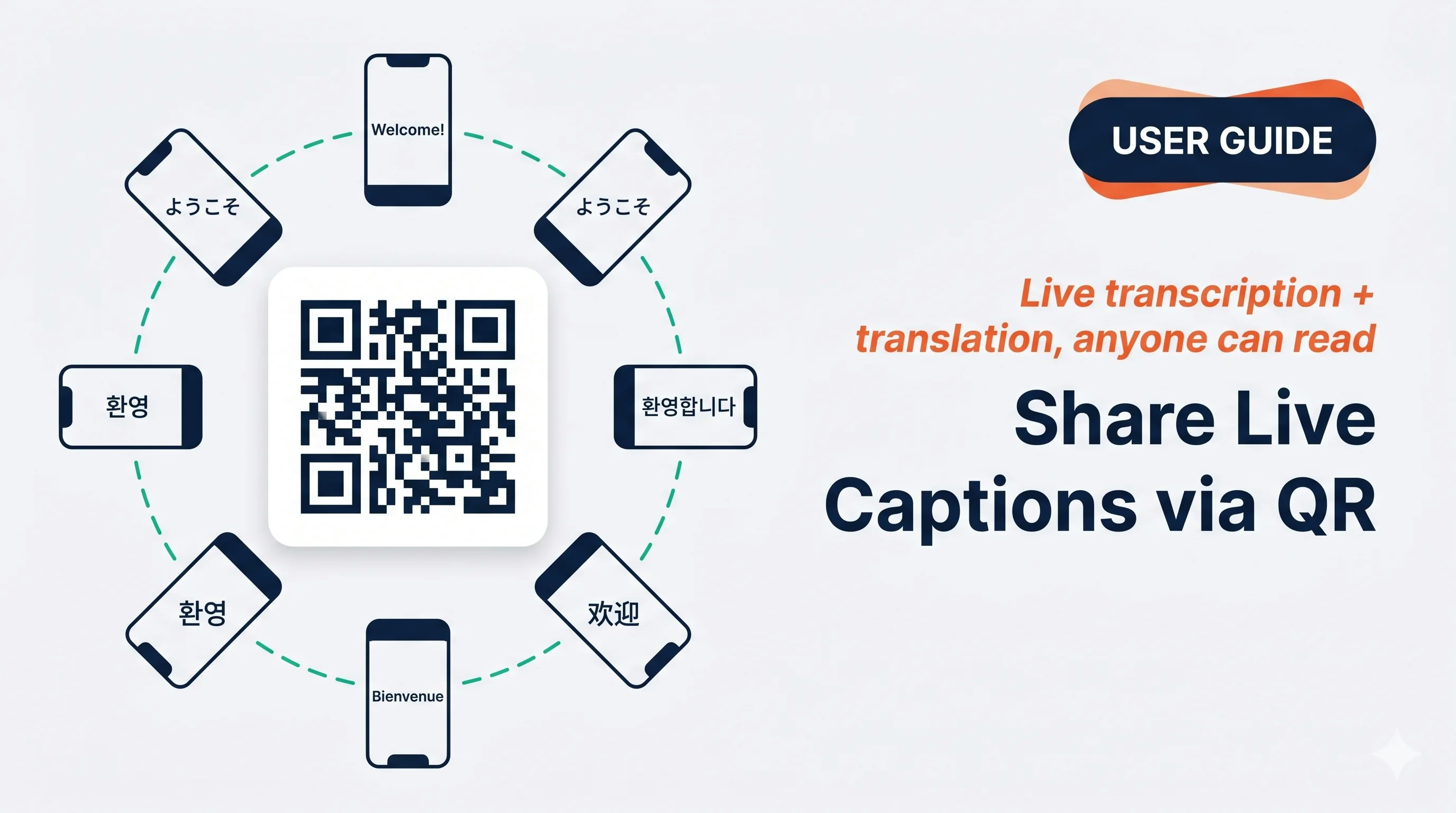 Hiển thị QR, người đối diện quét bằng camera điện thoại và đọc phụ đề trực tiếp bằng ngôn ngữ của họ — không cài đặt, không tài khoản.
## Dùng khi…
Mọi người quanh bàn đều quét QR của bạn và đọc bằng ngôn ngữ riêng, thay vì chen quanh một màn hình.
Bạn nói với cả nhóm; vài người theo dõi trên điện thoại của họ trong khi đi bộ.
Học viên quét một lần và mỗi người chọn ngôn ngữ ưa thích — bật mic để họ có thể hỏi lại.
Chạm chia sẻ để gửi link qua Slack / LINE / email — họ đọc trực tiếp từ bất cứ đâu.
## Mở bảng chia sẻ Listener
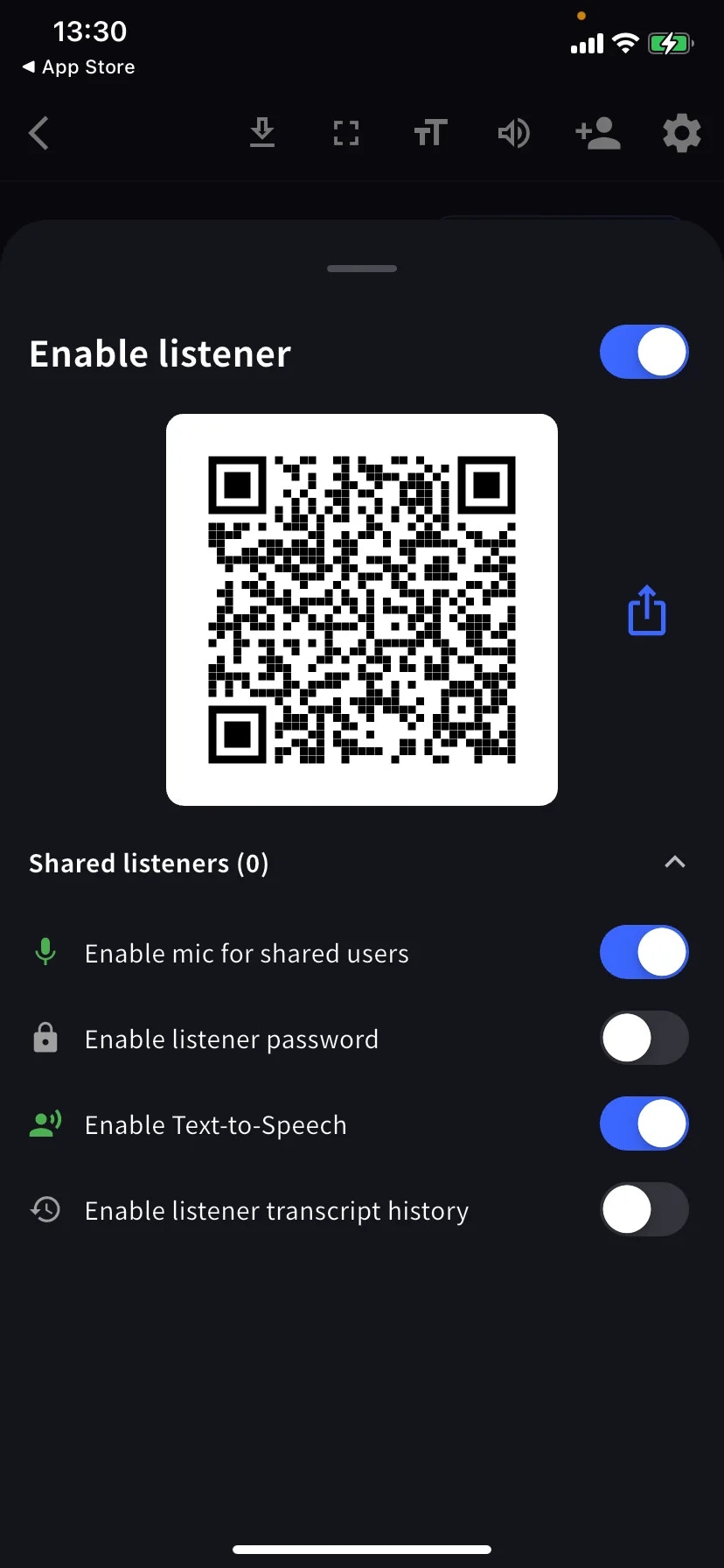
Trong phiên trực tiếp, chạm **+👤** trên thanh công cụ, sau đó bật **Enable listener**.
Đưa QR cho họ quét, hoặc chạm biểu tượng chia sẻ để gửi link qua Slack / email / Teams. Listener chọn ngôn ngữ dịch trên trang tham gia và ngay lập tức thấy phụ đề.
## Điều khiển Listener
| Công tắc | Mô tả |
| -------------------------------------- | ---------------------------------------------------- |
| **Enable mic for shared users** | Listener có thể nói; lời họ vào phiên âm. |
| **Enable listener password** | Cổng mật khẩu trước khi listener xem. |
| **Enable Text-to-Speech** | Listener có thể nghe đọc bản dịch trong trình duyệt. |
| **Enable listener transcript history** | Mỗi listener giữ bản sao cục bộ trên thiết bị. |
Hàng **Shared listeners (N)** mở ra danh sách hiện tại.
## Cài đặt theo tình huống
Mic tắt · Password tắt · TTS tắt. Mỗi người đọc bằng ngôn ngữ của mình trên điện thoại của họ.
Password bật (chia sẻ mã qua tin nhắn khác) · Mic tắt · History tắt.
Mic bật để học viên có thể hỏi · History bật để họ giữ bản ghi.
Gửi link trực tiếp qua Slack / LINE / email thay vì đưa QR.
## Mẹo
* Kiểm tra QR bằng thiết bị thứ hai trước sự kiện.
* QR còn hiệu lực cho đến khi bạn End cuộc họp.
* Mật khẩu chỉ là cổng vào, không phải riêng tư end-to-end — kết hợp với Share Scope giới hạn cho nội dung nhạy cảm.
## Trang liên quan
* [Phiên âm trực tiếp trên di động](/vi/mobile-live-transcription) · [Cài đặt](/vi/mobile-live-transcription-settings)
* [Phụ đề trực tiếp (PC)](/vi/live-subtitles)
Hiển thị QR, người đối diện quét bằng camera điện thoại và đọc phụ đề trực tiếp bằng ngôn ngữ của họ — không cài đặt, không tài khoản.
## Dùng khi…
Mọi người quanh bàn đều quét QR của bạn và đọc bằng ngôn ngữ riêng, thay vì chen quanh một màn hình.
Bạn nói với cả nhóm; vài người theo dõi trên điện thoại của họ trong khi đi bộ.
Học viên quét một lần và mỗi người chọn ngôn ngữ ưa thích — bật mic để họ có thể hỏi lại.
Chạm chia sẻ để gửi link qua Slack / LINE / email — họ đọc trực tiếp từ bất cứ đâu.
## Mở bảng chia sẻ Listener
Trong phiên trực tiếp, chạm **+👤** trên thanh công cụ, sau đó bật **Enable listener**.
Đưa QR cho họ quét, hoặc chạm biểu tượng chia sẻ để gửi link qua Slack / email / Teams. Listener chọn ngôn ngữ dịch trên trang tham gia và ngay lập tức thấy phụ đề.
## Điều khiển Listener
| Công tắc | Mô tả |
| -------------------------------------- | ---------------------------------------------------- |
| **Enable mic for shared users** | Listener có thể nói; lời họ vào phiên âm. |
| **Enable listener password** | Cổng mật khẩu trước khi listener xem. |
| **Enable Text-to-Speech** | Listener có thể nghe đọc bản dịch trong trình duyệt. |
| **Enable listener transcript history** | Mỗi listener giữ bản sao cục bộ trên thiết bị. |
Hàng **Shared listeners (N)** mở ra danh sách hiện tại.
## Cài đặt theo tình huống
Mic tắt · Password tắt · TTS tắt. Mỗi người đọc bằng ngôn ngữ của mình trên điện thoại của họ.
Password bật (chia sẻ mã qua tin nhắn khác) · Mic tắt · History tắt.
Mic bật để học viên có thể hỏi · History bật để họ giữ bản ghi.
Gửi link trực tiếp qua Slack / LINE / email thay vì đưa QR.
## Mẹo
* Kiểm tra QR bằng thiết bị thứ hai trước sự kiện.
* QR còn hiệu lực cho đến khi bạn End cuộc họp.
* Mật khẩu chỉ là cổng vào, không phải riêng tư end-to-end — kết hợp với Share Scope giới hạn cho nội dung nhạy cảm.
## Trang liên quan
* [Phiên âm trực tiếp trên di động](/vi/mobile-live-transcription) · [Cài đặt](/vi/mobile-live-transcription-settings)
* [Phụ đề trực tiếp (PC)](/vi/live-subtitles)