> ## Documentation Index
> Fetch the complete documentation index at: https://manual.voiceping.net/llms.txt
> Use this file to discover all available pages before exploring further.
# Thu âm từ app khác trên di động
> Phụ đề trực tiếp và bản dịch cho bất cứ thứ gì phát trên điện thoại — YouTube, podcast, khóa học trực tuyến và hơn nữa.
export const FeedbackVi = () => <>
Có ý tưởng hoặc yêu cầu về tính năng này? Gửi cho nhóm qua Product Feedback.
Liên kết chính thức
Truy cập website chính thức
Theo dõi trên X
Thích trên Facebook
Kết nối trên LinkedIn
;
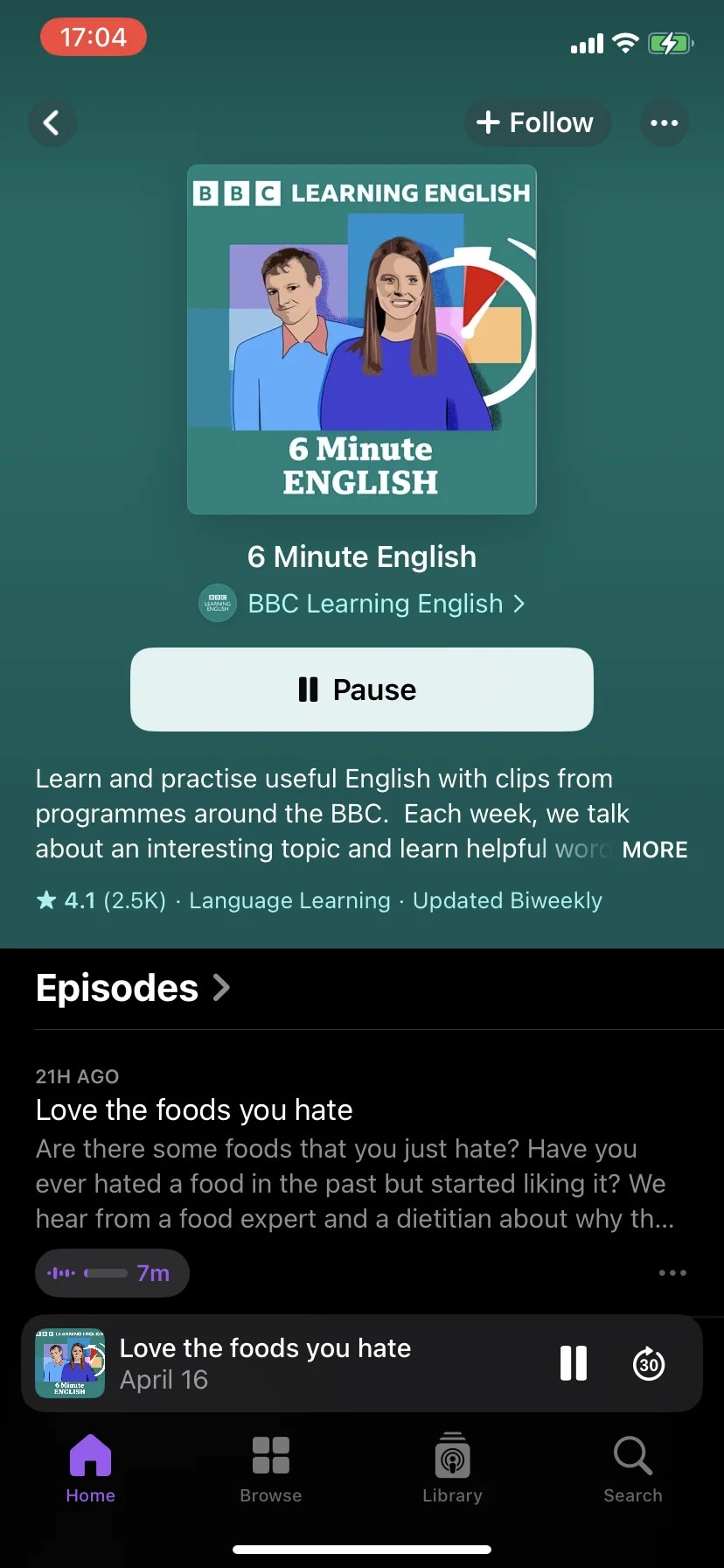
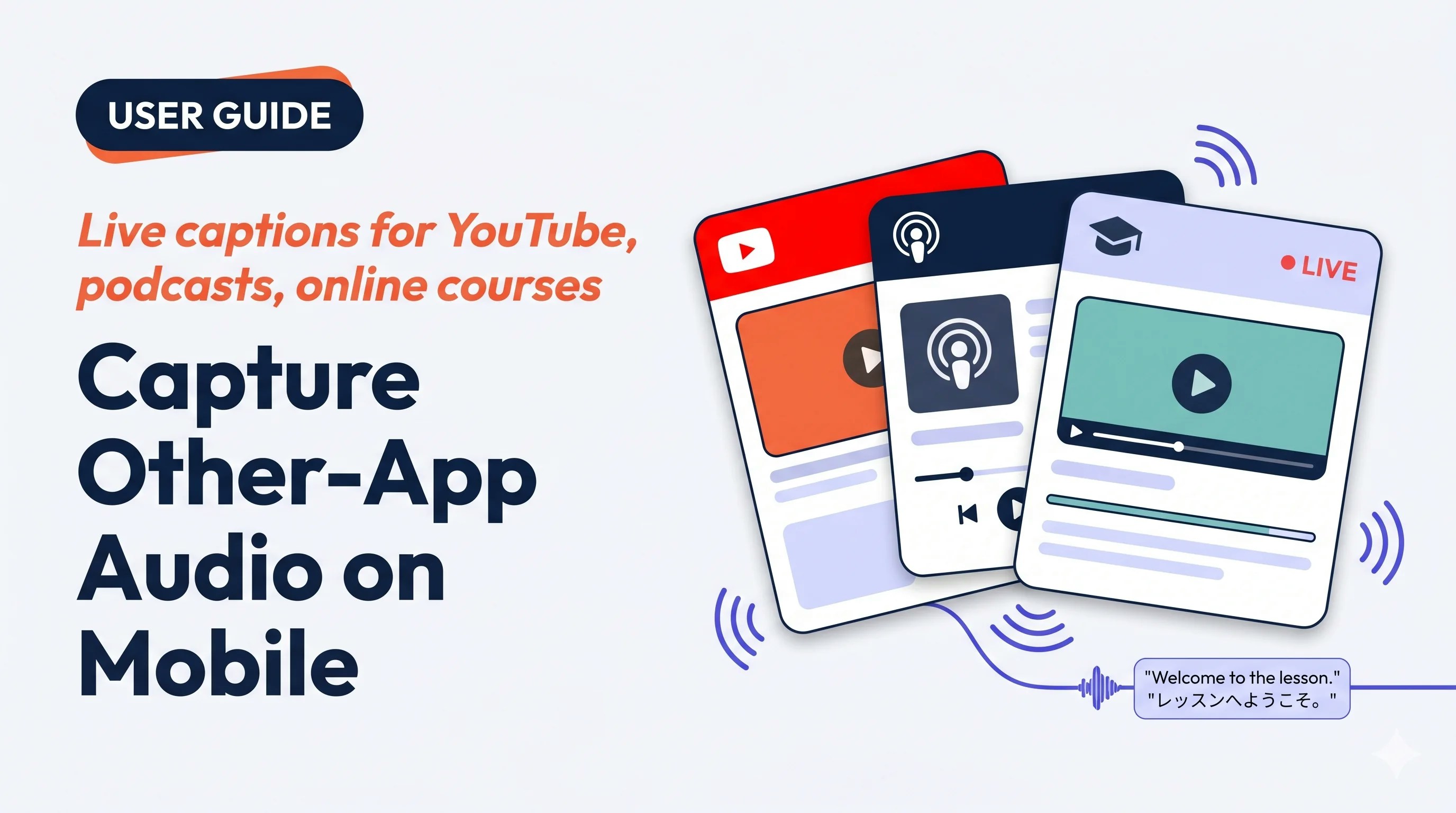 Hướng VoicePing vào bất cứ gì đang phát trên điện thoại — video YouTube tiếng nước ngoài, podcast, khóa học trực tuyến, clip âm thanh đã lưu — và đọc phụ đề song ngữ trực tiếp trong giao diện phiên.
## Dùng khi…
Bài giảng tiếng nước ngoài, khóa Udemy, webinar đã ghi — đọc theo khi đang nghe.
Dịch video hay podcast tiếng nước ngoài khi đi đường — không cần tải xuống.
Mở tệp âm thanh đã lưu trong trình phát khác và VoicePing tự động thêm phụ đề khi phát.
Luyện nghe với podcast bản ngữ và trình dịch luôn bật.
## Điểm nổi bật
* Hoạt động với **bất kỳ app nào phát âm thanh** trên điện thoại (theo quy tắc thu màn hình của OS)
* Cùng giao diện cuộc họp trực tiếp như phiên VoicePing thường — sửa, biên bản, xuất, từ điển đều hoạt động
* Phiên lưu vào lịch sử workspace — đồng nghiệp có thể mở trên PC sau đó
* **iOS (Screen Record)** và **Android (Device Audio)**
## Bắt đầu thu
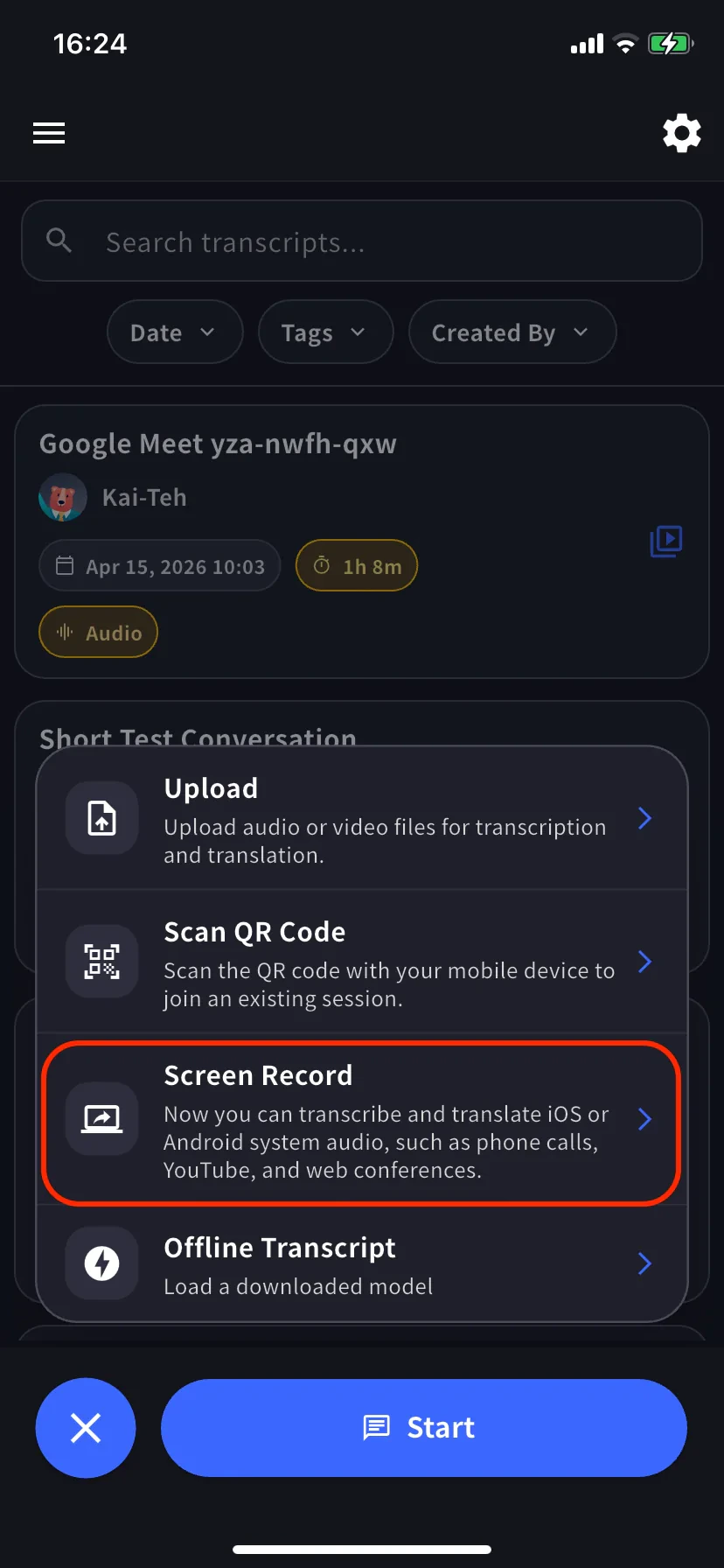
Mở menu phiên từ màn hình chính. Trên Android được gắn nhãn **Device Audio**.
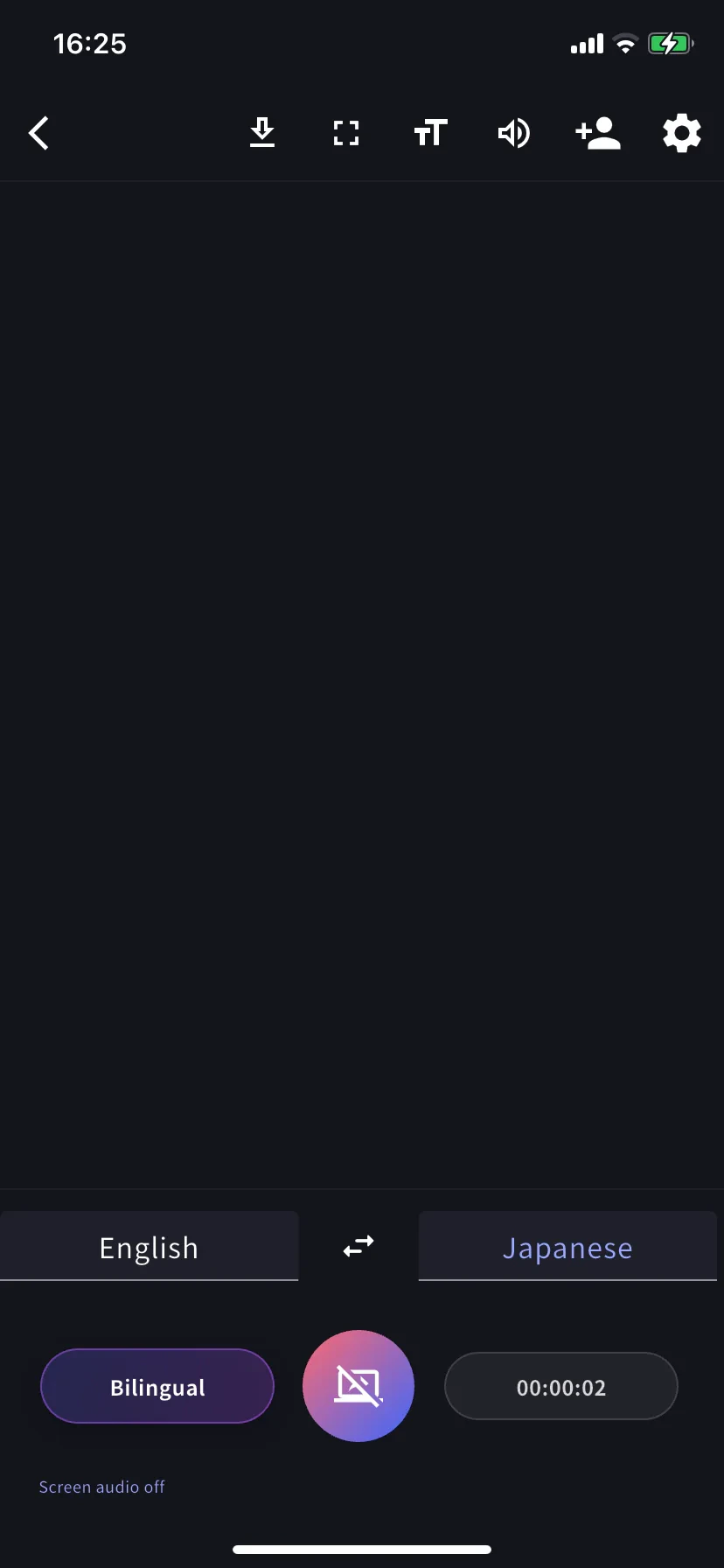
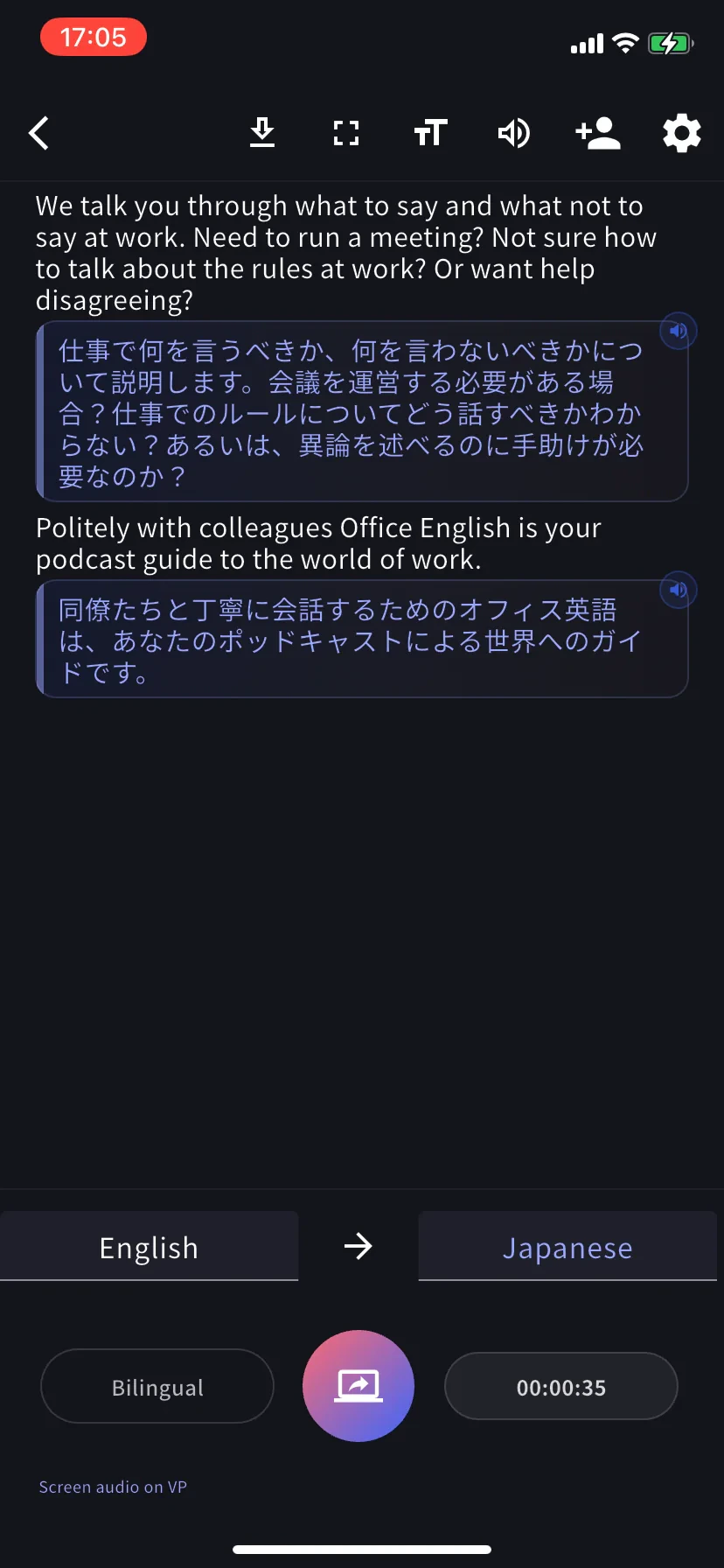
Đặt ngôn ngữ phiên âm (tab trái) và ngôn ngữ dịch (tab phải). Bật **Bilingual** để hiện cả hai.
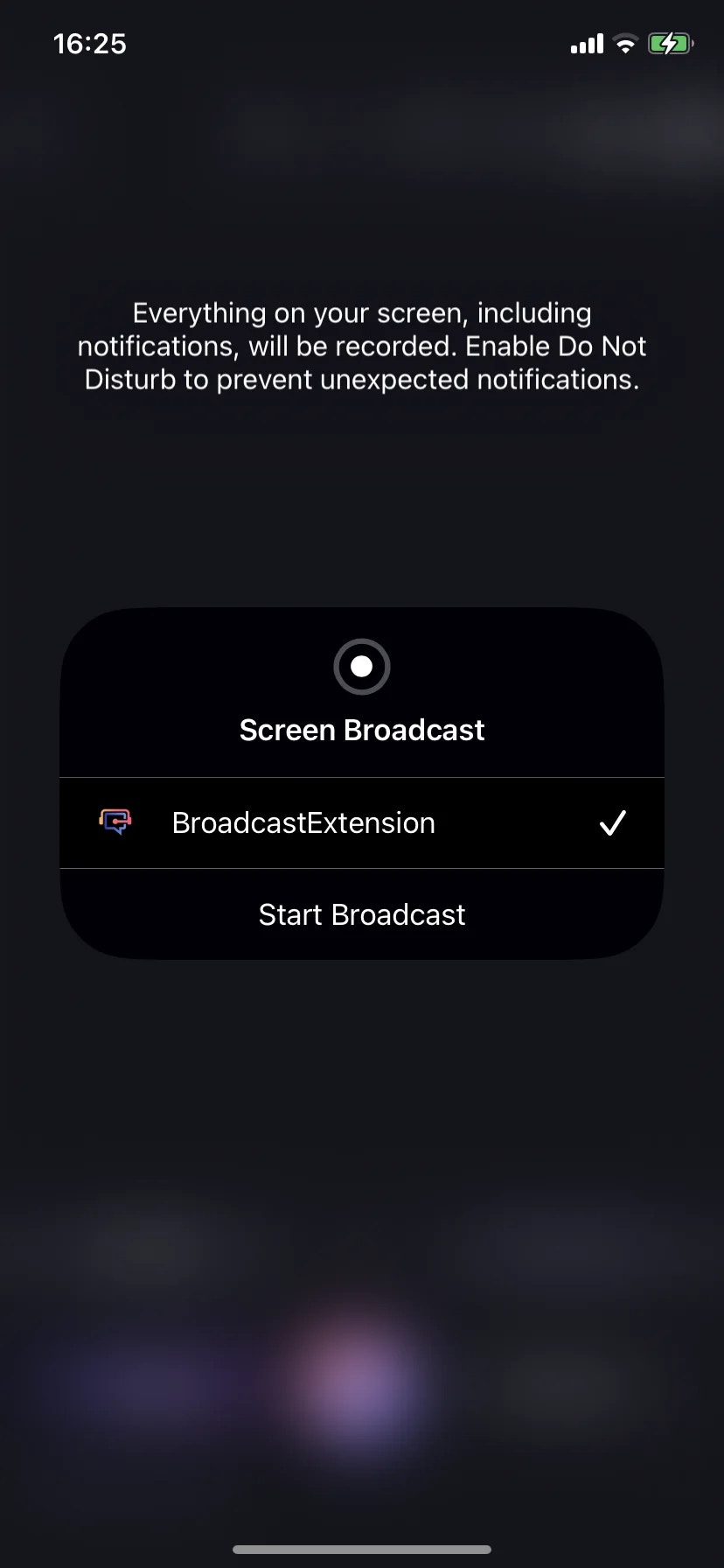
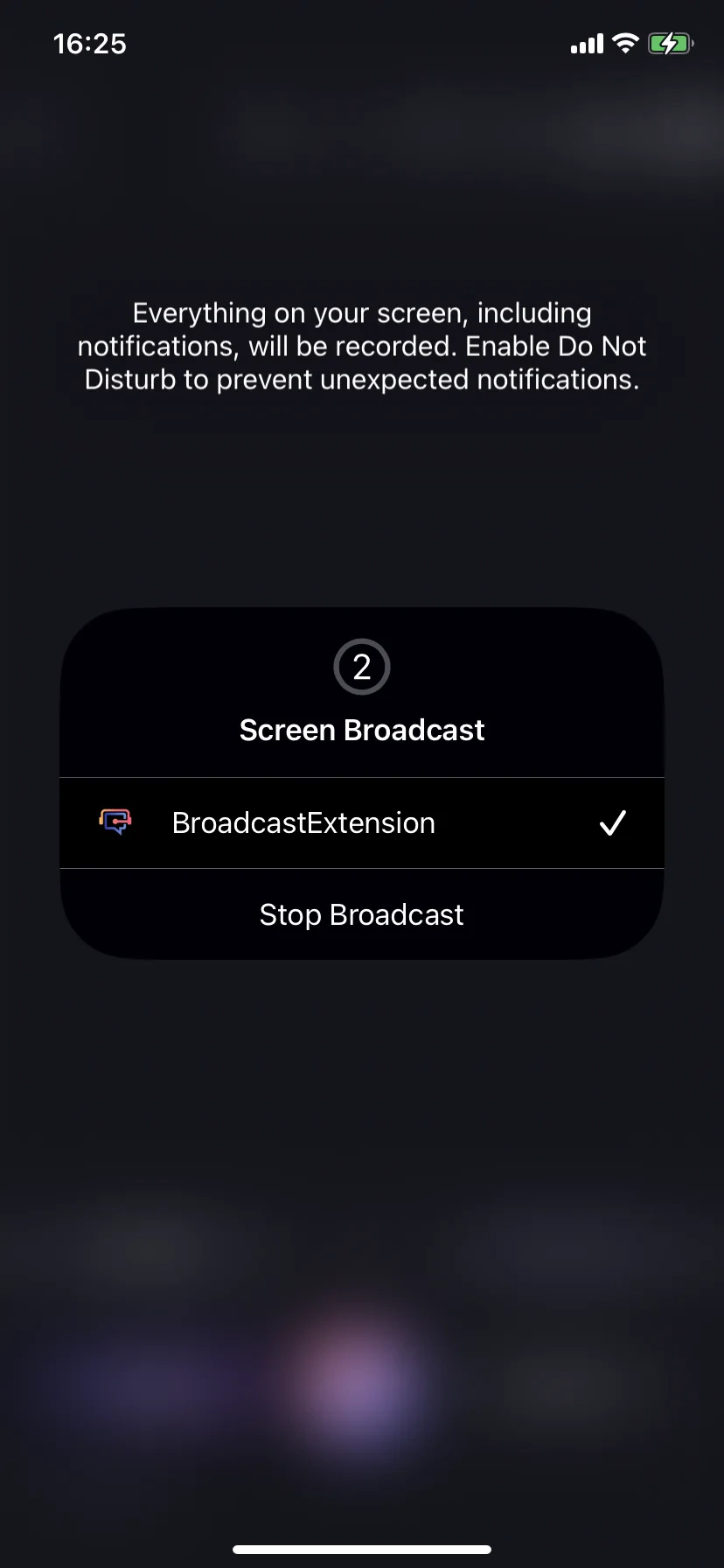
Chạm nút thu. Trên iOS, chọn **BroadcastExtension → Start Broadcast**. Trên Android, chấp nhận nhắc media-projection. Sau khi kích hoạt, bảng chuyển thành **Stop Broadcast**.
Để VoicePing chạy nền, mở app nguồn (YouTube, app podcast, Safari, khóa học trực tuyến, v.v.) và phát. Quay lại VoicePing — phụ đề song ngữ chạy cùng với bộ đếm.
## Dừng
* **iOS** — chạm chỉ báo broadcast trên thanh trạng thái → **Stop Broadcast**, hoặc chạm nút thu trong VoicePing.
* **Android** — chạm thông báo projection hoặc nút thu trong VoicePing.
Dừng sẽ chốt phiên và lưu vào lịch sử workspace như bất kỳ cuộc họp nào.
## Mẹo
* Dùng **tai nghe** khi bạn cũng nói — tránh âm thu quay lại mic.
* Bật **Do Not Disturb** trước khi bắt đầu — iOS cảnh báo rằng thông báo sẽ bị thu.
* Cắm sạc cho phiên dài (tốn CPU + mạng).
* Một số app chặn thu (dịch vụ streaming có DRM, một số app ngân hàng). Phiên âm trống = nguồn đang chặn.
* Tự nhận dạng sai? Đặt ngôn ngữ phiên âm thủ công từ tab trái.
## Sau phiên
Hoạt động như mọi cuộc họp VoicePing: [sửa phiên âm](/vi/realtime-edit), [tạo biên bản](/vi/meeting-minutes), xuất, tìm kiếm. Nạp trước mục [Từ điển](/vi/dictionary) workspace để tăng độ chính xác cho thuật ngữ sản phẩm.
Hướng VoicePing vào bất cứ gì đang phát trên điện thoại — video YouTube tiếng nước ngoài, podcast, khóa học trực tuyến, clip âm thanh đã lưu — và đọc phụ đề song ngữ trực tiếp trong giao diện phiên.
## Dùng khi…
Bài giảng tiếng nước ngoài, khóa Udemy, webinar đã ghi — đọc theo khi đang nghe.
Dịch video hay podcast tiếng nước ngoài khi đi đường — không cần tải xuống.
Mở tệp âm thanh đã lưu trong trình phát khác và VoicePing tự động thêm phụ đề khi phát.
Luyện nghe với podcast bản ngữ và trình dịch luôn bật.
## Điểm nổi bật
* Hoạt động với **bất kỳ app nào phát âm thanh** trên điện thoại (theo quy tắc thu màn hình của OS)
* Cùng giao diện cuộc họp trực tiếp như phiên VoicePing thường — sửa, biên bản, xuất, từ điển đều hoạt động
* Phiên lưu vào lịch sử workspace — đồng nghiệp có thể mở trên PC sau đó
* **iOS (Screen Record)** và **Android (Device Audio)**
## Bắt đầu thu
Mở menu phiên từ màn hình chính. Trên Android được gắn nhãn **Device Audio**.
Đặt ngôn ngữ phiên âm (tab trái) và ngôn ngữ dịch (tab phải). Bật **Bilingual** để hiện cả hai.
Chạm nút thu. Trên iOS, chọn **BroadcastExtension → Start Broadcast**. Trên Android, chấp nhận nhắc media-projection. Sau khi kích hoạt, bảng chuyển thành **Stop Broadcast**.
Để VoicePing chạy nền, mở app nguồn (YouTube, app podcast, Safari, khóa học trực tuyến, v.v.) và phát. Quay lại VoicePing — phụ đề song ngữ chạy cùng với bộ đếm.
## Dừng
* **iOS** — chạm chỉ báo broadcast trên thanh trạng thái → **Stop Broadcast**, hoặc chạm nút thu trong VoicePing.
* **Android** — chạm thông báo projection hoặc nút thu trong VoicePing.
Dừng sẽ chốt phiên và lưu vào lịch sử workspace như bất kỳ cuộc họp nào.
## Mẹo
* Dùng **tai nghe** khi bạn cũng nói — tránh âm thu quay lại mic.
* Bật **Do Not Disturb** trước khi bắt đầu — iOS cảnh báo rằng thông báo sẽ bị thu.
* Cắm sạc cho phiên dài (tốn CPU + mạng).
* Một số app chặn thu (dịch vụ streaming có DRM, một số app ngân hàng). Phiên âm trống = nguồn đang chặn.
* Tự nhận dạng sai? Đặt ngôn ngữ phiên âm thủ công từ tab trái.
## Sau phiên
Hoạt động như mọi cuộc họp VoicePing: [sửa phiên âm](/vi/realtime-edit), [tạo biên bản](/vi/meeting-minutes), xuất, tìm kiếm. Nạp trước mục [Từ điển](/vi/dictionary) workspace để tăng độ chính xác cho thuật ngữ sản phẩm.