> ## Documentation Index
> Fetch the complete documentation index at: https://manual.voiceping.net/llms.txt
> Use this file to discover all available pages before exploring further.
# Đăng Ký: Tạo Workspace Mới (Dành Cho Chủ Sở Hữu)
> Hướng dẫn này giải thích cách quản trị viên (chủ sở hữu) tạo workspace mới và bắt đầu sử dụng VoicePing.
export const ContactVi = () => <>
Nếu bạn có bất kỳ câu hỏi nào, vui lòng liên hệ với chúng tôi qua biểu mẫu này.
Liên kết chính thức
Truy cập website chính thức
Theo dõi trên X
Thích trên Facebook
Kết nối trên LinkedIn
;
Hướng dẫn này giải thích cách quản trị viên (chủ sở hữu) tạo workspace mới và bắt đầu sử dụng VoicePing.
## PC
1. **Truy cập [trang chủ VoicePing](https://voiceping.net/) và nhấp vào nút "Start Free" ở góc trên bên phải.**
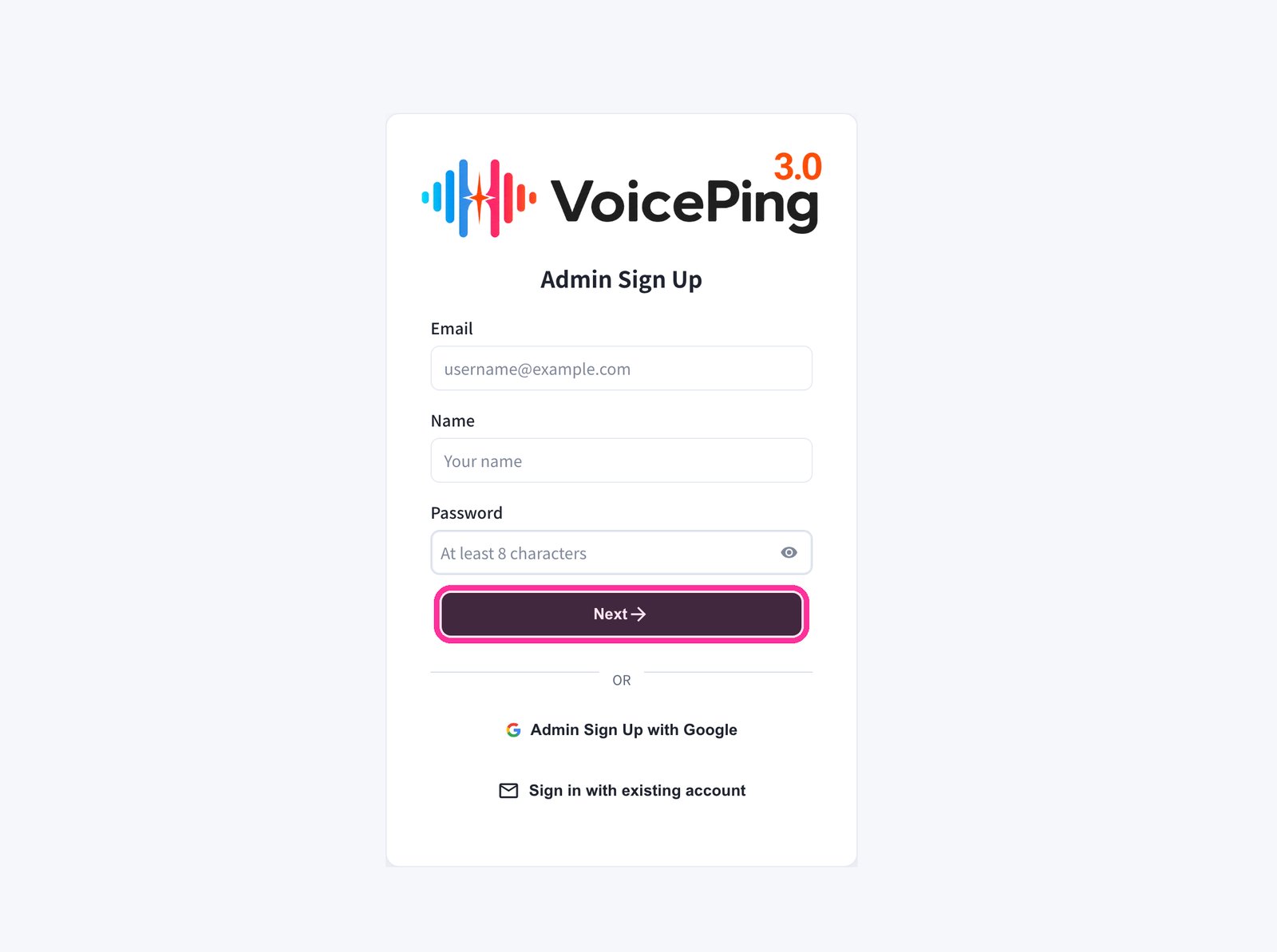
 2. **Biểu mẫu đăng ký sẽ xuất hiện. Nhập email, tên và mật khẩu, sau đó nhấp "Next →".**
* Để đăng ký bằng Google, nhấp "Admin Sign Up with Google".
* Nếu đã có tài khoản, nhấp "Sign in with existing account".
2. **Biểu mẫu đăng ký sẽ xuất hiện. Nhập email, tên và mật khẩu, sau đó nhấp "Next →".**
* Để đăng ký bằng Google, nhấp "Admin Sign Up with Google".
* Nếu đã có tài khoản, nhấp "Sign in with existing account".
 3. **Nhập mã xác minh được gửi đến địa chỉ email của bạn.**
4. **Làm theo hướng dẫn trên màn hình để thiết lập workspace.**
## Di Động / Máy Tính Bảng
### Đăng ký bằng Email
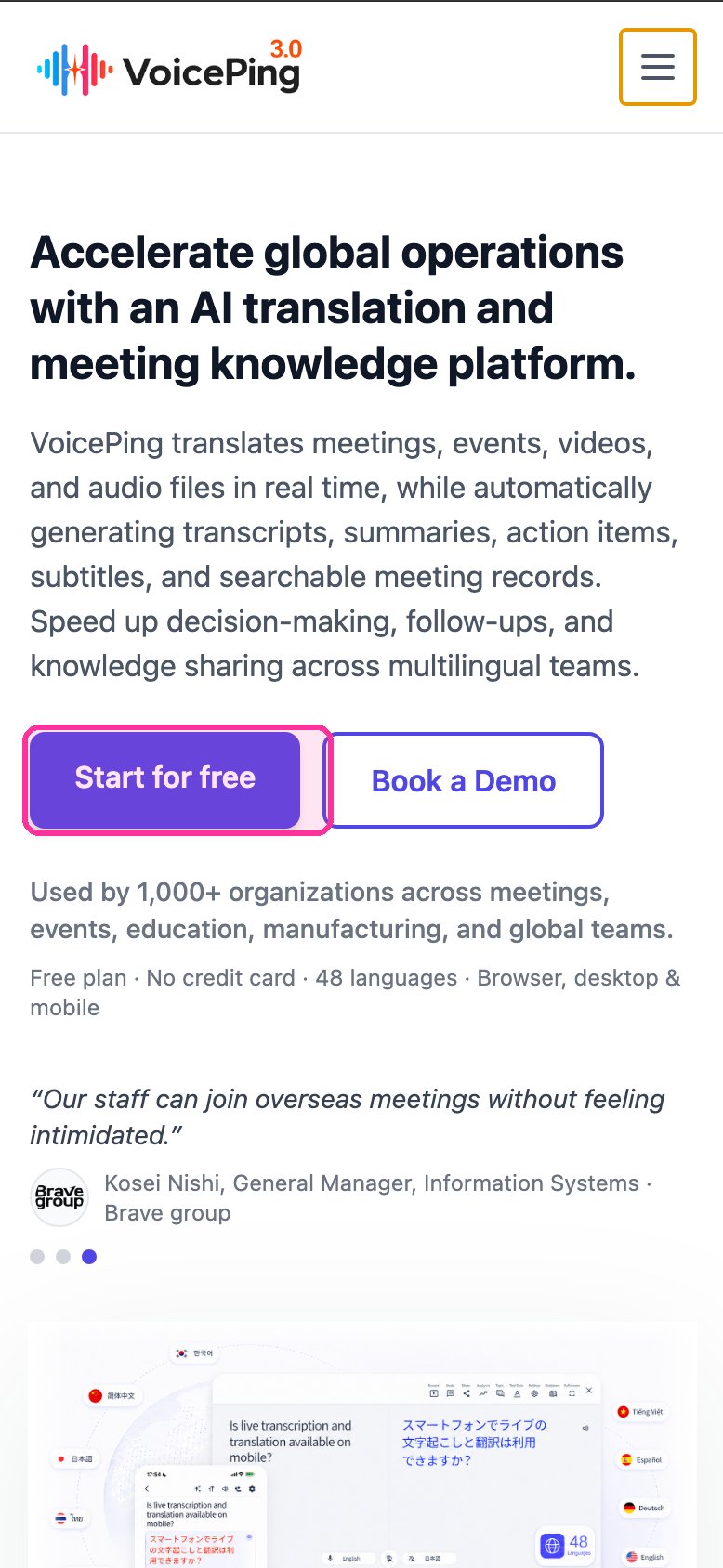
1. **Truy cập [trang chủ VoicePing](https://voiceping.net/) và nhấn nút "Start for free".**
3. **Nhập mã xác minh được gửi đến địa chỉ email của bạn.**
4. **Làm theo hướng dẫn trên màn hình để thiết lập workspace.**
## Di Động / Máy Tính Bảng
### Đăng ký bằng Email
1. **Truy cập [trang chủ VoicePing](https://voiceping.net/) và nhấn nút "Start for free".**
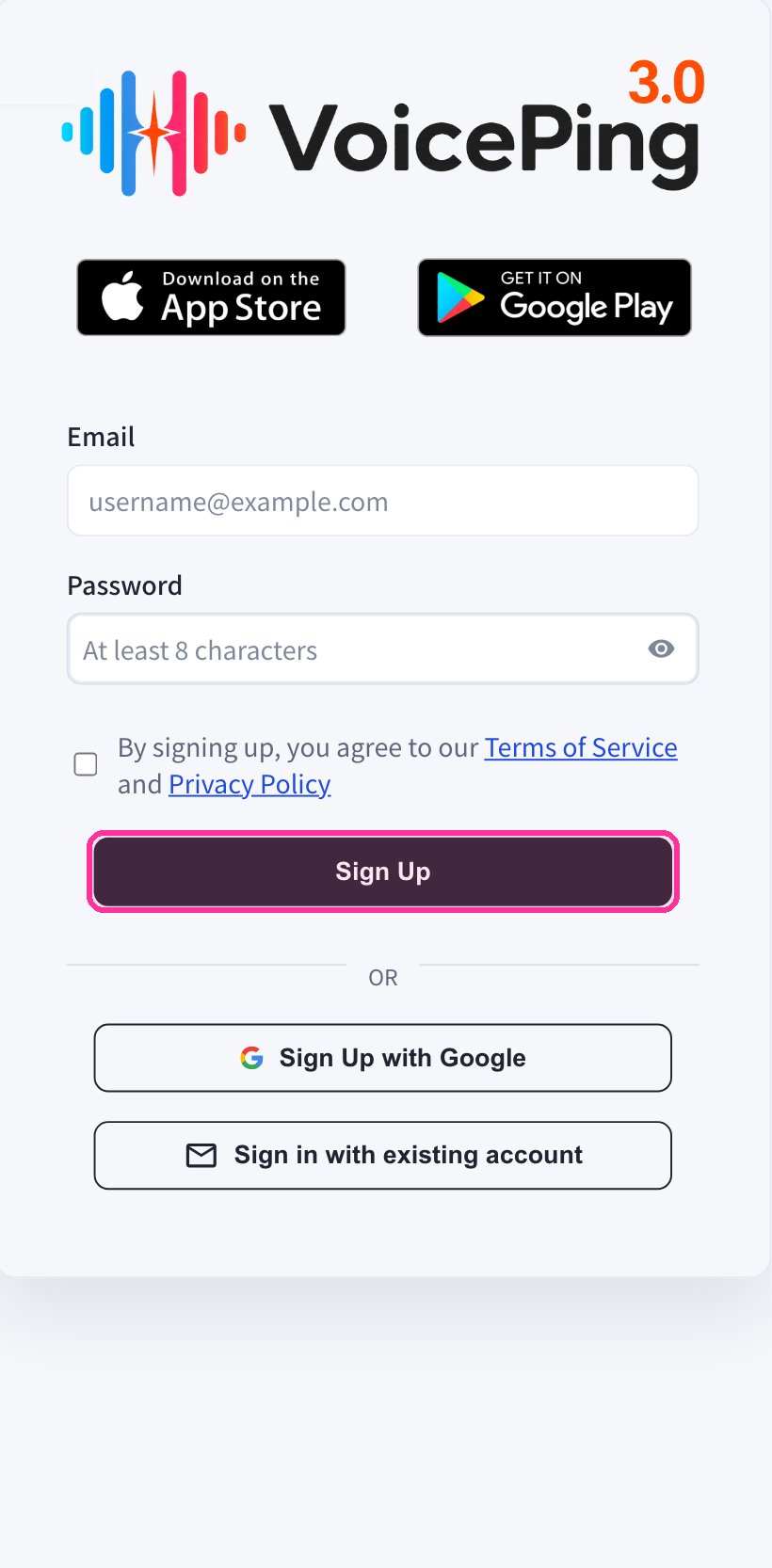
 2. **Biểu mẫu đăng ký sẽ xuất hiện trên ứng dụng web di động. Nhập email và mật khẩu, đồng ý với Điều khoản dịch vụ, sau đó nhấn "Sign Up".**
 3. **Nhập mã xác minh được gửi đến địa chỉ email của bạn.**
4. **Làm theo hướng dẫn trên màn hình để thiết lập workspace.**
5. **Tải ứng dụng VoicePing từ [App Store](https://apps.apple.com/jp/app/voiceping-2-0/id6450720360) hoặc [Google Play](https://play.google.com/store/apps/details?id=com.voiceping.app) và đăng nhập bằng tài khoản đã tạo.**
### Đăng ký bằng Tài khoản Google hoặc Apple
Nếu bạn có tài khoản Google hoặc Apple, bạn có thể tạo tài khoản và đăng nhập trực tiếp từ ứng dụng di động.
1. **Tải ứng dụng VoicePing từ [App Store](https://apps.apple.com/jp/app/voiceping-2-0/id6450720360) hoặc [Google Play](https://play.google.com/store/apps/details?id=com.voiceping.app).**
2. **Mở ứng dụng và đăng ký bằng tài khoản Google hoặc Apple.**
Nếu tải xuống ứng dụng PC không tự động bắt đầu, bạn có thể tải trực tiếp từ trang [Tải Ứng Dụng PC](/vi/pc-download).
3. **Nhập mã xác minh được gửi đến địa chỉ email của bạn.**
4. **Làm theo hướng dẫn trên màn hình để thiết lập workspace.**
5. **Tải ứng dụng VoicePing từ [App Store](https://apps.apple.com/jp/app/voiceping-2-0/id6450720360) hoặc [Google Play](https://play.google.com/store/apps/details?id=com.voiceping.app) và đăng nhập bằng tài khoản đã tạo.**
### Đăng ký bằng Tài khoản Google hoặc Apple
Nếu bạn có tài khoản Google hoặc Apple, bạn có thể tạo tài khoản và đăng nhập trực tiếp từ ứng dụng di động.
1. **Tải ứng dụng VoicePing từ [App Store](https://apps.apple.com/jp/app/voiceping-2-0/id6450720360) hoặc [Google Play](https://play.google.com/store/apps/details?id=com.voiceping.app).**
2. **Mở ứng dụng và đăng ký bằng tài khoản Google hoặc Apple.**
Nếu tải xuống ứng dụng PC không tự động bắt đầu, bạn có thể tải trực tiếp từ trang [Tải Ứng Dụng PC](/vi/pc-download).