> ## Documentation Index
> Fetch the complete documentation index at: https://manual.voiceping.net/llms.txt
> Use this file to discover all available pages before exploring further.
# App Integrations
> Manage current VoicePing 3.0 integrations for Google Calendar, Outlook Calendar, and Slack.
export const ContactZhTW = () => <>
如有任何問題,請透過此表單與我們聯繫。
## 官方連結
造訪官方網站
在X上追蹤我們
在Facebook上按讚
在LinkedIn上連結
;
VoicePing 3.0 currently manages user integrations for Google Calendar, Outlook Calendar, and Slack.
## Open Integrations
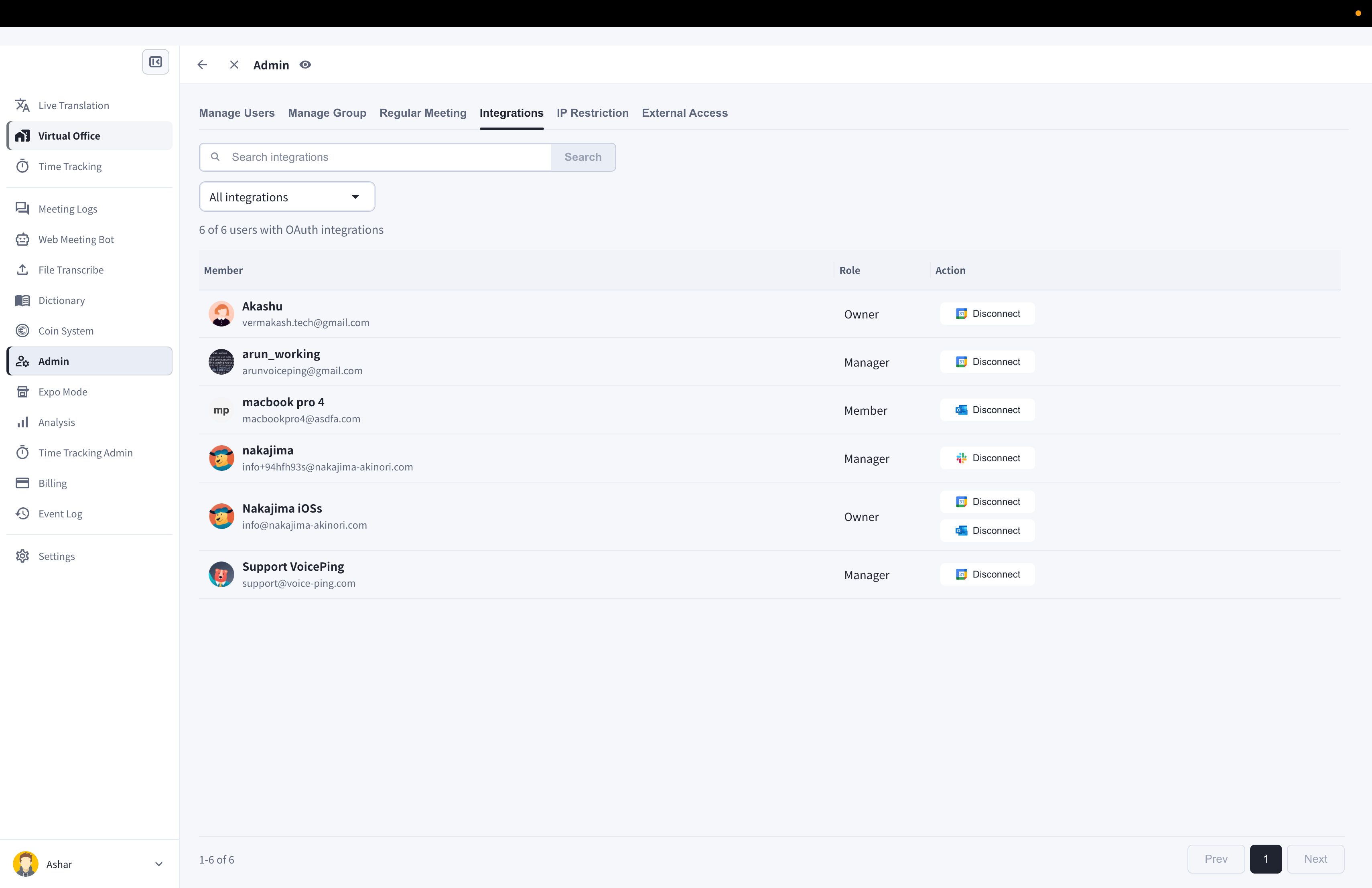
1. Open **Admin**.
2. Select **Integrations**.
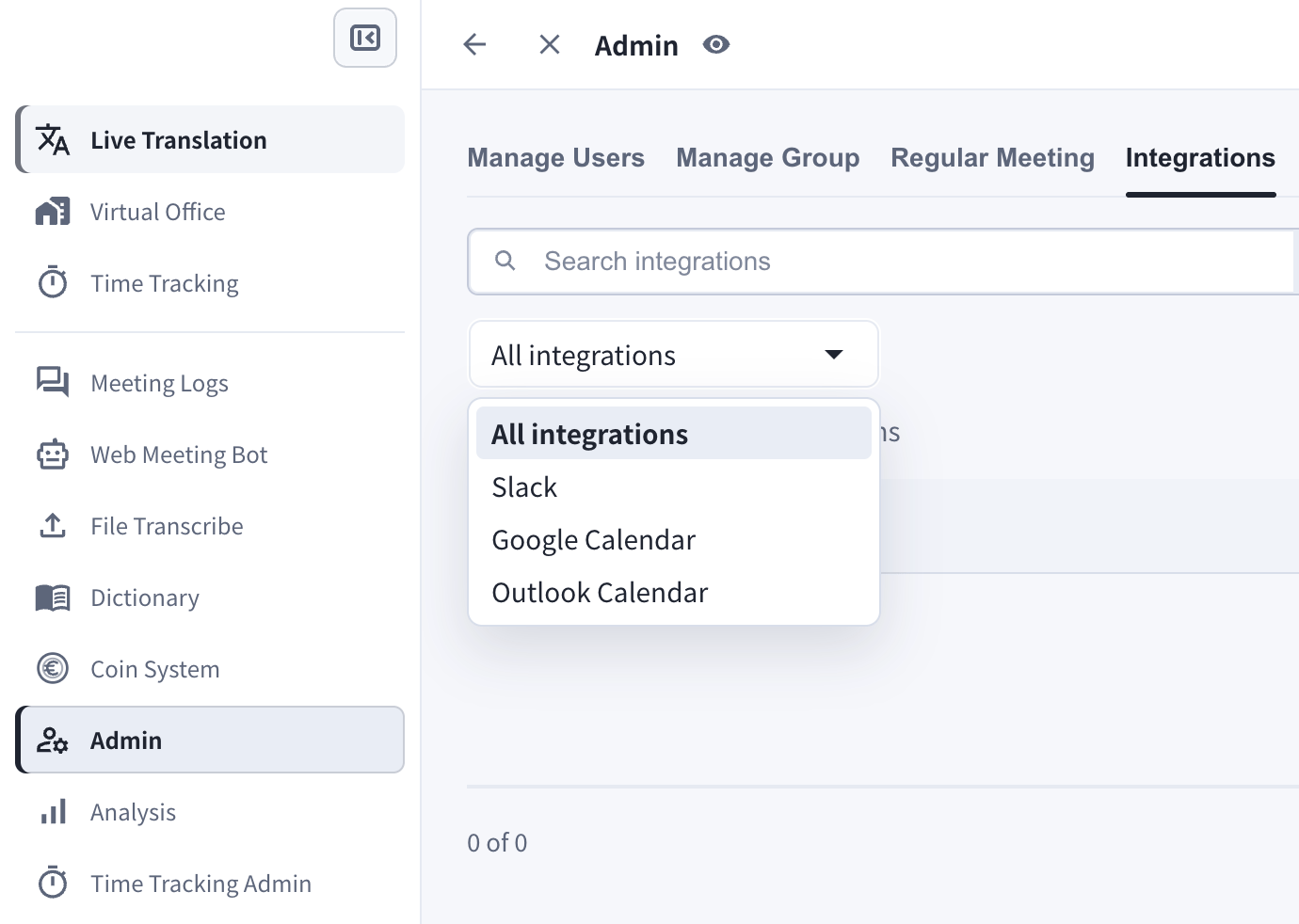
3. Filter by **All integrations**, **Slack**, **Google**, or **Outlook**.
 ## Calendar Integrations
Members can connect calendars from their settings. Calendar integration can:
* Share calendar availability with teammates.
* Support calendar-based meeting detection and picture-in-picture reminders.
* Let Web Meeting Bot prepare supported Zoom, Google Meet, or Microsoft Teams sessions from calendar events.
## Calendar Integrations
Members can connect calendars from their settings. Calendar integration can:
* Share calendar availability with teammates.
* Support calendar-based meeting detection and picture-in-picture reminders.
* Let Web Meeting Bot prepare supported Zoom, Google Meet, or Microsoft Teams sessions from calendar events.
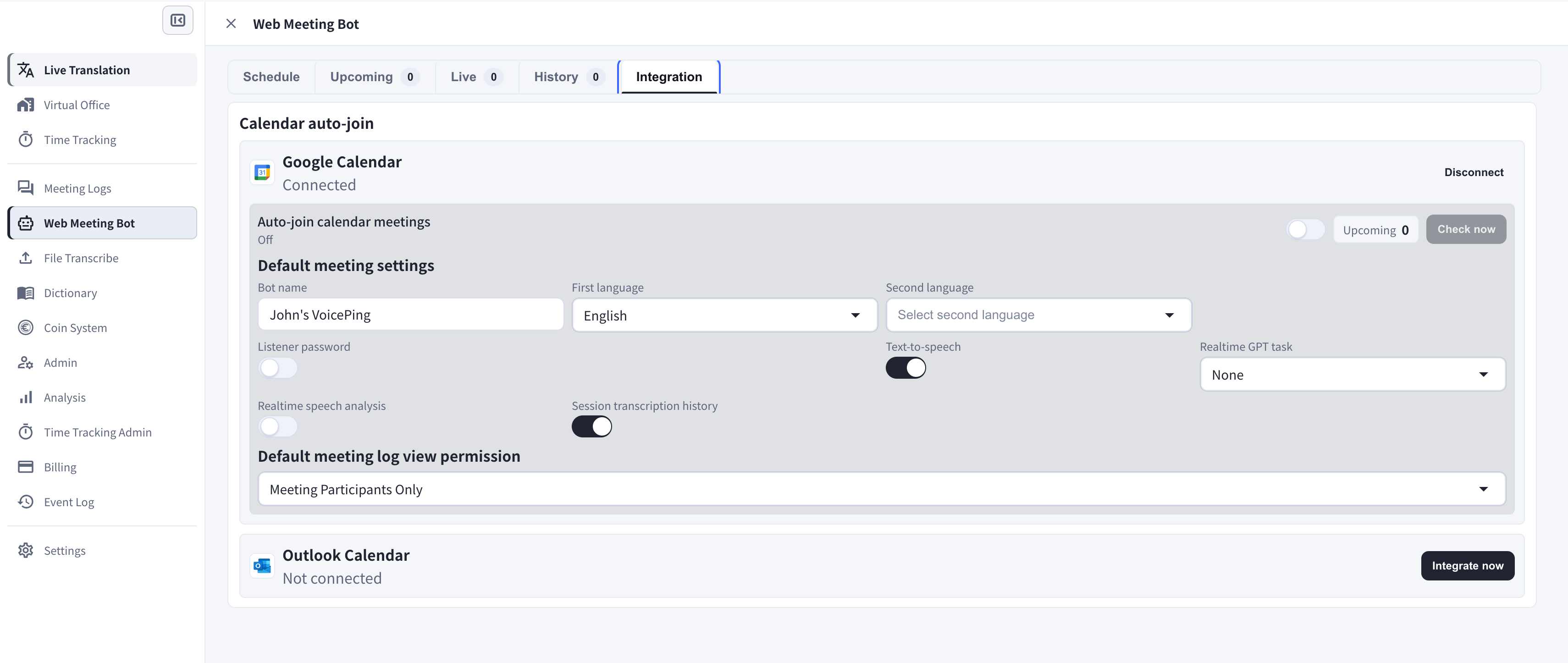 ## Google Calendar
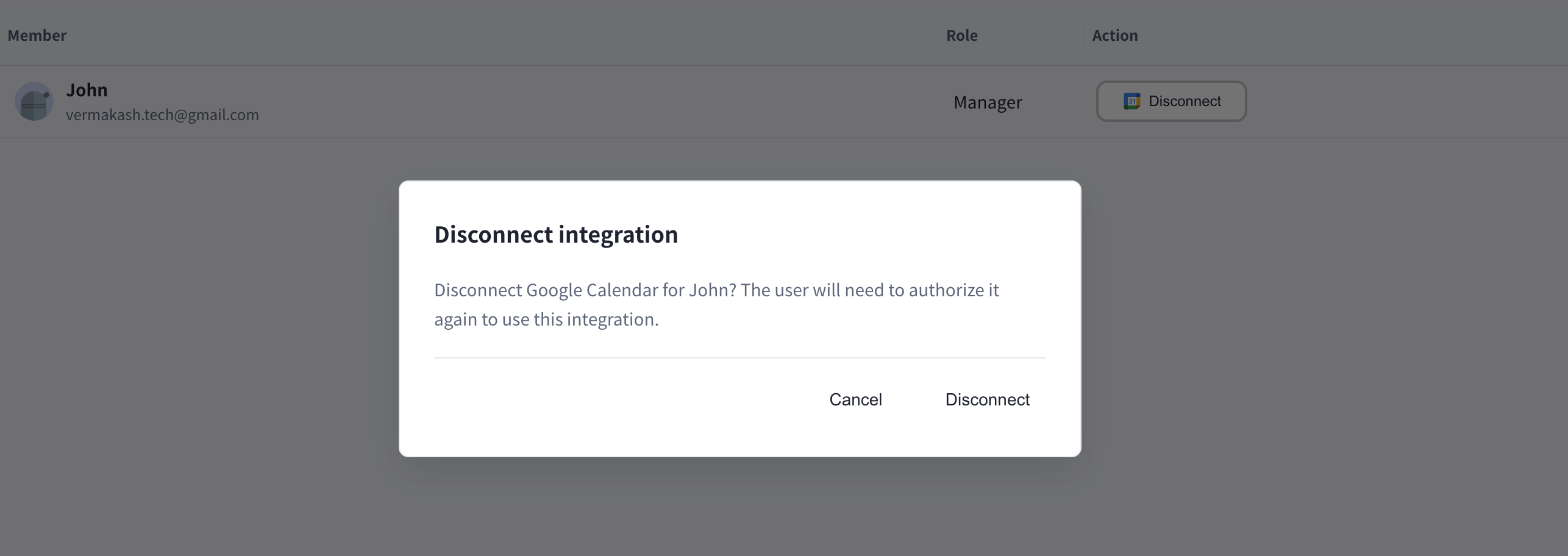
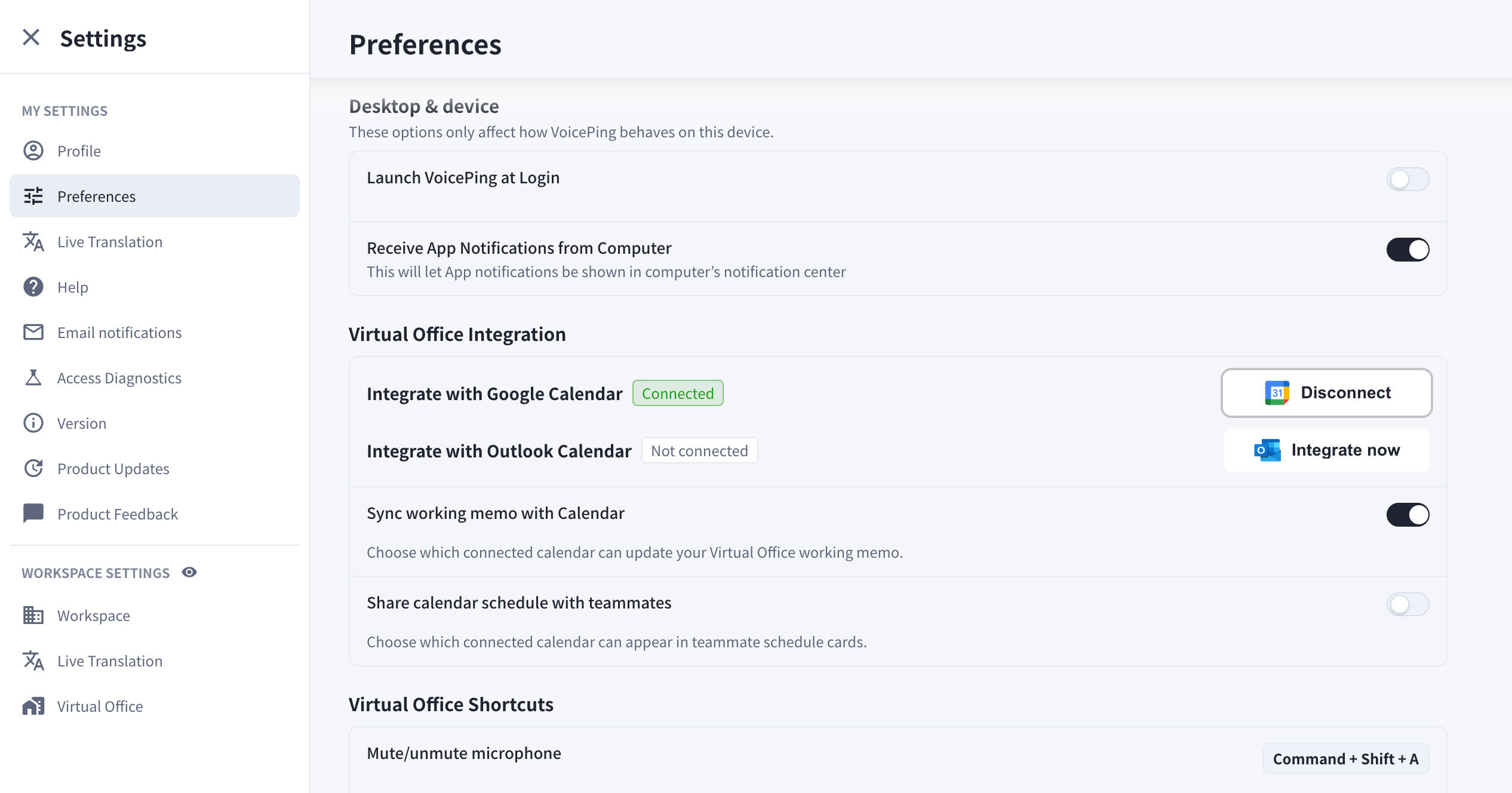
Use **Integrate with Google Calendar** to connect Google Calendar. You can disconnect the integration later from Integrations.
## Outlook Calendar
Use **Integrate with Outlook Calendar** to connect Microsoft Outlook Calendar. You can disconnect the integration later from Integrations.
## Slack
Slack integration is managed from the integrations screen. Managers can review connected members and disconnect provider access when needed.
Older notification integration instructions are deprecated and are no longer part of the public VoicePing 3.0 manual.
## Google Calendar
Use **Integrate with Google Calendar** to connect Google Calendar. You can disconnect the integration later from Integrations.
## Outlook Calendar
Use **Integrate with Outlook Calendar** to connect Microsoft Outlook Calendar. You can disconnect the integration later from Integrations.
## Slack
Slack integration is managed from the integrations screen. Managers can review connected members and disconnect provider access when needed.
Older notification integration instructions are deprecated and are no longer part of the public VoicePing 3.0 manual.