> ## Documentation Index
> Fetch the complete documentation index at: https://manual.voiceping.net/llms.txt
> Use this file to discover all available pages before exploring further.
# Expo Mode
> Publish a QR entrance URL for events and expos so each visitor gets their own private, no-install live translation session — with sharing controls, visitor tracking, and analytics.
export const ContactZhTW = () => <>
如有任何問題,請透過此表單與我們聯繫。
## 官方連結
造訪官方網站
在X上追蹤我們
在Facebook上按讚
在LinkedIn上連結
;
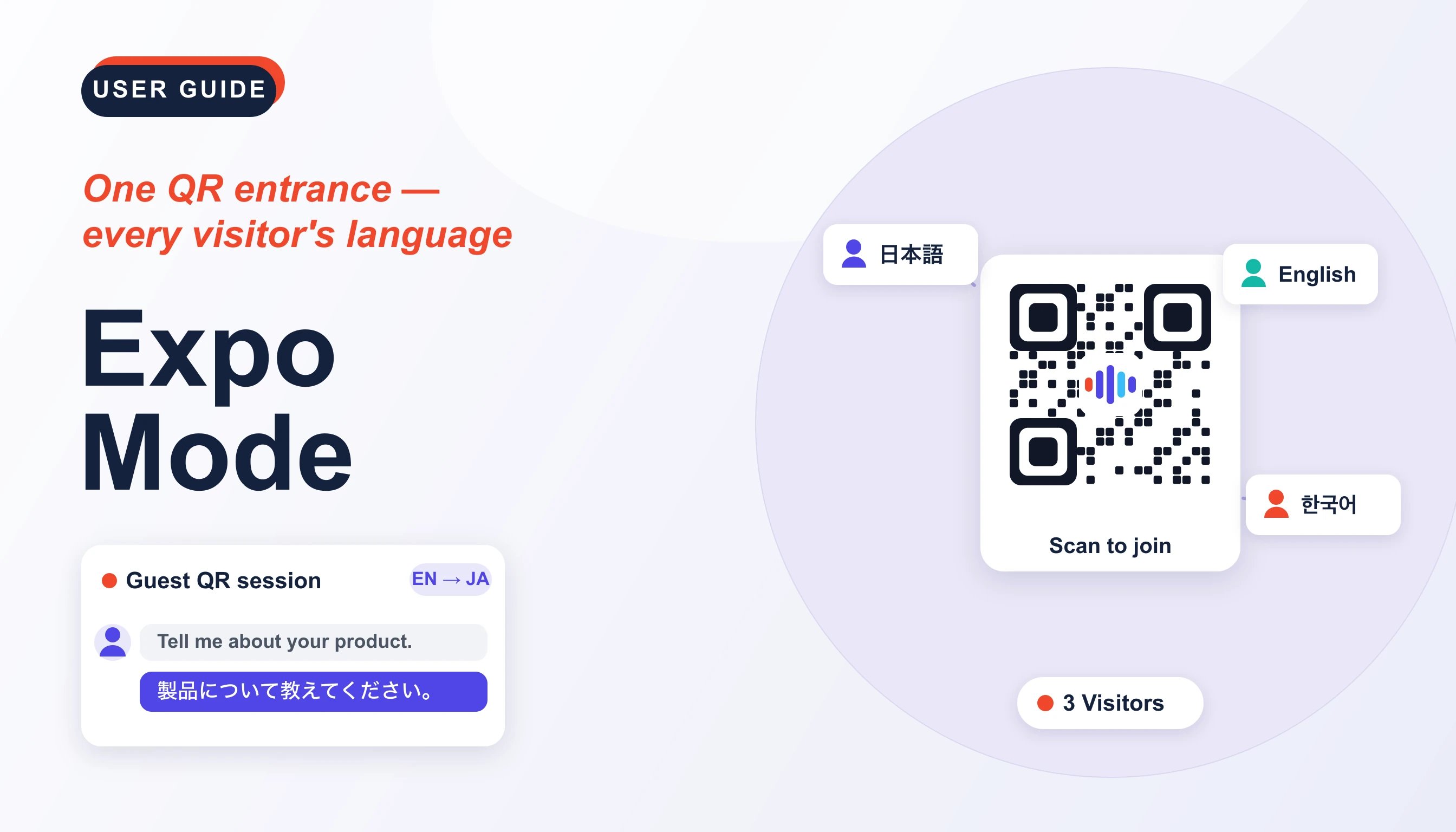 Expo Mode lets you publish an audience **entrance URL** for an event, booth, or seminar. Each visitor scans the QR code or opens the link and gets their **own private live translation session** — no install and no account. You create entrances, control their settings, and monitor visitor sessions from one dashboard.
## Expo Mode vs. Listener Sharing
* **Listener sharing** (in [Live Audio Translation Subtitles](/zh-tw/live-subtitles) and [Share Live Captions to Listeners](/zh-tw/mobile-live-transcription-share)) broadcasts **one speaker** to many listeners who read along.
* **Expo Mode** gives **each visitor their own session** with the microphone always enabled, so every visitor speaks and receives translation independently — ideal for expo booths, reception desks, help counters, and one‑to‑one conversations across a multilingual crowd.
## Open Expo Mode
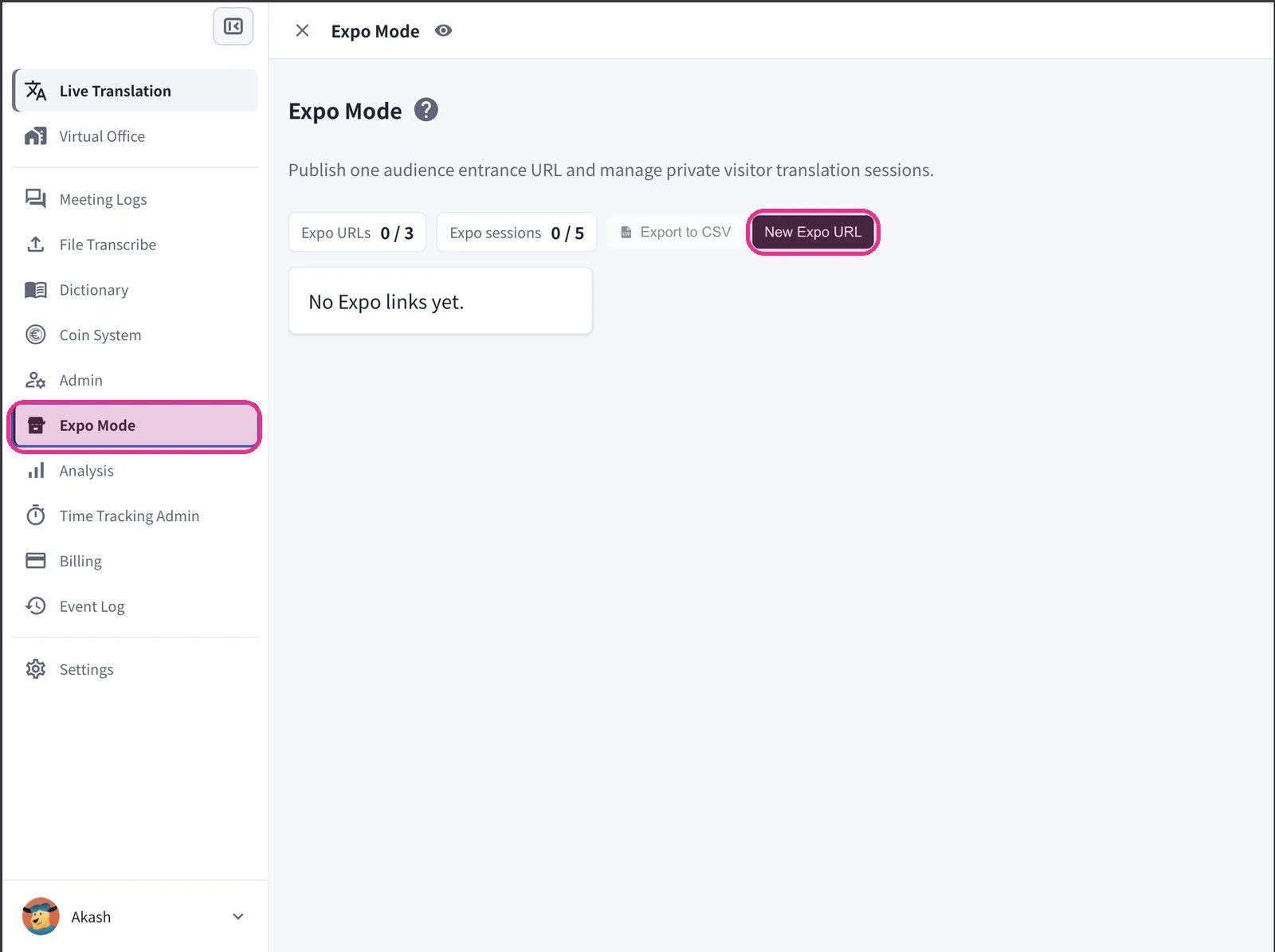
In the VoicePing web app, open **Expo Mode** from the left navigation. Before you create anything, the page shows **No Expo links yet** and your usage against plan limits — **Expo URLs** (for example, 0 / 3) and **Expo sessions** — plus **Export to CSV** and **New Expo URL**.
Click **New Expo URL** to create your first entrance.
Expo Mode lets you publish an audience **entrance URL** for an event, booth, or seminar. Each visitor scans the QR code or opens the link and gets their **own private live translation session** — no install and no account. You create entrances, control their settings, and monitor visitor sessions from one dashboard.
## Expo Mode vs. Listener Sharing
* **Listener sharing** (in [Live Audio Translation Subtitles](/zh-tw/live-subtitles) and [Share Live Captions to Listeners](/zh-tw/mobile-live-transcription-share)) broadcasts **one speaker** to many listeners who read along.
* **Expo Mode** gives **each visitor their own session** with the microphone always enabled, so every visitor speaks and receives translation independently — ideal for expo booths, reception desks, help counters, and one‑to‑one conversations across a multilingual crowd.
## Open Expo Mode
In the VoicePing web app, open **Expo Mode** from the left navigation. Before you create anything, the page shows **No Expo links yet** and your usage against plan limits — **Expo URLs** (for example, 0 / 3) and **Expo sessions** — plus **Export to CSV** and **New Expo URL**.
Click **New Expo URL** to create your first entrance.
 ## Create an Entrance URL
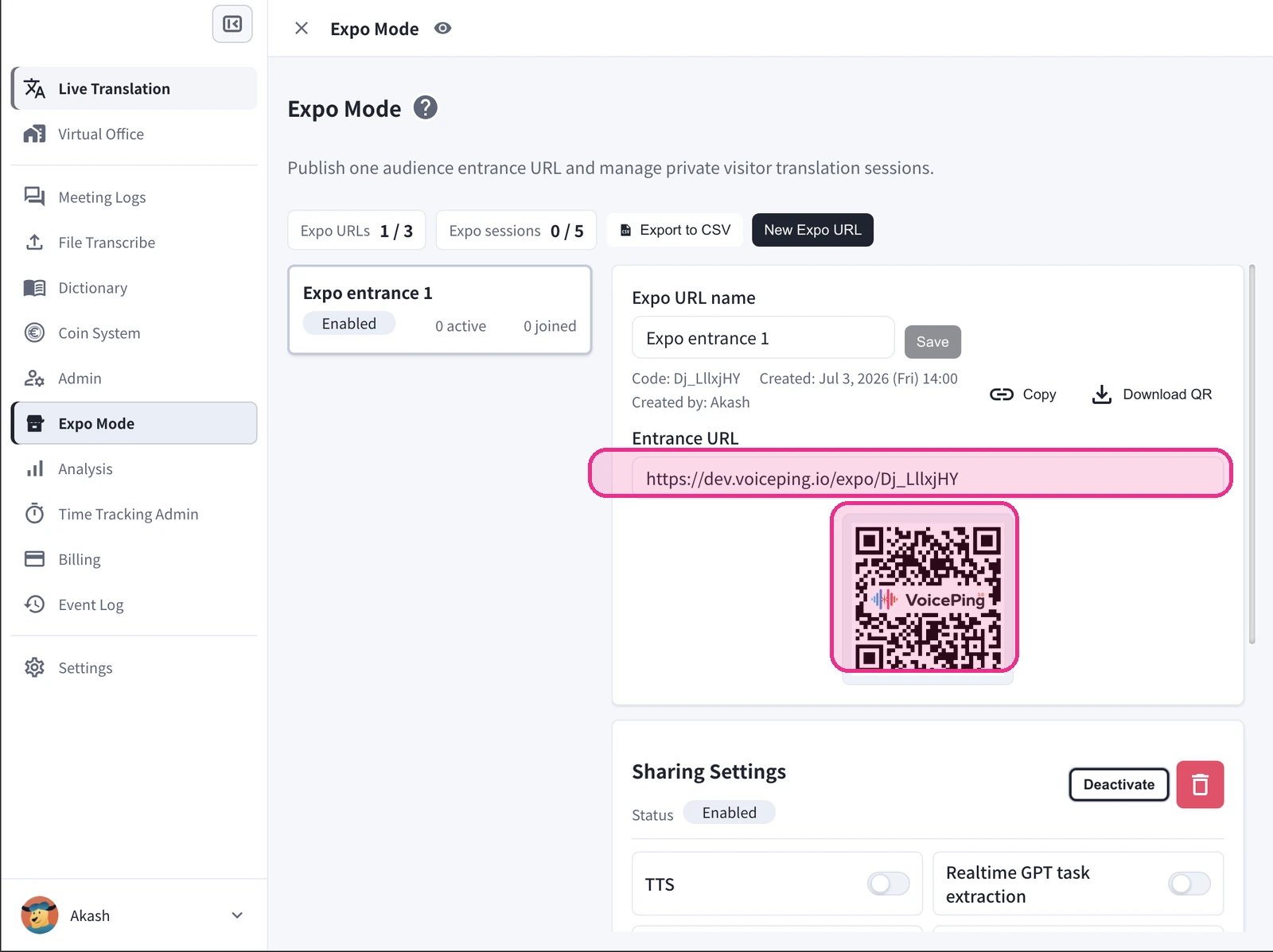
1. Click **New Expo URL**. A new entrance (for example, *Expo entrance 1*) appears in the list with an **Enabled** status and live **active / joined** counts.
2. Enter an **Expo URL name** and click **Save**. Each entrance gets a unique **code**, and the panel records the created date and creator.
3. Share the **Entrance URL** with visitors:
* **Copy** the link to paste into a page, email, or chat.
* **Download QR** to print it on a booth sign, badge, or slide.
## Create an Entrance URL
1. Click **New Expo URL**. A new entrance (for example, *Expo entrance 1*) appears in the list with an **Enabled** status and live **active / joined** counts.
2. Enter an **Expo URL name** and click **Save**. Each entrance gets a unique **code**, and the panel records the created date and creator.
3. Share the **Entrance URL** with visitors:
* **Copy** the link to paste into a page, email, or chat.
* **Download QR** to print it on a booth sign, badge, or slide.
 The entrance URL and its QR code are fixed for each entrance, so printed signage keeps working across sessions. Create separate entrances (for example, one per booth or day) to keep visitor analytics separated.
## How Visitors Join
1. The visitor scans the QR code or opens the entrance URL on their phone or computer — no install, no account.
2. They enter a name, choose the **language they want to see**, and tap **Join**. If a password is set, they enter it first.
The entrance URL and its QR code are fixed for each entrance, so printed signage keeps working across sessions. Create separate entrances (for example, one per booth or day) to keep visitor analytics separated.
## How Visitors Join
1. The visitor scans the QR code or opens the entrance URL on their phone or computer — no install, no account.
2. They enter a name, choose the **language they want to see**, and tap **Join**. If a password is set, they enter it first.
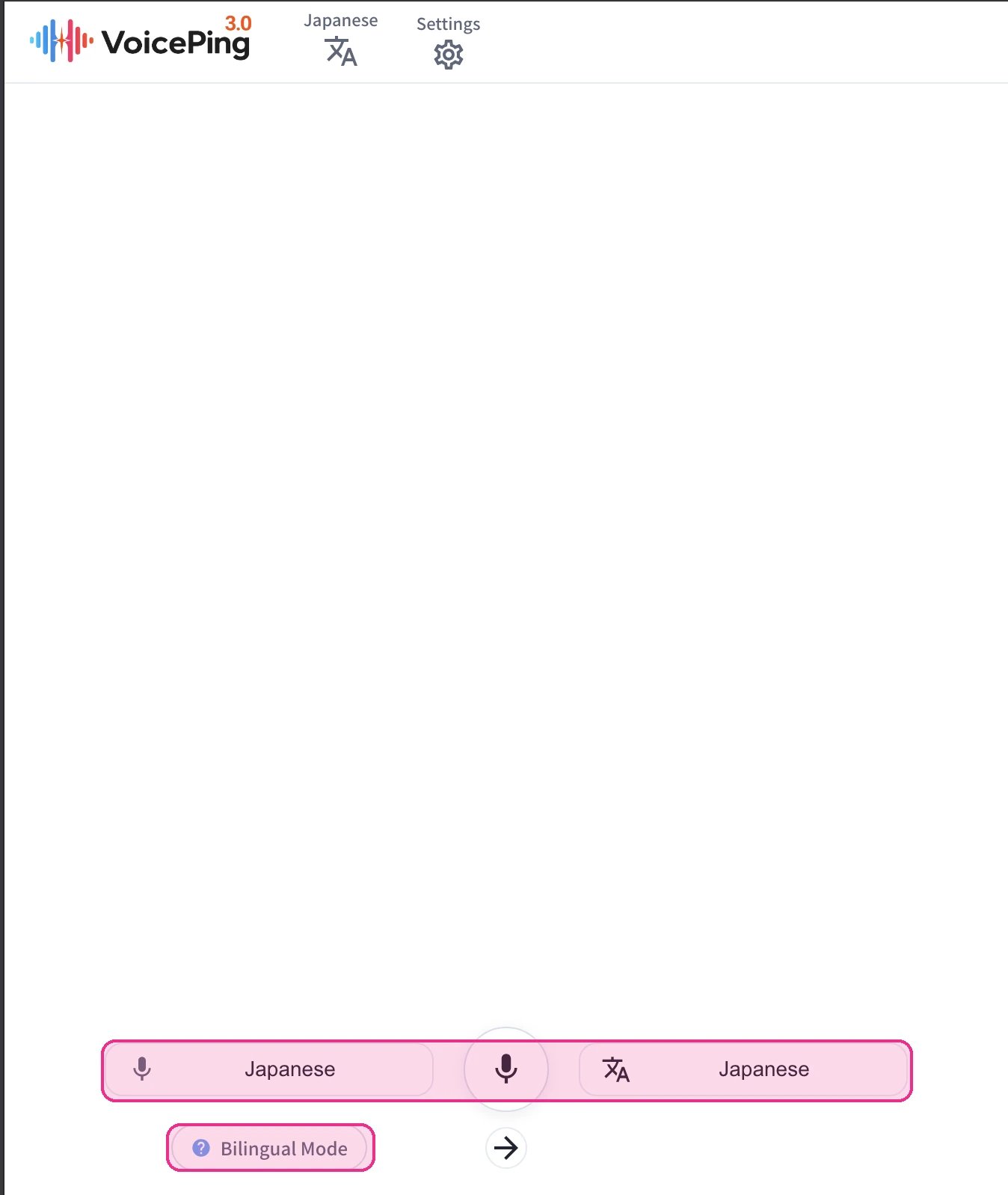
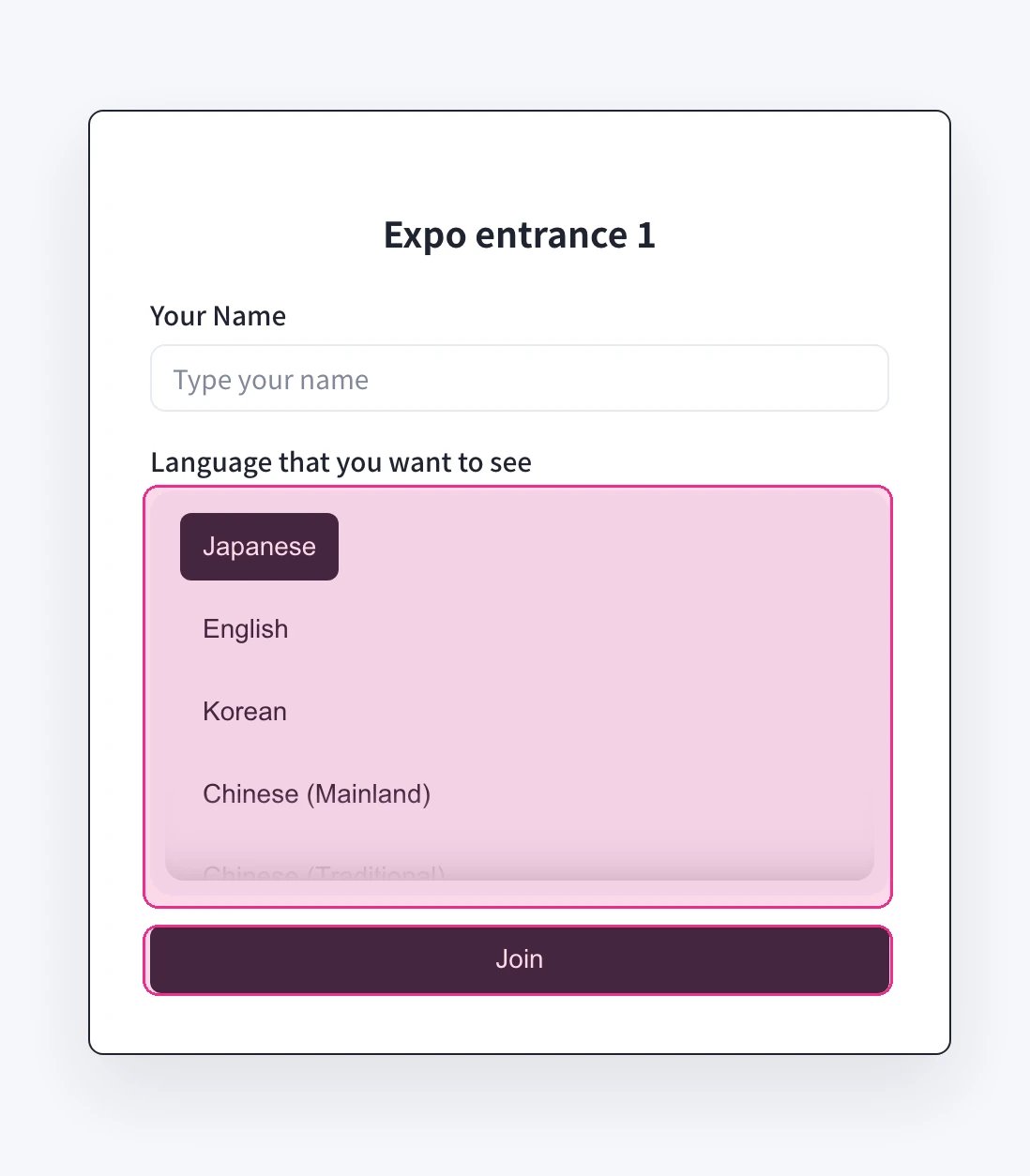 3. They land in a private translation session. Because the visitor microphone is always enabled, they can **speak and read or hear the translation**, switch the source and target languages, and turn on **Bilingual Mode**.
 ## Sharing Settings, Activity, And Visitors
Each entrance has its own controls. Use **Activate / Deactivate** to open or close it, and the delete action to remove it.
| Setting | Effect |
| -------------------------------- | -------------------------------------------------------- |
| **TTS** | Reads the translated text aloud on the visitor's device. |
| **Realtime GPT task extraction** | Runs a realtime GPT task on the conversation. |
| **Speaker analysis** | Adds speaker / speech analysis to the session. |
| **Password** | Requires a password before a visitor can join. |
The **Activity** panel shows **Active** sessions, total **Visitors**, and **STT** (speech-to-text) usage today. The **Visitors** table lists each session — **Name**, **Status**, **Platform** (device, OS, browser), **Languages** (source → target), **Last Seen**, and **STT** — with a date range picker, and **Export to CSV** to download the sessions.
## Sharing Settings, Activity, And Visitors
Each entrance has its own controls. Use **Activate / Deactivate** to open or close it, and the delete action to remove it.
| Setting | Effect |
| -------------------------------- | -------------------------------------------------------- |
| **TTS** | Reads the translated text aloud on the visitor's device. |
| **Realtime GPT task extraction** | Runs a realtime GPT task on the conversation. |
| **Speaker analysis** | Adds speaker / speech analysis to the session. |
| **Password** | Requires a password before a visitor can join. |
The **Activity** panel shows **Active** sessions, total **Visitors**, and **STT** (speech-to-text) usage today. The **Visitors** table lists each session — **Name**, **Status**, **Platform** (device, OS, browser), **Languages** (source → target), **Last Seen**, and **STT** — with a date range picker, and **Export to CSV** to download the sessions.
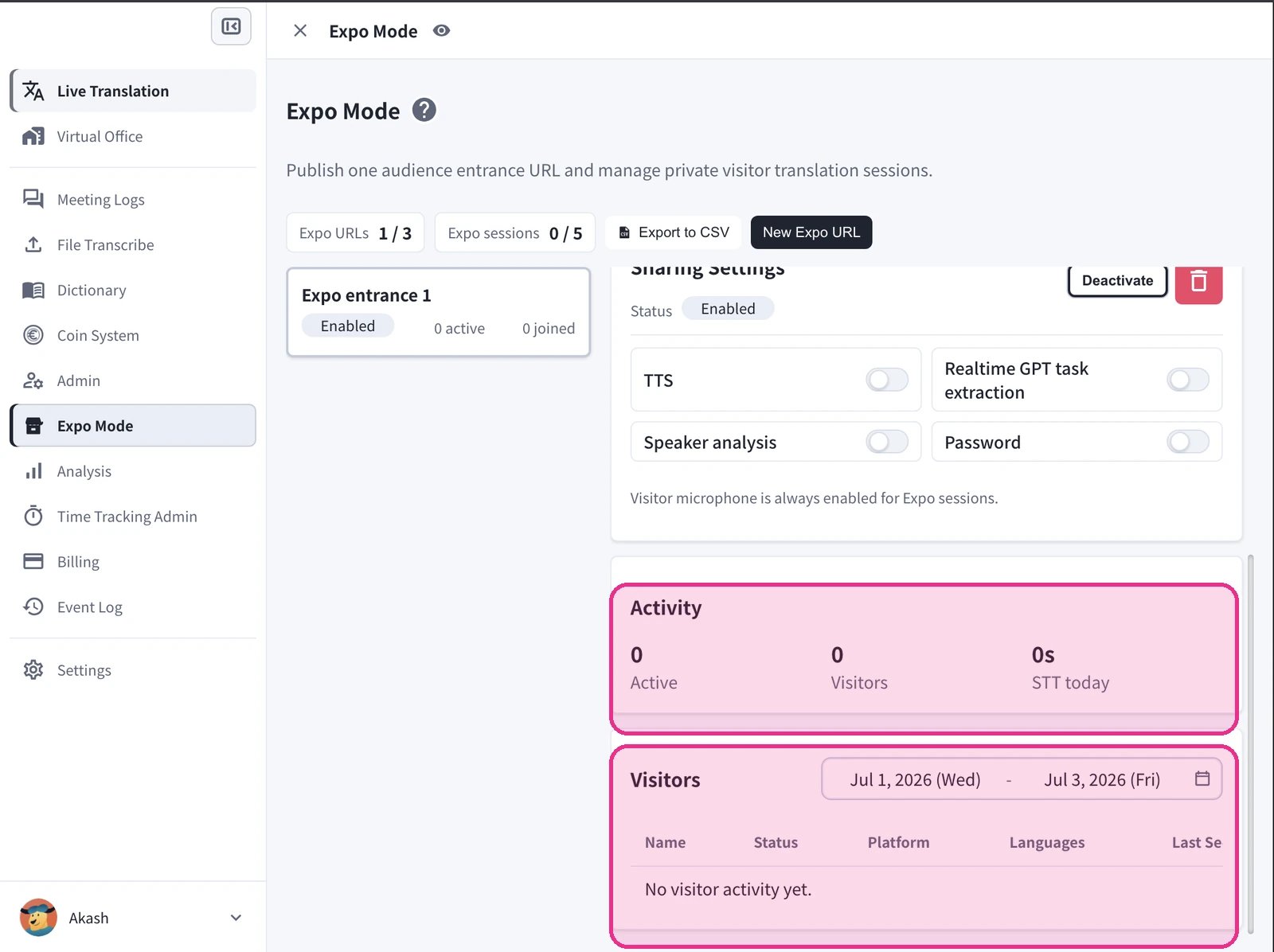 The visitor microphone is **always enabled** for Expo sessions, so each visitor can speak and be translated.
## Analytics
For a fuller view, open **Analysis > Expo Mode**.
The visitor microphone is **always enabled** for Expo sessions, so each visitor can speak and be translated.
## Analytics
For a fuller view, open **Analysis > Expo Mode**.
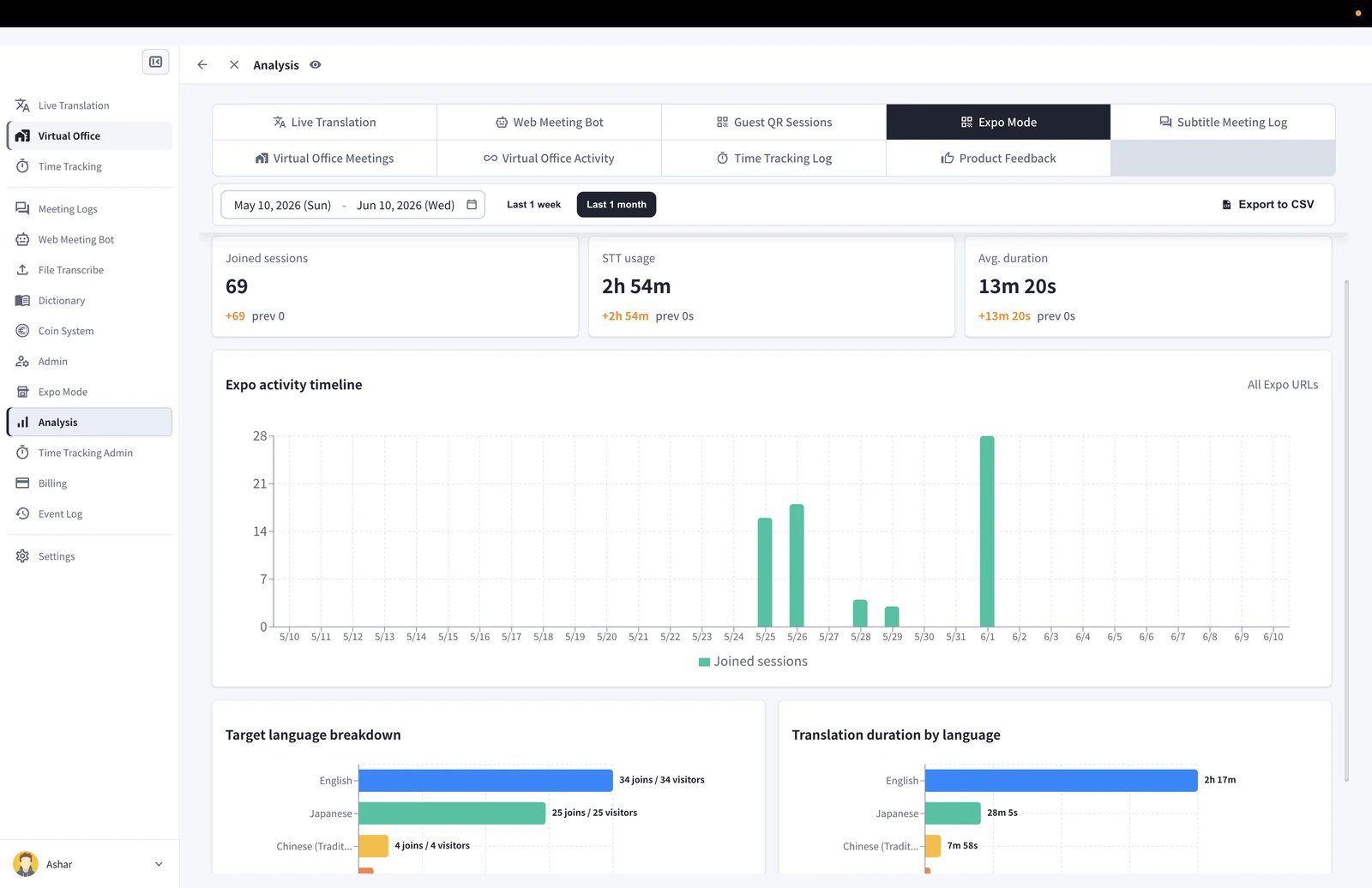 The Expo Mode analytics cover, for the selected date range (with quick **Last 1 week** / **Last 1 month** ranges):
* **Joined sessions**, **STT usage**, and **Average duration**
* **Expo activity timeline** of joined sessions over time (filterable by entrance, or **All Expo URLs**)
* **Target language breakdown** — joins and unique visitors per language
* **Translation duration by language**
Use **Export to CSV** to download the report.
## Best Practices For Events
* Create one entrance per booth, room, or day so analytics stay separated.
* Print the QR large enough to scan from a short distance and place it at eye level.
* Turn on **Password** for private or paid sessions; leave it off for open, walk-up booths.
* Enable **TTS** when visitors will listen through earphones rather than read.
* Watch the **Active** counter and your **Expo sessions** limit during peak times so walk-ups aren't turned away.
The Expo Mode analytics cover, for the selected date range (with quick **Last 1 week** / **Last 1 month** ranges):
* **Joined sessions**, **STT usage**, and **Average duration**
* **Expo activity timeline** of joined sessions over time (filterable by entrance, or **All Expo URLs**)
* **Target language breakdown** — joins and unique visitors per language
* **Translation duration by language**
Use **Export to CSV** to download the report.
## Best Practices For Events
* Create one entrance per booth, room, or day so analytics stay separated.
* Print the QR large enough to scan from a short distance and place it at eye level.
* Turn on **Password** for private or paid sessions; leave it off for open, walk-up booths.
* Enable **TTS** when visitors will listen through earphones rather than read.
* Watch the **Active** counter and your **Expo sessions** limit during peak times so walk-ups aren't turned away.