> ## Documentation Index
> Fetch the complete documentation index at: https://manual.voiceping.net/llms.txt
> Use this file to discover all available pages before exploring further.
# 註冊:建立新工作區(擁有者用)
> 本指南說明管理員(擁有者)如何建立新的工作區並開始使用VoicePing。
export const ContactZhTW = () => <>
如有任何問題,請透過此表單與我們聯繫。
## 官方連結
造訪官方網站
在X上追蹤我們
在Facebook上按讚
在LinkedIn上連結
;
本指南說明管理員(擁有者)如何建立新的工作區並開始使用VoicePing。
## PC
1. **前往[VoicePing首頁](https://voiceping.net/),點選右上角的「Start Free」按鈕。**
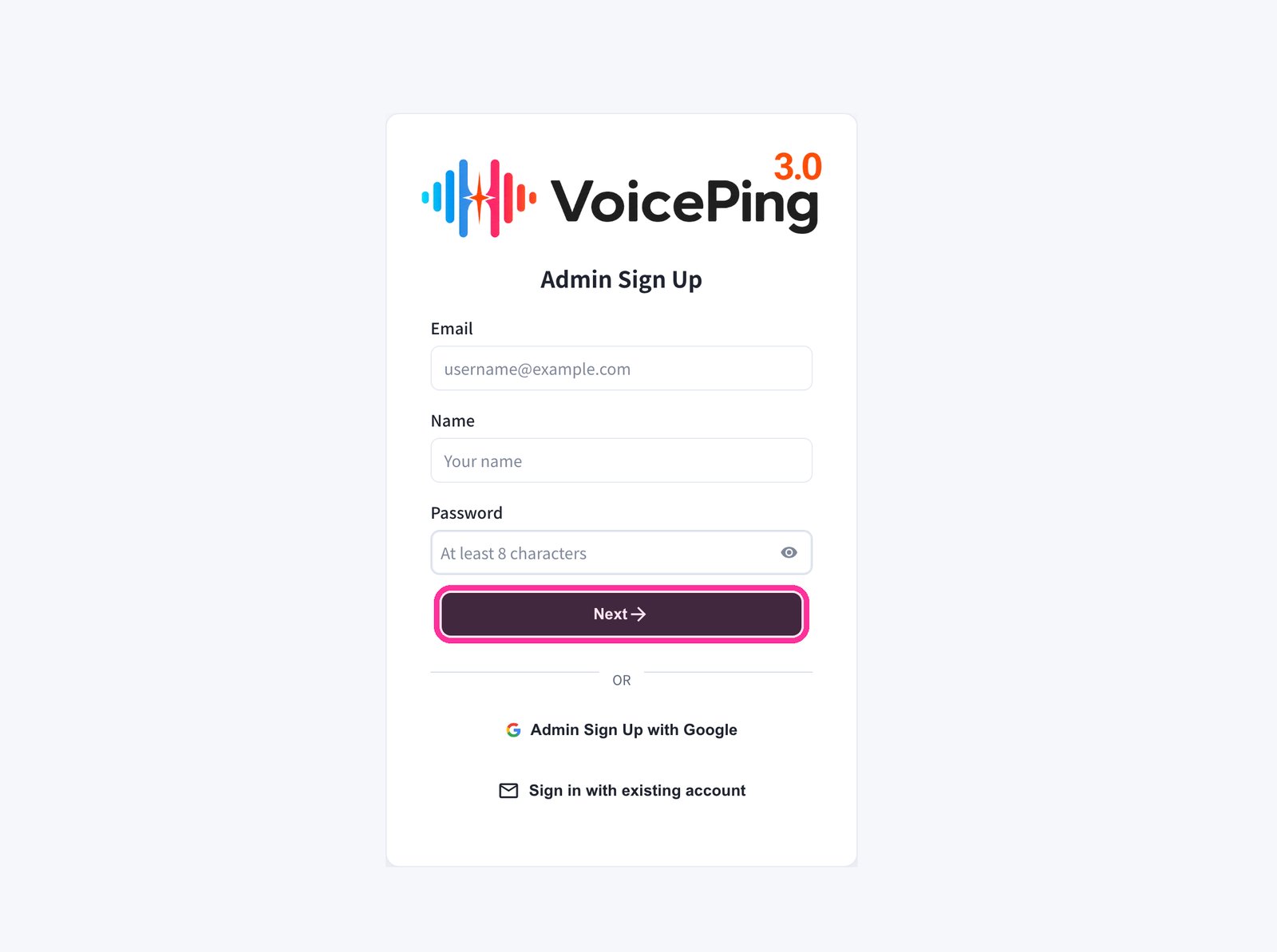
 2. **登錄檔單將會顯示。輸入電子郵件、姓名和密碼,然後點選「Next →」。**
* 如需使用Google註冊,請點選「Admin Sign Up with Google」。
* 如果已有帳戶,請點選「Sign in with existing account」。
2. **登錄檔單將會顯示。輸入電子郵件、姓名和密碼,然後點選「Next →」。**
* 如需使用Google註冊,請點選「Admin Sign Up with Google」。
* 如果已有帳戶,請點選「Sign in with existing account」。
 3. **輸入傳送到您電子郵件的驗證碼。**
4. **按照螢幕指示完成工作區設定。**
## 手機 / 平板
### 使用電子郵件註冊
1. **前往[VoicePing首頁](https://voiceping.net/),點選「Start for free」按鈕。**
3. **輸入傳送到您電子郵件的驗證碼。**
4. **按照螢幕指示完成工作區設定。**
## 手機 / 平板
### 使用電子郵件註冊
1. **前往[VoicePing首頁](https://voiceping.net/),點選「Start for free」按鈕。**
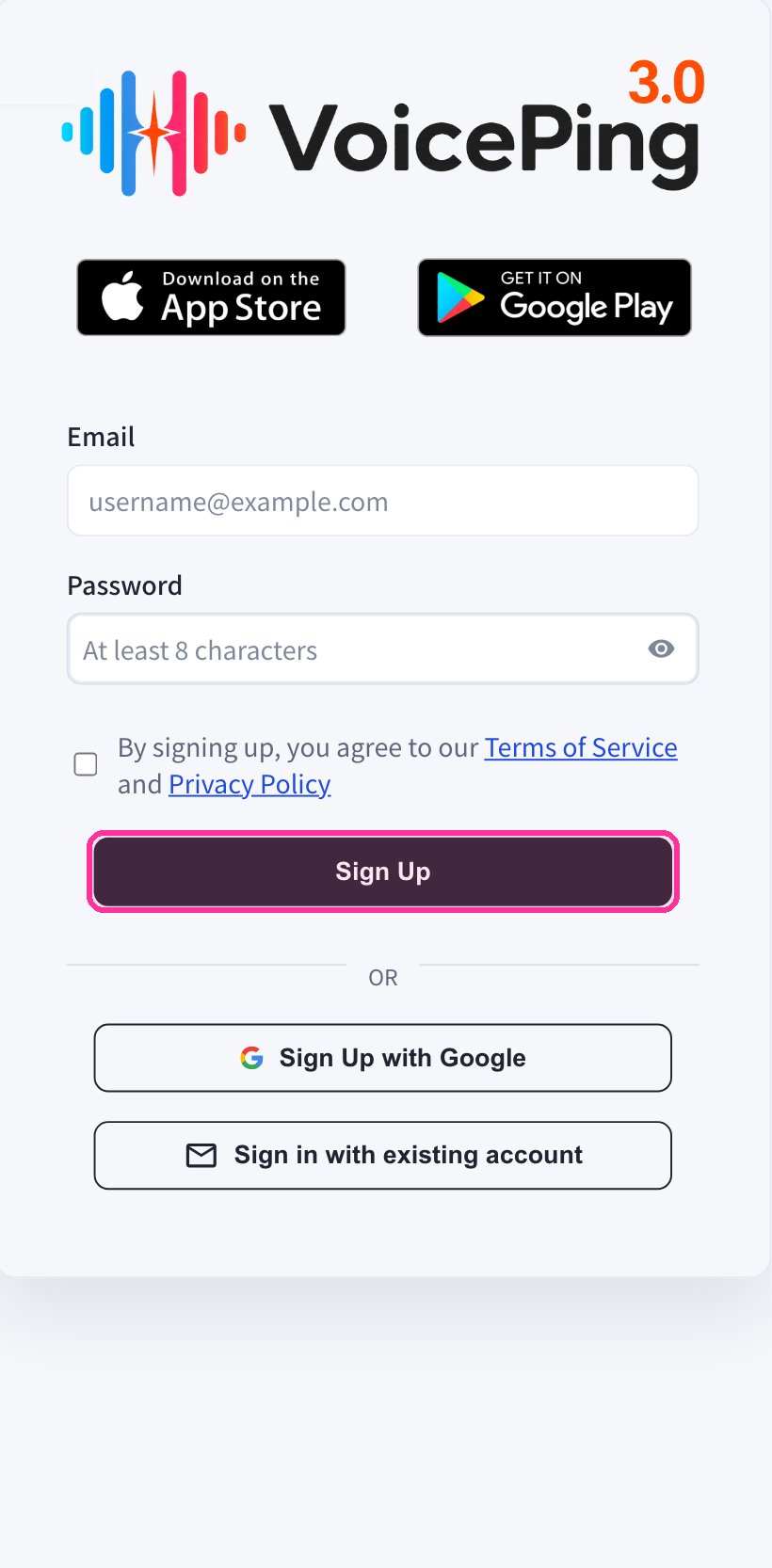
 2. **行動網頁應用將顯示登錄檔單。輸入電子郵件和密碼,同意服務條款後點選「Sign Up」。**
 3. **輸入傳送到您電子郵件的驗證碼。**
4. **按照螢幕指示完成工作區設定。**
5. **從[App Store](https://apps.apple.com/jp/app/voiceping-2-0/id6450720360)或[Google Play](https://play.google.com/store/apps/details?id=com.voiceping.app)下載VoicePing應用程式,使用已建立的帳戶登入。**
### 使用Google或Apple帳戶註冊
如果您有Google或Apple帳戶,可以直接從手機應用程式建立帳戶並登入。
1. **從[App Store](https://apps.apple.com/jp/app/voiceping-2-0/id6450720360)或[Google Play](https://play.google.com/store/apps/details?id=com.voiceping.app)下載VoicePing應用程式。**
2. **開啟應用程式,使用Google或Apple帳戶註冊。**
如果PC應用程式下載未自動開始,可以直接從[PC應用程式下載](/zh-tw/pc-download)頁面下載。
3. **輸入傳送到您電子郵件的驗證碼。**
4. **按照螢幕指示完成工作區設定。**
5. **從[App Store](https://apps.apple.com/jp/app/voiceping-2-0/id6450720360)或[Google Play](https://play.google.com/store/apps/details?id=com.voiceping.app)下載VoicePing應用程式,使用已建立的帳戶登入。**
### 使用Google或Apple帳戶註冊
如果您有Google或Apple帳戶,可以直接從手機應用程式建立帳戶並登入。
1. **從[App Store](https://apps.apple.com/jp/app/voiceping-2-0/id6450720360)或[Google Play](https://play.google.com/store/apps/details?id=com.voiceping.app)下載VoicePing應用程式。**
2. **開啟應用程式,使用Google或Apple帳戶註冊。**
如果PC應用程式下載未自動開始,可以直接從[PC應用程式下載](/zh-tw/pc-download)頁面下載。