> ## Documentation Index
> Fetch the complete documentation index at: https://manual.voiceping.net/llms.txt
> Use this file to discover all available pages before exploring further.

# 工作流 — 从单次会议生成客户提案草稿

> 将一次提案评审会议的记录，转化为可呈报高层的提案草稿 — 包含执行摘要、客户情况、提议方案、时间表、下一步。使用 VoicePing MCP Access。

export const FeedbackZh = () => <>
    <Tip>
      对该功能有想法或需求？请通过 <a href="/zh/product-feedback">Product Feedback</a> 发送给团队。
    </Tip>

    <h2>官方链接</h2>

    <CardGroup cols={2}>
      <Card title="官方网站" icon="globe" href="https://voiceping.net/en/">
        访问官方网站
      </Card>
      <Card title="X (Twitter)" icon="x-twitter" href="https://x.com/VoicePingMedia">
        在X上关注我们
      </Card>
      <Card title="Facebook" icon="facebook" href="https://www.facebook.com/voiceping.inc">
        在Facebook上点赞
      </Card>
      <Card title="LinkedIn" icon="linkedin" href="https://www.linkedin.com/company/28684130/">
        在LinkedIn上连接
      </Card>
    </CardGroup>
  </>;

## 从单次会议生成客户提案草稿

**情境。** 一次提案评审会议刚结束。客户阐述了他们的目标，提出了对安全的两点担忧，并要求给出分阶段的时间表。现在您要把这次对话转化为一份正式提案。难点不是写作本身 ― 而是一个信号也不漏掉。

本工作流假设您已经启用了 [MCP Access](/zh/external-access/mcp) 并连接了 AI 客户端。

<Steps>
  <Step title="找到那次具体的会议">
    ```text theme={null}
    Search my VoicePing transcripts for the Northstar Capital proposal review meeting.
    Find the most relevant transcript and show me the title, date, participants
    if available, and why it matches.
    ```

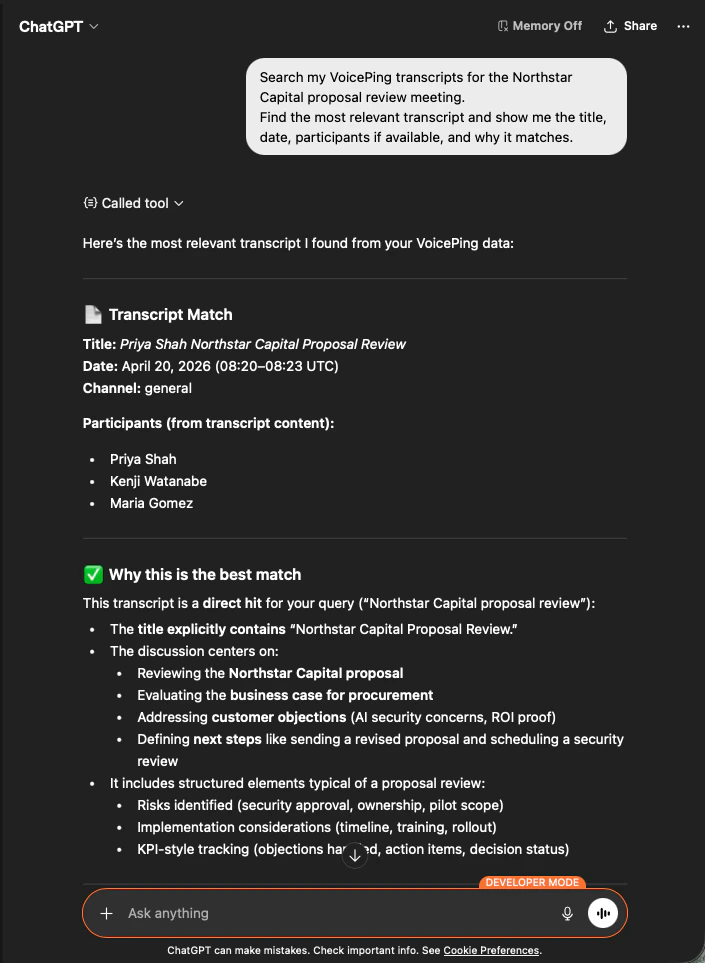
    AI 会准确识别出这份会议记录，列出与会者，并说明为何匹配 ― 保证您的提案有正确的会议作为依据。

    <div style={{maxWidth: "600px", margin: "0 auto"}}>
      <Frame>
        <img src="https://mintcdn.com/test-cf63e467/z13MfE0CikV5b-4X/en/images/external_access/proposal%20creation%201.png?fit=max&auto=format&n=z13MfE0CikV5b-4X&q=85&s=541234a4b6549b663c1410f3344d4edb" alt="ChatGPT identifying the Northstar Capital proposal review transcript with participants and match reasoning" width="705" height="963" data-path="en/images/external_access/proposal creation 1.png" />
      </Frame>
    </div>
  </Step>

  <Step title="提取结构化的提案输入">
    ```text theme={null}
    Read that transcript and extract the key proposal inputs:
    - customer goals
    - pain points
    - requested solution
    - success criteria
    - objections or concerns
    - timeline
    - stakeholders
    - next steps
    ```

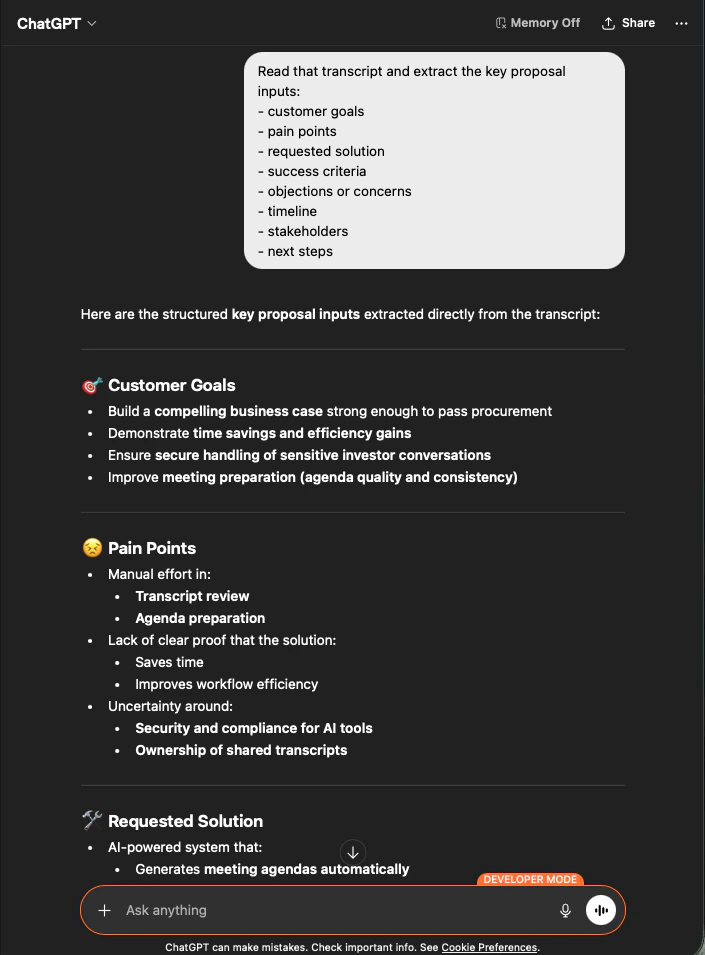
    AI 会按您要求的分组，把全部输入完整抽取出来。这就是您的提案骨架 ― 没有杜撰，每一条都可追溯到会议记录。

    <div style={{maxWidth: "600px", margin: "0 auto"}}>
      <Frame>
        <img src="https://mintcdn.com/test-cf63e467/z13MfE0CikV5b-4X/en/images/external_access/proposal%20creation%202.png?fit=max&auto=format&n=z13MfE0CikV5b-4X&q=85&s=65915e908ac022464f1668c6b920706e" alt="ChatGPT extracting structured proposal inputs — customer goals, pain points, requested solution — from a Northstar Capital transcript" width="705" height="955" data-path="en/images/external_access/proposal creation 2.png" />
      </Frame>
    </div>
  </Step>

  <Step title="生成提案草稿">
    ```text theme={null}
    Create a customer proposal draft based only on this meeting.
    Structure it with:
    - executive summary
    - customer situation
    - proposed solution
    - implementation scope
    - expected value
    - security or operational considerations
    - timeline
    - next steps
    ```

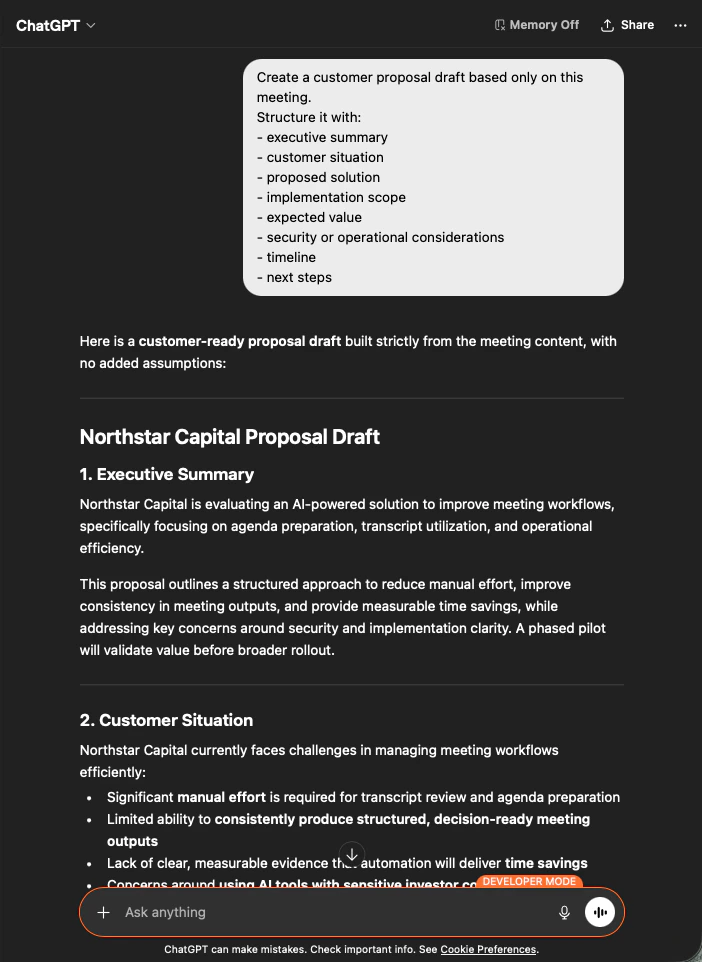
    输出是一份完整的提案草稿 ― 先是执行摘要，随后各部分严格依据会议内容生成。您只需调整语气、然后发送即可。

    <div style={{maxWidth: "600px", margin: "0 auto"}}>
      <Frame>
        <img src="https://mintcdn.com/test-cf63e467/z13MfE0CikV5b-4X/en/images/external_access/proposal%20creation%203.png?fit=max&auto=format&n=z13MfE0CikV5b-4X&q=85&s=9ef5ea2d403eadf232efd486e8c1a7c8" alt="ChatGPT producing a customer-ready Northstar Capital proposal draft built strictly from meeting content" width="702" height="962" data-path="en/images/external_access/proposal creation 3.png" />
      </Frame>
    </div>
  </Step>
</Steps>

<Note>
  明确告诉 AI "**based only on this meeting**" 以及 "**with no added assumptions**" ，是决定您得到一份可以直接发送的提案、还是要逐行核对事实的提案的关键。
</Note>

***

## 下一步

<CardGroup cols={2}>
  <Card title="外部访问概览" icon="arrow-left" href="/zh/external-access">
    返回作用域、生命周期控制和事件日志总览。
  </Card>

  <Card title="如何启用 MCP Access" icon="plug" href="/zh/external-access/mcp">
    Claude、ChatGPT、Codex、Claude Code、Gemini CLI 的设置指南。
  </Card>
</CardGroup>

<FeedbackZh />