> ## Documentation Index
> Fetch the complete documentation index at: https://manual.voiceping.net/llms.txt
> Use this file to discover all available pages before exploring further.

# 免费套餐入门指南

> 创建 VoicePing 工作区，开始使用单用户免费套餐。

export const ContactZh = () => <>
    <Tip>
      如需咨询，请填写<a href="https://forms.gle/6AUho7oj3zBr79e96">联系表单</a>。
    </Tip>

    <h2>官方链接</h2>

    <CardGroup cols={2}>
      <Card title="官方网站" icon="globe" href="https://voiceping.net/en/">
        访问官方网站
      </Card>
      <Card title="X (Twitter)" icon="x-twitter" href="https://x.com/VoicePingMedia">
        在 X 上关注我们
      </Card>
      <Card title="Facebook" icon="facebook" href="https://www.facebook.com/voiceping.inc">
        在 Facebook 上关注我们
      </Card>
      <Card title="LinkedIn" icon="linkedin" href="https://www.linkedin.com/company/28684130/">
        在 LinkedIn 上关注我们
      </Card>
    </CardGroup>
  </>;

<Tip>
  免费套餐支持 **1 名成员**和最多 **5 名访客**，适合体验 VoicePing 的核心功能。
</Tip>

<Note>
  转写、语音翻译和录制功能有用量限制。详情请参阅[套餐与定价](/zh/pricing)。
</Note>

## 如何开始免费套餐

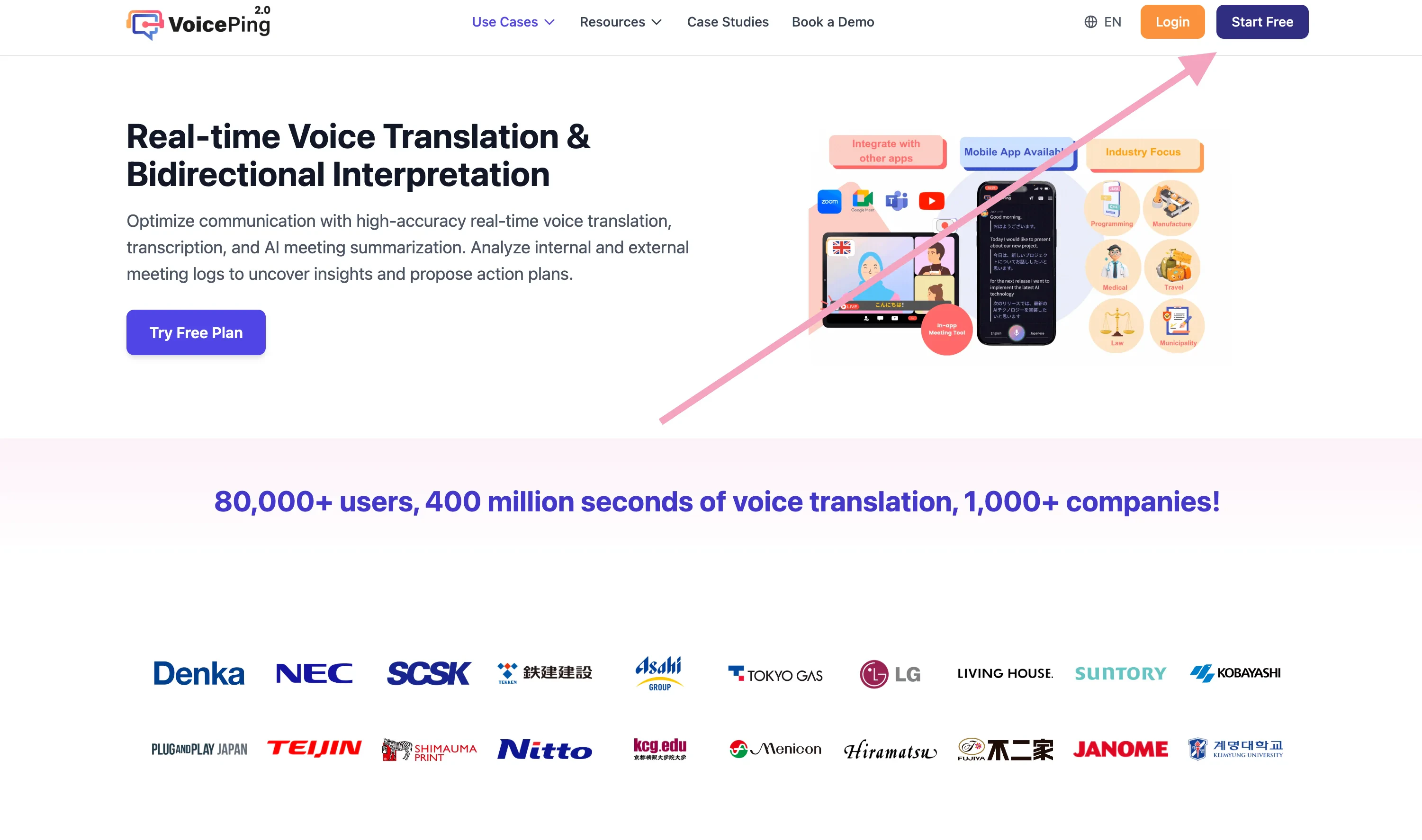
1. 前往[VoicePing主页](https://voiceping.net/)
2. 点击"开始免费套餐"按钮
<Frame>
  <img src="https://mintcdn.com/test-cf63e467/z13MfE0CikV5b-4X/en/images/free-plan/01-start-free-plan-button.webp?fit=max&auto=format&n=z13MfE0CikV5b-4X&q=85&s=6c30657666455717a347497d6b744690" alt="开始免费套餐按钮" width="3002" height="1774" data-path="en/images/free-plan/01-start-free-plan-button.webp" />
</Frame>

3. 按照[创建新工作区](/zh/owner-signup)完成注册。

## 相关页面

* [创建新工作区](/zh/owner-signup)
* [开始 1 周免费试用](/zh/free-trial)

<ContactZh />
