> ## Documentation Index
> Fetch the complete documentation index at: https://manual.voiceping.net/llms.txt
> Use this file to discover all available pages before exploring further.

# 创建发票

> 如何从时间跟踪日志轻松创建发票

export const FeedbackZh = () => <>
    <Tip>
      对该功能有想法或需求？请通过 <a href="/zh/product-feedback">Product Feedback</a> 发送给团队。
    </Tip>

    <h2>官方链接</h2>

    <CardGroup cols={2}>
      <Card title="官方网站" icon="globe" href="https://voiceping.net/en/">
        访问官方网站
      </Card>
      <Card title="X (Twitter)" icon="x-twitter" href="https://x.com/VoicePingMedia">
        在X上关注我们
      </Card>
      <Card title="Facebook" icon="facebook" href="https://www.facebook.com/voiceping.inc">
        在Facebook上点赞
      </Card>
      <Card title="LinkedIn" icon="linkedin" href="https://www.linkedin.com/company/28684130/">
        在LinkedIn上连接
      </Card>
    </CardGroup>
  </>;

时间跟踪功能会自动记录工作日志，因此可以轻松创建发票。

## 开具发票

1. 从左侧边栏打开**时间跟踪管理**，点击**发票**标签
2. 点击**新建发票**按钮
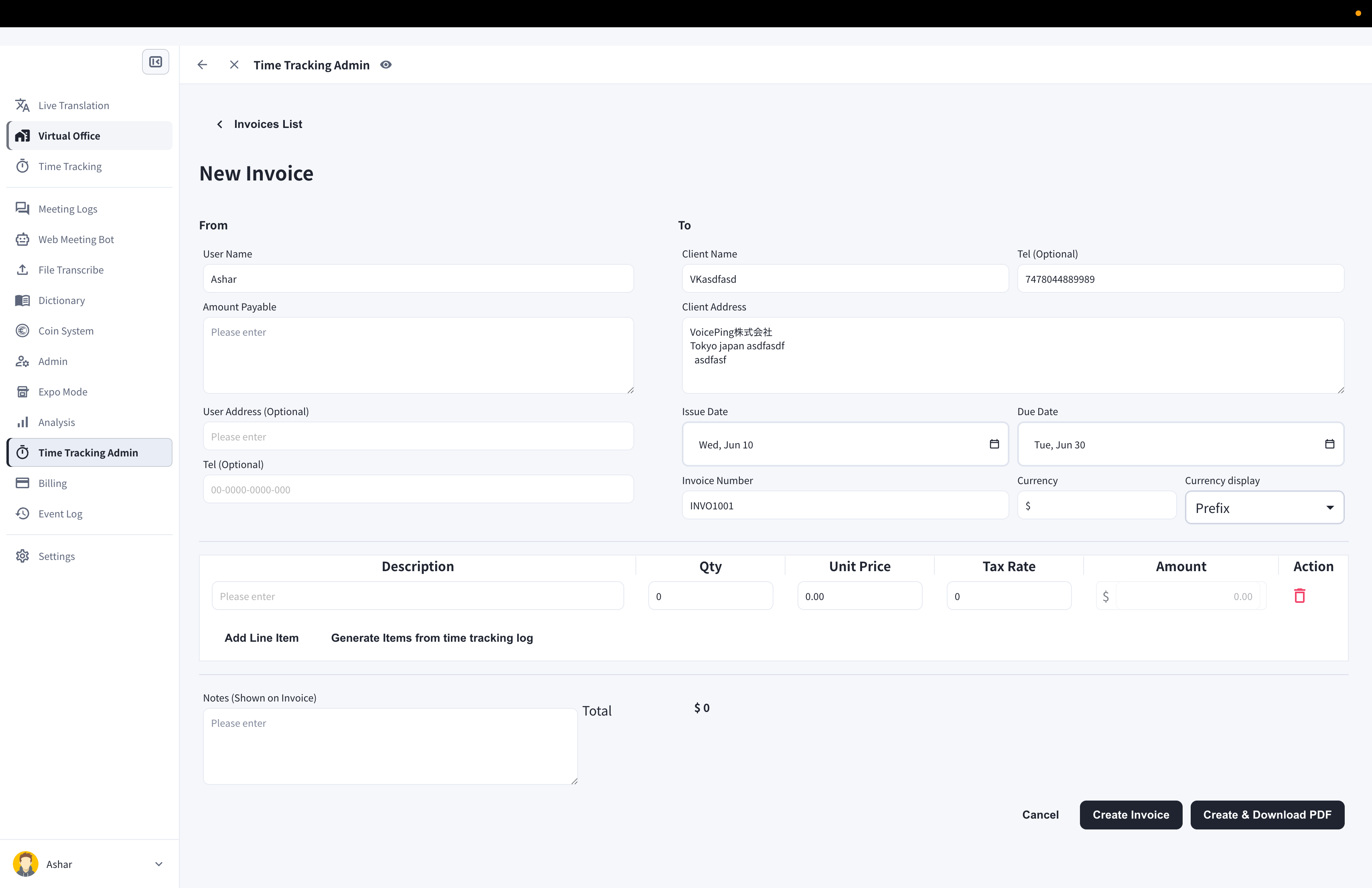
3. 填写发票内容：From/To信息、开具日期和到期日、发票编号和货币

<Frame>
  <img src="https://mintcdn.com/test-cf63e467/XehoYRhOCnputp7e/en/images/invoice-management/03-new-invoice.png?fit=max&auto=format&n=XehoYRhOCnputp7e&q=85&s=e68180aac704d8899c006771c75327fc" alt="带有From/To信息、日期、货币和行项目的新建发票表单" width="3420" height="2214" data-path="en/images/invoice-management/03-new-invoice.png" />
</Frame>

4. 点击**从时间跟踪日志生成项目**
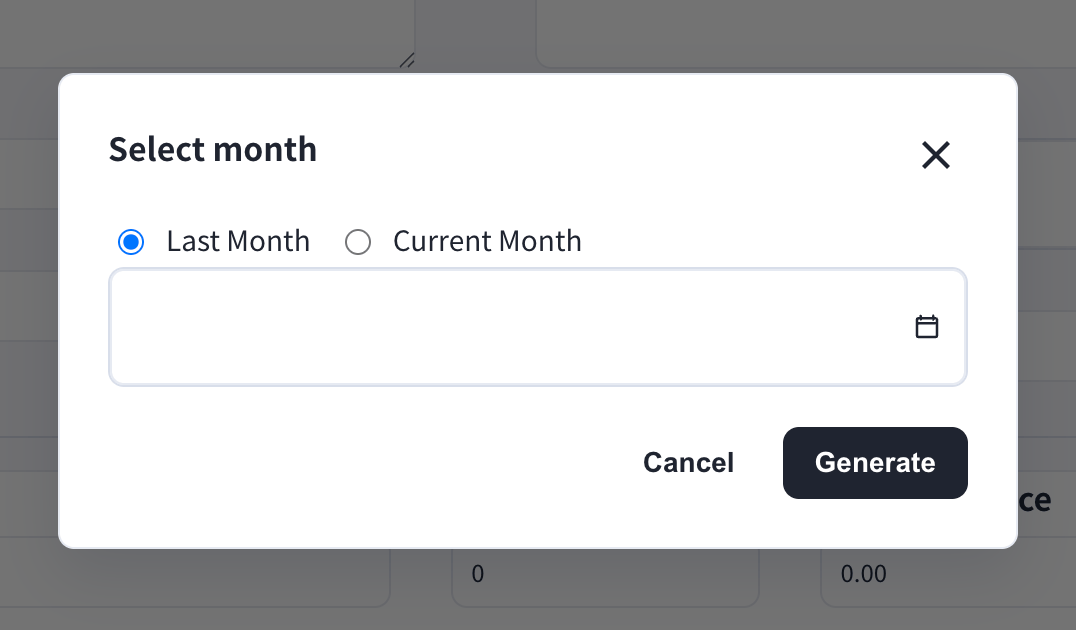
5. 选择**上月**或**本月**，然后点击**生成** — 行项目会根据您的工作日志自动创建

<Frame>
  <img src="https://mintcdn.com/test-cf63e467/XehoYRhOCnputp7e/en/images/invoice-management/04-select-month.png?fit=max&auto=format&n=XehoYRhOCnputp7e&q=85&s=23cef67fcc6b97f13269ad0110cc1033" alt="带有上月和本月选项以及生成按钮的选择月份对话框" width="1076" height="630" data-path="en/images/invoice-management/04-select-month.png" />
</Frame>

6. 点击**创建发票**或**创建并下载PDF**

<Note>
  如果管理者已在**发票设置**中填写了客户账单信息，这些信息会自动填入每张新发票。
</Note>

<Tip>
  如果有未在应用中记录的工作时间，可以点击**添加行项目**进行添加。每个行项目支持数量、单价和税率。
</Tip>

## 编辑发票

1. 在发票列表中，点击要编辑的发票的笔形图标
2. 编辑后，点击**保存发票**或**保存并下载PDF**

<FeedbackZh />