> ## Documentation Index
> Fetch the complete documentation index at: https://manual.voiceping.net/llms.txt
> Use this file to discover all available pages before exploring further.
# 注册:创建新工作空间(所有者用)
> 本指南说明管理员(所有者)如何创建新的工作空间并开始使用VoicePing。
export const ContactZh = () => <>
如有任何问题,请通过此表单与我们联系。
官方链接
访问官方网站
在X上关注我们
在Facebook上点赞
在LinkedIn上连接
;
本指南说明管理员(所有者)如何创建新的工作空间并开始使用VoicePing。
## PC
1. **访问[VoicePing首页](https://voiceping.net/),点击右上角的"Start Free"按钮。**
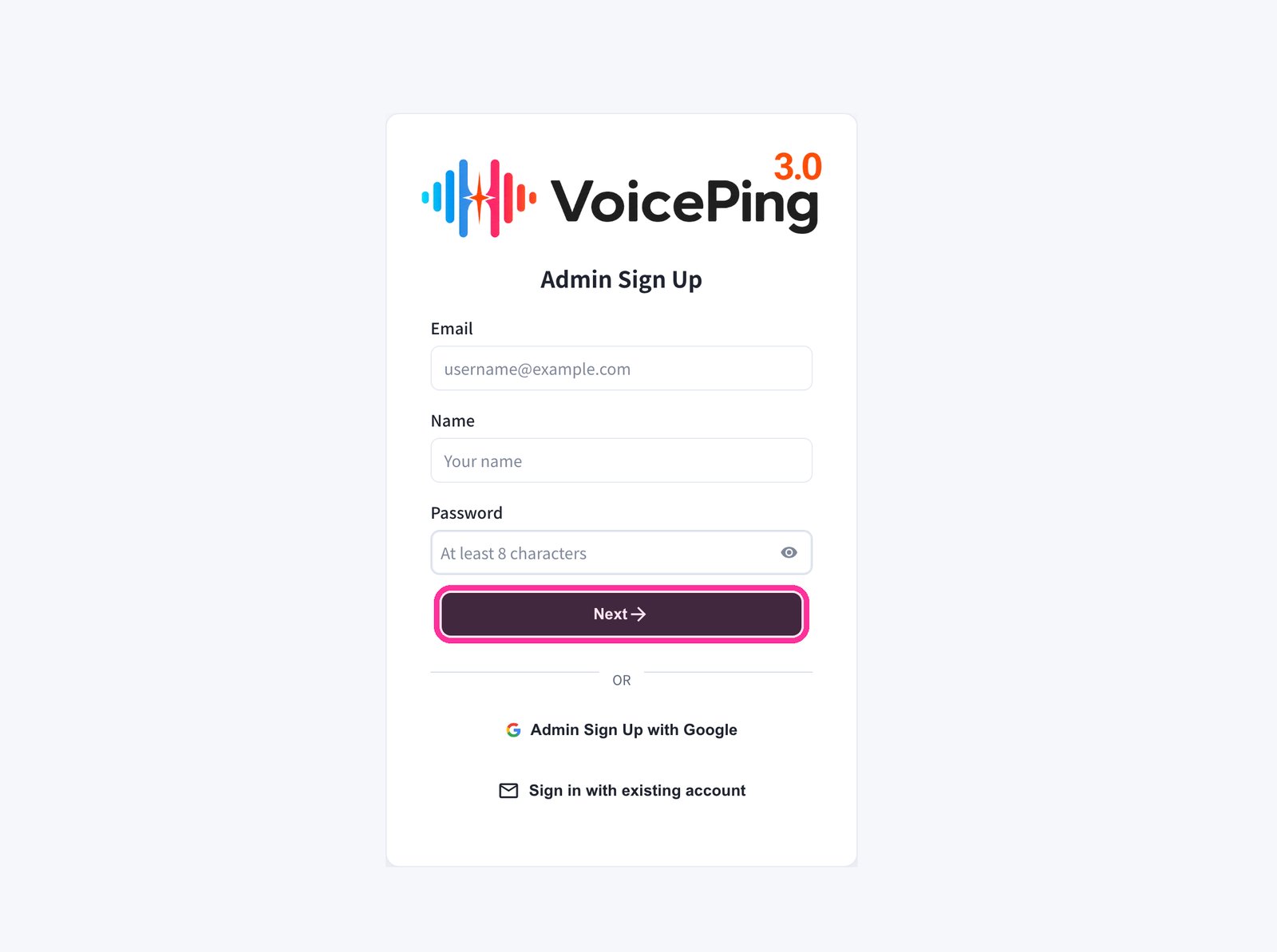
 2. **注册表单将会显示。输入邮箱、姓名和密码,然后点击"Next →"。**
* 如需使用Google注册,请点击"Admin Sign Up with Google"。
* 如果已有账户,请点击"Sign in with existing account"。
2. **注册表单将会显示。输入邮箱、姓名和密码,然后点击"Next →"。**
* 如需使用Google注册,请点击"Admin Sign Up with Google"。
* 如果已有账户,请点击"Sign in with existing account"。
 3. **输入发送到您邮箱的验证码。**
4. **按照屏幕提示完成工作空间设置。**
## 手机 / 平板
### 使用邮箱注册
1. **访问[VoicePing首页](https://voiceping.net/),点击"Start for free"按钮。**
3. **输入发送到您邮箱的验证码。**
4. **按照屏幕提示完成工作空间设置。**
## 手机 / 平板
### 使用邮箱注册
1. **访问[VoicePing首页](https://voiceping.net/),点击"Start for free"按钮。**
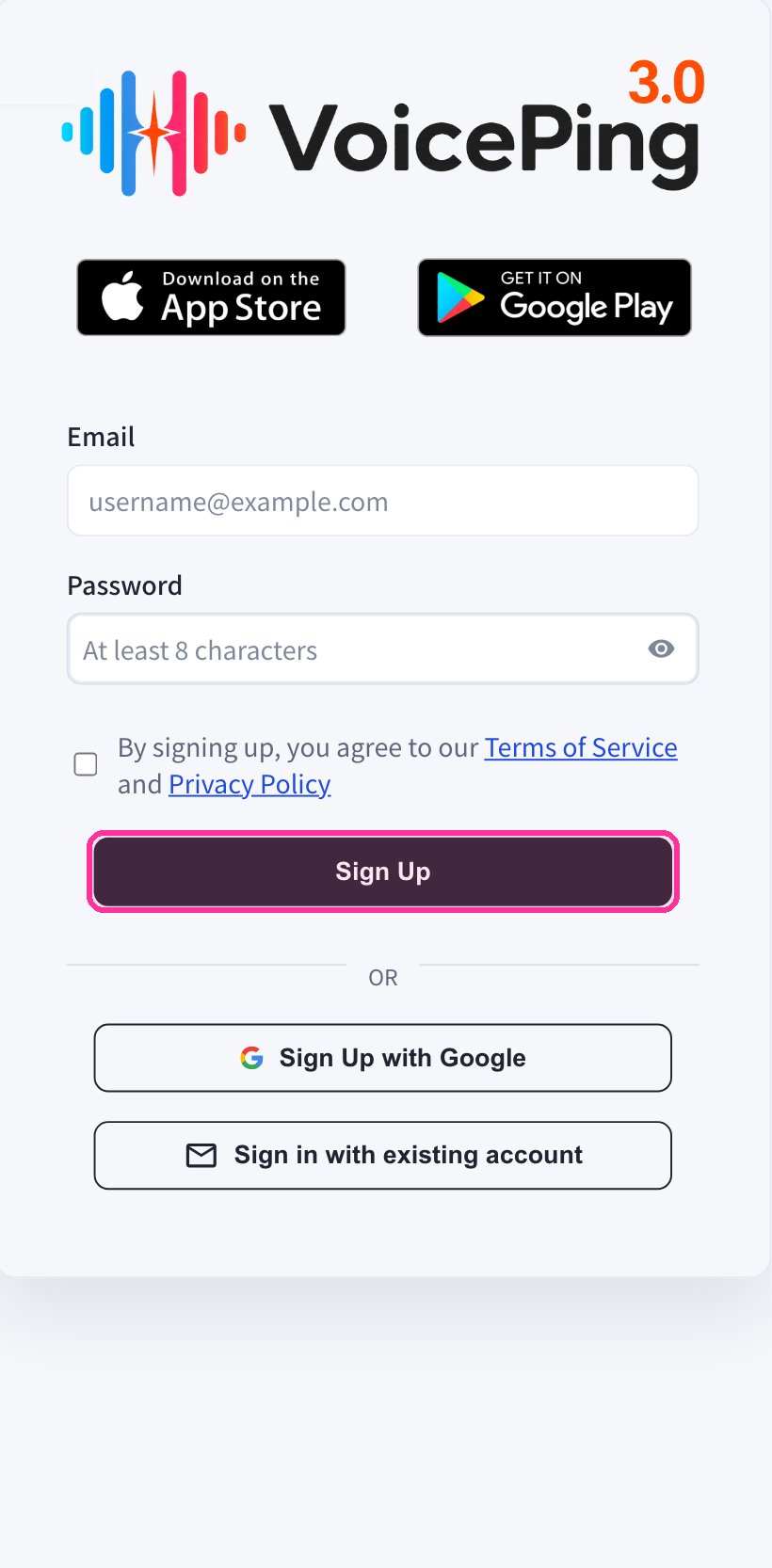
 2. **移动网页应用将显示注册表单。输入邮箱和密码,同意服务条款后点击"Sign Up"。**
 3. **输入发送到您邮箱的验证码。**
4. **按照屏幕提示完成工作空间设置。**
5. **从[App Store](https://apps.apple.com/jp/app/voiceping-2-0/id6450720360)或[Google Play](https://play.google.com/store/apps/details?id=com.voiceping.app)下载VoicePing应用,使用已创建的账户登录。**
### 使用Google或Apple账户注册
如果您有Google或Apple账户,可以直接从手机应用创建账户并登录。
1. **从[App Store](https://apps.apple.com/jp/app/voiceping-2-0/id6450720360)或[Google Play](https://play.google.com/store/apps/details?id=com.voiceping.app)下载VoicePing应用。**
2. **打开应用,使用Google或Apple账户注册。**
如果PC应用下载未自动开始,可以直接从[PC应用下载](/zh/pc-download)页面下载。
3. **输入发送到您邮箱的验证码。**
4. **按照屏幕提示完成工作空间设置。**
5. **从[App Store](https://apps.apple.com/jp/app/voiceping-2-0/id6450720360)或[Google Play](https://play.google.com/store/apps/details?id=com.voiceping.app)下载VoicePing应用,使用已创建的账户登录。**
### 使用Google或Apple账户注册
如果您有Google或Apple账户,可以直接从手机应用创建账户并登录。
1. **从[App Store](https://apps.apple.com/jp/app/voiceping-2-0/id6450720360)或[Google Play](https://play.google.com/store/apps/details?id=com.voiceping.app)下载VoicePing应用。**
2. **打开应用,使用Google或Apple账户注册。**
如果PC应用下载未自动开始,可以直接从[PC应用下载](/zh/pc-download)页面下载。