> ## Documentation Index
> Fetch the complete documentation index at: https://manual.voiceping.net/llms.txt
> Use this file to discover all available pages before exploring further.
# Event Log
> Use the VoicePing 3.0 Event Log to audit people, access, workspace settings, virtual office, meeting, Web Meeting Bot, billing, and time tracking events.
export const FeedbackEn = () => <>
Have an idea or request about this feature? Send it to the team via Product Feedback.
Official Links
Visit our official website
Follow us on X
Like us on Facebook
Connect on LinkedIn
;
Workspace managers use **Event Log** to audit important workspace activity.
## Open Event Log
1. Open the VoicePing desktop app.
2. Select **Event Log** in the left sidebar.
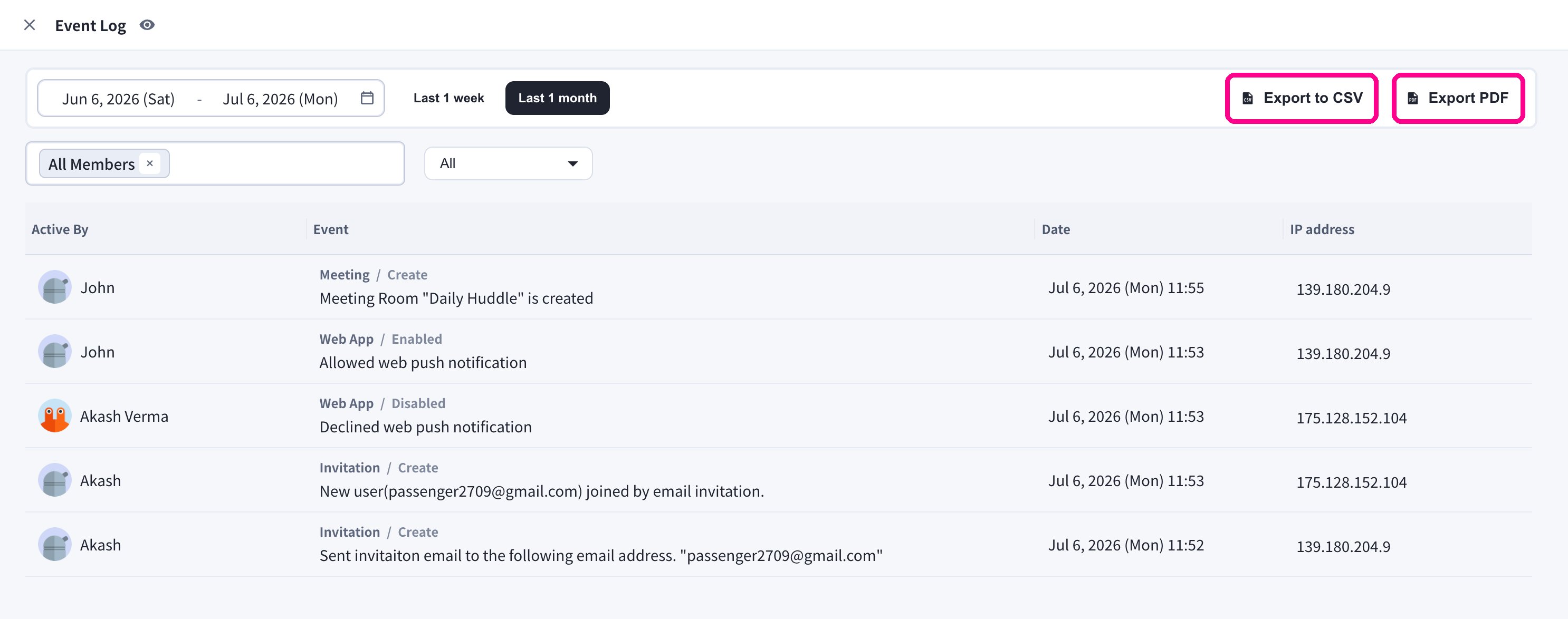
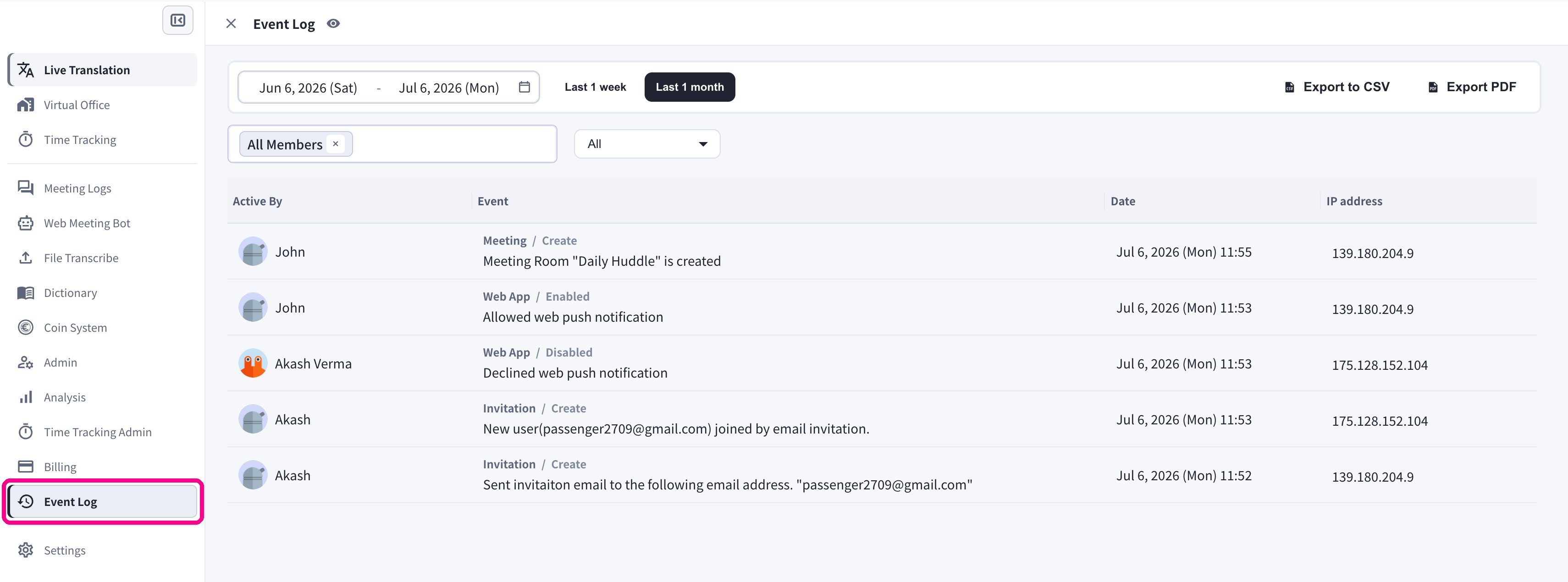 Each entry shows who triggered the event (**Active By**), the event category and details, the **date and time**, and the **IP address** the action came from.
## Filters
| Filter | Purpose |
| ------------------- | ------------------------------------ |
| **Date range** | Review a specific period. |
| **Member selector** | Show events for one or more users. |
| **Category** | Focus on a product or security area. |
### Date range
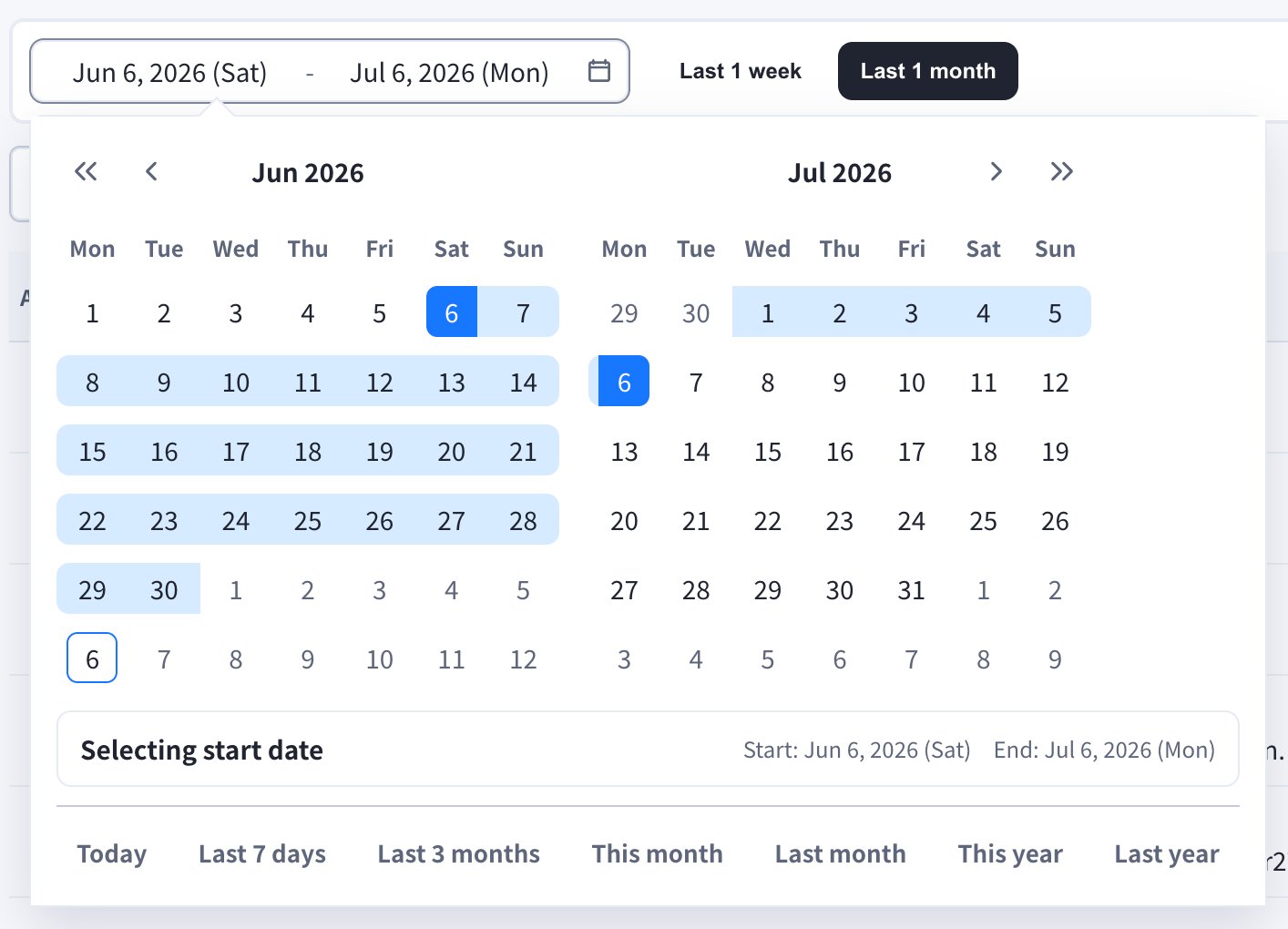
Use the **Last 1 week** / **Last 1 month** quick buttons, or open the date field to pick a custom range. The calendar also offers shortcuts such as **Today**, **Last 7 days**, **Last 3 months**, **This month**, **Last month**, **This year**, and **Last year**.
Each entry shows who triggered the event (**Active By**), the event category and details, the **date and time**, and the **IP address** the action came from.
## Filters
| Filter | Purpose |
| ------------------- | ------------------------------------ |
| **Date range** | Review a specific period. |
| **Member selector** | Show events for one or more users. |
| **Category** | Focus on a product or security area. |
### Date range
Use the **Last 1 week** / **Last 1 month** quick buttons, or open the date field to pick a custom range. The calendar also offers shortcuts such as **Today**, **Last 7 days**, **Last 3 months**, **This month**, **Last month**, **This year**, and **Last year**.
 ### Members
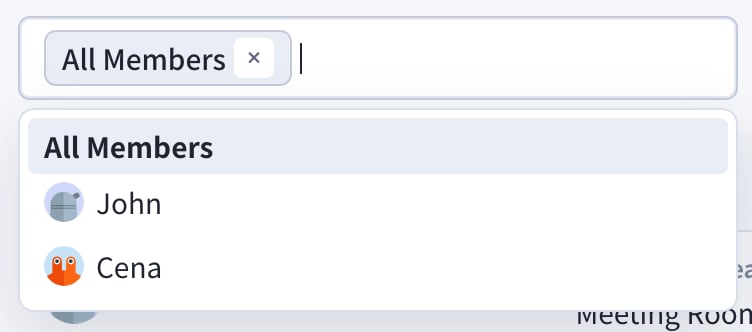
Filter by **All Members** or select specific members to see only their events.
### Members
Filter by **All Members** or select specific members to see only their events.
 ### Category
Use the category dropdown to focus on one area.
### Category
Use the category dropdown to focus on one area.
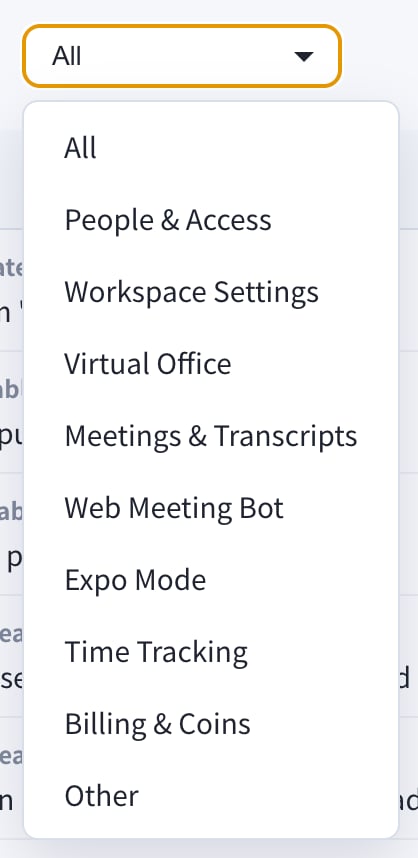 * All
* People & Access
* Workspace Settings
* Virtual Office
* Meetings & Transcripts
* Web Meeting Bot
* Expo Mode
* Time Tracking
* Billing & Coins
* Other
## Export
Use the **Export to CSV** or **Export PDF** buttons at the top right when you need to share an audit trail outside the Event Log screen.
* All
* People & Access
* Workspace Settings
* Virtual Office
* Meetings & Transcripts
* Web Meeting Bot
* Expo Mode
* Time Tracking
* Billing & Coins
* Other
## Export
Use the **Export to CSV** or **Export PDF** buttons at the top right when you need to share an audit trail outside the Event Log screen.
 Event Log is for workspace audit history. For product usage trends and dashboards, use [Analysis](/en/analytics).