What Is It For?
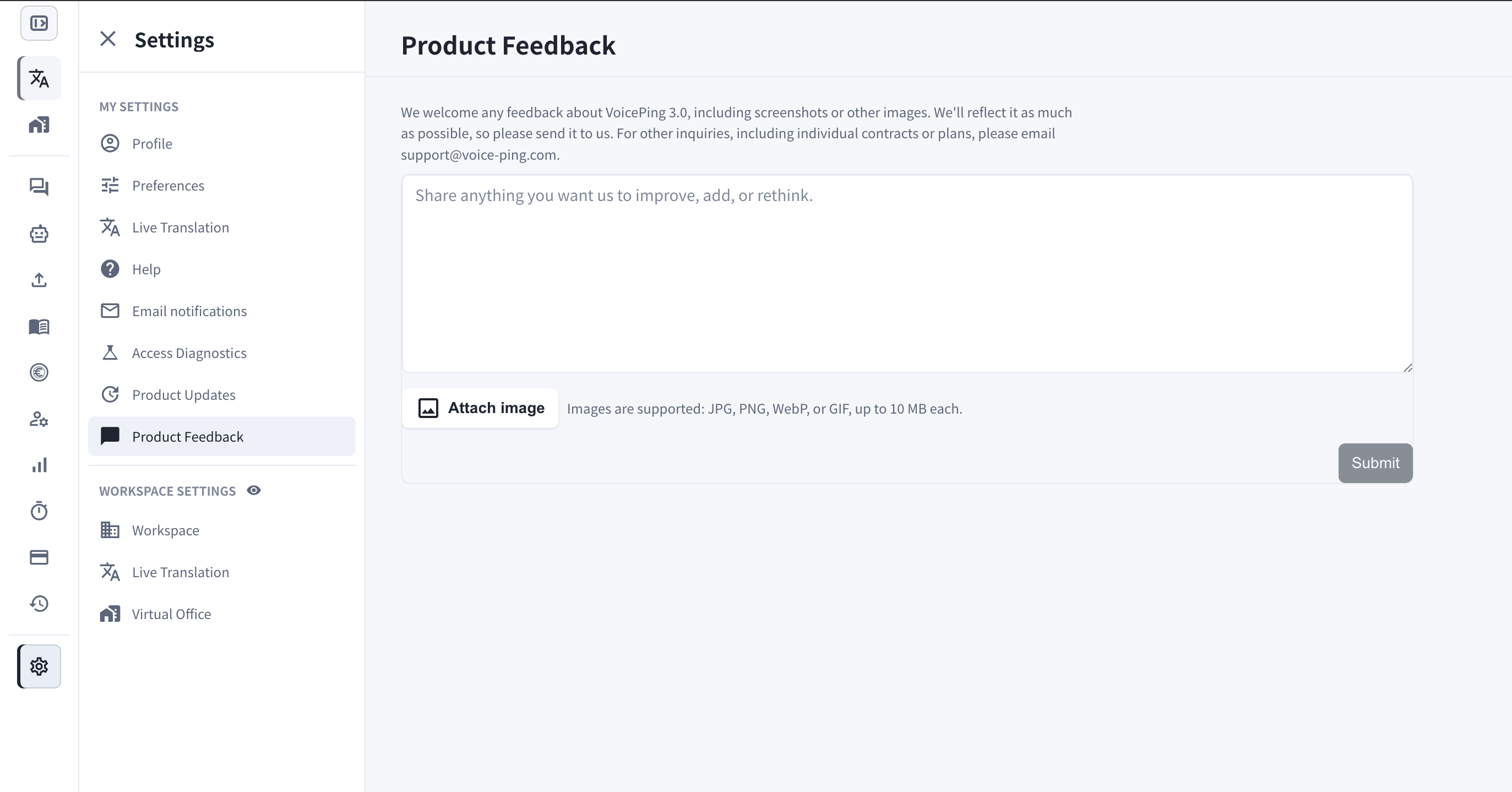
- Share anything you want us to improve, add, or rethink — feature requests, usability issues, or rough edges you run into.
- Attach screenshots or other images so we can see exactly what you mean.
- Every submission goes straight to the VoicePing team, and we reflect it in the product as much as possible.
For other inquiries, including individual contracts or plans, please email support@voice-ping.com.
How to Navigate
- Open Settings.
- Under My Settings, select Product Feedback.
- Write your message in the text box.
- Optionally click Attach image — JPG, PNG, WebP, or GIF are supported, up to 10 MB each.
- Click Submit.