> ## Documentation Index
> Fetch the complete documentation index at: https://manual.voiceping.net/llms.txt
> Use this file to discover all available pages before exploring further.
# Offline Translation on Mobile
> Live transcription and translation on iOS and Android without an internet connection — audio and transcripts stay on the device.
export const FeedbackEn = () => <>
Have an idea or request about this feature? Send it to the team via Product Feedback.
Official Links
Visit our official website
Follow us on X
Like us on Facebook
Connect on LinkedIn
;
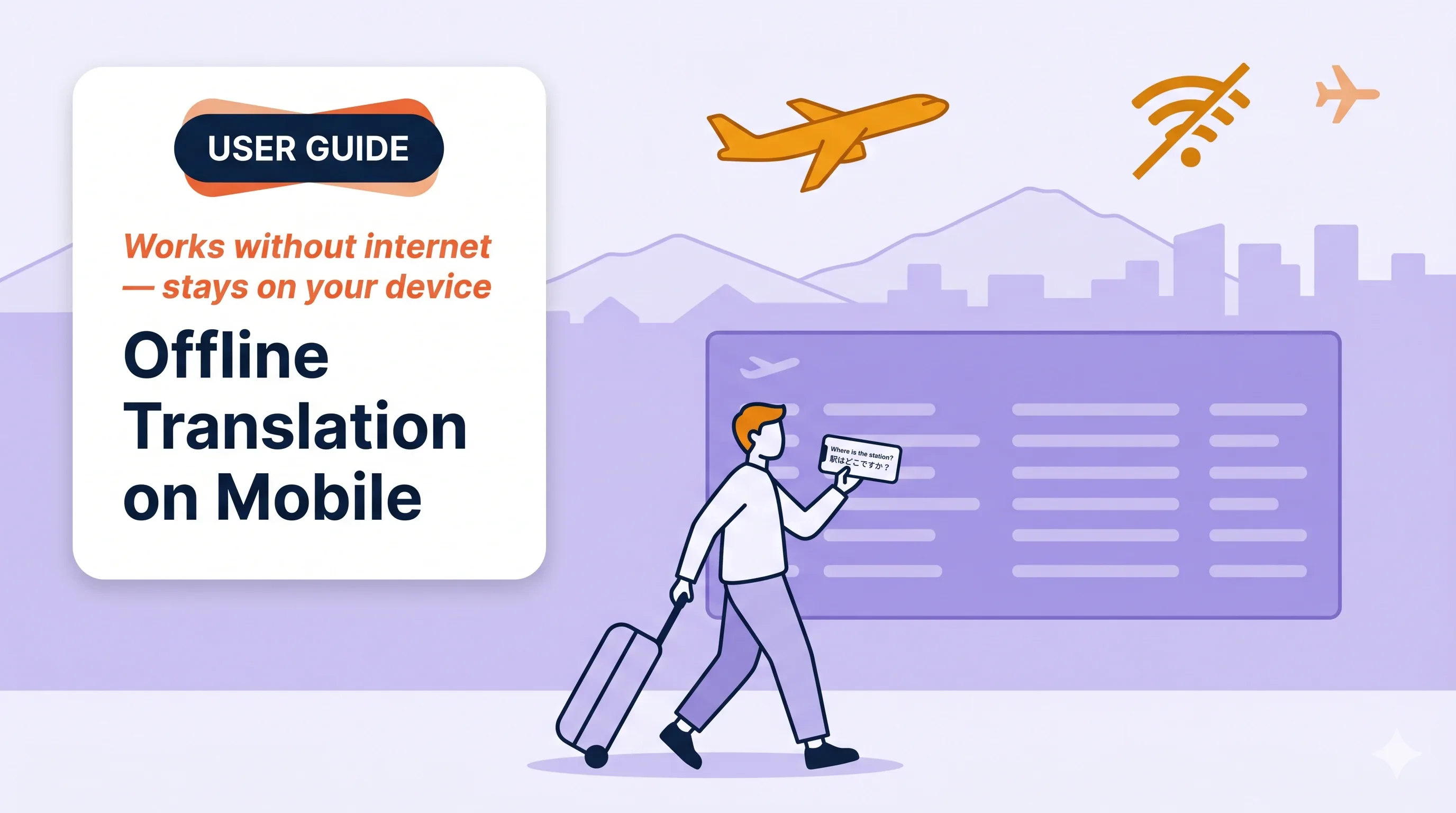 Turn your phone into a local translation device. Mic audio is transcribed and translated **entirely on-device** — works in airplane mode, and nothing leaves the phone.
## Use this when…
In-person meetings where guest Wi-Fi is locked down or the signal is patchy.
Quick multilingual exchanges on the floor without depending on the cloud.
Fast back-and-forth with international visitors — no setup, no venue Wi-Fi.
Directions, food orders, check-in — works in airplane mode once the model is on the device.
HR intake, medical, legal — audio never leaves the phone, easier to explain to the other side.
Engineer ↔ local operator communication when the site blocks STT endpoints.
## Highlights
* **iOS and Android** · **unlimited usage time** · **on-device only**, no upload
* **5 supported languages** — English, Japanese, Korean, Chinese, Cantonese (single unified model)
## Start an offline session
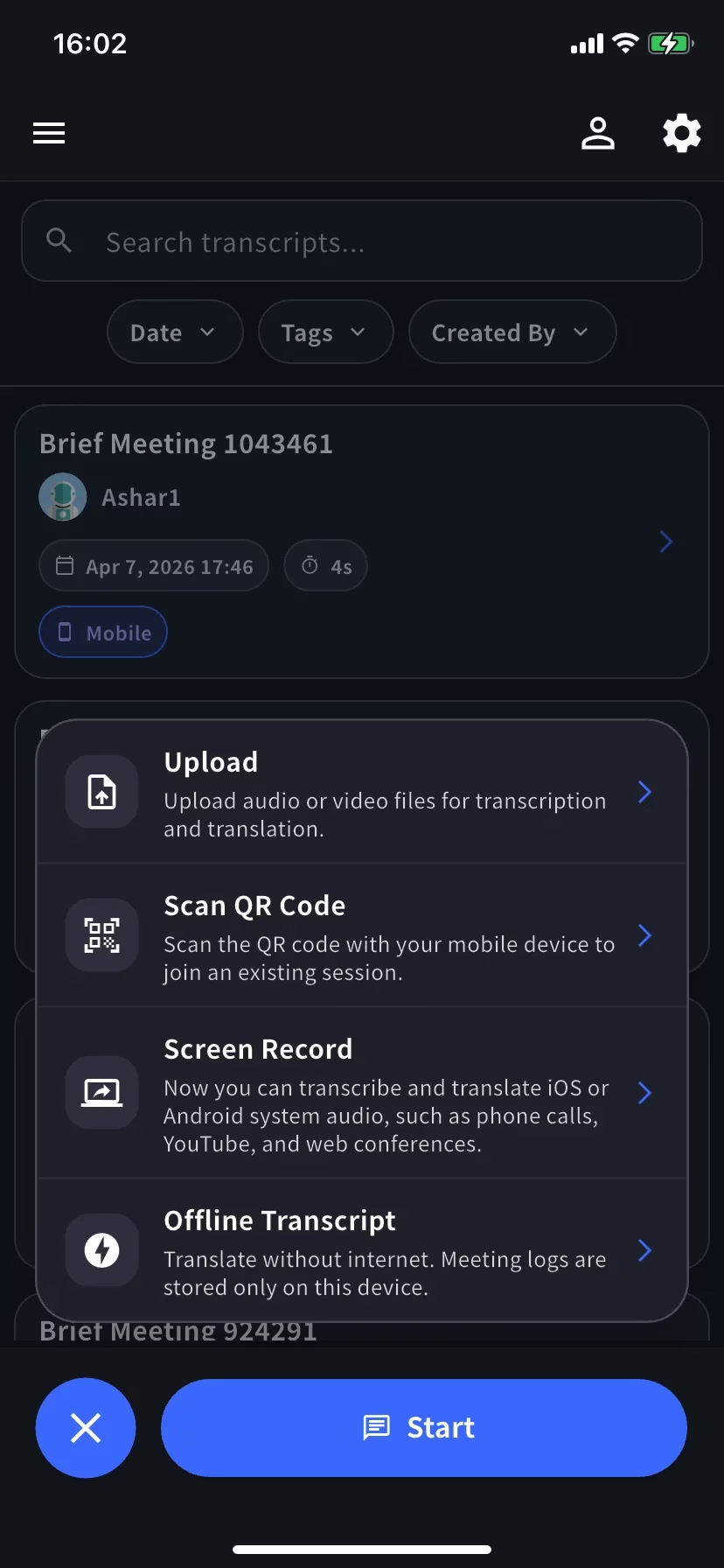
From the home screen, open the session menu and choose **Offline Transcript**.
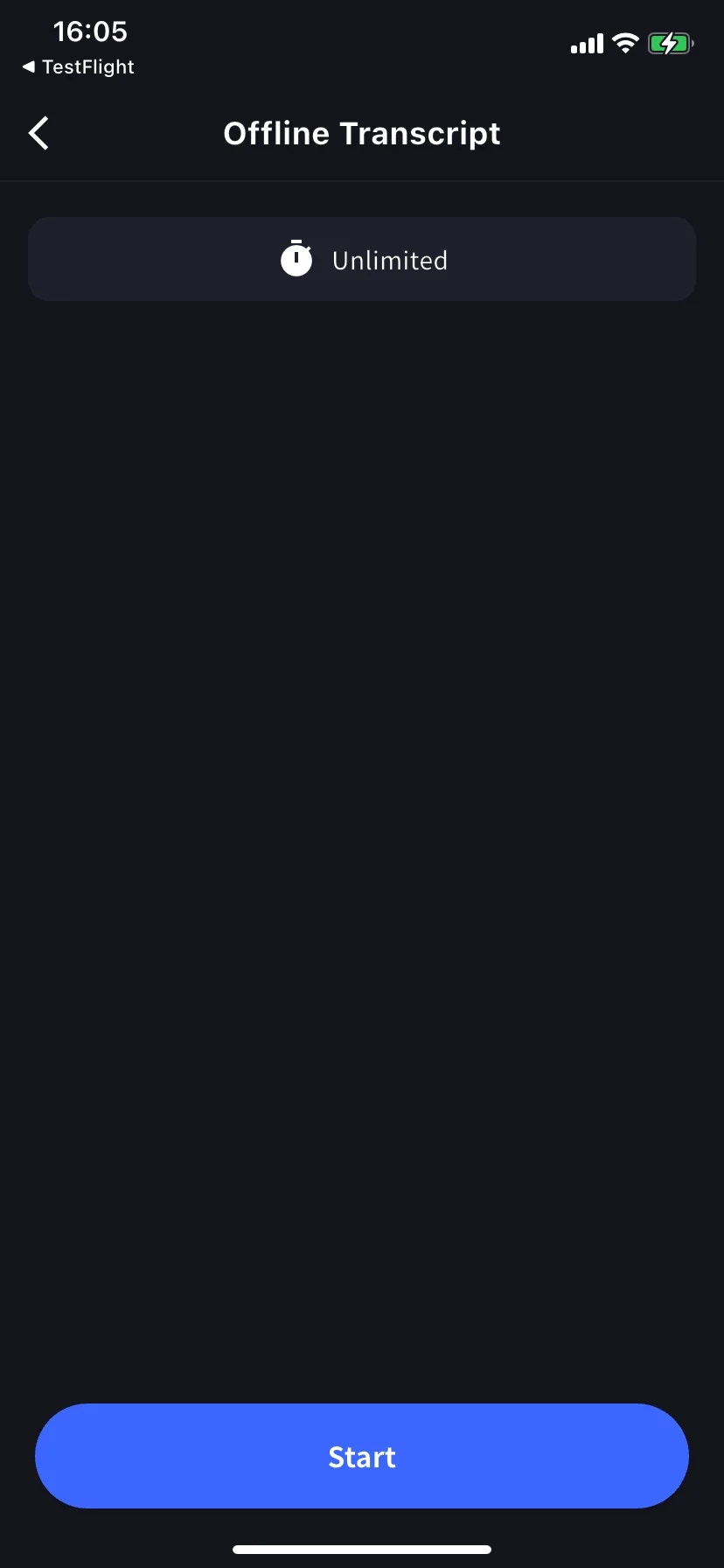
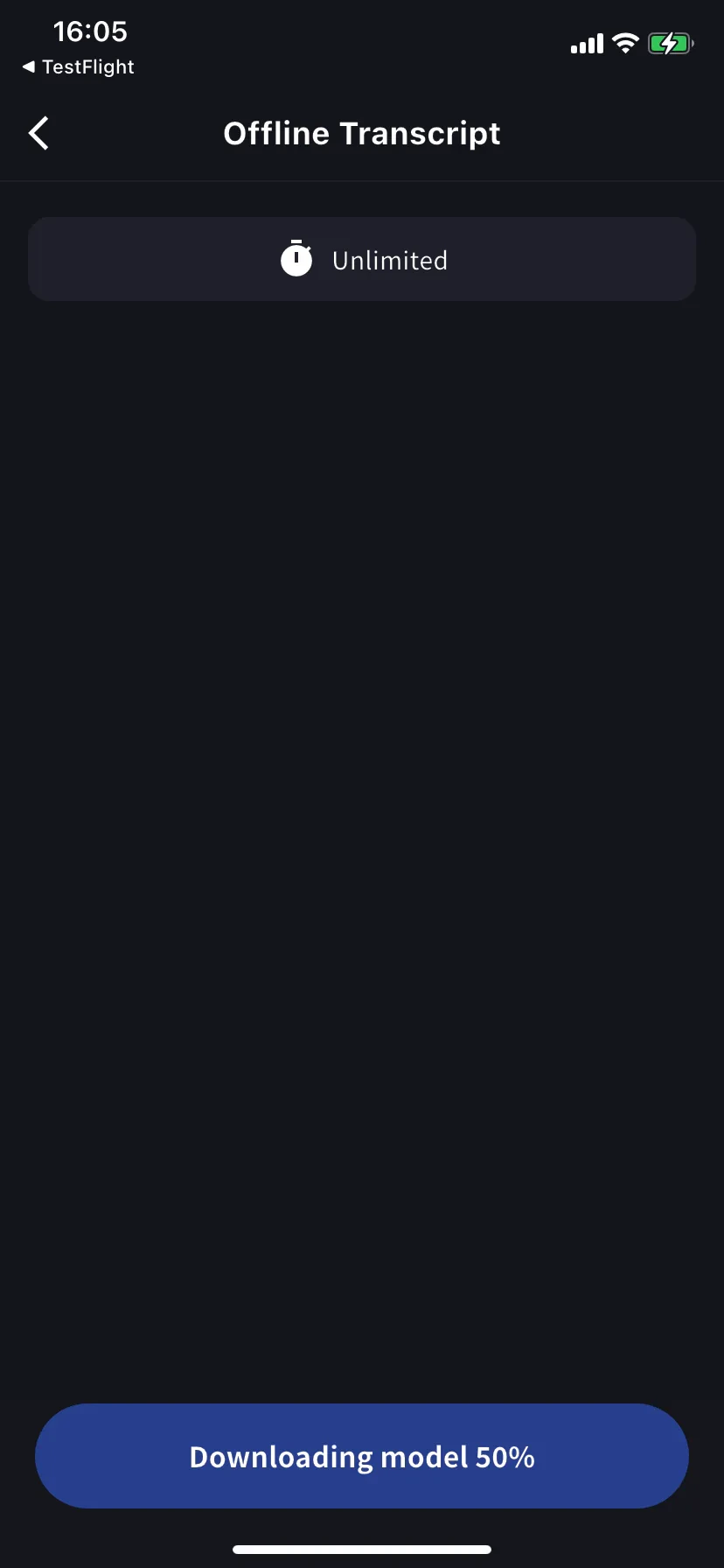
First time only: the model downloads automatically (the button shows progress). Keep the app open and on Wi-Fi until it completes. Later sessions start instantly.
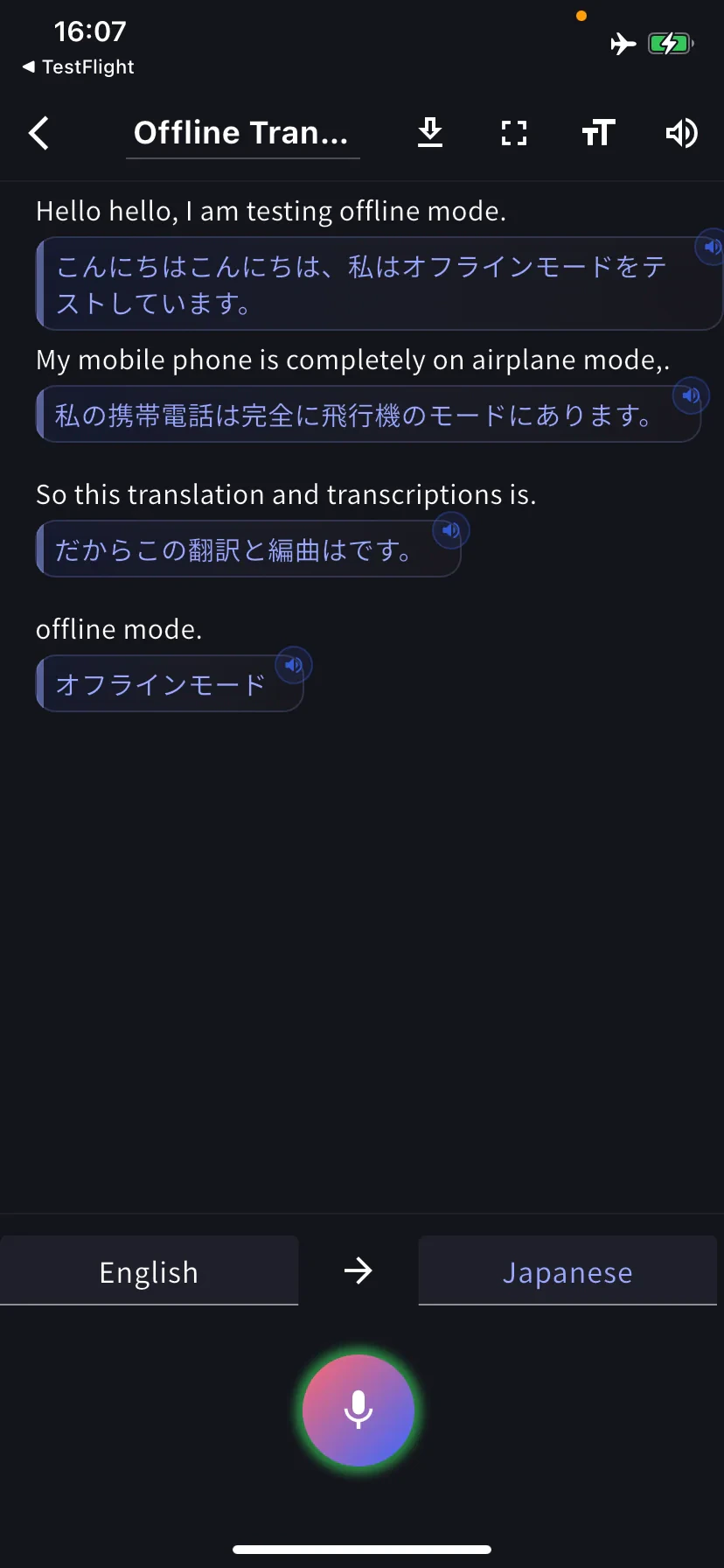
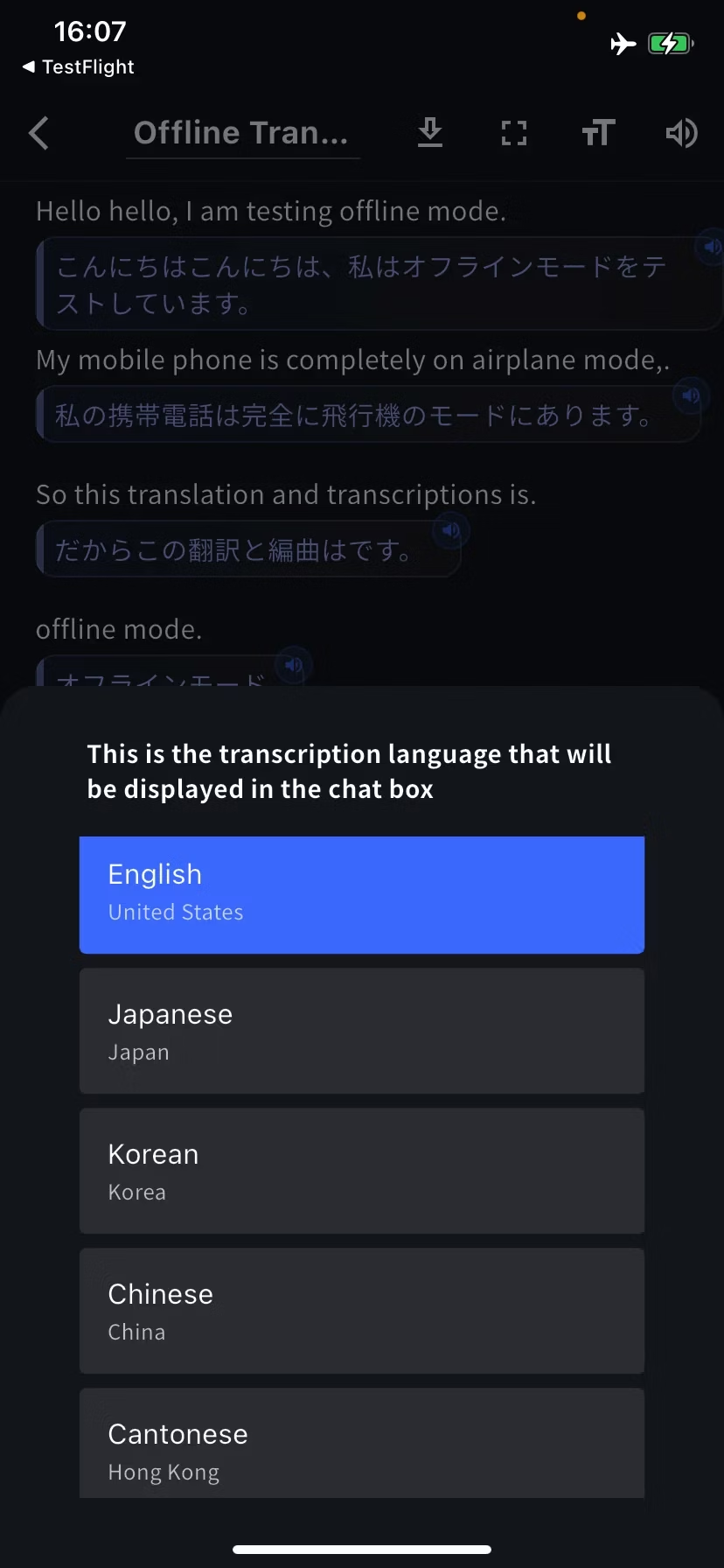
Transcription + translation appear live. Each row is saved as text + a local audio snippet — tap the speaker icon to replay.
## Change languages
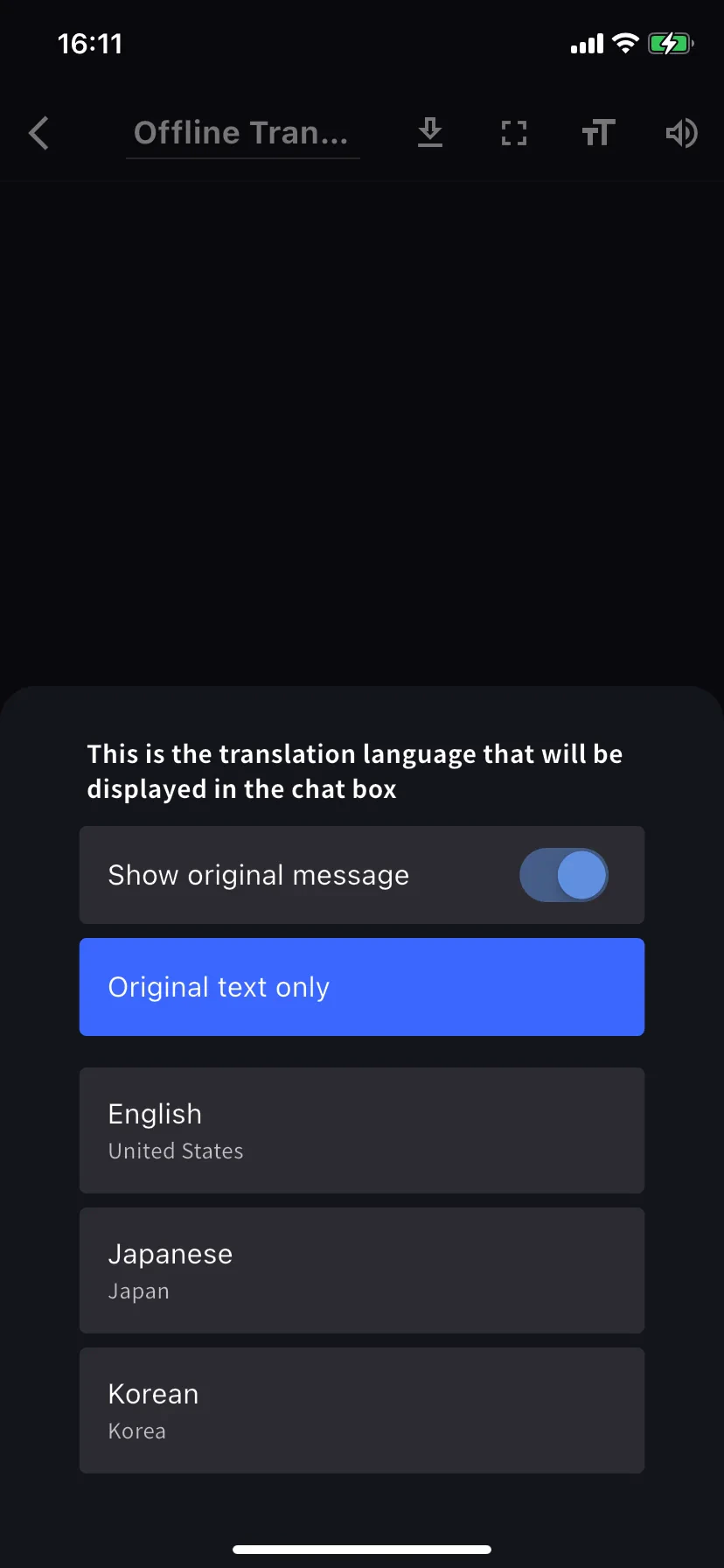
Tap the language tabs at the bottom (e.g. **English → Japanese**). Left tab = what you speak, right tab = what you read. The translation sheet also has **Show original message** and **Original text only** toggles.
## Past offline transcripts
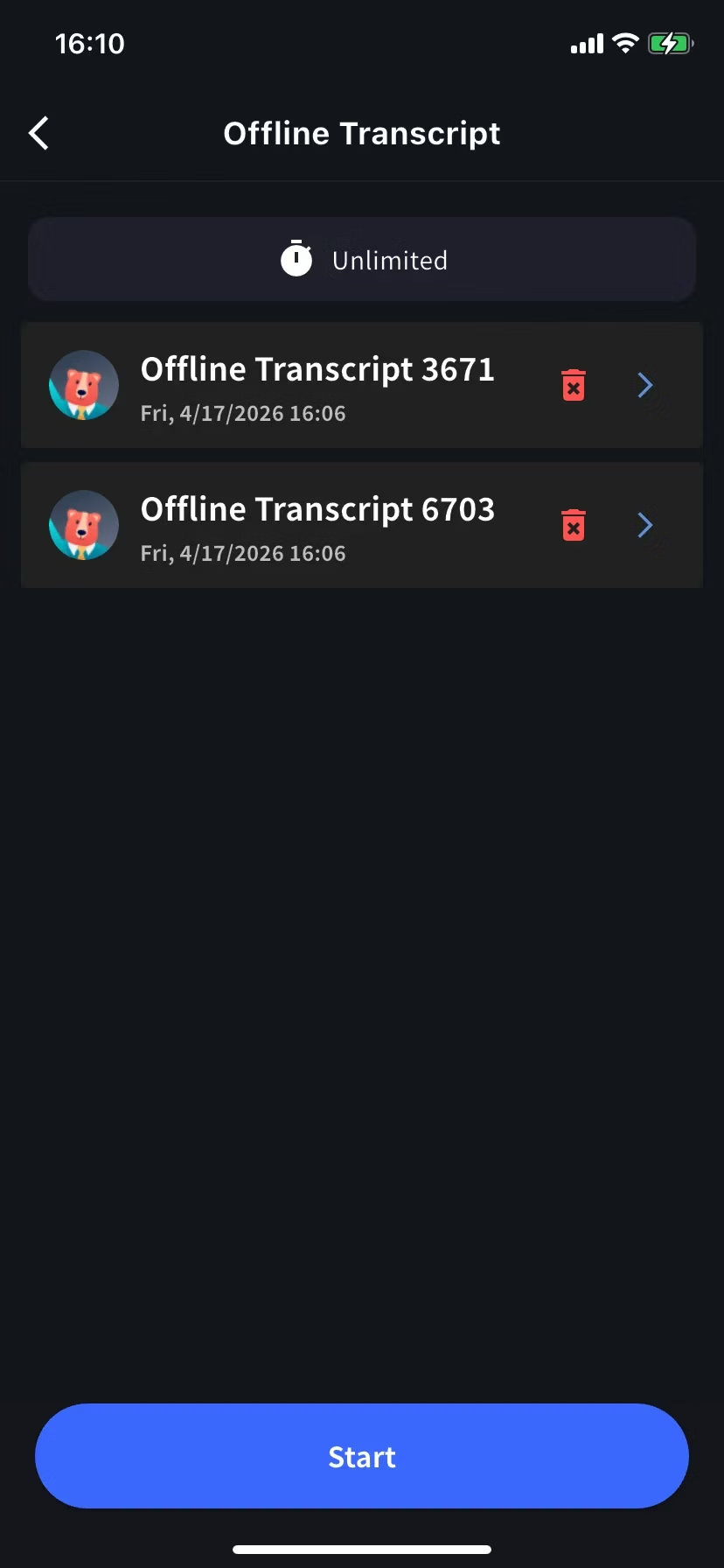
Every offline session saves to the **Offline Transcript** screen on this device. Tap to open, trash icon to delete.
## Storage and privacy
* Transcripts + per-row audio saved **only on this device** — no cloud backup.
* Deleting the app or a row removes the data permanently.
## Tips
* Keep the screen on or stay charged during long sessions — STT is CPU-intensive.
* Need another language, or audio from Zoom / YouTube? Use [Screen Record / Device Audio](/en/mobile-screen-record).
* Already have a recording? Use [Upload Files](/en/mobile-upload-files).
Turn your phone into a local translation device. Mic audio is transcribed and translated **entirely on-device** — works in airplane mode, and nothing leaves the phone.
## Use this when…
In-person meetings where guest Wi-Fi is locked down or the signal is patchy.
Quick multilingual exchanges on the floor without depending on the cloud.
Fast back-and-forth with international visitors — no setup, no venue Wi-Fi.
Directions, food orders, check-in — works in airplane mode once the model is on the device.
HR intake, medical, legal — audio never leaves the phone, easier to explain to the other side.
Engineer ↔ local operator communication when the site blocks STT endpoints.
## Highlights
* **iOS and Android** · **unlimited usage time** · **on-device only**, no upload
* **5 supported languages** — English, Japanese, Korean, Chinese, Cantonese (single unified model)
## Start an offline session
From the home screen, open the session menu and choose **Offline Transcript**.
First time only: the model downloads automatically (the button shows progress). Keep the app open and on Wi-Fi until it completes. Later sessions start instantly.
Transcription + translation appear live. Each row is saved as text + a local audio snippet — tap the speaker icon to replay.
## Change languages
Tap the language tabs at the bottom (e.g. **English → Japanese**). Left tab = what you speak, right tab = what you read. The translation sheet also has **Show original message** and **Original text only** toggles.
## Past offline transcripts
Every offline session saves to the **Offline Transcript** screen on this device. Tap to open, trash icon to delete.
## Storage and privacy
* Transcripts + per-row audio saved **only on this device** — no cloud backup.
* Deleting the app or a row removes the data permanently.
## Tips
* Keep the screen on or stay charged during long sessions — STT is CPU-intensive.
* Need another language, or audio from Zoom / YouTube? Use [Screen Record / Device Audio](/en/mobile-screen-record).
* Already have a recording? Use [Upload Files](/en/mobile-upload-files).