
1. PC
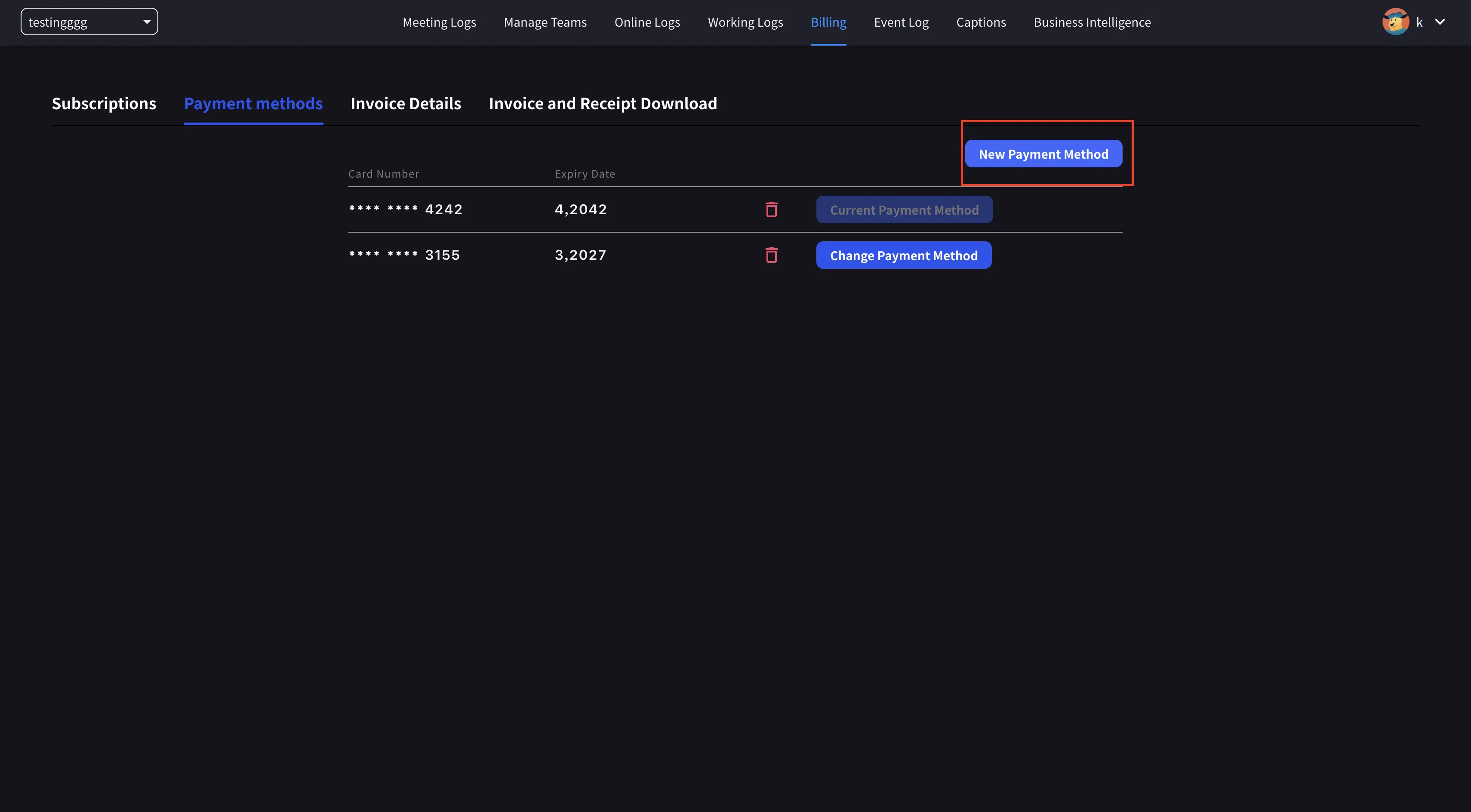
- Buka navigasi atas → Billing → Payment methods dan daftarkan kartu kredit baru.
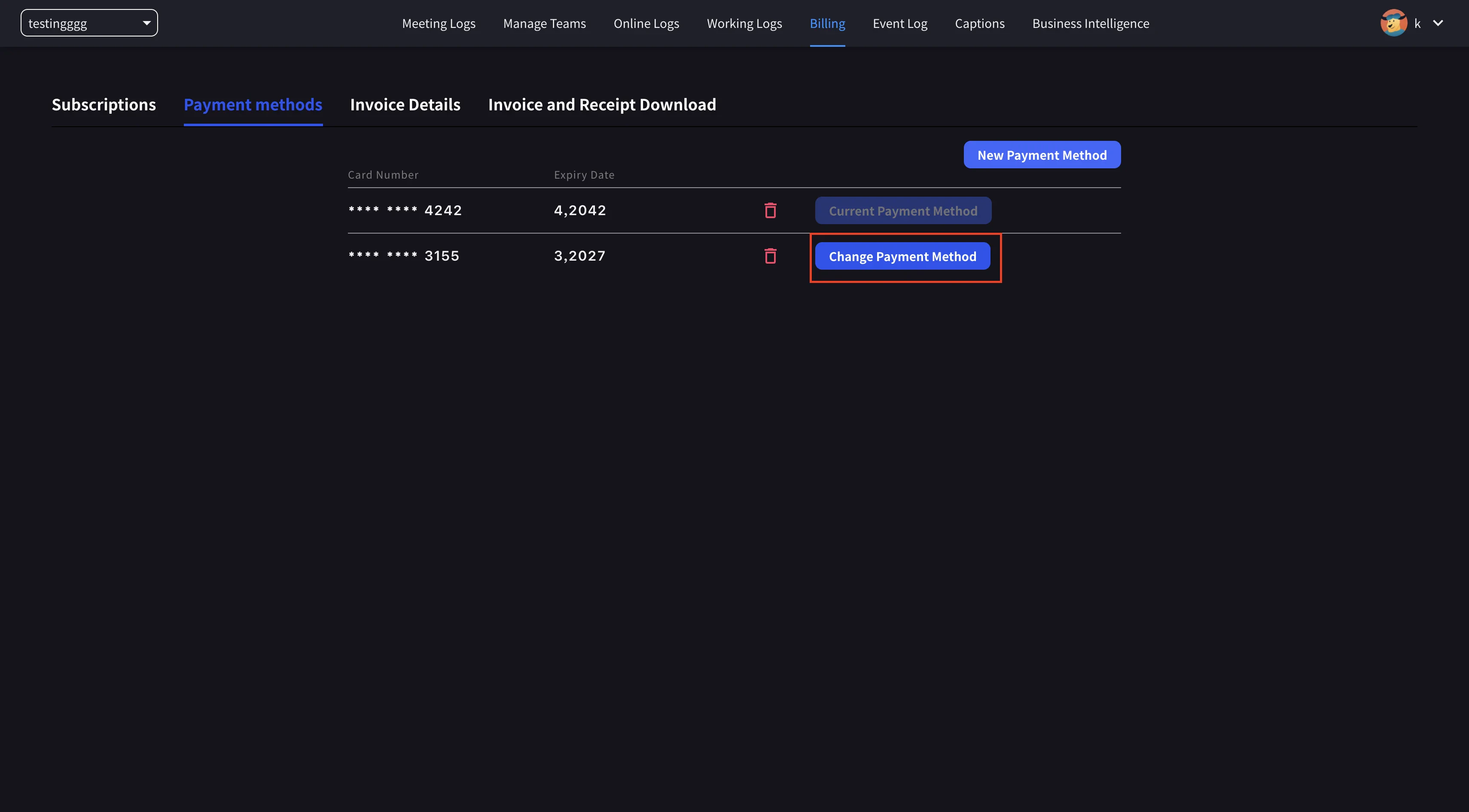
- Klik Set as Payment Method pada kartu baru untuk menyelesaikan perubahan.
2. Mobile
Dari aplikasi seluler, pengelolaan kartu berada di bawah Billing → Manage Cards.Buka Manage Cards
Buka menu samping → User Settings → Billing → Manage Cards. Setiap kartu di file terdaftar. Yang digunakan memiliki pil Using Now.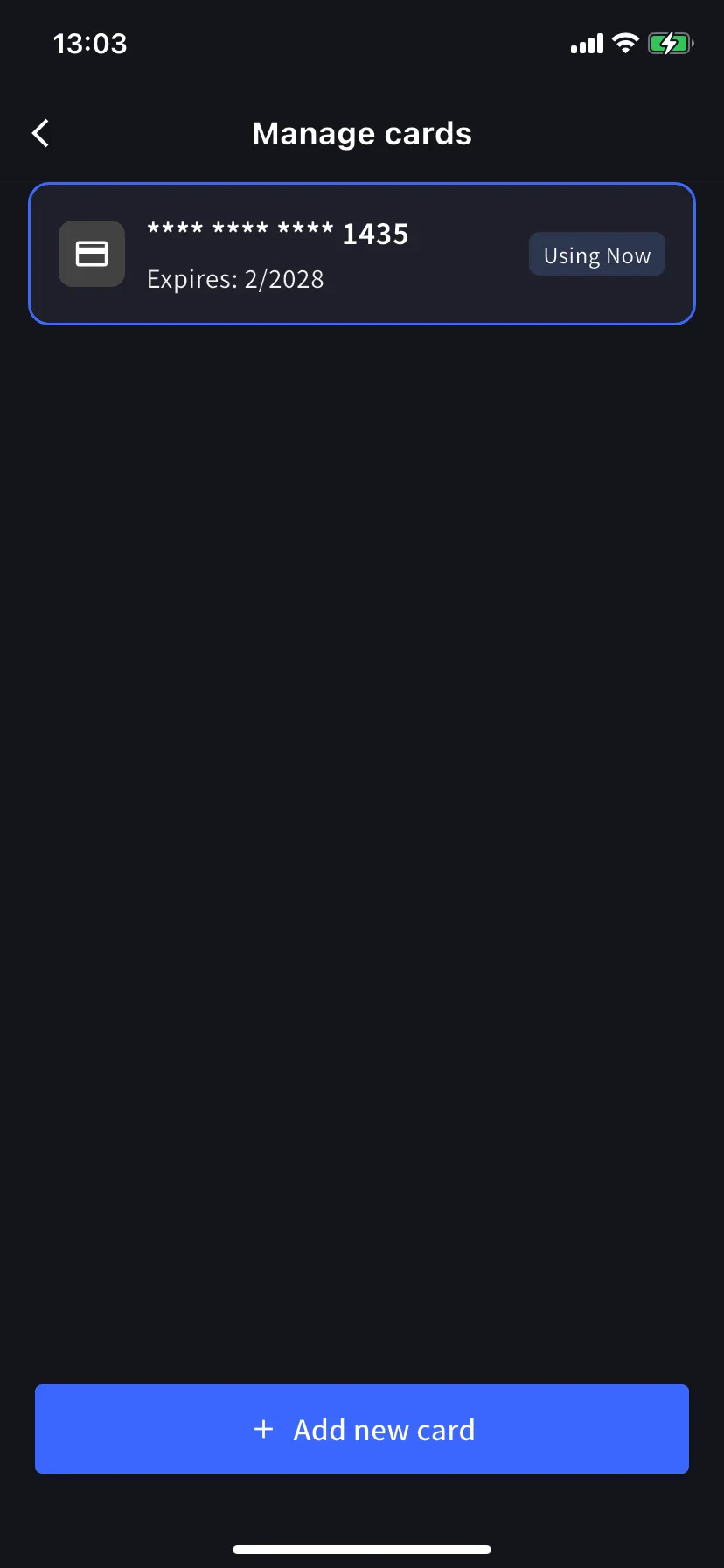
Tambahkan kartu baru
Ketuk tombol biru + Add new card di bagian bawah. Lembar kartu tambahan menawarkan dua jalur: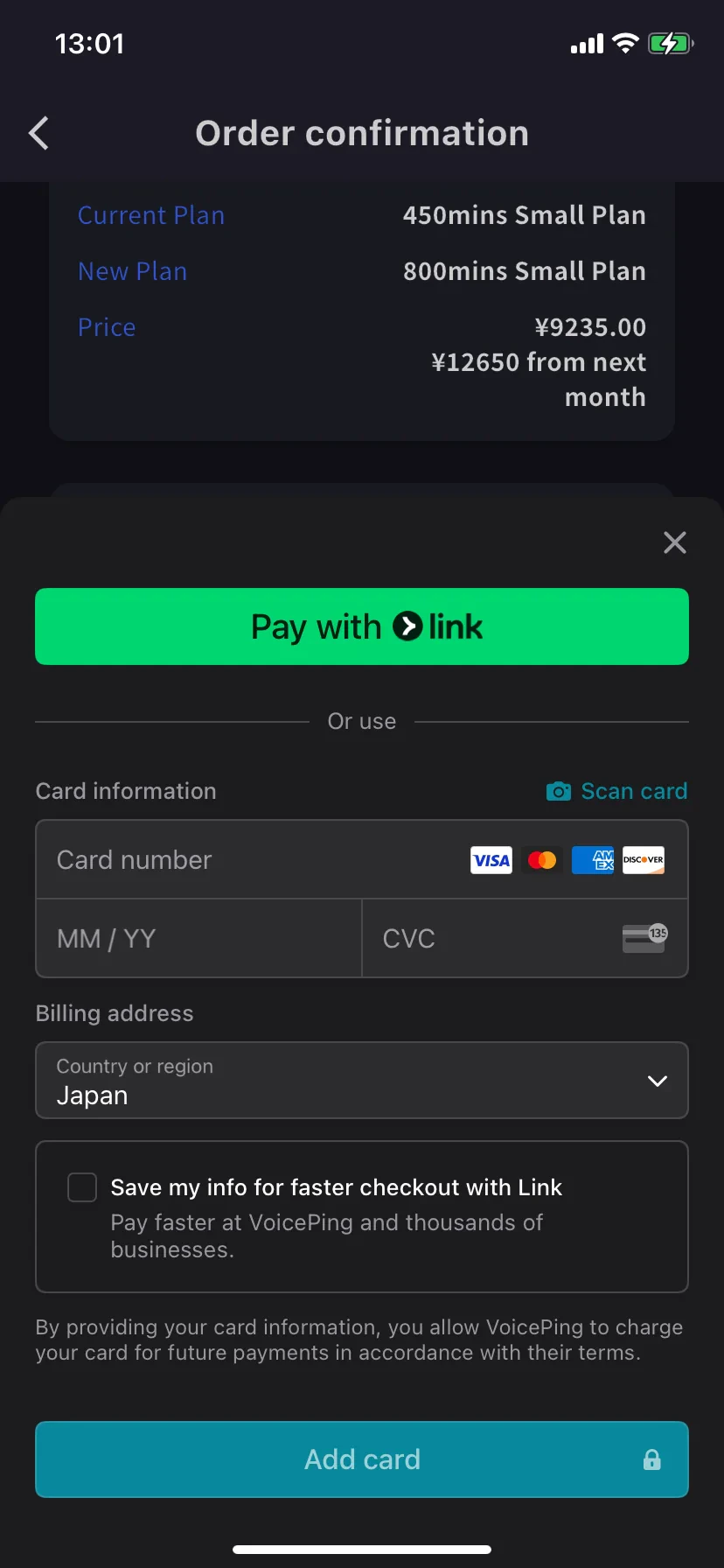
- Pay with Link — Stripe Link ketuk sekali jika nomor telepon Anda sudah tertaut.
- Manual card — ketik nomor, MM/YY, CVC, atau ketuk 📷 Scan card untuk mengisinya dari kamera. Pilih negara penagihan dan ketuk Add card.
Kartu diberi token oleh Stripe. VoicePing tidak pernah menyimpan nomor kartu mentah.
Related
- Plan Changes, Cancellation & Trial End — tingkatkan, turunkan versi, batalkan
- Invoices, Receipts & Billing Activity — PDF faktur, kwitansi, log peristiwa