Documentation Index

Fetch the complete documentation index at: https://manual.voiceping.net/llms.txt

Use this file to discover all available pages before exploring further.

अपनी टीम के KPIs ट्रैक करें

स्थिति। आप एक मैनेजर हैं। आपके पास चार रिपोर्टें हैं — Priya, Marcus, Hana, Daniel — सभी एक ही VoicePing वर्कस्पेस में ग्राहक मीटिंग चला रहे हैं। आप जानना चाहते हैं, बिना चार 1:1 शेड्यूल किए, कि प्रत्येक व्यक्ति अपना समय कहाँ बिता रहा है, वे किन सौदों पर काम कर रहे हैं, और कमियाँ कहाँ हैं। यह वर्कफ़्लो मानता है कि आपने पहले ही MCP Access सक्षम कर लिया है और अपने AI क्लाइंट को कनेक्ट कर लिया है।
1

वर्कस्पेस के विरुद्ध टीम के सदस्यों को हल करें
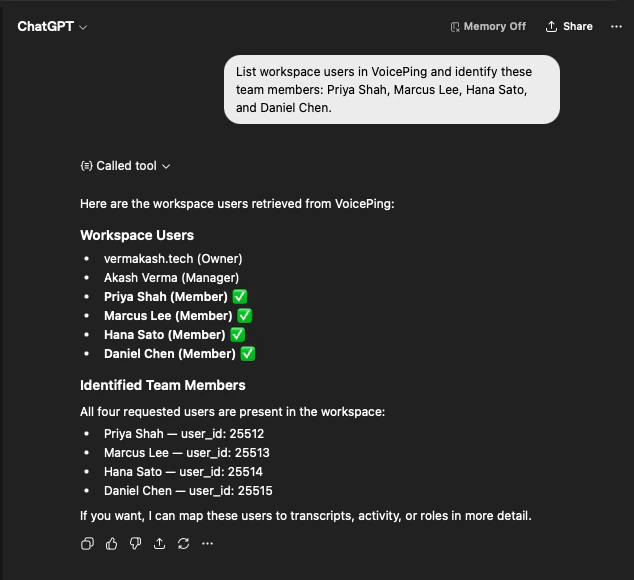
List workspace users in VoicePing and identify these team members:
Priya Shah, Marcus Lee, Hana Sato, and Daniel Chen.
AI वर्कस्पेस उपयोगकर्ता सूची प्राप्त करता है और पुष्टि करता है कि चारों मौजूद हैं — उनकी उपयोगकर्ता IDs के साथ — ताकि आप जानें कि विश्लेषण सही लोगों को कवर करेगा।
ChatGPT listing VoicePing workspace users and confirming Priya Shah, Marcus Lee, Hana Sato, and Daniel Chen as team members with their user IDs
2

अपने KPIs से प्रासंगिक हर मीटिंग खींचें
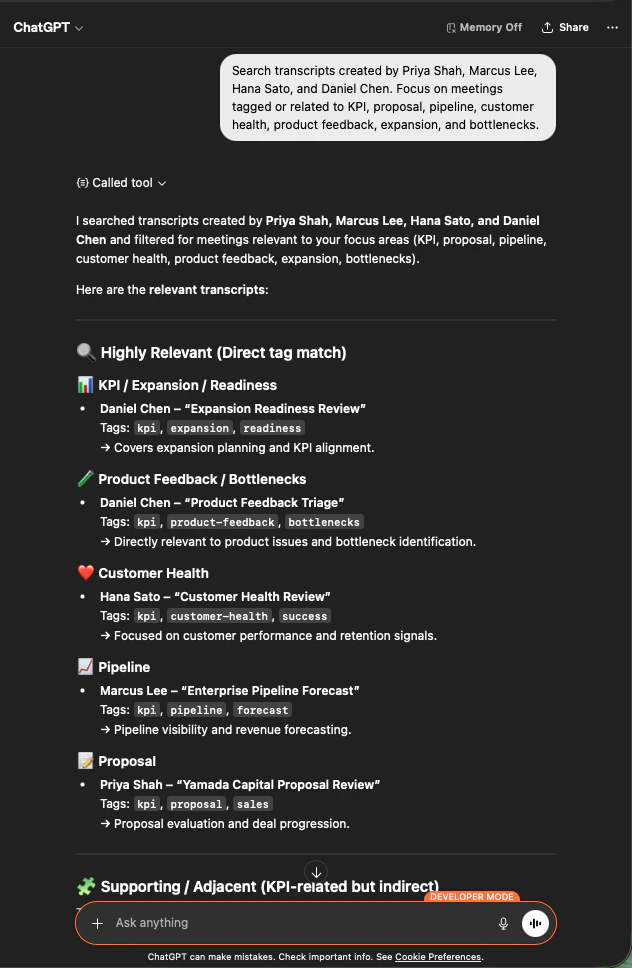
Search transcripts created by Priya Shah, Marcus Lee, Hana Sato,
and Daniel Chen. Focus on meetings tagged or related to KPI, proposal,
pipeline, customer health, product feedback, expansion, and bottlenecks.
आपको मायने रखने वाली मीटिंगों की एक स्कोप्ड सूची मिलती है — फ़ोकस क्षेत्र (KPI/Expansion, Product Feedback, Customer Health, Pipeline, Proposal) के अनुसार समूहीकृत, स्वामित्व वाले टीम सदस्य और प्रासंगिक टैग के साथ।
ChatGPT listing team transcripts grouped by focus area — KPI, Product Feedback, Customer Health, Pipeline, Proposal — with team owner and tags
3

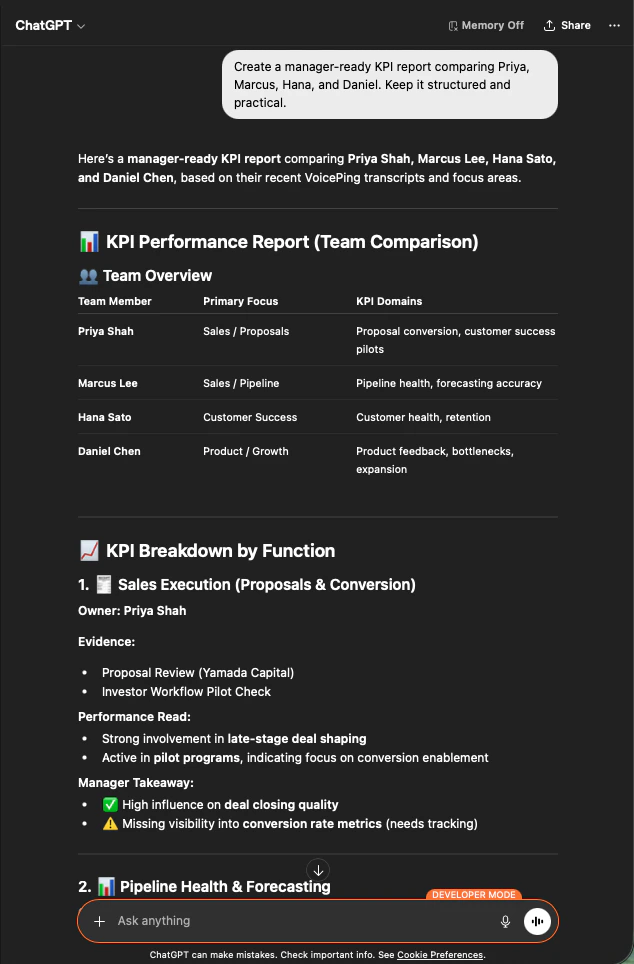
एक मैनेजर-रेडी KPI रिपोर्ट तैयार करें

Create a manager-ready KPI report comparing Priya, Marcus, Hana, and Daniel.
Keep it structured and practical.
AI एक टीम ओवरव्यू तालिका, फ़ंक्शन (Sales Execution, Pipeline Health, Customer Success, Product/Growth) के अनुसार साक्ष्य, प्रदर्शन रीड, और प्रत्येक व्यक्ति के लिए एक मैनेजर टेकअवे के साथ एक KPI विभाजन बनाता है।
ChatGPT generating a manager-ready KPI report comparing four team members with primary focus, KPI domains, evidence, and takeaways
यह इसलिए काम करता है क्योंकि MCP Access वर्कस्पेस स्कोप का सम्मान करता है — AI केवल वे ट्रांसक्रिप्ट देखता है जिन्हें पढ़ने की कनेक्शन को अनुमति है, और केवल उस वर्कस्पेस के अंदर के उपयोगकर्ताओं से। मैनेजरों को अपनी टीम की दृश्यता मिलती है, किसी और की नहीं।

अगले कदम

External Access ओवरव्यू

स्कोप, लाइफ़साइकिल नियंत्रण, और इवेंट लॉग के लिए हब पर वापस जाएं।

MCP Access कैसे सक्षम करें

Claude, ChatGPT, Codex, Claude Code, और Gemini CLI के लिए सेटअप गाइड।