
अपनी सदस्यता का ऑडिट करने के लिए आपको जो कुछ भी चाहिए वह एक ही स्थान पर रहता है: PC पर Billing अनुभाग और मोबाइल पर Billing हब। चालान पीडीएफ डाउनलोड करें, रसीदें प्राप्त करें, भविष्य के चालान पर दिखाई देने वाले बिल-टू फ़ील्ड को संपादित करें और पूर्ण ईवेंट लॉग की समीक्षा करें।Documentation Index
Fetch the complete documentation index at: https://manual.voiceping.net/llms.txt
Use this file to discover all available pages before exploring further.
PC (Billing टैब) पर
शीर्ष नेविगेशन खोलें → Billing। दो टैब चालान प्रबंधन को कवर करते हैं:| टैब | यह किस लिए है |
|---|---|
| Invoice Details | बिल प्राप्तकर्ता का नाम, ईमेल और फ़ोन जो आपके चालान पीडीएफ़ पर दिखाई देता है |
| Invoice and Receipt Download | डाउनलोड करने योग्य चालान पीडीएफ और रसीदों के साथ शुल्कों की Monthly सूची |
Invoice Details
वह नाम, ईमेल और फ़ोन सेट करें जिस पर Stripe आपके इनवॉइस पीडीएफ़ पर मुहर लगाता है।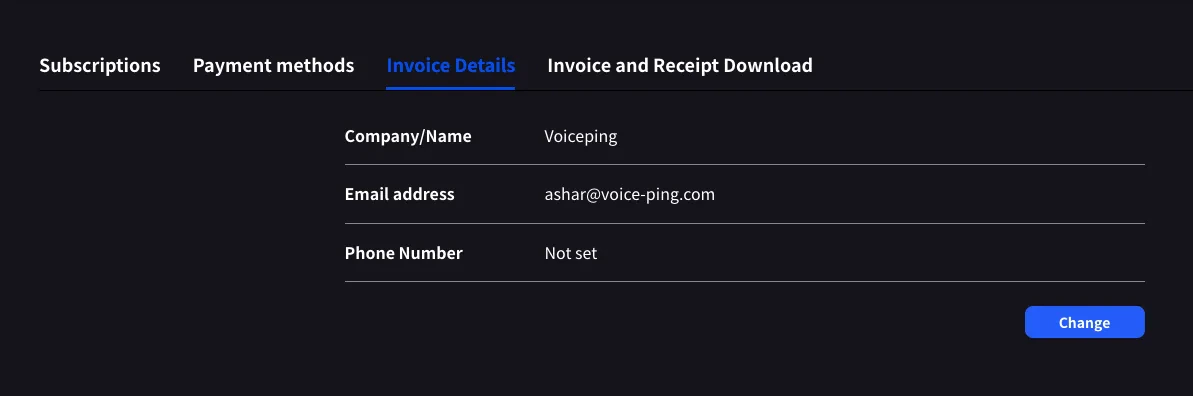
Invoice and Receipt Download
प्रत्येक पूरा किया गया शुल्क महीने, योजना का नाम, स्थिति, राशि और इनवॉइस पीडीएफ और Stripe रसीद दोनों के लिए डाउनलोड बटन के साथ एक पंक्ति के रूप में दिखाई देता है।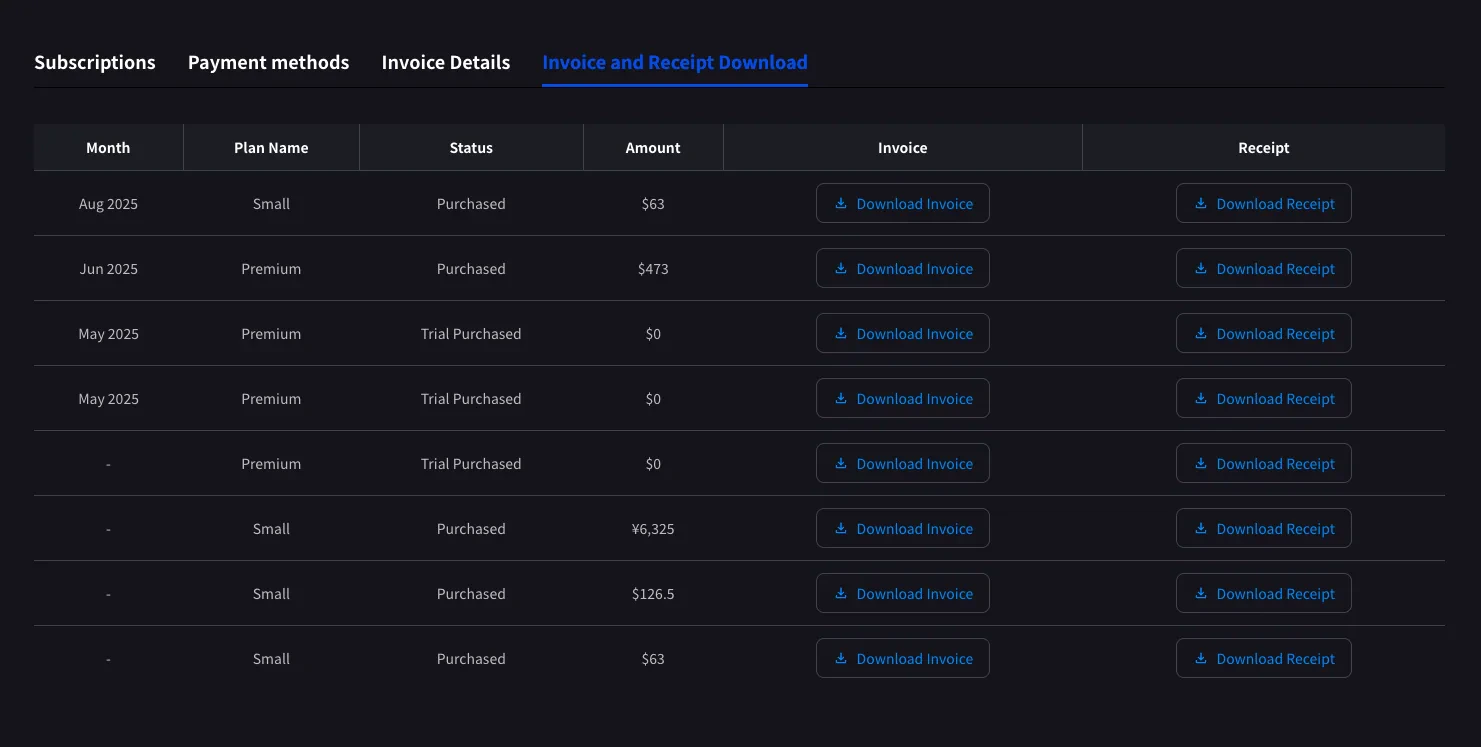
| बटन | खुलता है |
|---|---|
| Download Invoice | साझा करने, सहेजने या वित्त के लिए अग्रेषित करने के लिए चालान पीडीएफ |
| Download Receipt | संपूर्ण भुगतान विवरण के साथ Stripe-होस्टेड रसीद पृष्ठ |
यहां केवल पूर्ण किए गए शुल्क ही दिखाई देते हैं। शेड्यूल किए गए योजना परिवर्तन अगली बिलिंग तिथि के बाद दिखाई देते हैं, जब Stripe चालान उत्पन्न करता है। स्थिति Trial Purchased के साथ
$0 पंक्तियाँ भी लॉग की जाती हैं, जो परीक्षण शुरू होने पर ट्रैक करने में मदद करती हैं।Mobile (Billing हब) पर
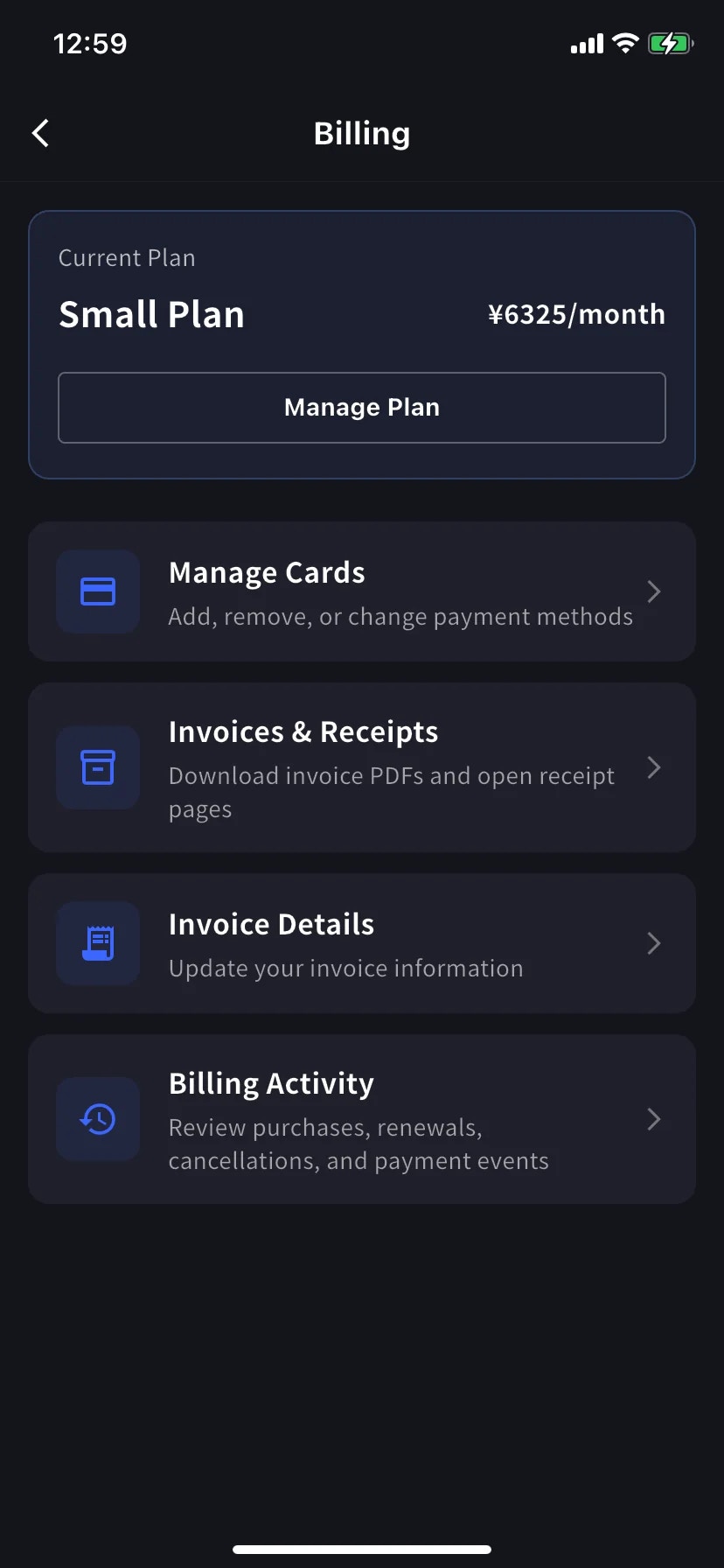
मोबाइल ऐप समान सुविधाओं को Billing हब में संक्षिप्त कर देता है, साथ ही एक इवेंट लॉग (Billing Activity) जो प्रत्येक सदस्यता चाल को रिकॉर्ड करता है।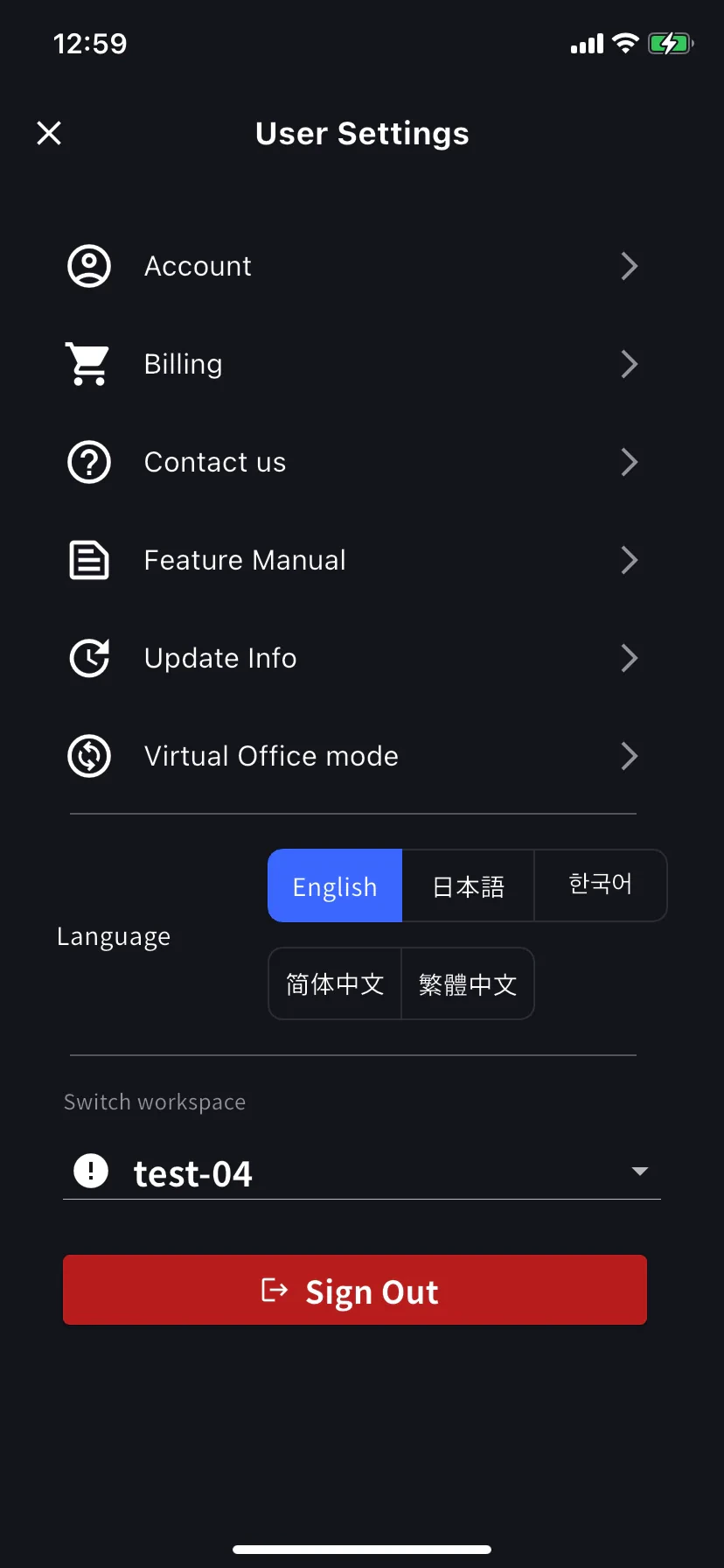
Invoice Details (mobile)
PC टैब के समान फ़ील्ड: आपके इनवॉइस पीडीएफ़ के लिए नाम, ईमेल, फ़ोन।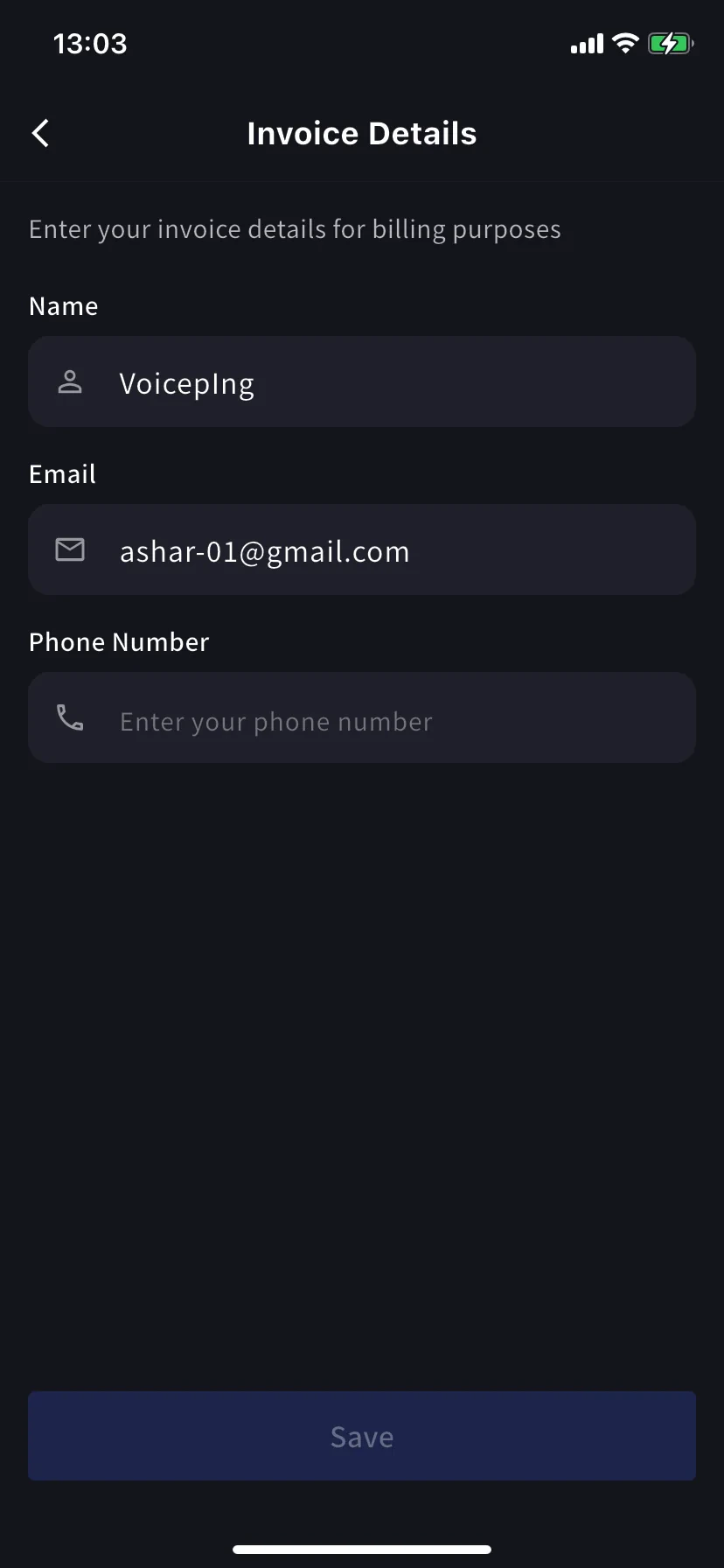
Invoices & Receipts (mobile)
पिछले शुल्क मासिक कार्ड के रूप में दिखाई देते हैं। प्रत्येक कार्ड में दो क्रियाएँ होती हैं।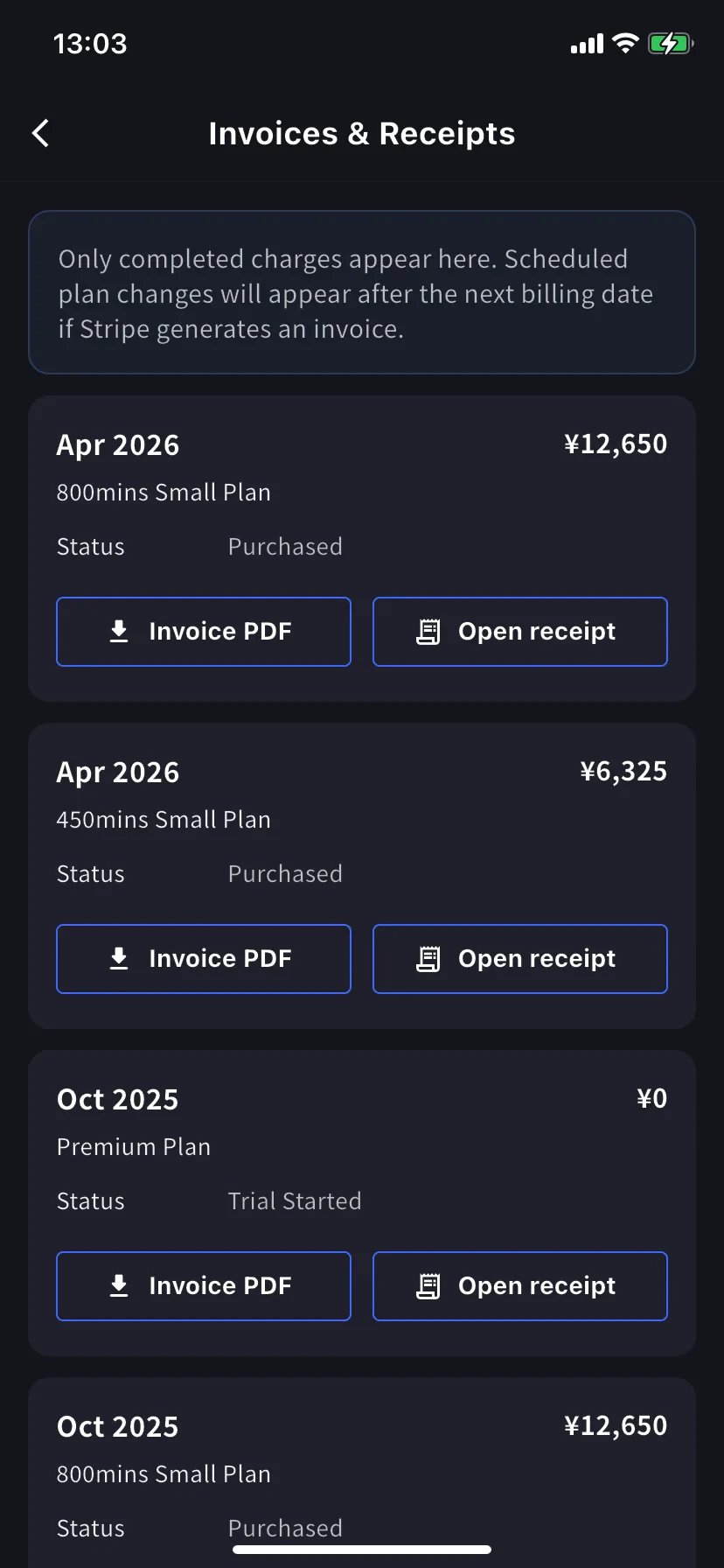
| बटन | खुलता है |
|---|---|
| Invoice PDF | साझा करने, सहेजने या अग्रेषित करने के लिए डाउनलोड करने योग्य चालान पीडीएफ |
| Open receipt | संपूर्ण भुगतान विवरण के साथ Stripe-होस्टेड रसीद पृष्ठ |
Billing Activity (mobile only)
ईवेंट लॉग: आपके कार्यक्षेत्र ने अपनी सदस्यता के लिए जो कुछ भी किया, वह सब एक ही स्थान पर।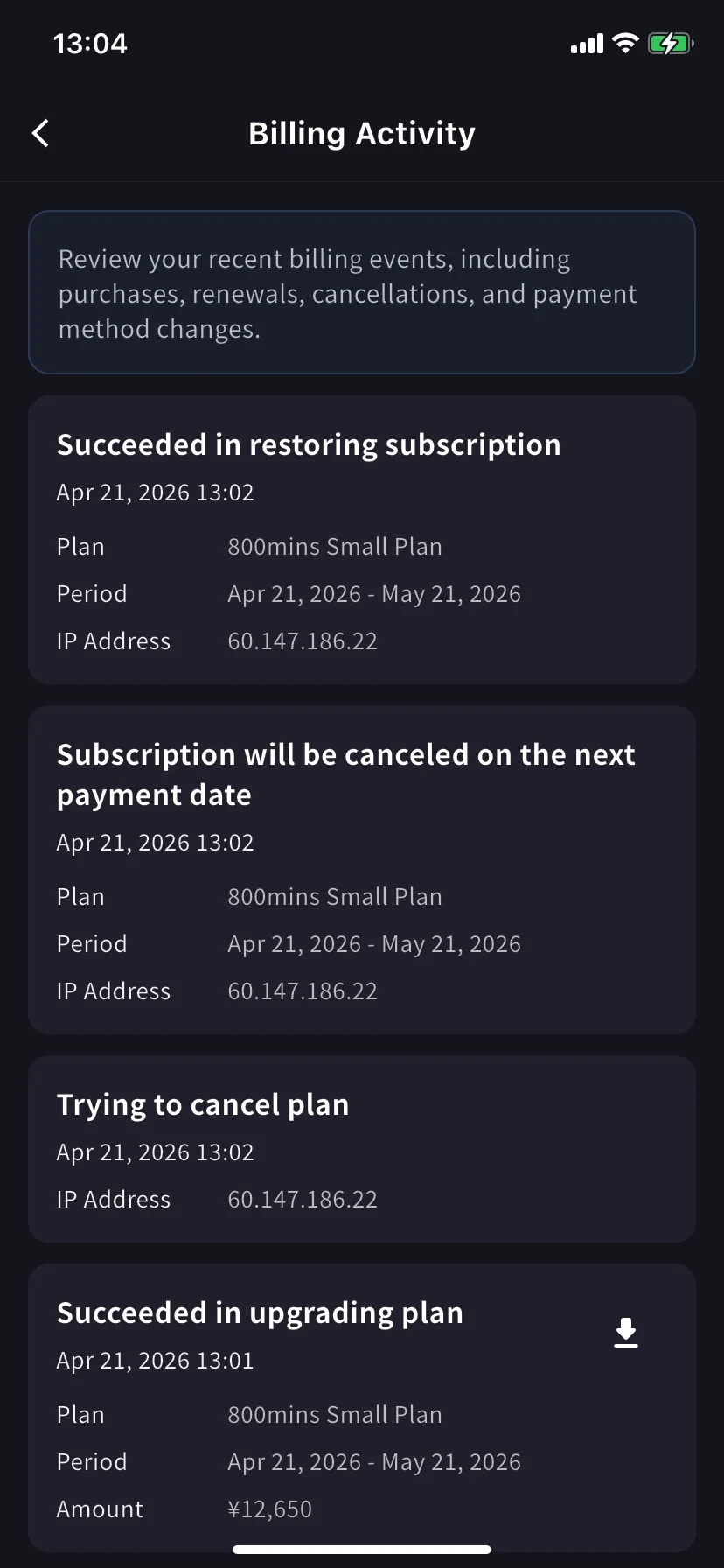
- इवेंट का नाम, उदाहरण के लिए Succeeded in upgrading plan, Subscription will be canceled on the next payment date, Succeeded in restoring subscription
- टाइमस्टैम्प (
YYYY/MM/DD HH:MM) - योजना, बिलिंग अवधि और राशि जब लागू हो
- IP Address - ऑडिट और सुरक्षा समीक्षा के लिए किसने कहां से कार्य किया
- पूर्ण शुल्क पर डाउनलोड आइकन - उस घटना के लिए चालान पीडीएफ खींचता है
Billing Activity वर्तमान में केवल मोबाइल ऐप में सामने आया है। PC पर, चार्ज इतिहास के लिए Invoice and Receipt Download टैब का उपयोग करें।
युक्तियाँ
- Bill-to changes apply to future invoices only. पुन: जारी करने से बचने के लिए अगली बिलिंग तिथि से पहले Invoice Details अपडेट करें।
- Receipts vs invoices. चालान वह दस्तावेज़ है जिसे Stripe शुल्क के लिए तैयार करता है; रसीद Stripe-होस्टेड भुगतान पुष्टिकरण पृष्ठ है। वित्त टीमें आमतौर पर इनवॉइस पीडीएफ चाहती हैं।
- Mobile and PC stay in sync. एक सतह पर किए गए संपादन तुरंत दूसरी सतह पर दिखाई देते हैं।
Related
- Plan Changes, Cancellation & Trial End — अपग्रेड करना, डाउनग्रेड करना, रद्द करना
- Changing Your Payment Credit Card — PC और मोबाइल पर कार्ड प्रबंधन
- Pricing — योजना स्तर और मिनट भत्ते