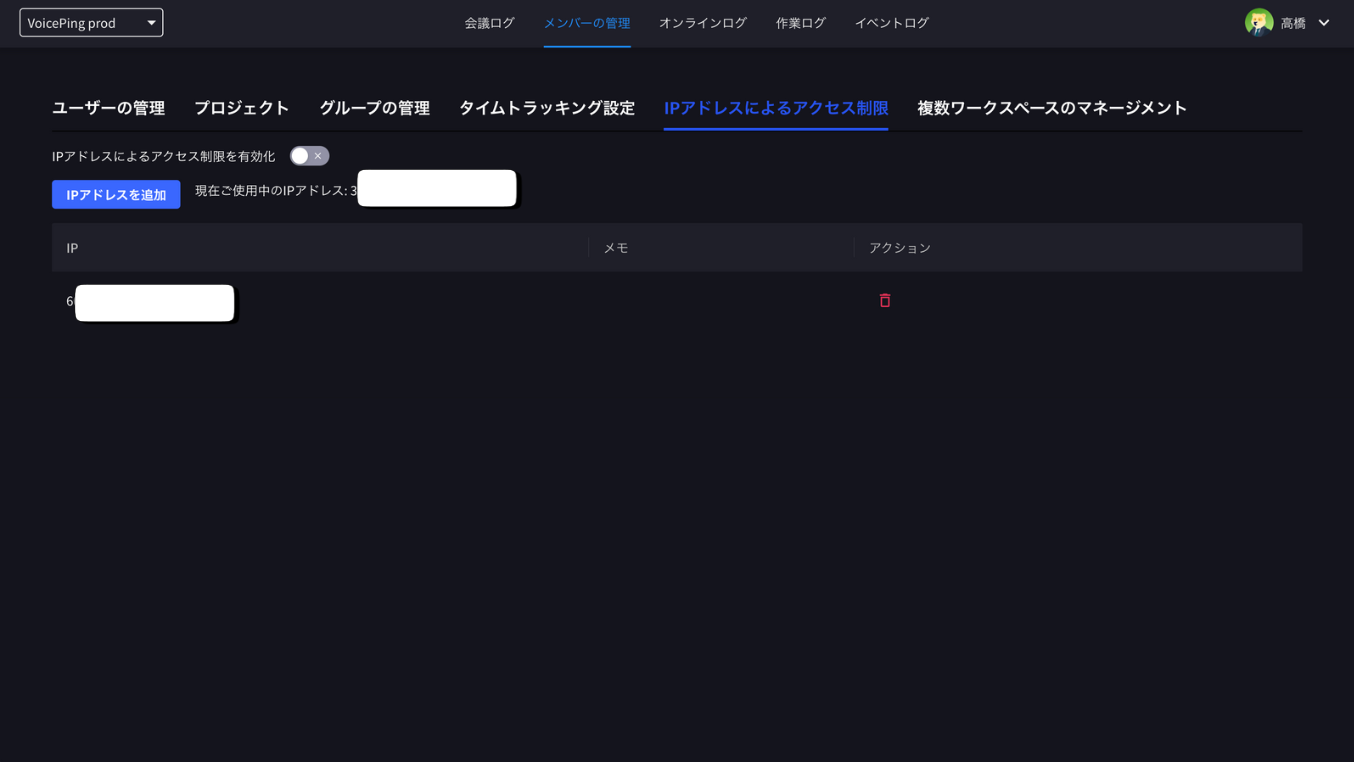
IP Restriction limits workspace access to registered IP addresses. The route is still named ip-whitelist for compatibility, but the current product label is IP Restriction.
IP Restriction is available on paid plans and is hidden on Free workspaces.

Open IP Restriction

  1. Open Admin.
  2. Select IP Restriction.
  3. Review the current IP shown on the screen.
Skrin IP Restriction — suis Enable IP Filtering, alamat IP semasa dan senarai IP yang dibenarkan

Enable Filtering

  1. Add at least one allowed IP address.
  2. Turn on Enable IP Filtering.
  3. Confirm the warning dialog.
Dialog pengesahan Enable IP Filtering — pemilik ruang kerja tidak terjejas, tetapi pengurus dan ahli mesti menyambung dari IP yang dibenarkan

Manage Allowed IP Addresses

  • Add an IP address with an optional memo or description.
  • Delete IP addresses that should no longer be allowed.
  • Export the list as CSV when needed.
Dialog Add IP to White List — alamat IP atau julat CIDR, format yang disokong dan penerangan pilihan
Confirm the allowed IP list before enabling filtering. Users outside the allowed IP range may lose access.