从历史会议生成面向客户的议程

情境。 周一您要和客户(比如 Northstar Capital)进行后续会议。过去两周您已经开过三次电话:发现会议、安全评审、ROI 讨论。您可以重新阅读每份会议记录、手动拼接议程,也可以直接提问。 本工作流假设您已经启用了 MCP Access 并连接了 AI 客户端。
1

让 AI 找出相关的过往会议

把客户名称交给它,让它自己从对话中找出真正重要的会议。
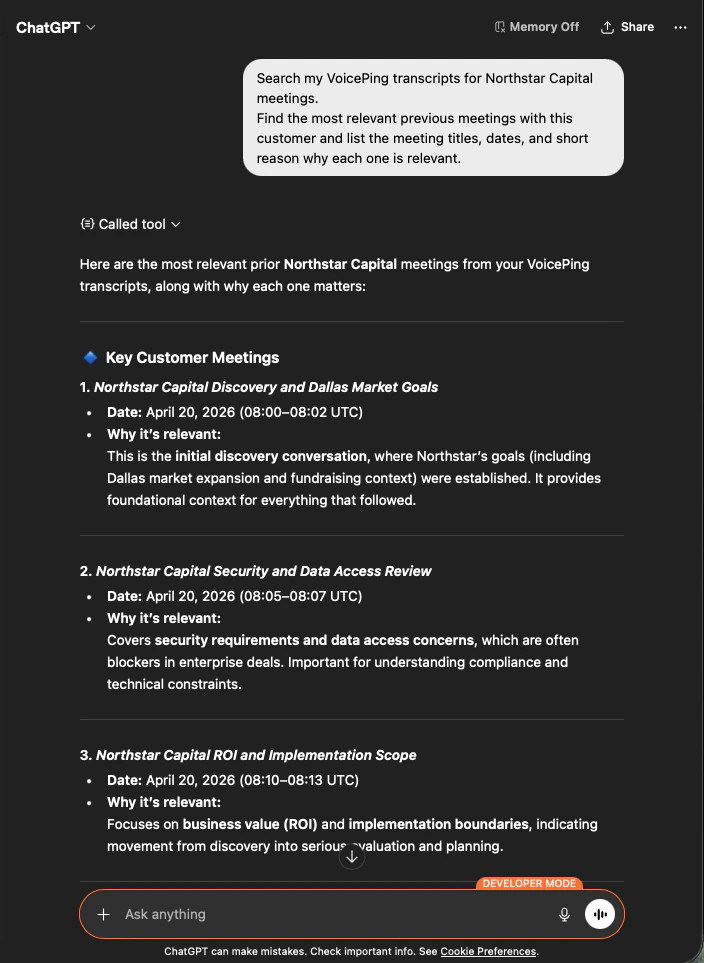
Search my VoicePing transcripts for Northstar Capital meetings.
Find the most relevant previous meetings with this customer and list the
meeting titles, dates, and short reason why each one is relevant.
AI 会返回此前的三次通话,附带日期以及一行”为何重要”的说明 ― 关系的演进脉络一目了然。
ChatGPT searching VoicePing transcripts and returning the three most relevant Northstar Capital meetings with dates and relevance notes
2

要求生成客户可用的议程

接下来请它把那些会议转化为可实际发送的议程。
Make the agenda client-ready.
Keep it concise, practical, and written as something I can paste into
a calendar invite or meeting doc.
您会得到一份基于实际讨论内容、带时间分配、分成六个部分的议程:Success Criteria、Pilot Scope、Security & Data Policy、Proposal Plan、Open Risks 和 Final Decisions。
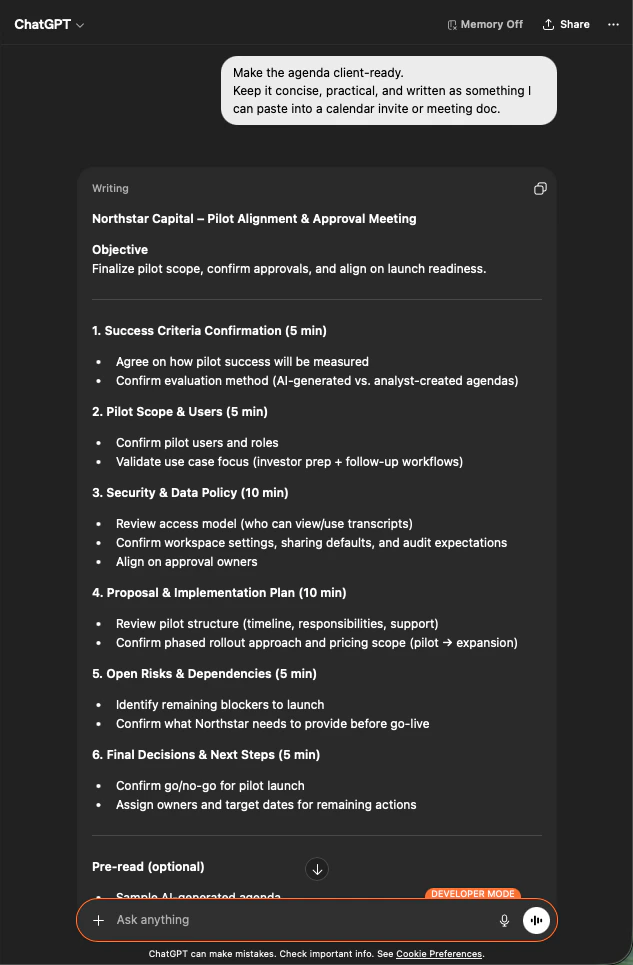
ChatGPT producing a time-boxed, six-section meeting agenda for Northstar Capital based on prior transcripts
为什么有用。 一项 20 分钟的准备工作缩短到 60 秒。议程不是套用通用模板,而是真实反映客户历史。
共同模式: 搜索会议记录 → 收敛到关键会议 → 要求您需要的确切输出格式。这个三提示词结构适用于本站所有工作流,也适用于您自己设计的任何流程。

下一步

外部访问概览

返回作用域、生命周期控制和事件日志总览。

如何启用 MCP Access

Claude、ChatGPT、Codex、Claude Code、Gemini CLI 的设置指南。