
四种操作
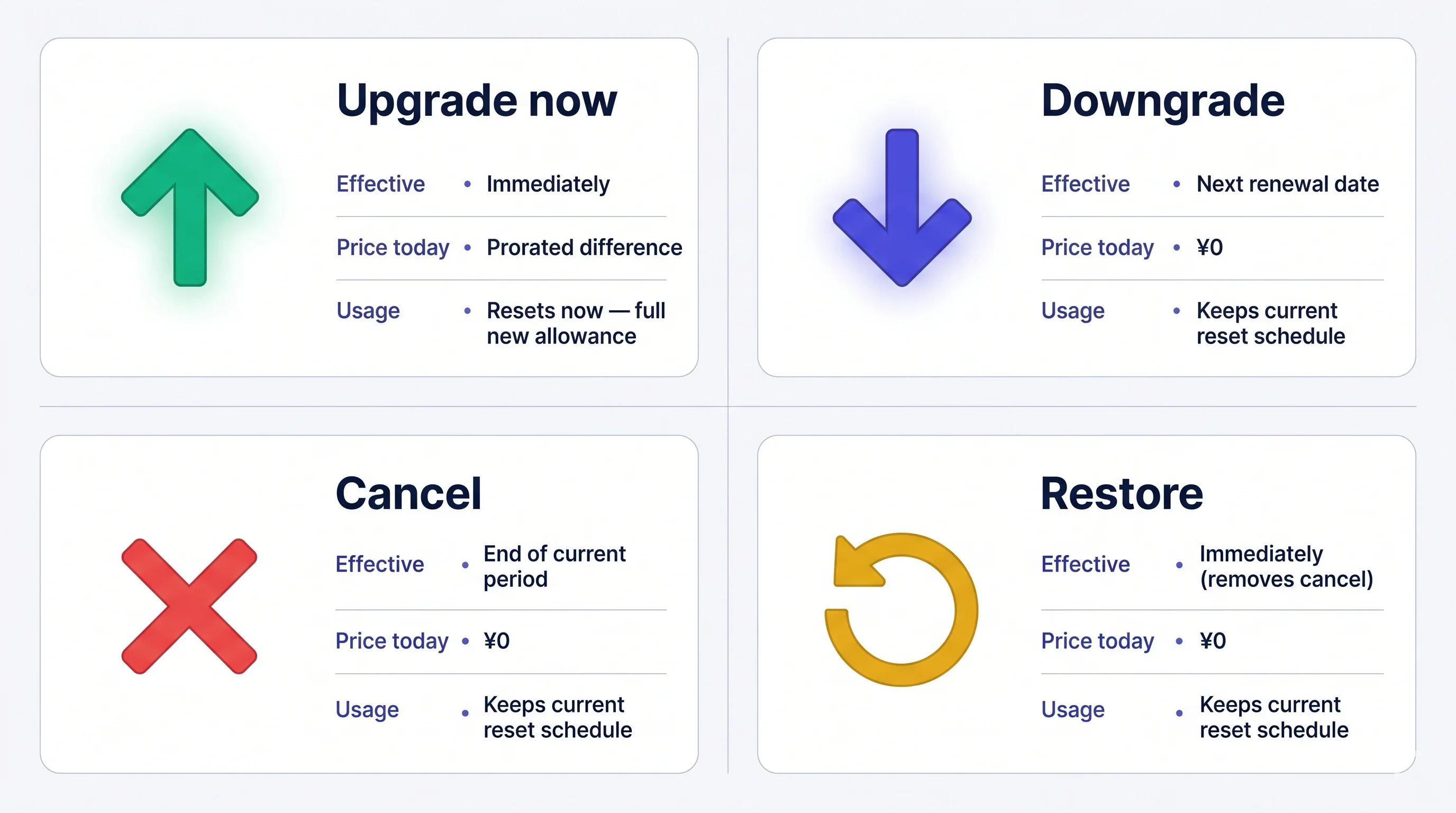
费用一经扣款不可退款。取消后,当前套餐在本周期结束前仍然有效;在到期前可随时恢复自动续订。
打开 Manage Plan
侧边菜单 → User Settings → Billing → Manage Plan,或直接在 Current Plan 卡片上点 Manage Plan。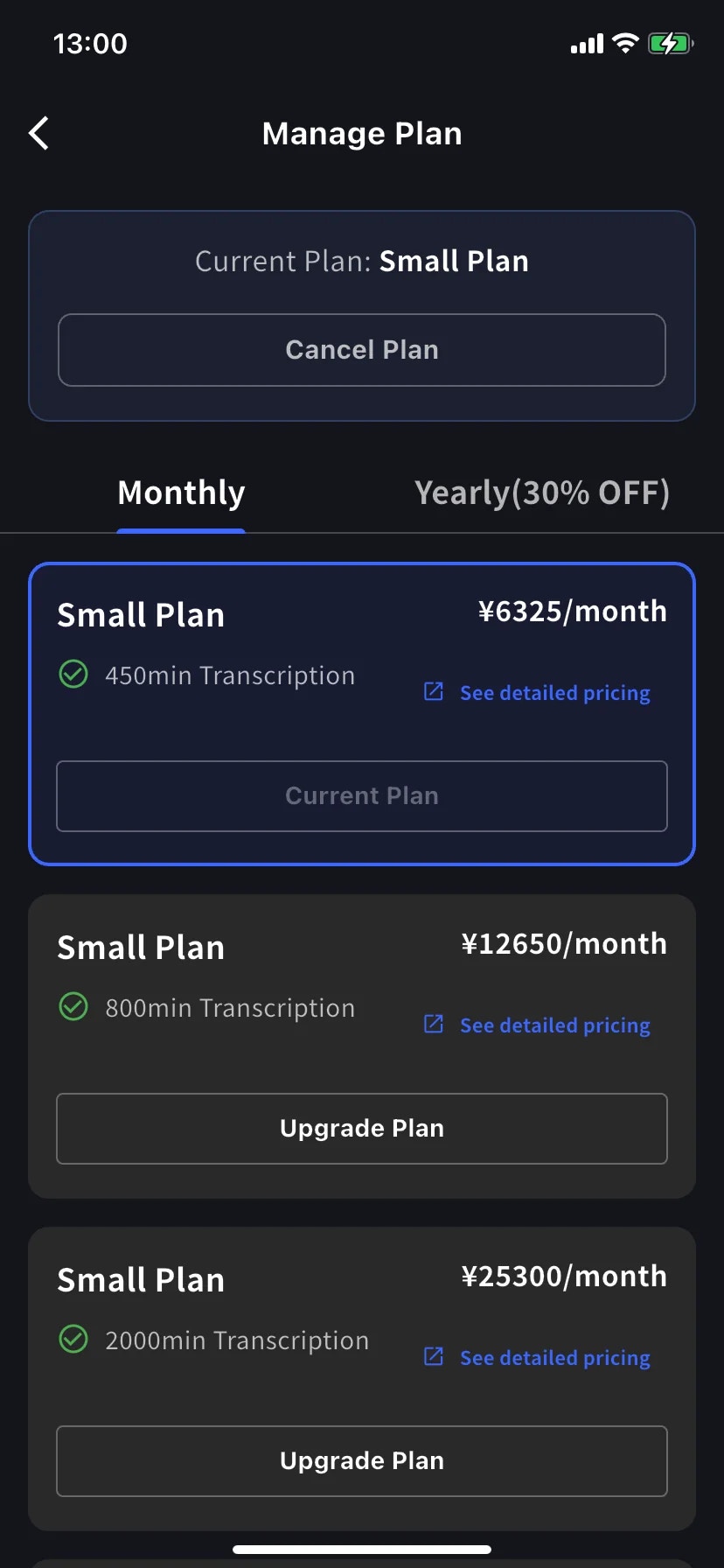
- 使用 Monthly/Yearly 标签切换月付和年付套餐。价格均按月显示,但年付会一次性收取全年费用。
- 当前套餐以蓝色边框标出,按钮显示 Current Plan。
- 更高档位显示 Upgrade Plan;更低档位显示 Change Plan。
- Cancel Plan 在屏幕顶部,当前套餐徽标旁边。
立即升级
1
点击目标套餐的 Upgrade Plan
进入 Order confirmation 后,横幅会说明工作区将立即切换到新套餐,并按比例收取当天的差额。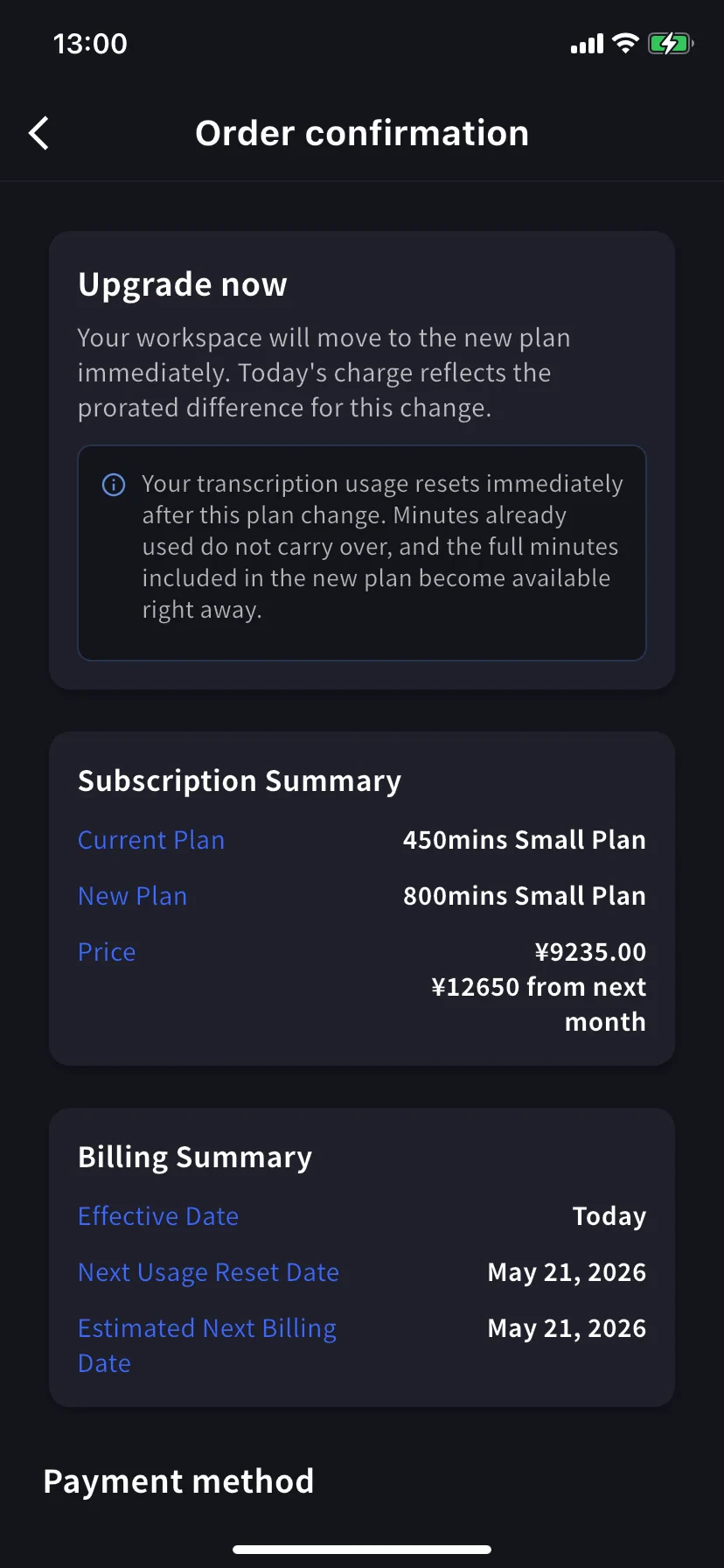
转写用量立即重置。 已用的分钟不结转,新套餐的完整分钟立即可用。
2
选择或添加信用卡
滚动到 Payment method,选择已有信用卡,或点击 + Add new card 打开 Stripe 表单。完成后勾选条款和隐私政策复选框。详情请参阅移动端账单管理。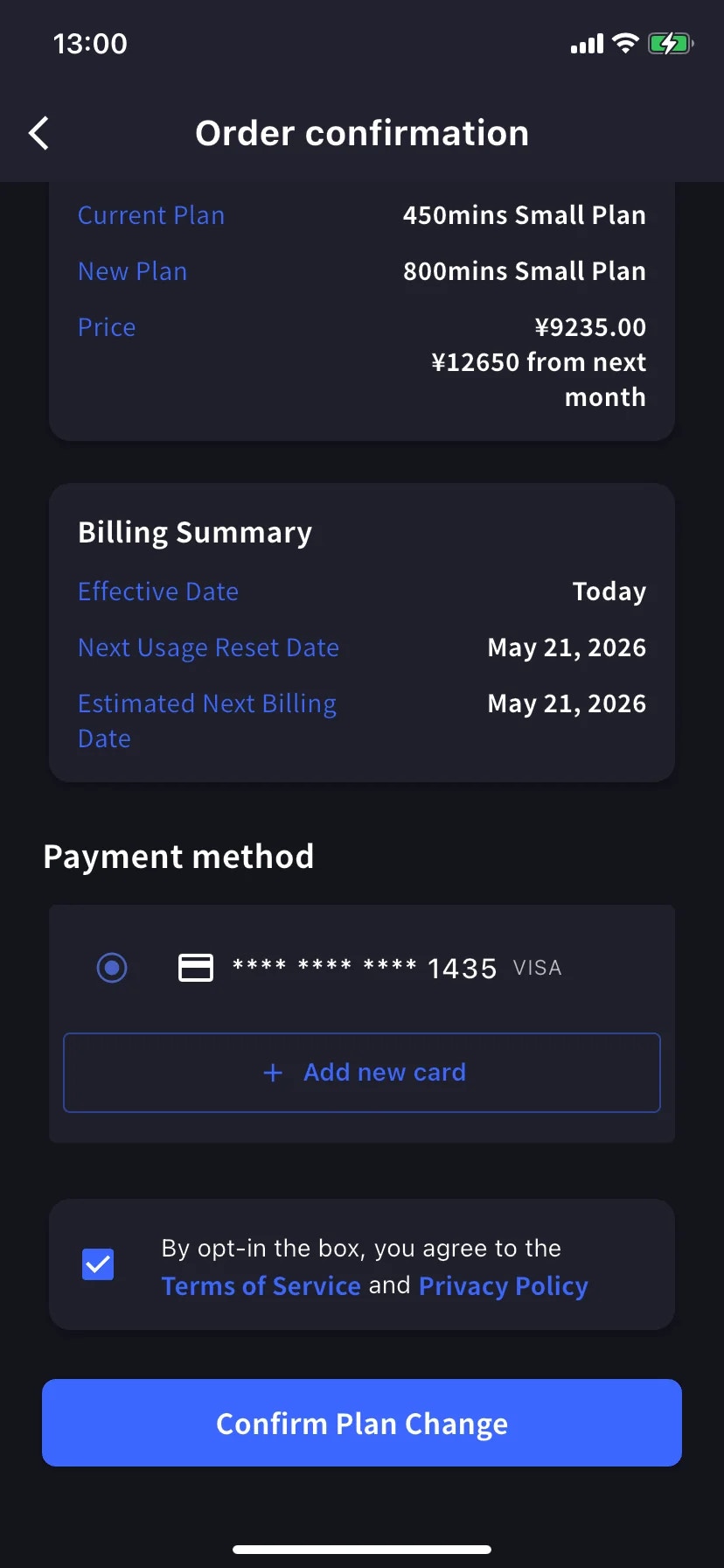
3
Confirm Plan Change
点蓝色 Confirm Plan Change 按钮。扣款处理期间按钮短暂变暗。成功后会返回 Manage Plan,并显示绿色的 Plan purchase completed 通知;新套餐会标为当前套餐。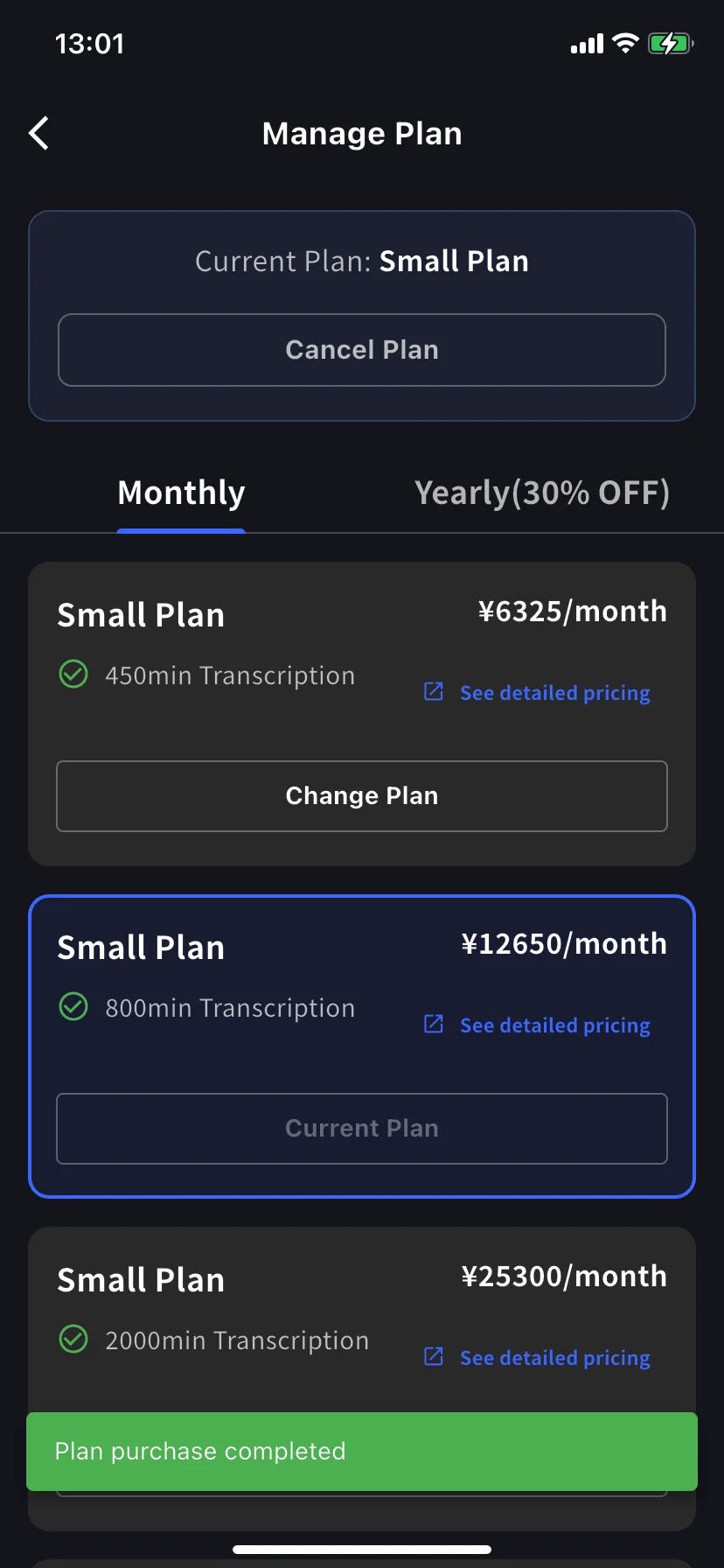
降级 — 下次续订生效
在较低级别点击 Change Plan。确认页会说明当前套餐持续到本账单周期结束,新套餐在下次续订时生效。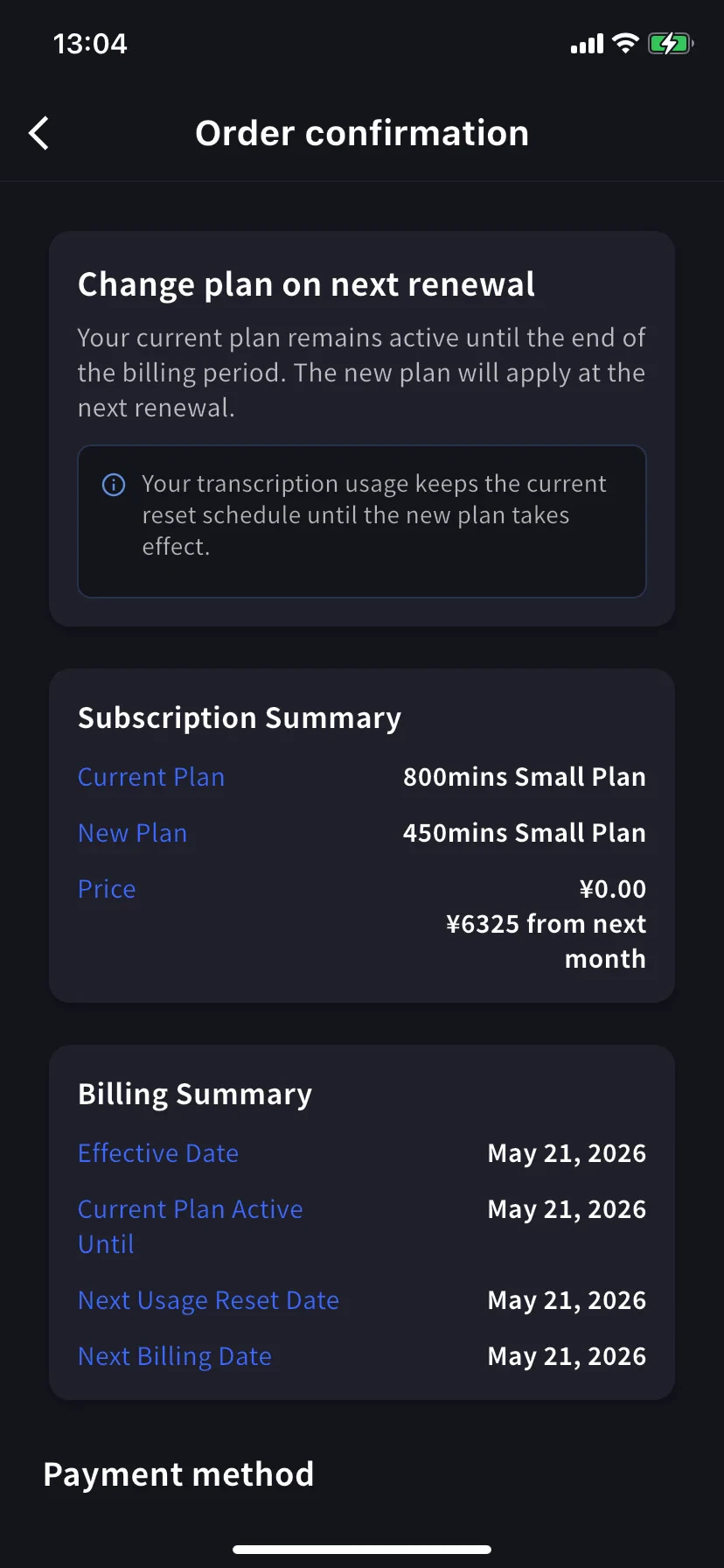
用量保持原定时间表。 续订前保留当前套餐的分钟;新的较低额度在续订后生效。
取消订阅
1
点 Manage Plan 顶部的 Cancel Plan
页面会打开带红色 ⊗ 图标的表单,并要求选择取消原因。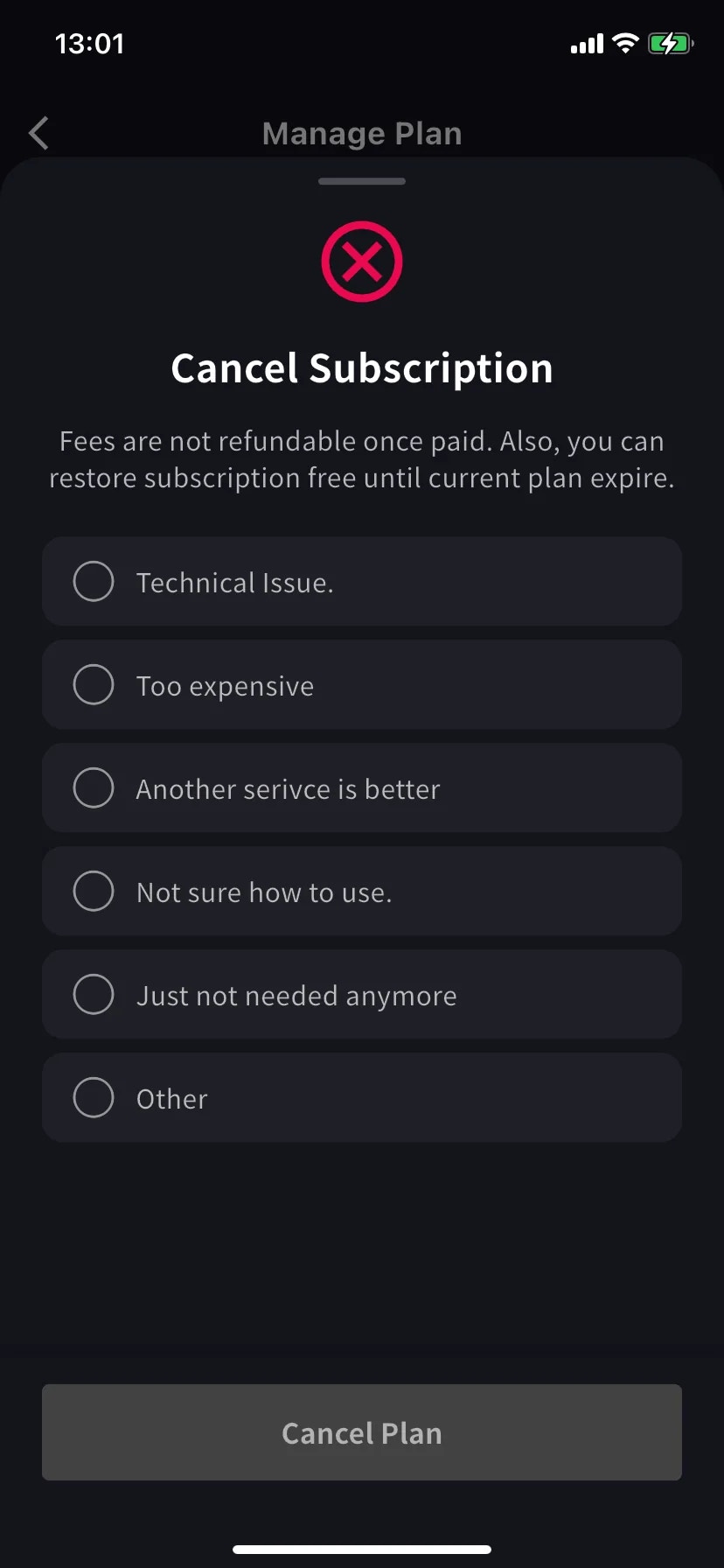
2
点 Cancel Plan
当前套餐横幅变为 Scheduled to be canceled after this period ends,当前套餐会显示 Restore 按钮。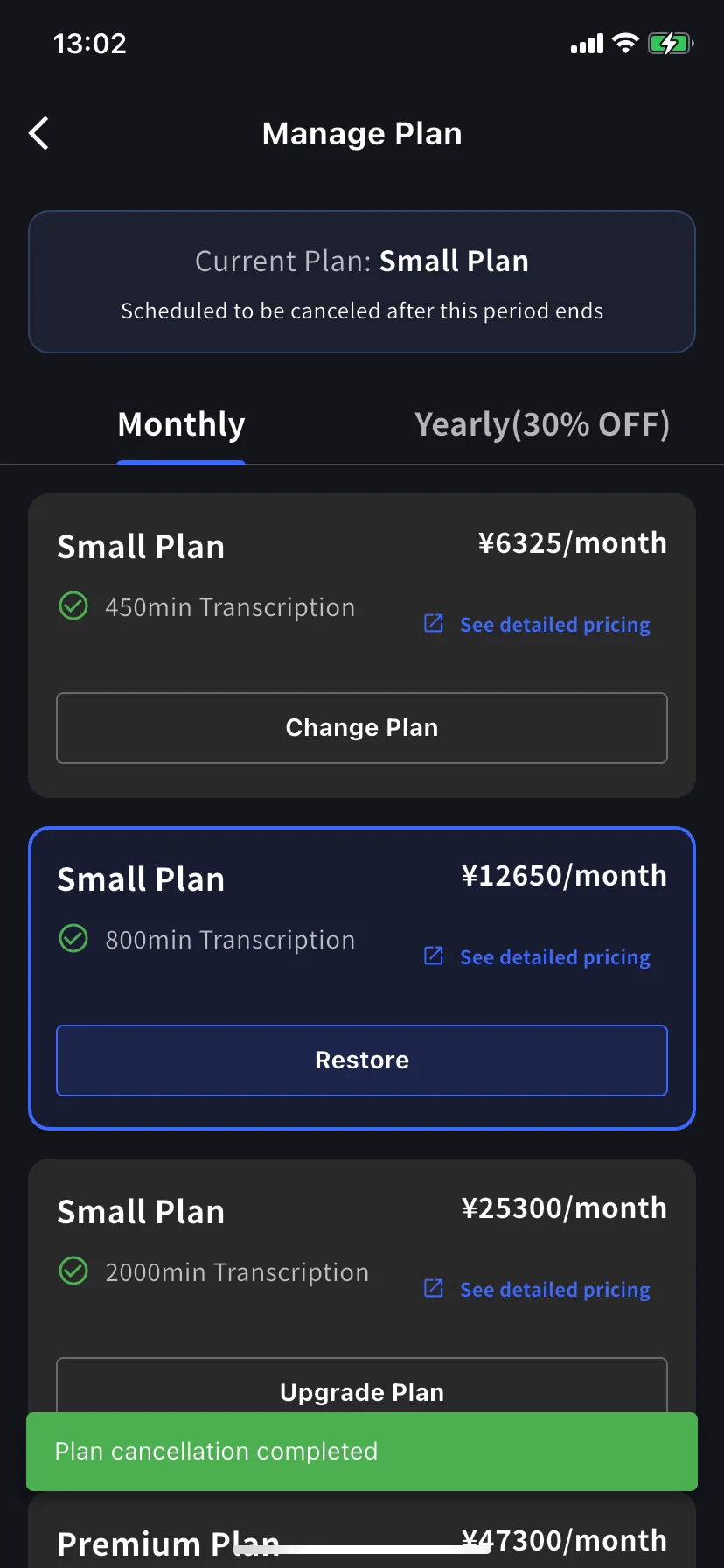
恢复自动续订
若要撤销取消,请在当前套餐上点击 Restore。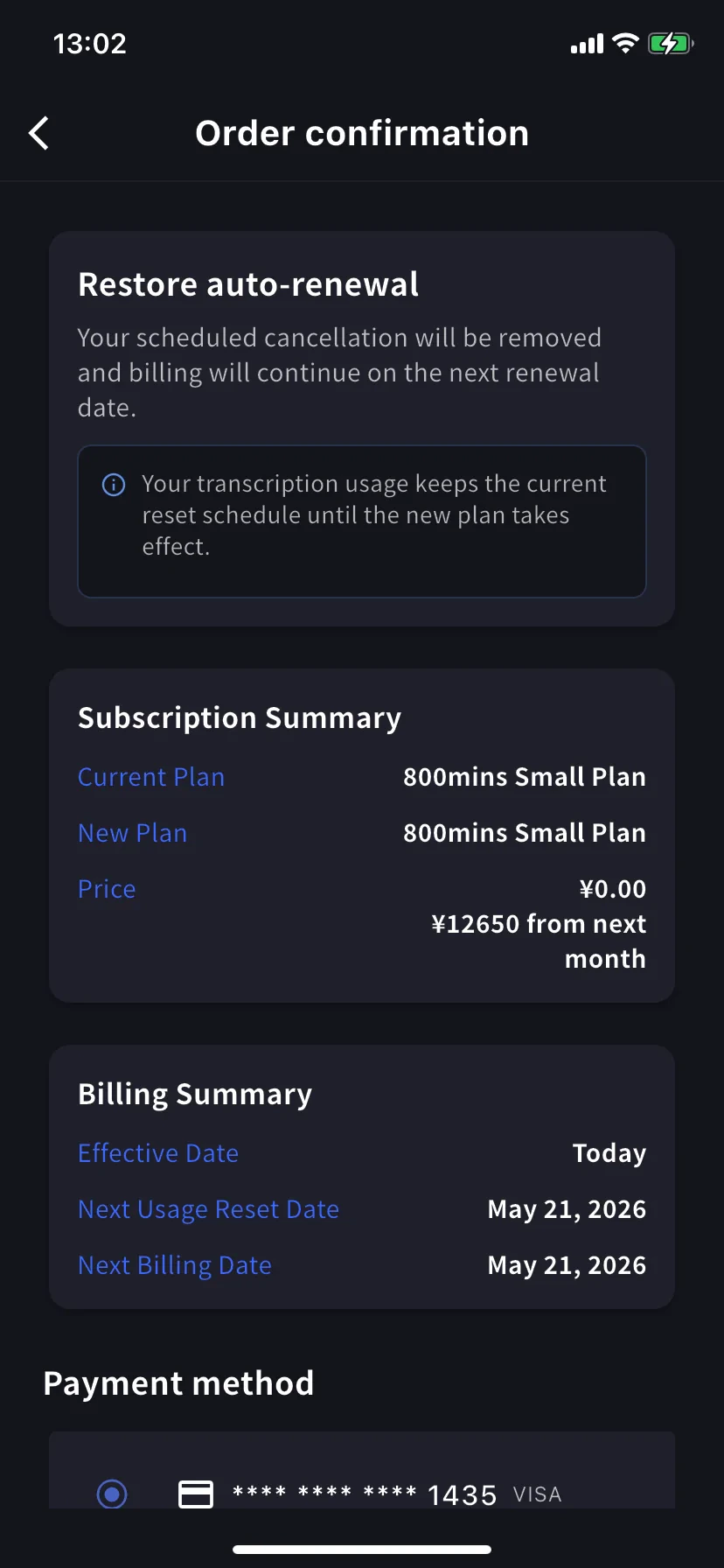
用量保持当前重置时间表 — 恢复不会重置分钟。
确认不同的变更类型
三种确认页面使用相同布局(Subscription Summary、Billing Summary、Payment method、Confirm)。请根据横幅标题确认操作类型:使用提示
- 确认年付金额。 同一级别从 Monthly 切换到 Yearly 会立即应用年付价格,请在确认页查看实际费用。
- 完成后查看 Billing Activity。 所有操作都会记录时间和 IP 地址,便于工作区管理员审计。
- 降级不等于取消。 降级后仍使用较低级别的付费套餐;取消后会在本期结束时回到 Free Plan。
- 可先添加信用卡。 如计划升级,可先在 Manage Cards 添加信用卡。
相关页面
- 移动端账单管理 — 卡片、发票、收据、活动日志
- 套餐变更、取消 & 试用结束 — PC 管理控制台等价功能
- 定价 — 套餐级别和分钟配额
- 免费套餐 / 免费试用