
1. PC
- 打开顶部导航 → Billing → Payment methods,并登记新的信用卡。
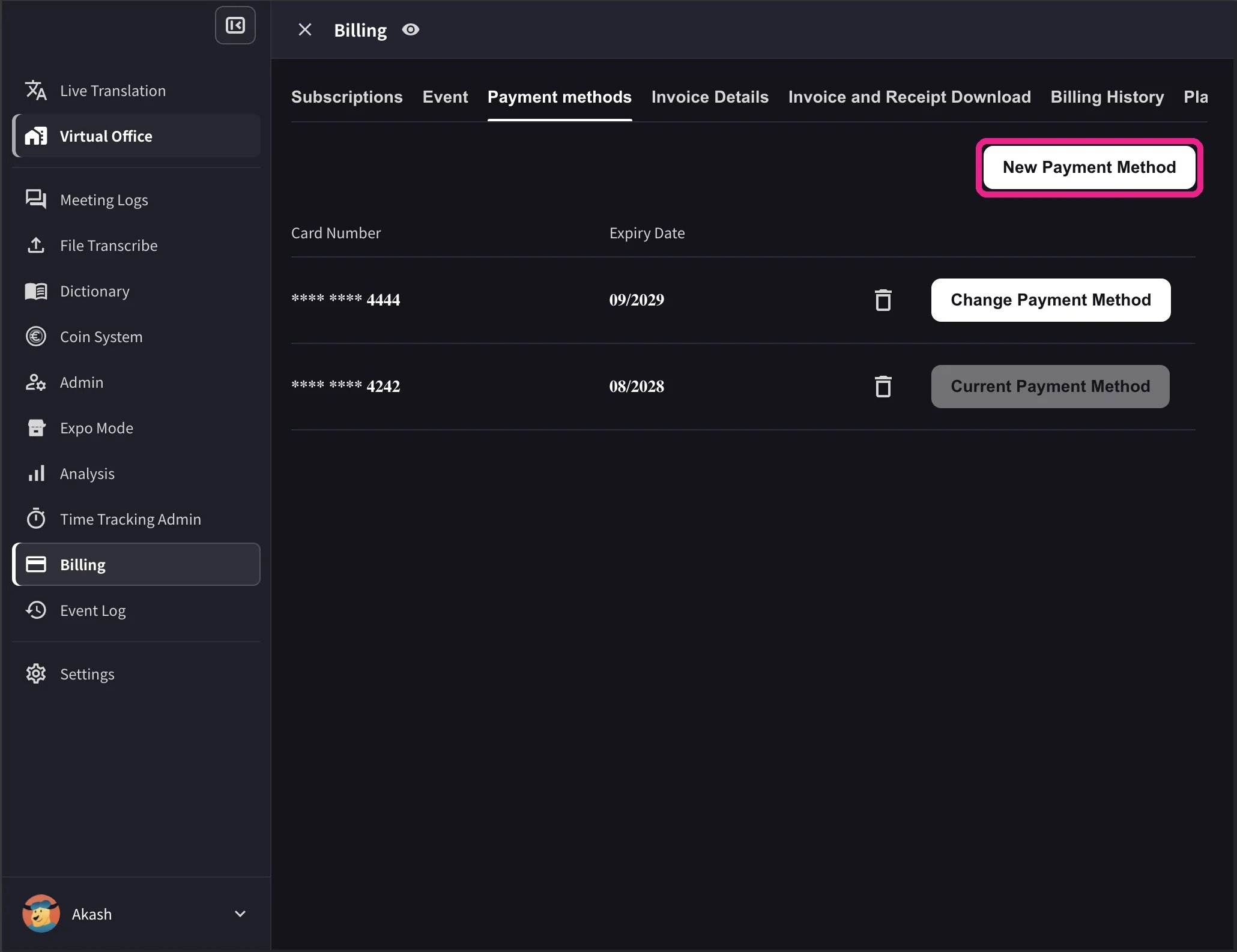
- 在卡片列表中,对要使用的卡片点击 Change Payment Method(更改付款方式)。更改完成后,当前卡片会显示 Current Payment Method。
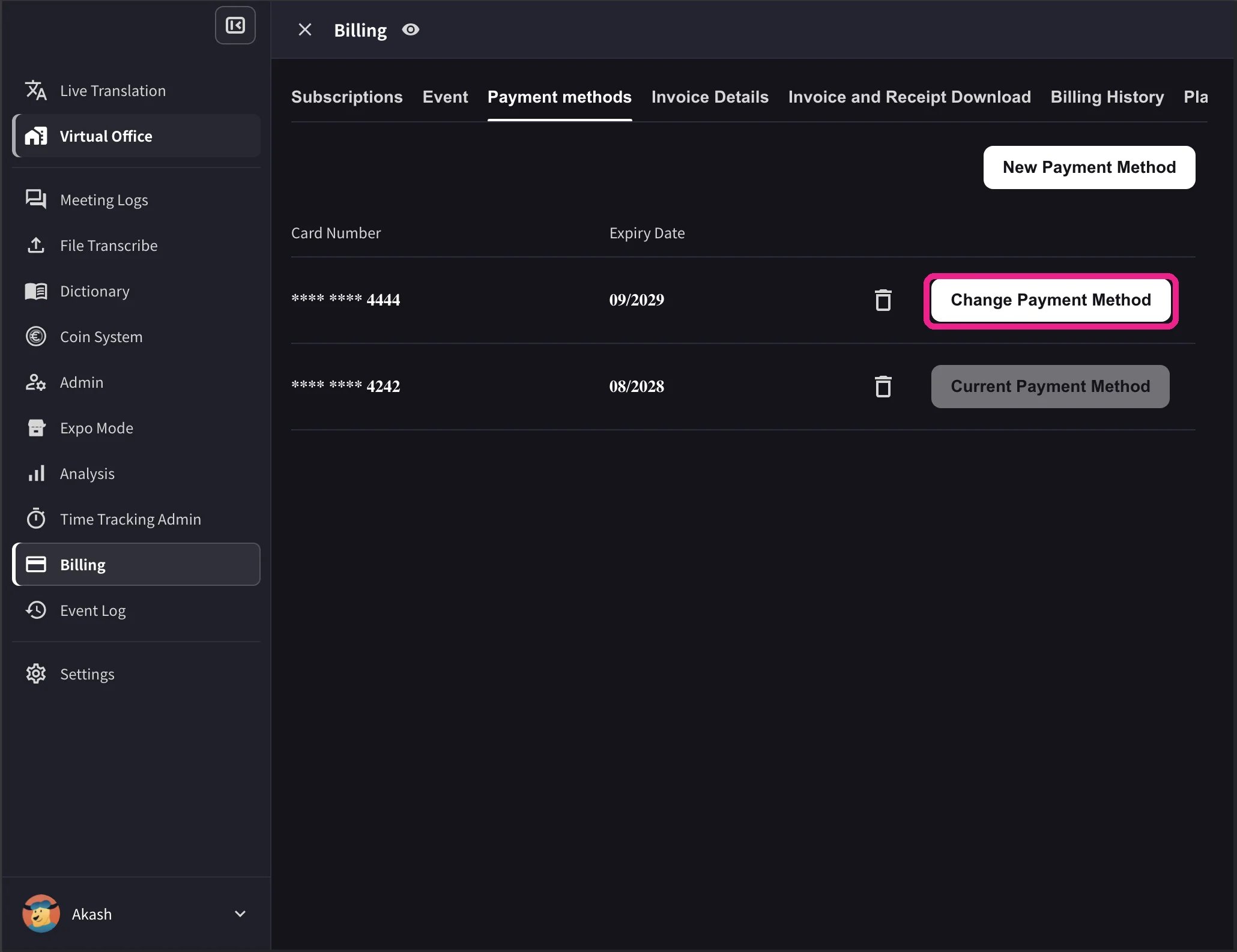
桌面端列表还会显示卡片有效期和删除图标。只有工作区存在有效的 Stripe 订阅且未预约取消时,才会显示 Change Payment Method。不支持当前工作区结算币种的卡片会显示 Not Supported,无法切换。
2. 移动端
在手机应用中,卡片管理位于 Billing → Manage Cards。1
打开 Manage Cards
侧边菜单 → User Settings → Billing → Manage Cards。所有已登记卡片都会列出,正在使用的卡片带有 Using Now 标记。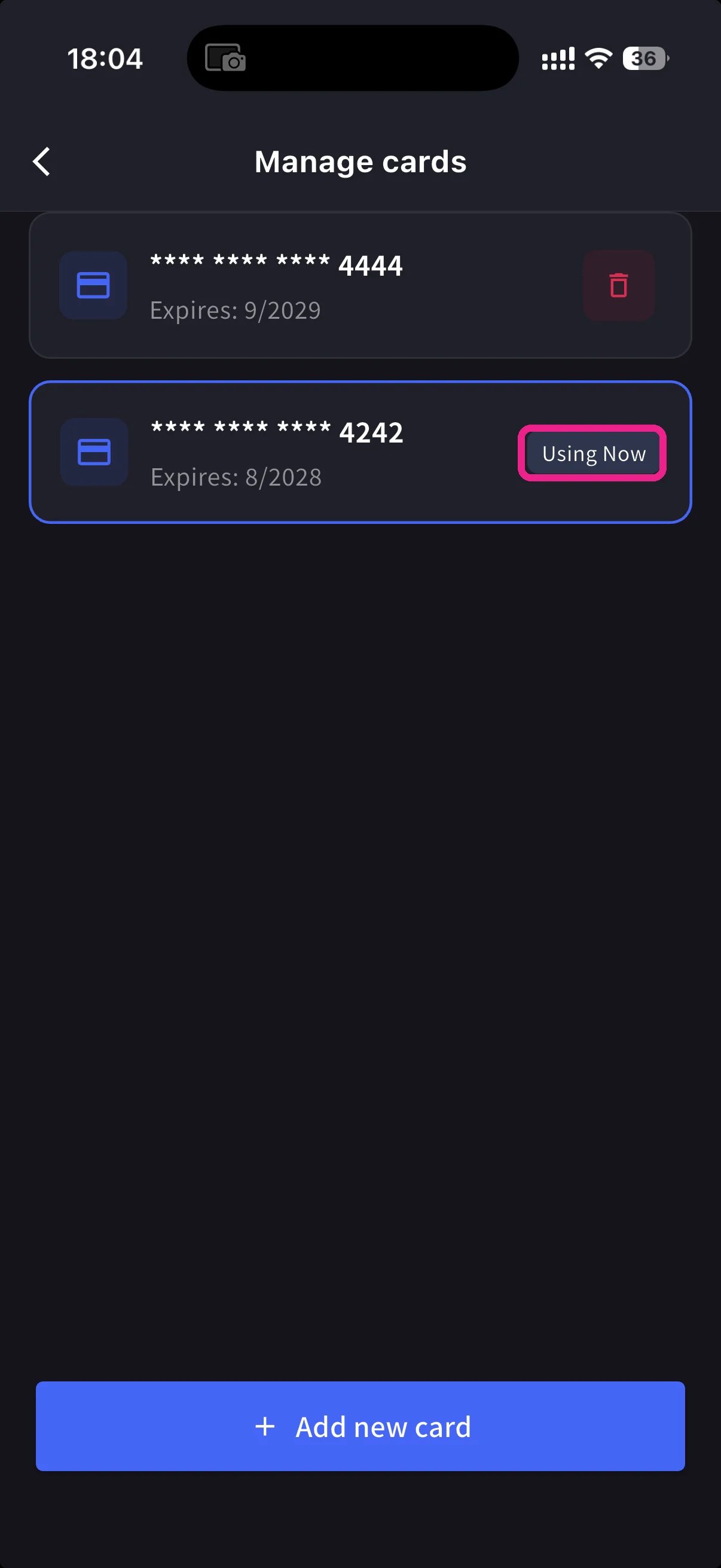
2
添加新卡
点击底部蓝色 + Add new card 按钮。添加卡片有两种方式: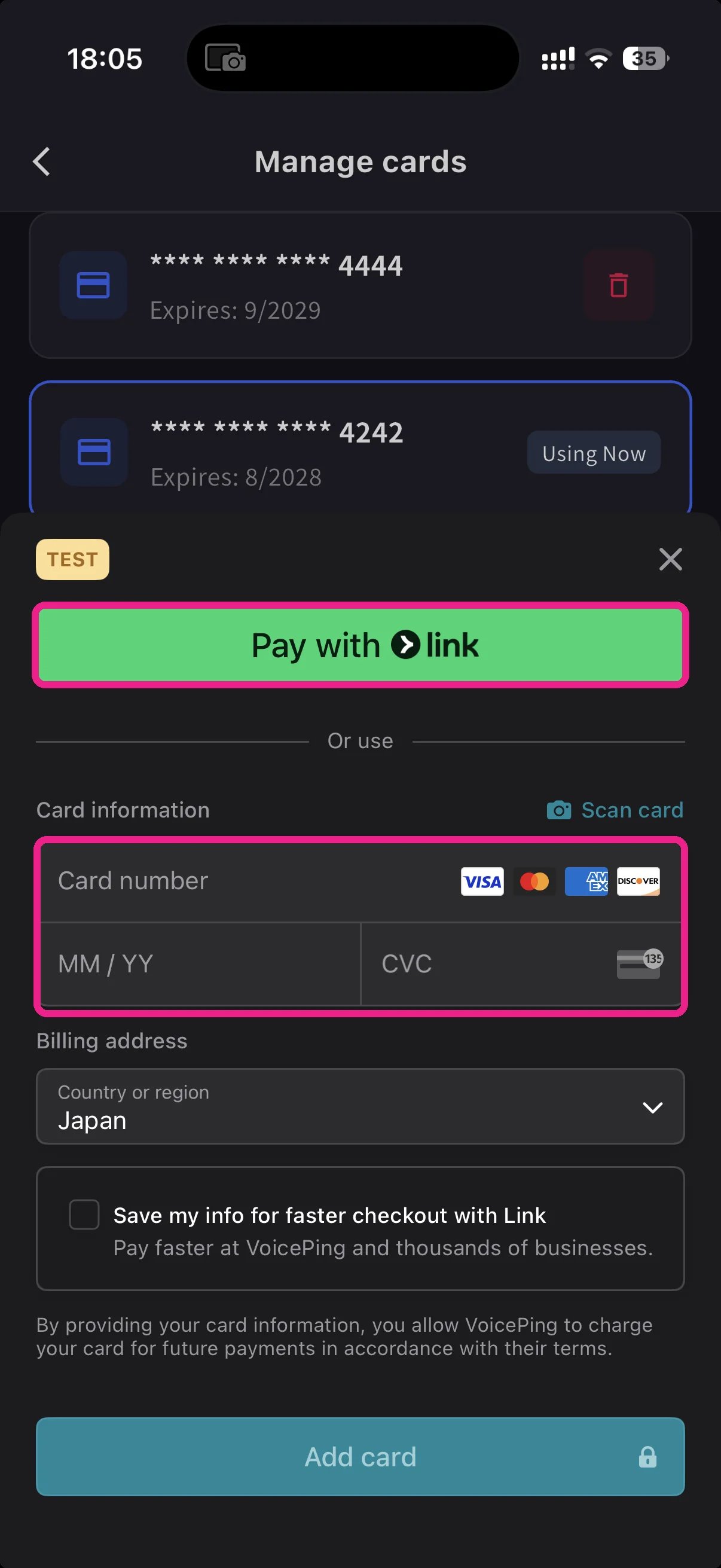
- Pay with Link — 如果手机号已关联 Stripe Link,可直接选择已保存的付款方式。
- Manual card — 输入卡号、MM/YY、CVC,或点击 📷 Scan card 用相机自动填写。选择账单国家,然后点击 Add card。
3
切换正在使用的卡
回到 Manage Cards,点击要使用的卡。Using Now 标记会移动到该卡,之后的扣款将使用所选卡片。
卡片由 Stripe 进行令牌化处理。VoicePing 不会保存原始卡号。
相关页面
- Plan Changes, Cancellation & Trial End — 升级、降级、取消
- Invoices, Receipts & Billing Activity — 发票 PDF、收据、事件日志
官方链接
官方网站
访问官方网站
X (Twitter)
在 X 上关注我们
在 Facebook 上关注我们
在 LinkedIn 上关注我们