
1. PC
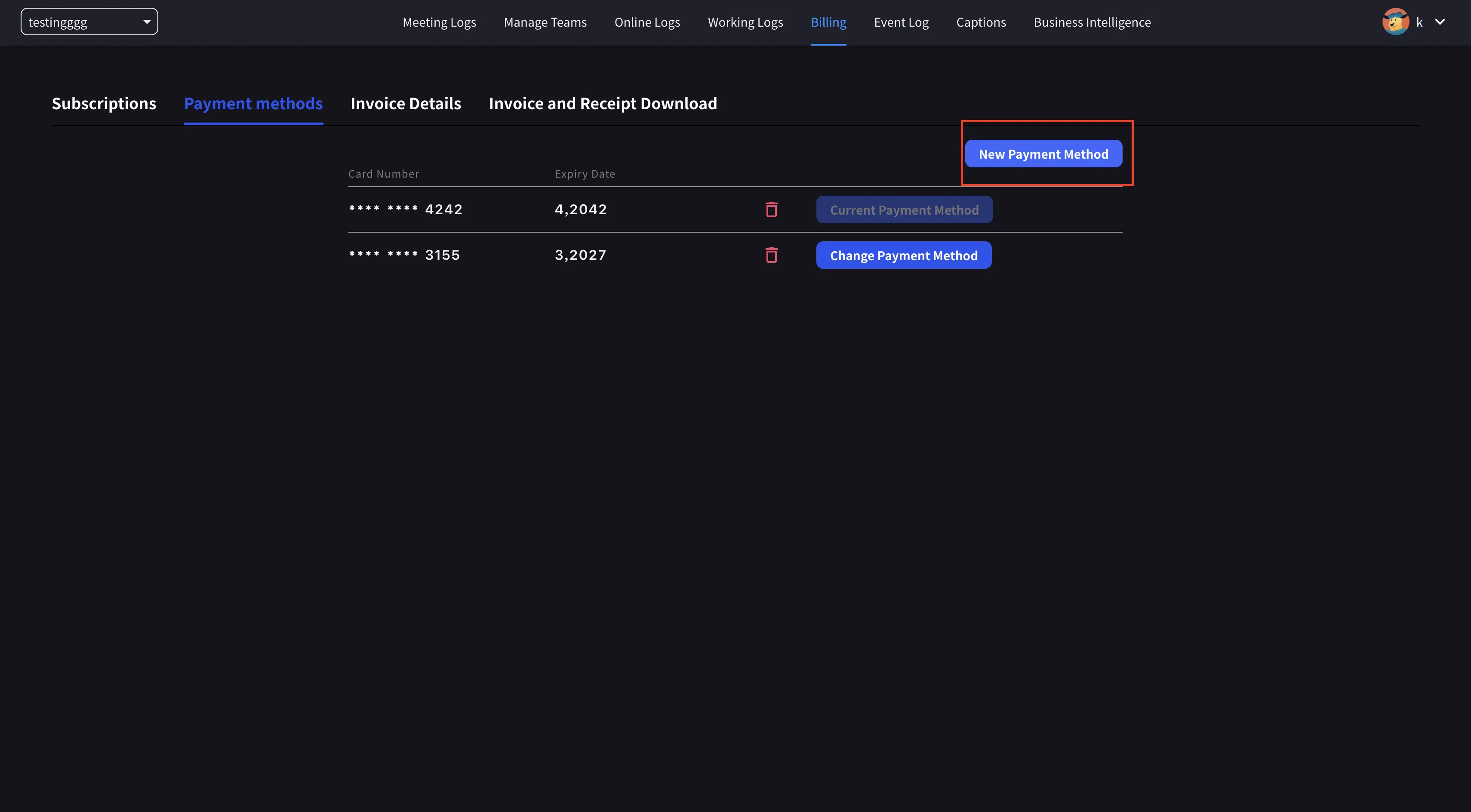
- အပေါ်ပိုင်း nav → Billing → Payment methods ကိုဖွင့်ပြီး ခရက်ဒစ်ကတ်အသစ်တစ်ခု မှတ်ပုံတင်ပါ။
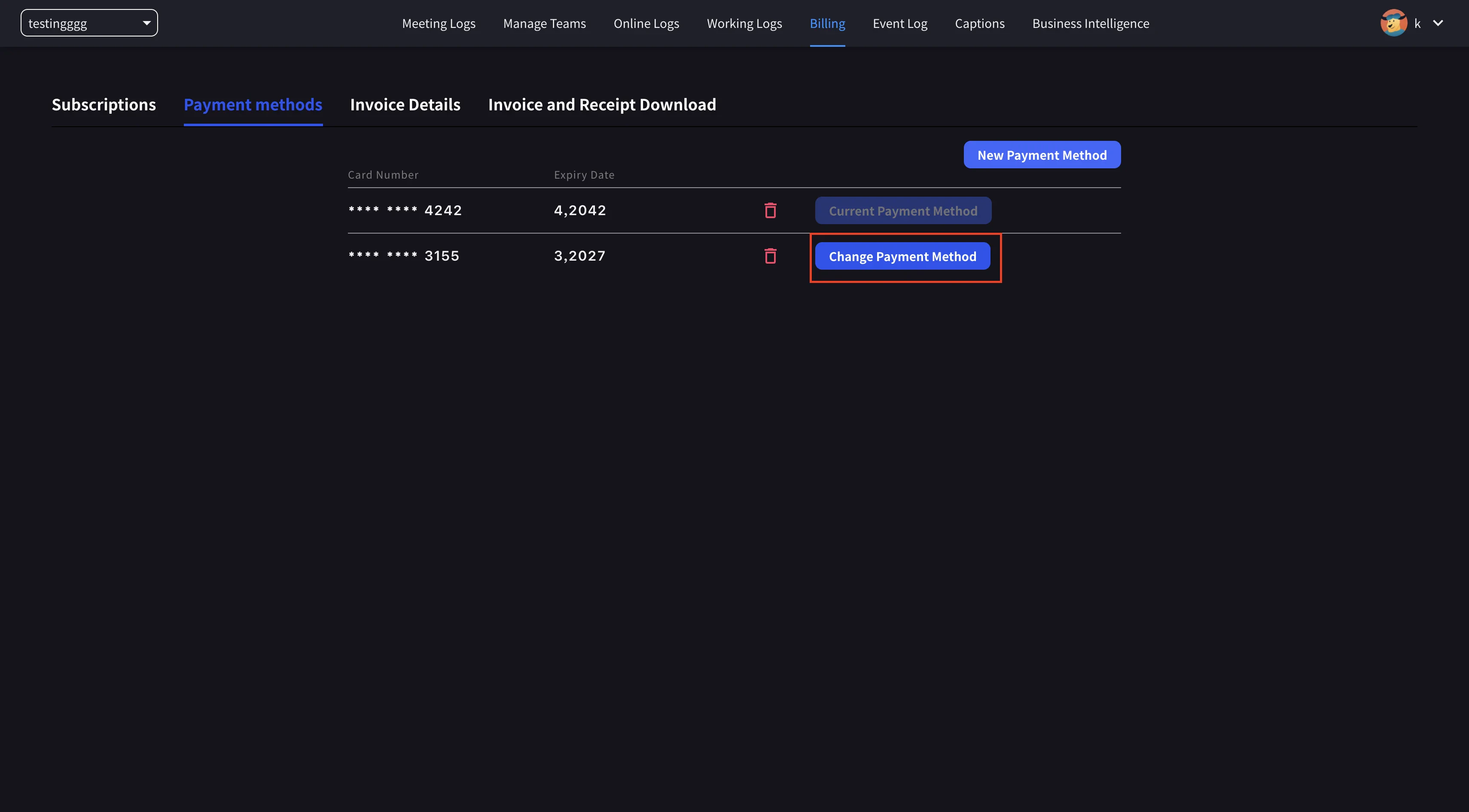
- အပြောင်းအလဲကို အပြီးသတ်ရန် ကတ်အသစ်တွင် Set as Payment Method ကိုနှိပ်ပါ။
2. Mobile
မိုဘိုင်းအက်ပ်မှနေ၍ ကတ်စီမံခန့်ခွဲမှုသည် Billing → Manage Cards အောက်တွင်ရှိသည်။ဖွင့်မည် Manage Cards
ဘေးဘက်မီနူး → User Settings → Billing → Manage Cards ကိုဖွင့်ပါ။ ဖိုင်ရှိ ကတ်တိုင်းကို စာရင်းပြုစုထားသည်။ သုံးနေသော တစ်လုံးတွင် Using Now ဆေးတစ်လုံးရှိသည်။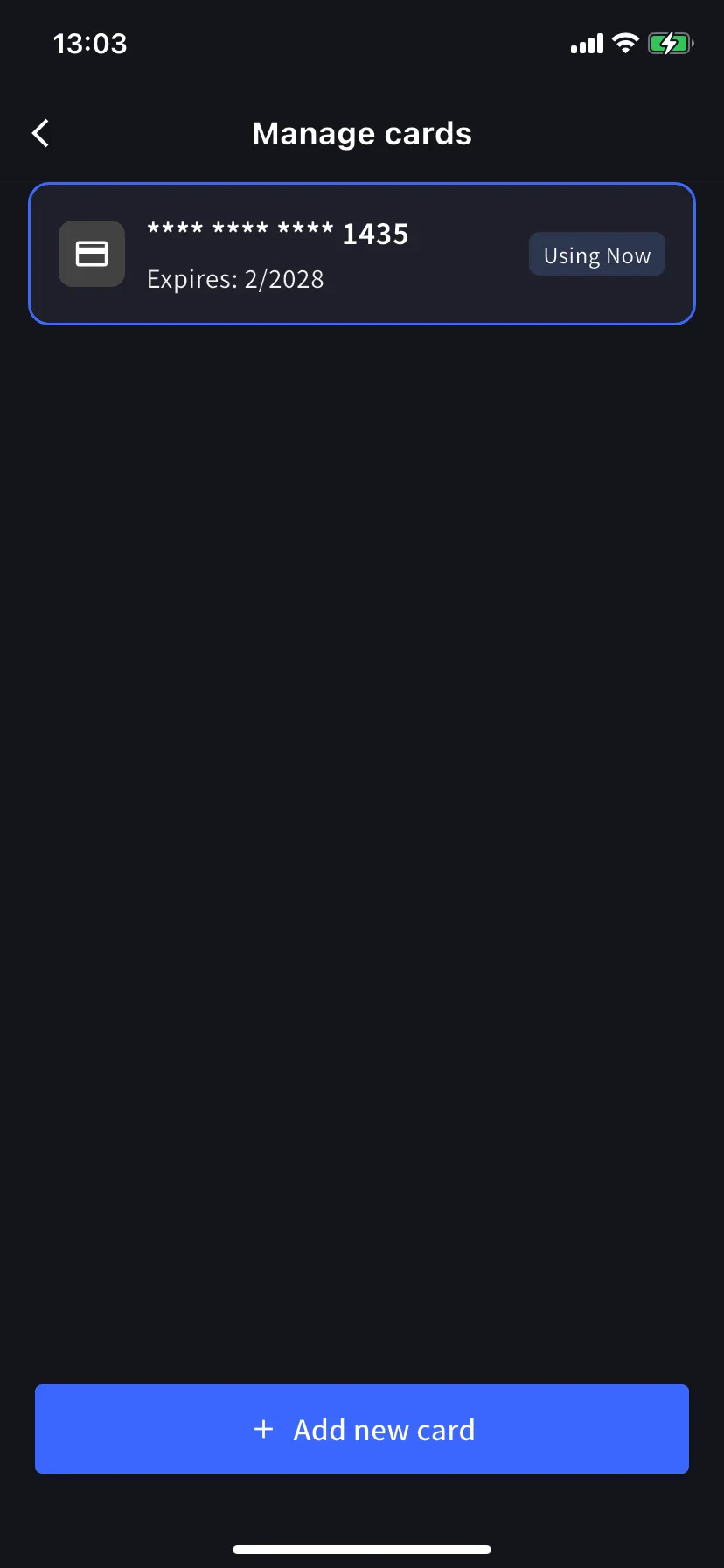
ကတ်အသစ်ထည့်ပါ။
အောက်ခြေရှိ အပြာရောင် + Add new card ခလုတ်ကို နှိပ်ပါ။ Add-card စာရွက်တွင် လမ်းကြောင်းနှစ်ခု ပေးသည်-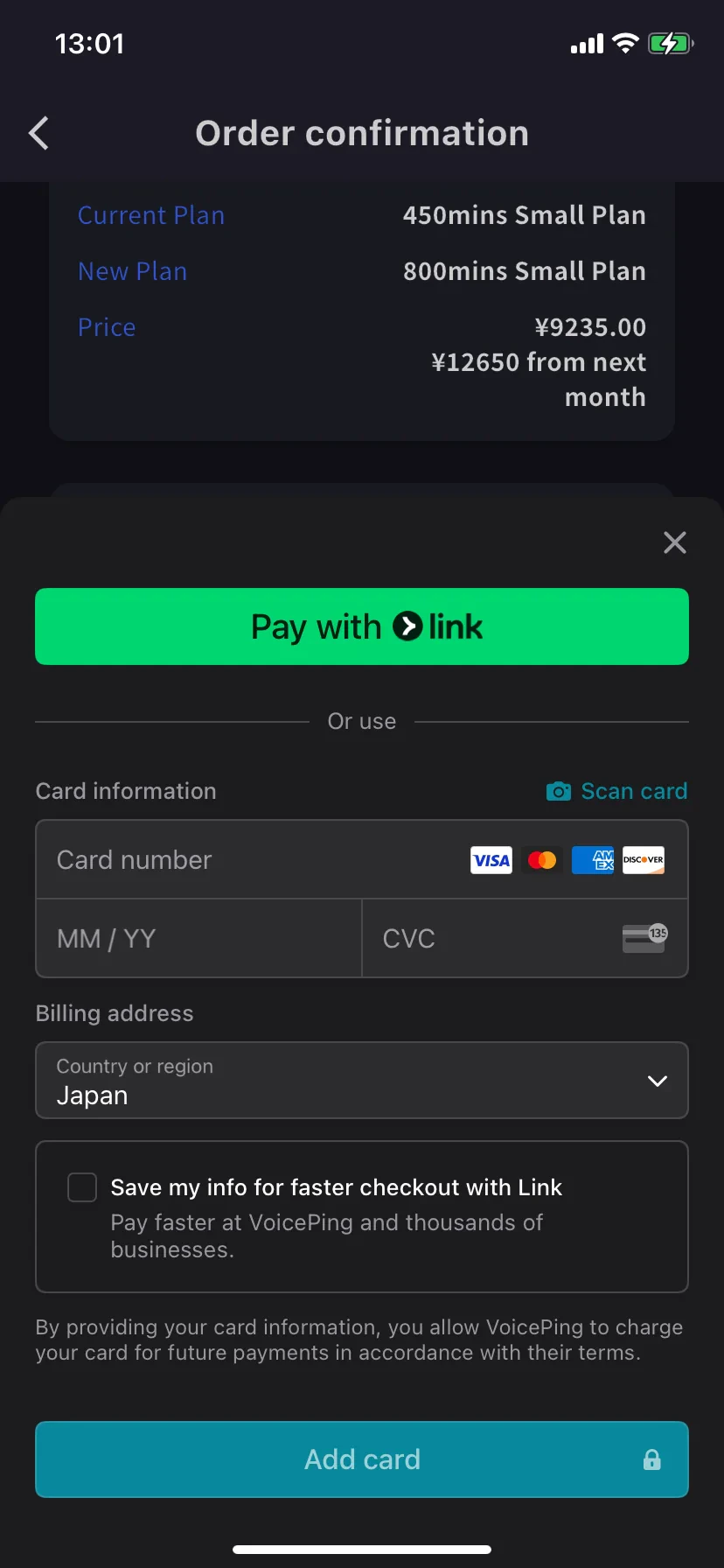
- Pay with Link — Stripe Link သင့်ဖုန်းနံပါတ်ကို ချိတ်ဆက်ထားပြီးဖြစ်ပါက တစ်ချက်နှိပ်ပါ။
- Manual card — နံပါတ်၊ MM/YY၊ CVC၊ သို့မဟုတ် ကင်မရာမှဖြည့်ရန် 📷 Scan card ကိုနှိပ်ပါ။ ငွေပေးချေသည့်နိုင်ငံကို ရွေးပြီး Add card ကိုနှိပ်ပါ။
ကတ်များကို Stripe မှ သင်္ကေတအမှတ်အသားပြုထားပါသည်။ VoicePing အကြမ်းကတ်နံပါတ်ကို ဘယ်တော့မှ မသိမ်းဆည်းပါ။
Related
- Plan Changes, Cancellation & Trial End — အဆင့်မြှင့်တင်ခြင်း၊ အဆင့်နှိမ့်ချခြင်း၊ ပယ်ဖျက်ခြင်း။
- Invoices, Receipts & Billing Activity — ပြေစာ PDF များ၊ ပြေစာများ၊ ပွဲမှတ်တမ်း