သင့်အဖွဲ့အတွင်း KPI များကို ခြေရာခံပါ အခြေအနေ။ သင်သည် manager တစ်ဦးဖြစ်သည်။ တူညီသော VoicePing workspace တွင် customer meeting များကို လုပ်ဆောင်နေသော report လေးဦး — Priya, Marcus, Hana, Daniel — ရှိသည်။ 1:1 အစည်းအဝေး လေးခု မစီစဉ်ဘဲ တစ်ဦးစီသည် အချိန်ကို မည်သည့်နေရာ၌ ကုန်လွန်စေသည်၊ မည်သည့် deal များကို လုပ်နေသည်၊ မည်သည့်နေရာတွင် ကွာဟမှုများ ရှိသည်ကို သိလိုသည်။ဤ workflow သည် သင်သည် MCP Access ကို ဖွင့်ပြီး AI client ကို ချိတ်ဆက်ထားပြီးဖြစ်သည်ဟု ယူဆသည်။
workspace နှင့် အဖွဲ့ဝင်များကို တိုက်ဆိုင်စစ်ဆေးပါ
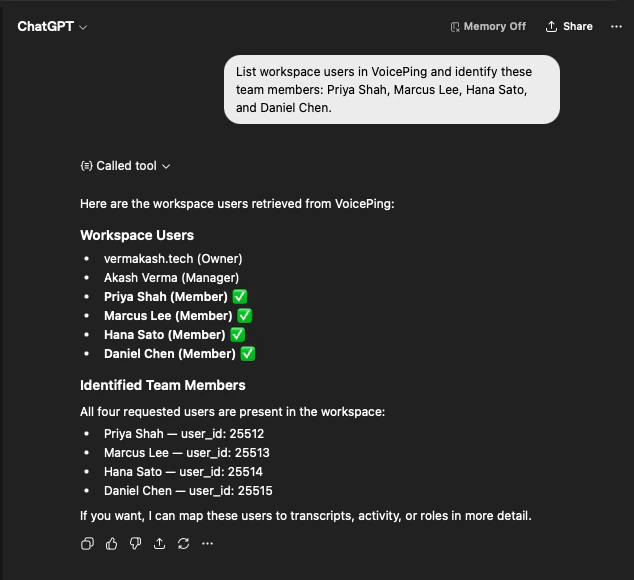
List workspace users in VoicePing and identify these team members:
Priya Shah, Marcus Lee, Hana Sato, and Daniel Chen.
AI သည် workspace user စာရင်းကို ဆွဲယူပြီး လေးဦးလုံး ရှိနေကြောင်းကို user ID များနှင့်အတူ အတည်ပြုမည် — ထို့ကြောင့် ခွဲခြမ်းစိတ်ဖြာမှုသည် မှန်ကန်သော လူများကိုသာ လွှမ်းခြုံကြောင်း သိသာမည်။
သင့် KPI နှင့် ဆက်စပ်သော အစည်းအဝေးတိုင်းကို ဆွဲယူပါ
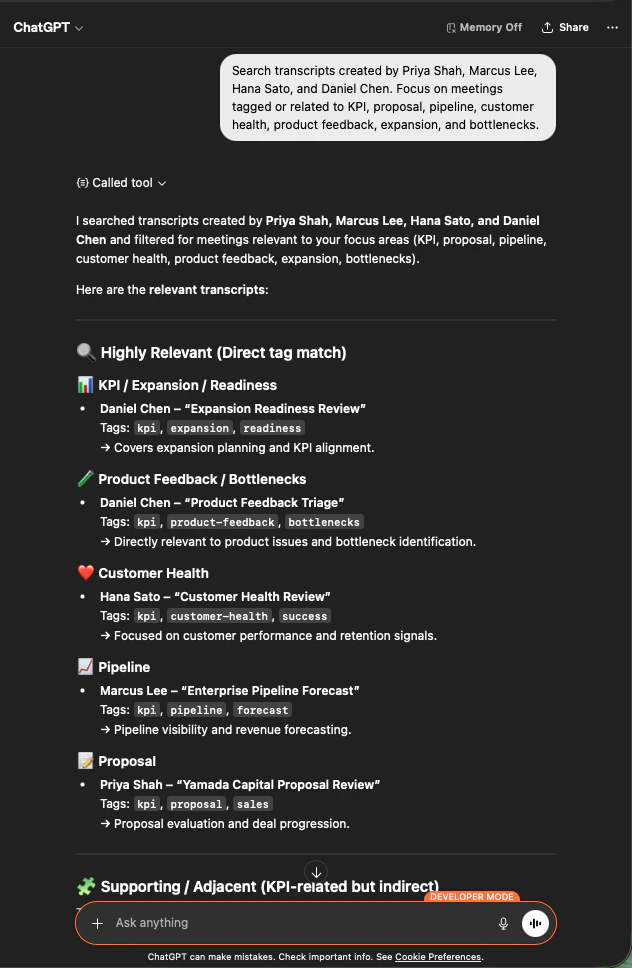
Search transcripts created by Priya Shah, Marcus Lee, Hana Sato,
and Daniel Chen. Focus on meetings tagged or related to KPI, proposal,
pipeline, customer health, product feedback, expansion, and bottlenecks.
အရေးပါသော အစည်းအဝေးများ၏ scope သတ်မှတ်ထားသော စာရင်းကို ရရှိမည် — focus area (KPI/Expansion, Product Feedback, Customer Health, Pipeline, Proposal) အလိုက် အုပ်စုဖွဲ့ထားပြီး၊ ပိုင်ဆိုင်သော အဖွဲ့ဝင်နှင့် သက်ဆိုင်ရာ tag များဖြင့် ဖော်ပြထားသည်။
manager-ready KPI အစီရင်ခံစာ ထုတ်လုပ်ပါ
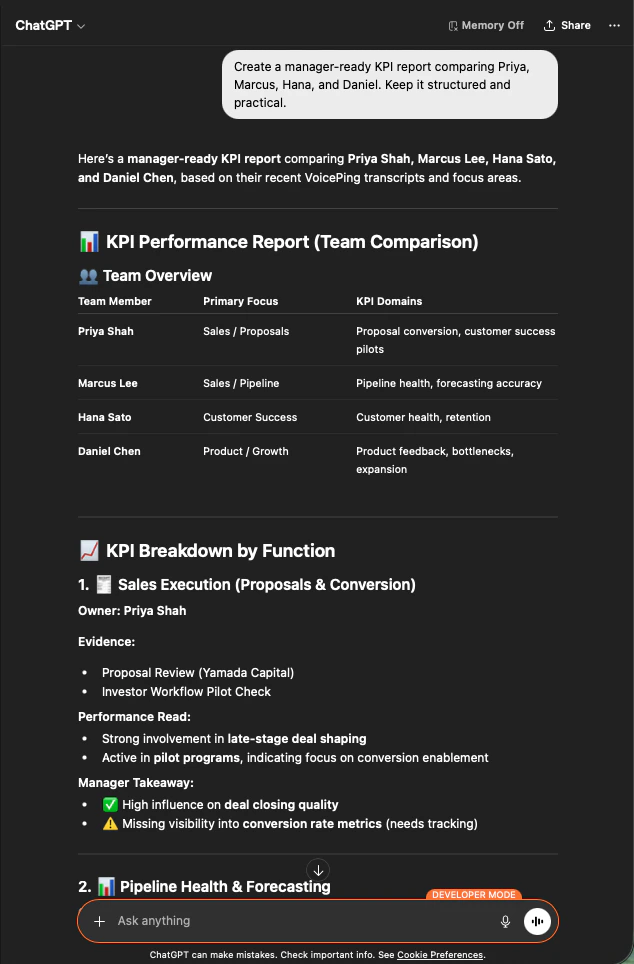
Create a manager-ready KPI report comparing Priya, Marcus, Hana, and Daniel.
Keep it structured and practical.
AI သည် team overview ဇယား၊ လုပ်ငန်းတာဝန်အလိုက် (Sales Execution, Pipeline Health, Customer Success, Product/Growth) KPI ခွဲခြမ်းစိတ်ဖြာမှုကို အထောက်အထား၊ စွမ်းဆောင်ရည် အကဲဖြတ်ချက်နှင့် တစ်ဦးစီအတွက် manager takeaway တို့ဖြင့် တည်ဆောက်ပေးမည်။ ဤသည် အလုပ်လုပ်ရခြင်းမှာ MCP Access က workspace scope များကို လေးစားသောကြောင့်ဖြစ်သည် — AI သည် ချိတ်ဆက်မှုက ဖတ်ခွင့်ရှိသော transcript များကိုသာ မြင်ရပြီး၊ workspace အတွင်းရှိ user များထံမှသာ ဖြစ်သည်။ Manager များသည် သူတို့အဖွဲ့ကို မြင်ရသည် — အခြားသူ၏ အဖွဲ့ကို မမြင်ရပါ။
နောက်ထပ် အဆင့်များ
External Access ခြုံငုံမှု scope များ၊ lifecycle ထိန်းချုပ်မှုများနှင့် event log များအတွက် hub သို့ ပြန်သွားပါ။
MCP Access ကို မည်ကဲ့သို့ ဖွင့်မည်နည်း Claude, ChatGPT, Codex, Claude Code နှင့် Gemini CLI အတွက် setup လမ်းညွှန်များ။