Documentation Index

Fetch the complete documentation index at: https://manual.voiceping.net/llms.txt

Use this file to discover all available pages before exploring further.

Presentations သို့မဟုတ် webinars များတွင် PDFs သို့မဟုတ် materials share လုပ်သောအခါ YouTube သို့မဟုတ် movie subtitles ကဲ့သို့ background ကို transparent ပြုလုပ်ပြီး materials ပေါ်တွင် subtitles ပြသသော အဆင်ပြေသည့် feature ဖြစ်ပါသည်။

အသုံးပြုနည်း

  1. Materials ပြင်ဆင်ပါ။
Presentation materials
  1. VoicePing app ကို ဖွင့်ပါ။
  2. Presentation subtitles ဖွင့်ရန် Start Transcription/Translation ၏ ညာဘက်တွင် cursor ကို hover လုပ်ပါ။
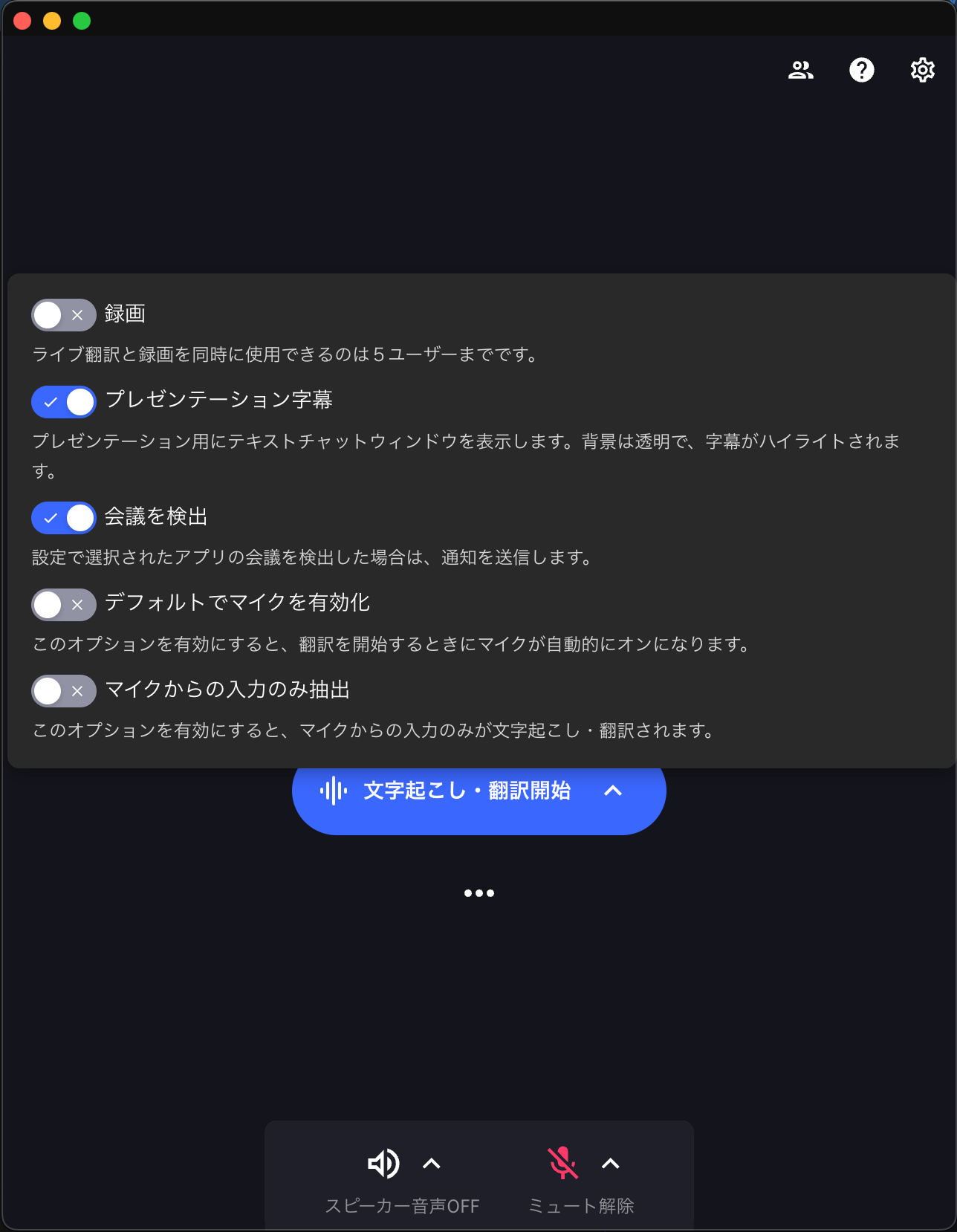
Subtitle mode enable လုပ်ခြင်း
  1. Translation စတင်ပြီးနောက် ခဏကြာလျှင် text သာ ပြသပါမည်။
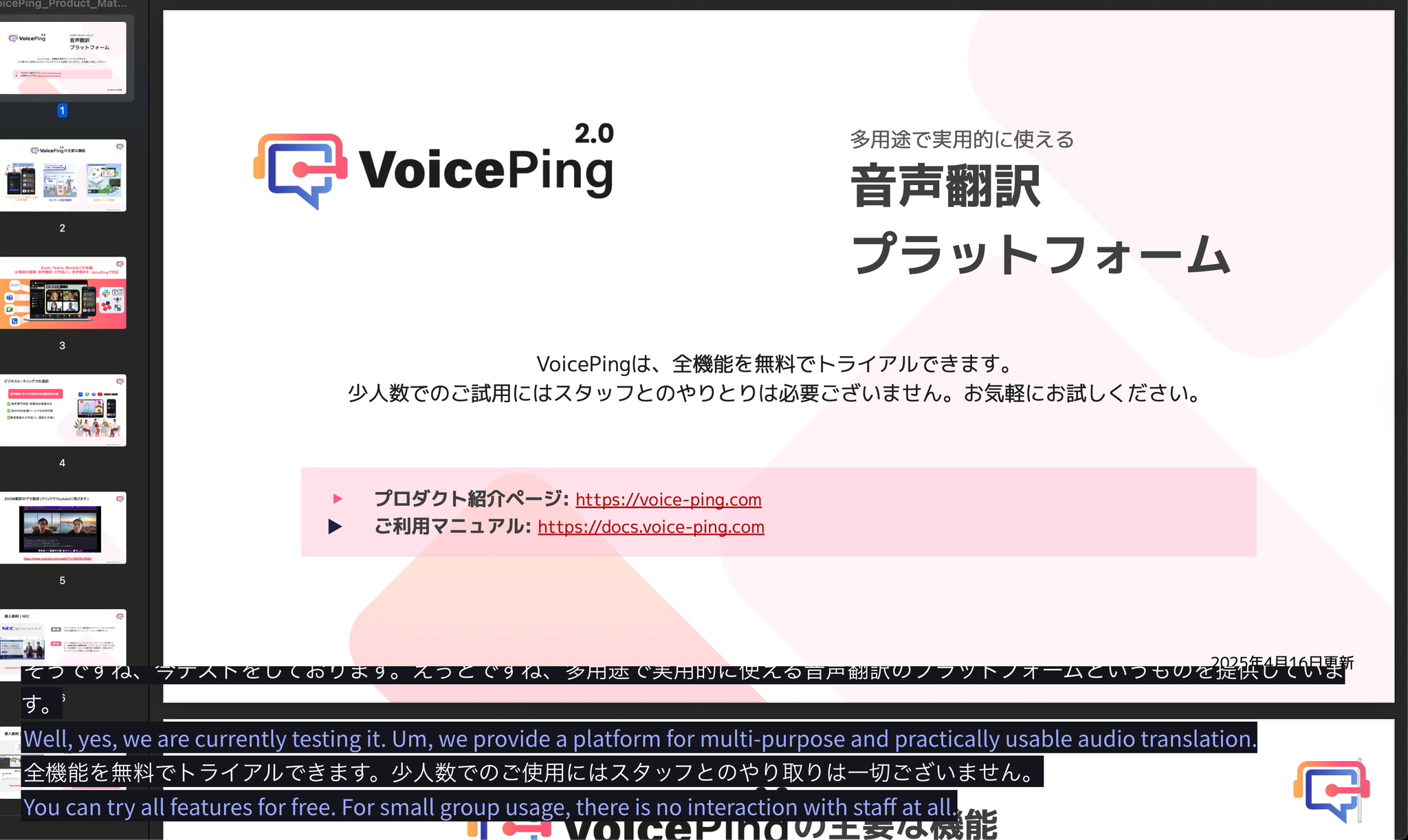
Subtitle display