
လုပ်ငန်းစဉ်မှာ အောက်ပါအတိုင်း ဖြစ်ပါသည်။
Transcription & Summary စစ်ဆေးခြင်း
အဆင့် ၁: File Upload လုပ်ခြင်း
အပေါ်ဘက် navigation bar ရှိ Caption tab သို့ သွားပါ Audio/video file ကို “Click or drag files here to add them” ဟု ပြသထားသော ဧရိယာသို့ drag လုပ်ပါ သို့မဟုတ် click နှိပ်ပြီး audio/video file ကို ရွေးချယ်ပါ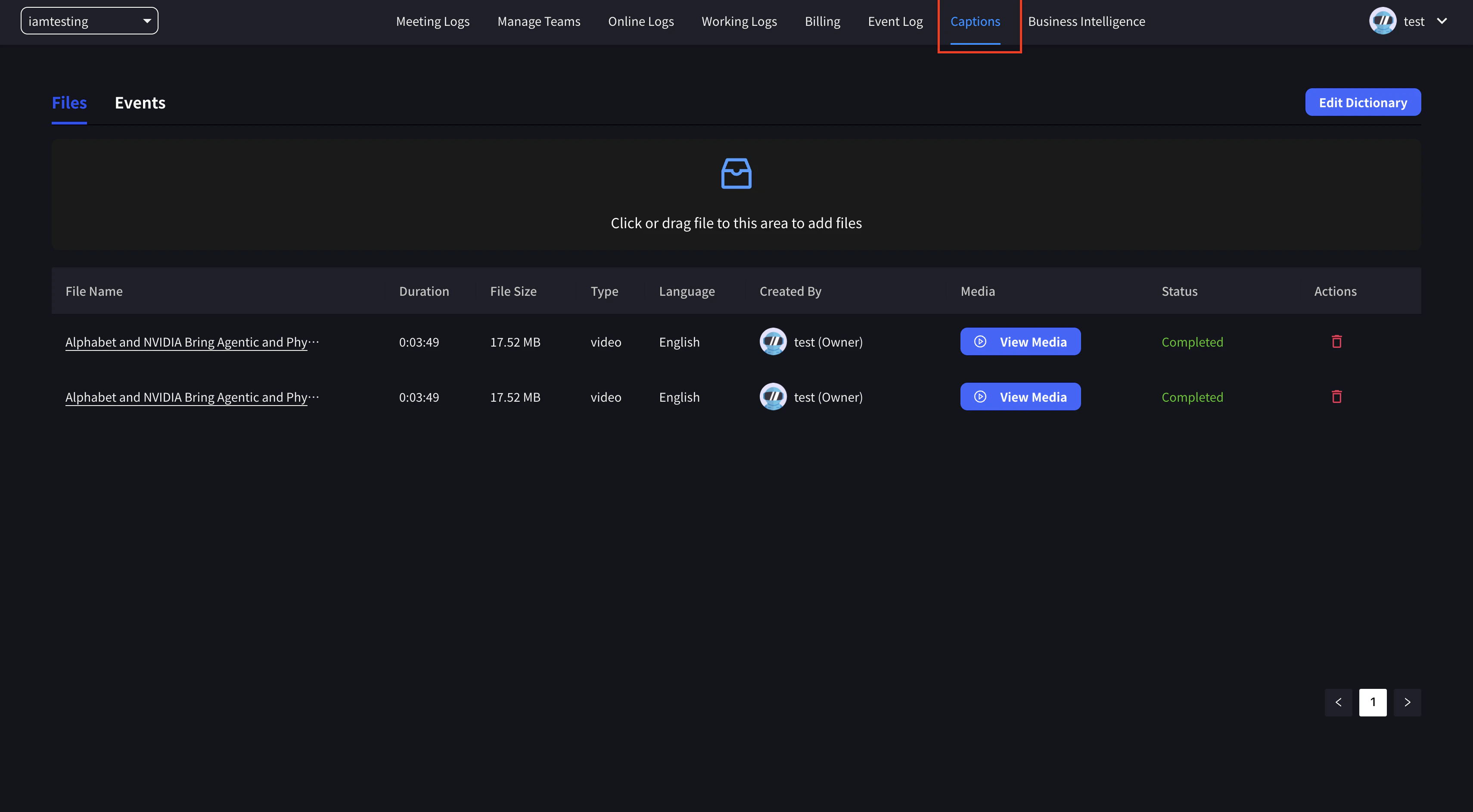
အဆင့် ၂: Settings နှင့် Upload
ဆက်တင်များ panel ပေါ်လာပါမည်။ audio/video ဖိုင်၏ ဘာသာစကားနှင့် ပစ်မှတ်ဘာသာပြန်ဘာသာစကားကို သတ်မှတ်ပြီး upload ကိုနှိပ်ပါ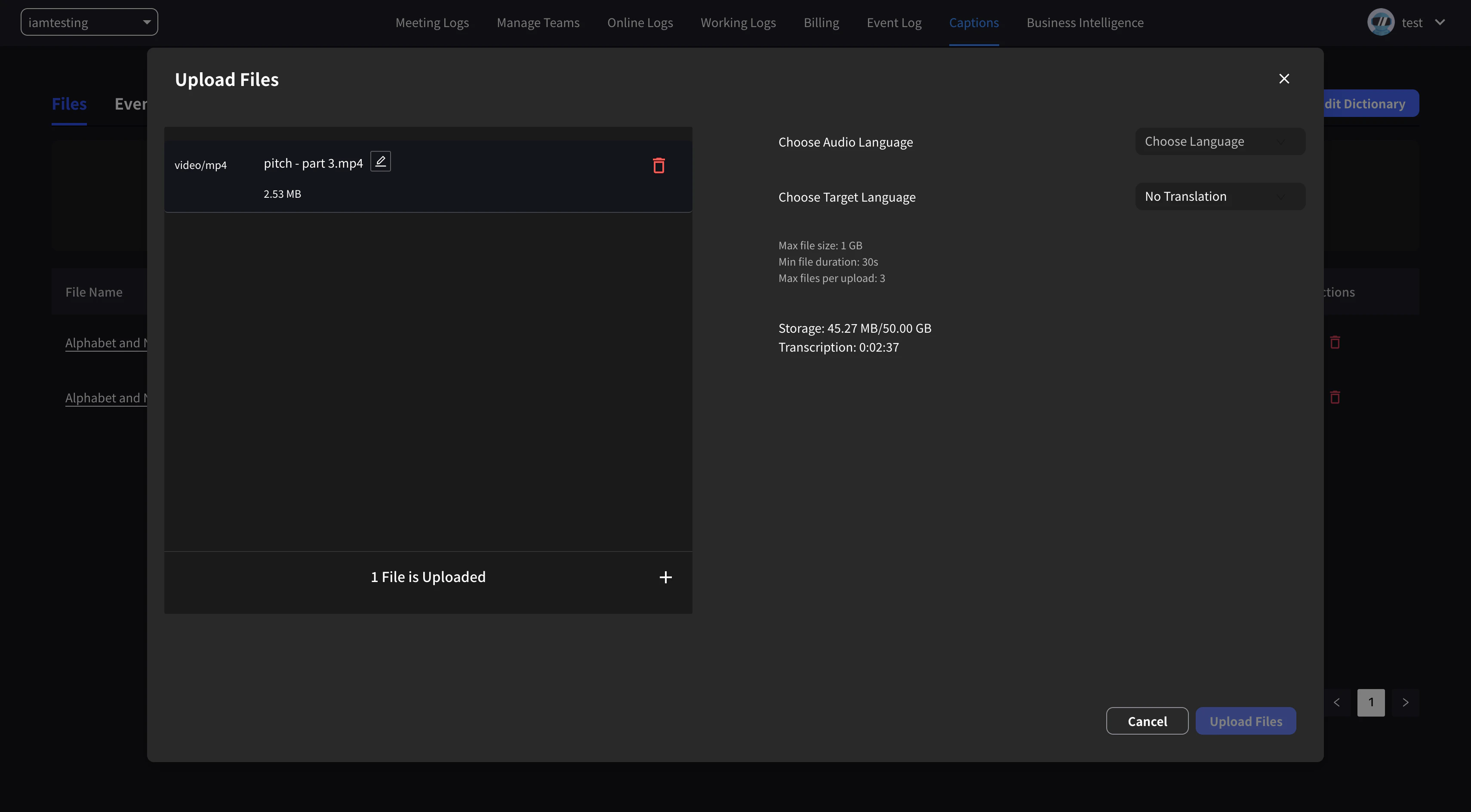
Target translation language မသတ်မှတ်ပါက transcription နှင့် summary သာ လုပ်ဆောင်ပါမည်။Videos အများအပြား တစ်ပြိုင်နက် upload လုပ်နိုင်ပါသည်။
အဆင့် ၃: Processing အတွက် စောင့်ဆိုင်းခြင်း
Upload ပြီးနောက် transcription နှင့် translation processing ပြီးဆုံးရန် စောင့်ပါအဆင့် ၄: ရလဒ်များ စစ်ဆေးခြင်း
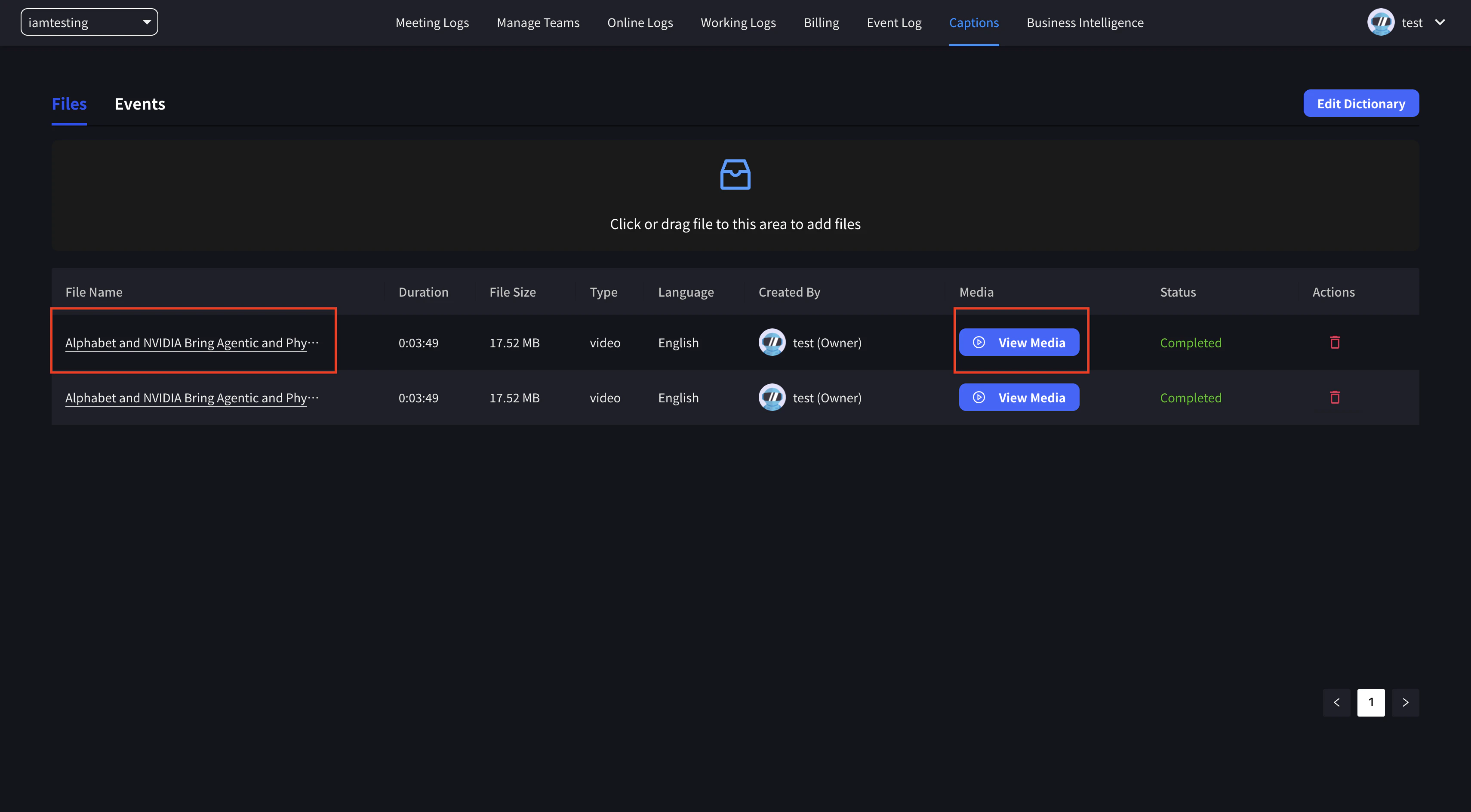
Transcription နှင့် translation processing ပြီးဆုံးသောအခါ summary နှင့် media ကို ကြည့်ရှုနိုင်ပါသည်- အကျဉ်းချုပ်: transcription နှင့် translation ကိုကြည့်ရန် ခေါင်းစဉ်ကို နှိပ်ပါ
- မီဒီယာ: transcription နှင့်အတူ ဗီဒီယိုကိုစစ်ဆေးရန် “View Media” ခလုတ်ကို နှိပ်ပါ
Subtitle & Voice-over ထည့်သွင်းခြင်း
အဆင့် ၁: Translation ရွေးချယ်ခြင်း
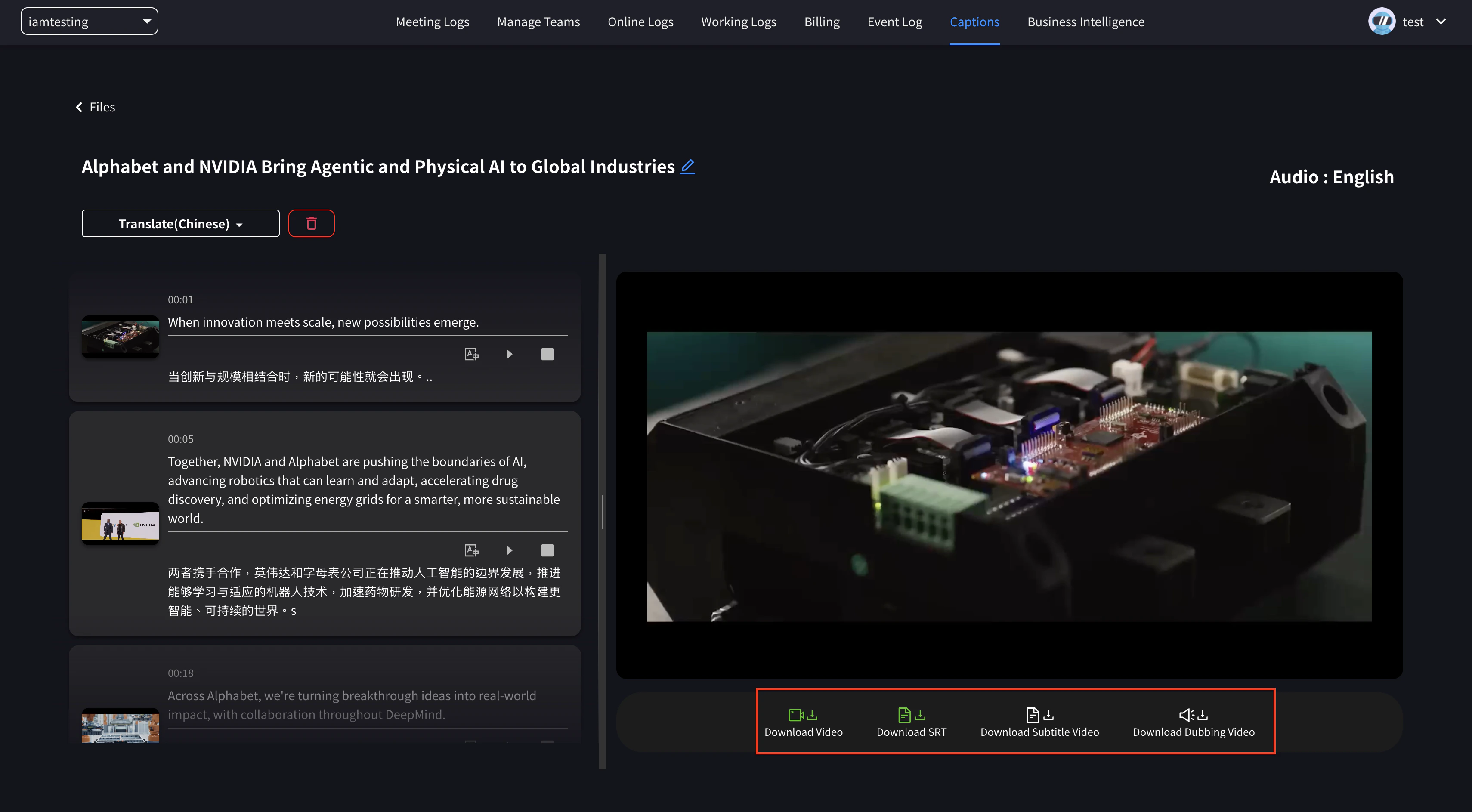
“View Media” ကို နှိပ်ပြီး “Translate” မှ ကြည့်လိုသော translation ကို နှိပ်ပါ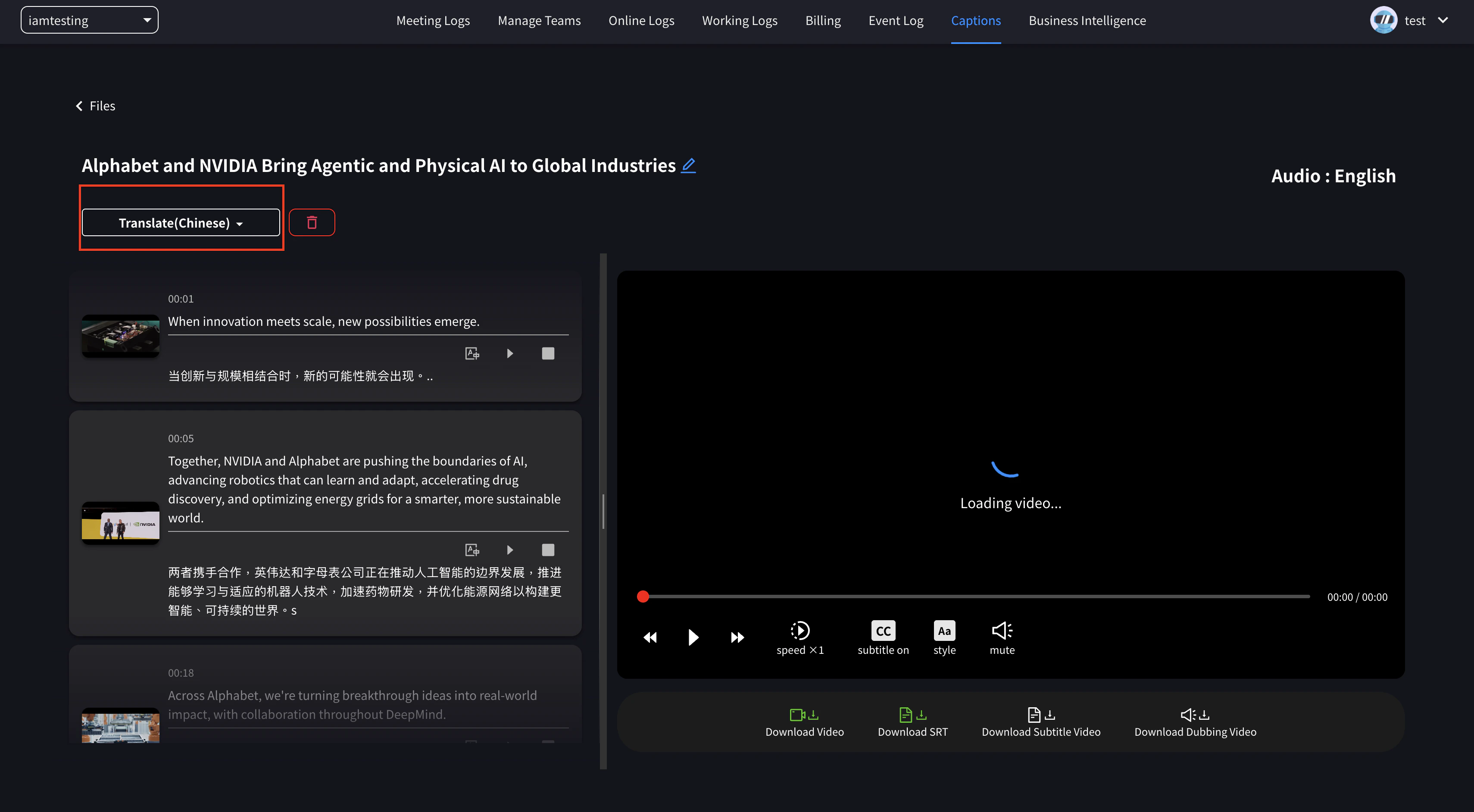
အဆင့် ၂: Download Format ရွေးချယ်ခြင်း
Translation ပြီးသွားပါက အောက်ခြေရှိ download ခလုတ်များကို အသုံးပြုပြီး လိုအပ်သော ဖိုင်များကို ရယူပါ:- Download Video: မူရင်း video ဖိုင်ကို download ရယူပါ
- Download SRT: SRT format ဖြင့် subtitle ဖိုင်ကို download ရယူပါ
- Download Subtitle Video: Subtitle ထည့်သွင်းထားသော video ကို download ရယူပါ
- Download Dubbing Video: ဘာသာပြန်ထားသော အသံဖြင့် dubbing လုပ်ထားသော video ကို download ရယူပါ
အစိမ်းရောင် ခလုတ်များသည် ဖိုင်အဆင်သင့်ဖြစ်ပြီး ချက်ချင်း download ရယူနိုင်ကြောင်း ပြသပါသည်။ အစိမ်းရောင်မဟုတ်သော ခလုတ်များသည် processing အချိန်လိုအပ်ပါသည် — ဖန်တီးမှုစတင်ရန် နှိပ်ပါ၊ ထို့နောက် ဖိုင်အဆင်သင့်ဖြစ်သည်အထိ စောင့်ပါ။
ပံ့ပိုးသော File Formats
Audio Files
- MP3
- WAV
- M4A
- အခြား အသုံးများသော audio formats
- MP4
- MOV
- AVI
- အခြား အသုံးများသော video formats
အသုံးပြုမှု ကိစ္စရပ်များ
2025-07-31 တွင် VoicePing Inc. မှ Update လုပ်ပါသည်