
1. PC
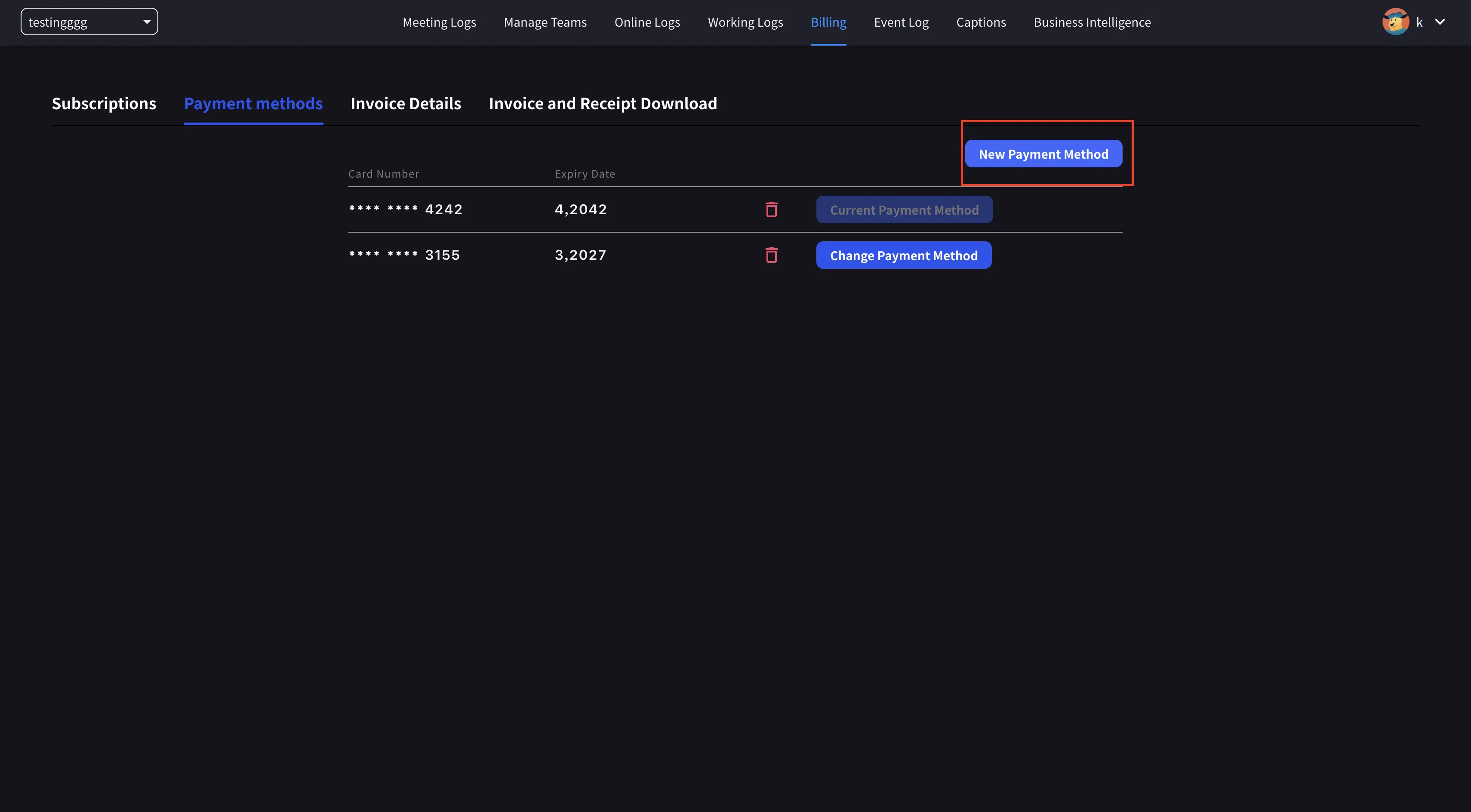
- Obere Navigation → Billing → Payment methods öffnen und eine neue Kreditkarte registrieren.
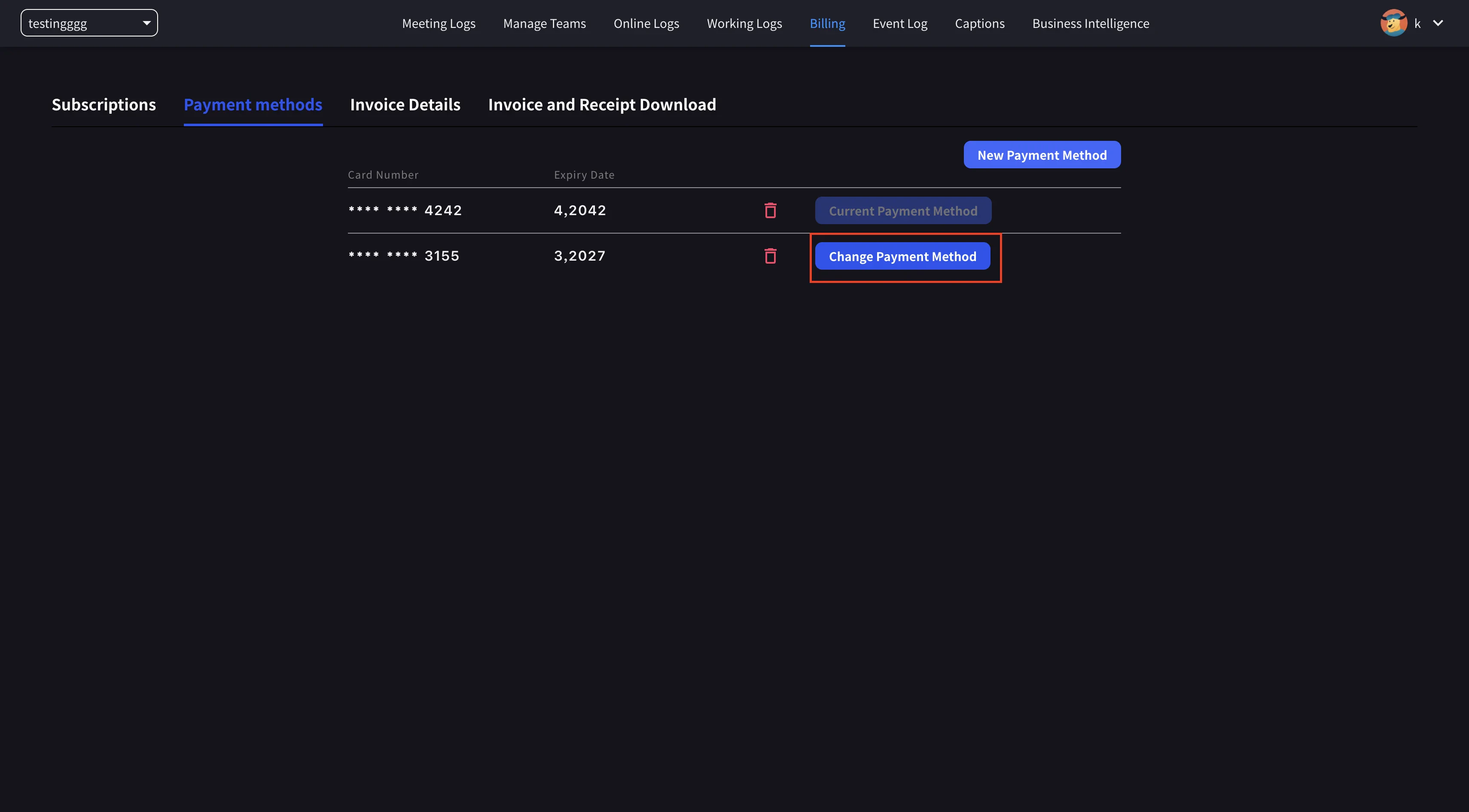
- Auf der neuen Karte Set as Payment Method anklicken, um die Änderung abzuschließen.
2. Mobile
In der mobilen App liegt die Kartenverwaltung unter Billing → Manage Cards.Manage Cards öffnen
Seitenmenü → User Settings → Billing → Manage Cards öffnen. Alle gespeicherten Karten werden gelistet; die aktive Karte hat ein Using Now-Label.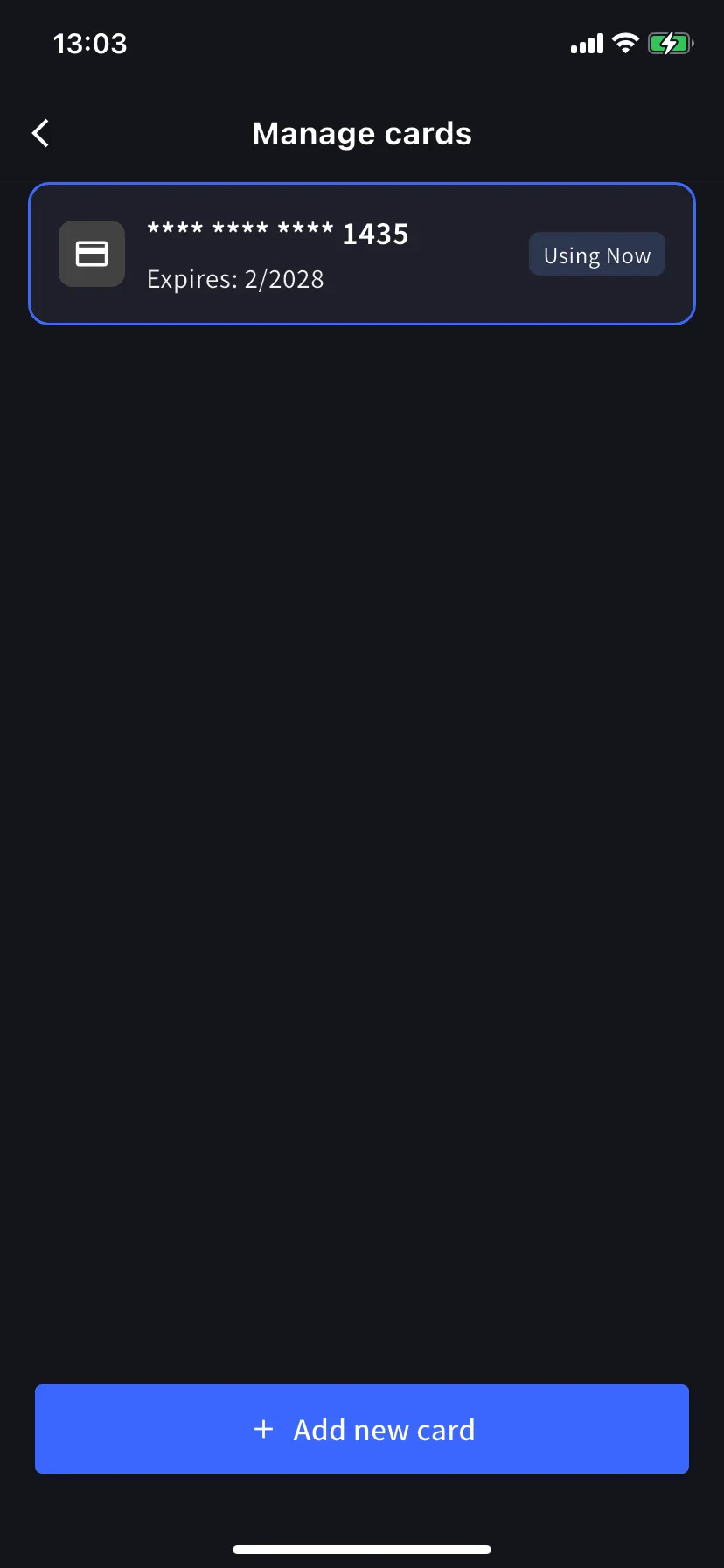
Neue Karte hinzufügen
Unten den blauen Button + Add new card antippen. Das Add-Card-Sheet bietet zwei Wege: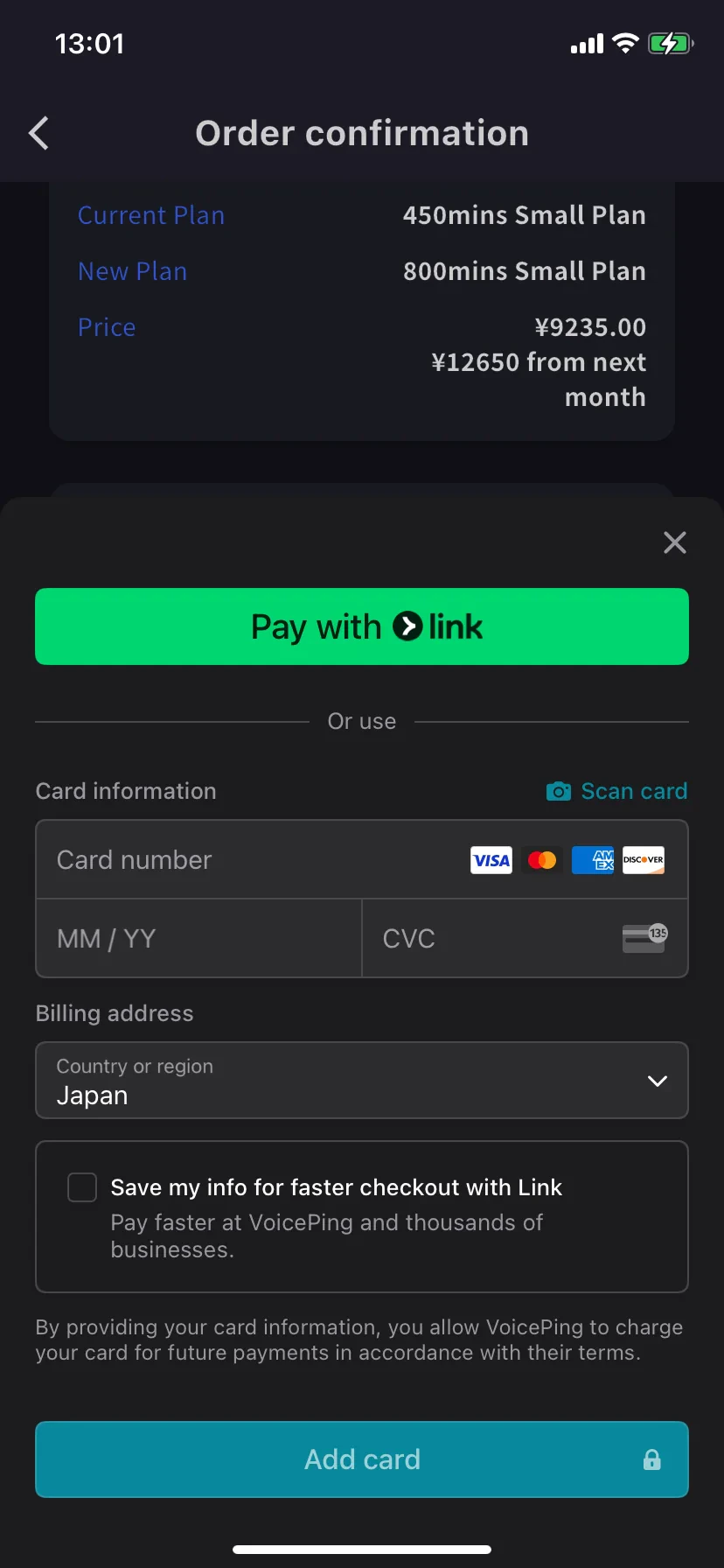
- Pay with Link — Stripe Link One-Tap, wenn deine Telefonnummer bereits verknüpft ist.
- Manual card — Kartennummer, MM/YY und CVC eingeben oder 📷 Scan card antippen, um sie per Kamera auszufüllen. Billing-Land wählen und Add card antippen.
Karten werden von Stripe tokenisiert. VoicePing speichert niemals die rohe Kartennummer.
Related
- Plan Changes, Cancellation & Trial End — Upgrade, Downgrade und Kündigung
- Invoices, Receipts & Billing Activity — Rechnungs-PDFs, Belege und Event-Log