
คอมพิวเตอร์
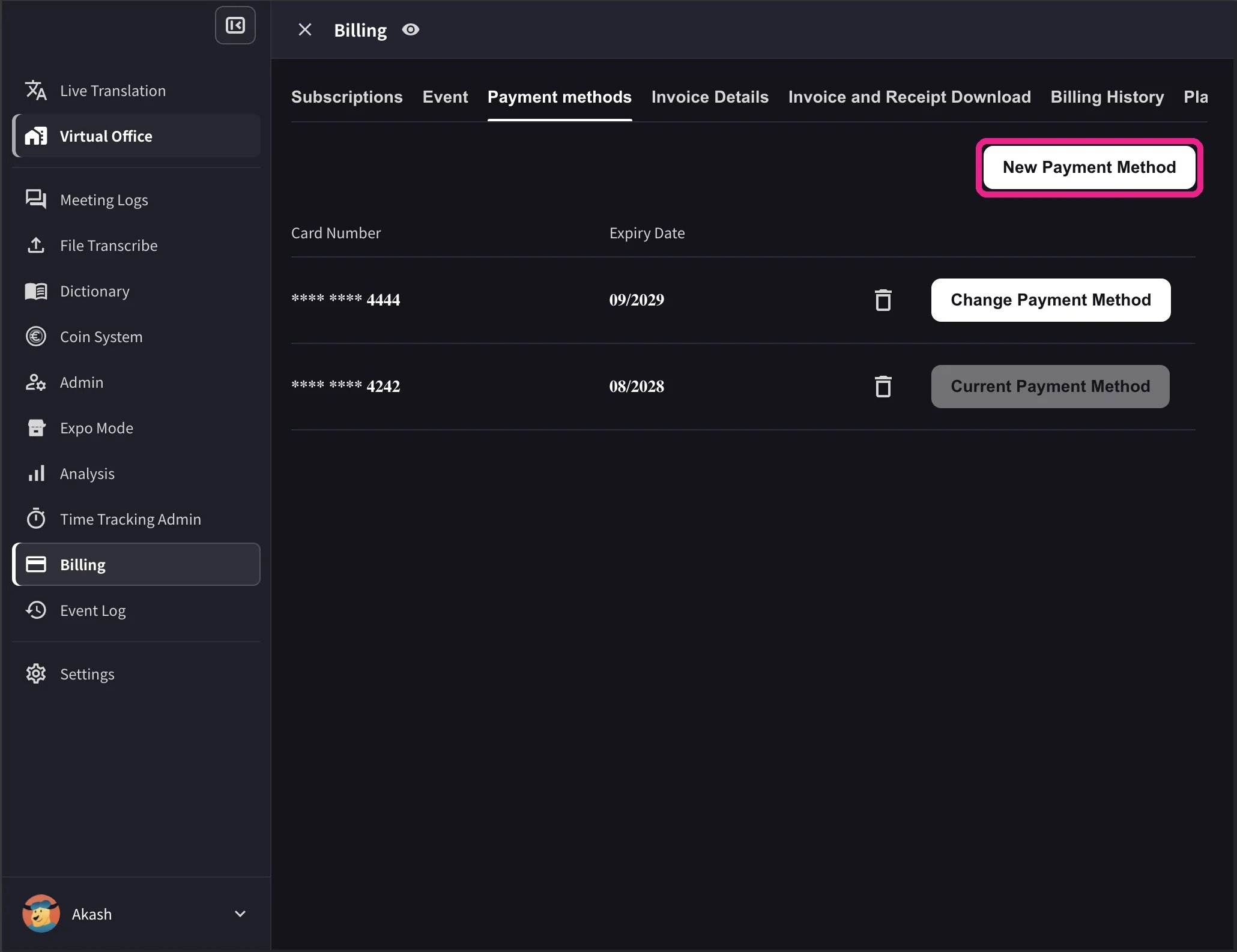
- เปิดเมนูด้านบน แล้วไปที่ Billing → Payment methods จากนั้นเลือก New Payment Method เพื่อลงทะเบียนบัตรใหม่
- ในรายการบัตร เลือก Change Payment Method บนบัตรที่ต้องการใช้ เมื่อเปลี่ยนสำเร็จ บัตรนั้นจะแสดงสถานะ Current Payment Method
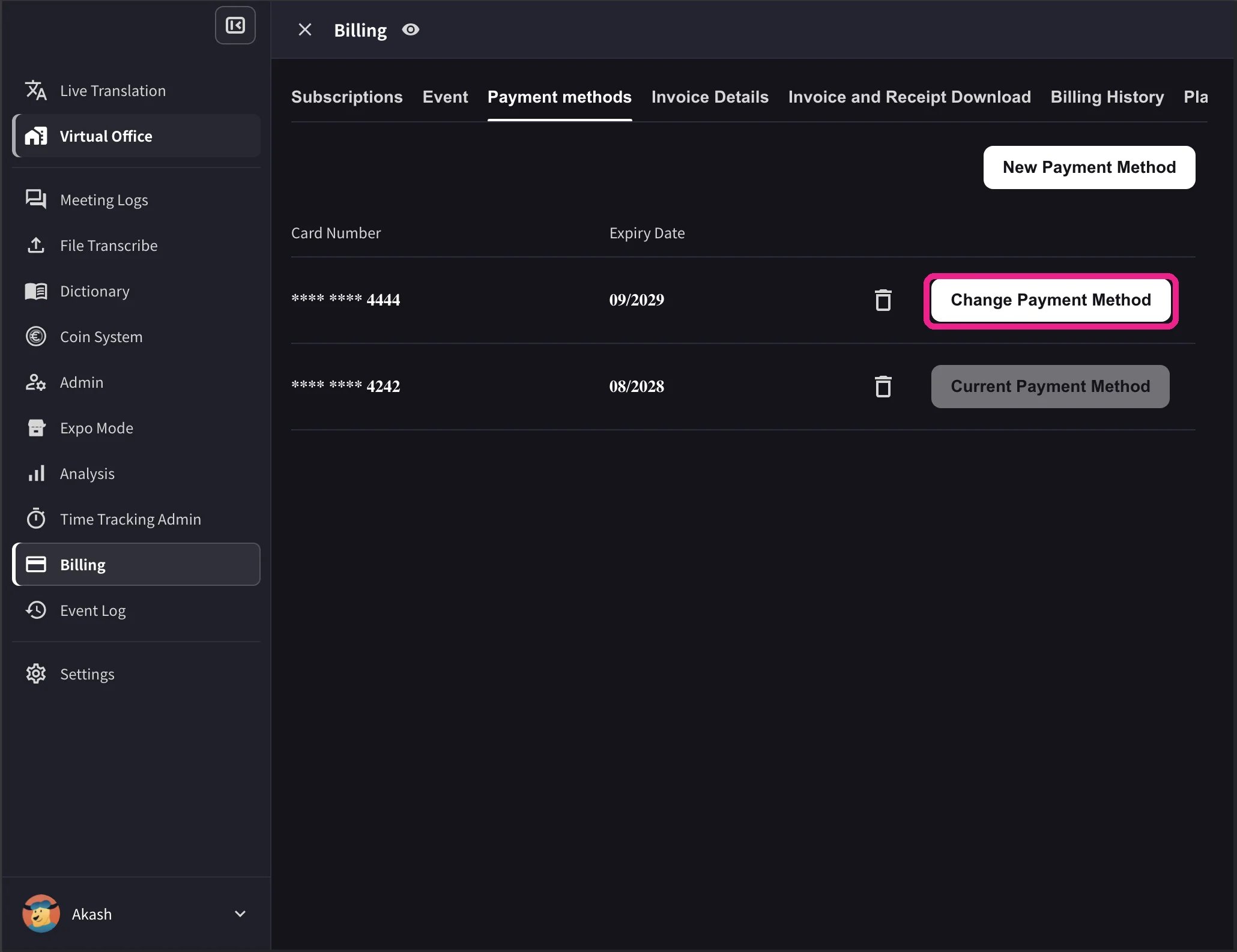
รายการบนคอมพิวเตอร์ยังแสดงวันหมดอายุและปุ่มลบบัตรด้วย ปุ่ม Change Payment Method จะแสดงเมื่อพื้นที่ทำงานมีการสมัครใช้บริการ Stripe ที่ยังใช้งานอยู่และไม่ได้กำหนดยกเลิกไว้ หากบัตรไม่รองรับสกุลเงินของพื้นที่ทำงาน ระบบจะแสดง Not Supported แทน
แอปมือถือ
จัดการบัตรได้ที่ Billing → Manage Cards1
เปิด Manage Cards
เปิดเมนูด้านข้าง แล้วไปที่ User Settings → Billing → Manage Cards หน้านี้แสดงบัตรที่บันทึกไว้ทั้งหมด โดยบัตรปัจจุบันมีป้าย Using Now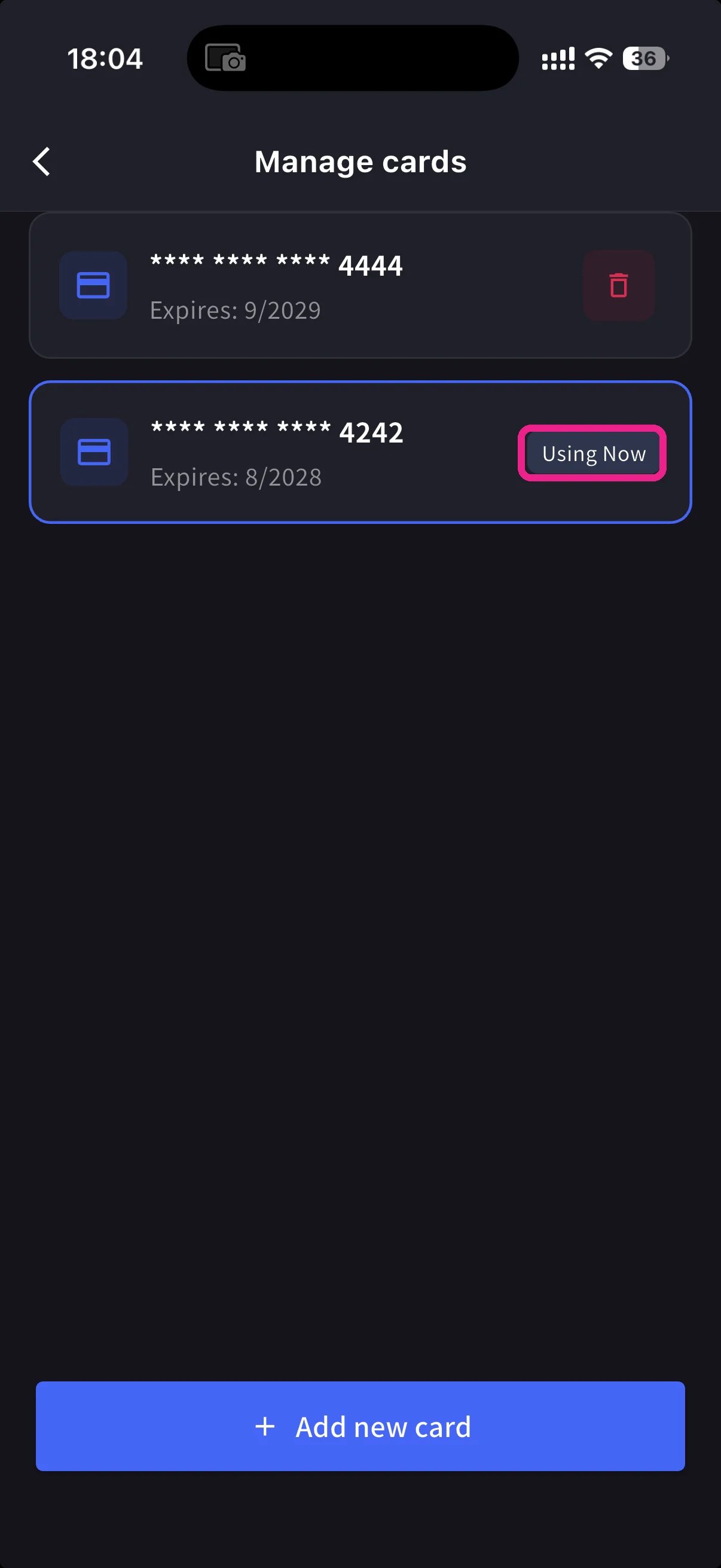
2
เพิ่มบัตรใหม่
แตะ + Add new card ที่ด้านล่าง แล้วเลือกวิธีเพิ่มบัตร: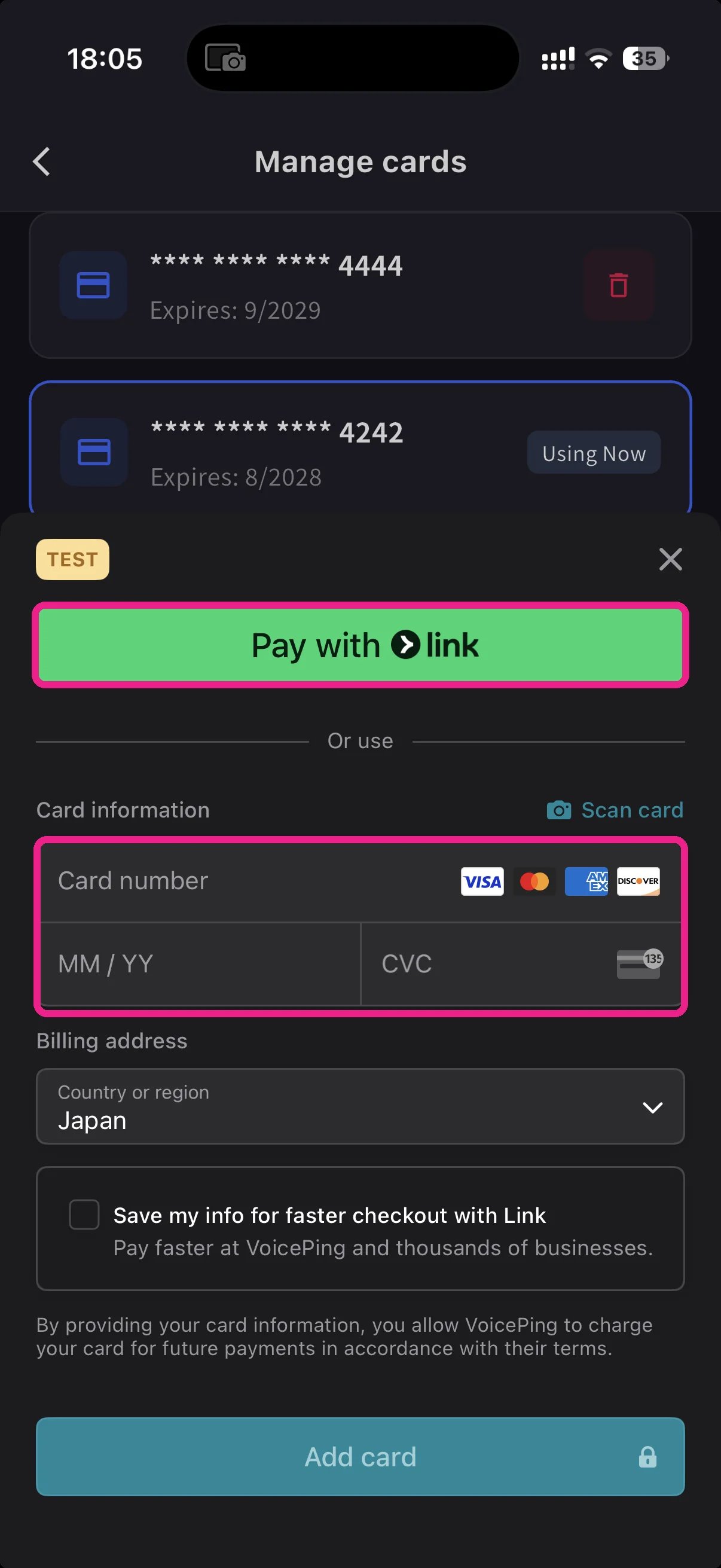
- Pay with Link — ใช้บัตรที่บันทึกใน Stripe Link หลังยืนยันหมายเลขโทรศัพท์
- Manual card — กรอกหมายเลขบัตร วันหมดอายุ และ CVC หรือแตะ Scan card เพื่อสแกนด้วยกล้อง จากนั้นเลือกประเทศสำหรับเรียกเก็บเงินและแตะ Add card
3
เปลี่ยนบัตรที่ใช้
ในหน้า Manage Cards แตะบัตรที่ต้องการใช้ ป้าย Using Now จะย้ายไปยังบัตรนั้น และการเรียกเก็บเงินครั้งถัดไปจะใช้บัตรที่เลือก
Stripe จะแปลงข้อมูลบัตรเป็นโทเค็น VoicePing ไม่จัดเก็บหมายเลขบัตรฉบับเต็ม
หน้าที่เกี่ยวข้อง
ลิงก์อย่างเป็นทางการ
เว็บไซต์อย่างเป็นทางการ (ภาษาอังกฤษ)
ไปที่เว็บไซต์อย่างเป็นทางการของ VoicePing
X (Twitter)
ติดตาม VoicePing บน X
ติดตาม VoicePing บน Facebook
ติดตาม VoicePing บน LinkedIn