ทุกสิ่งที่คุณต้องการในการตรวจสอบการสมัครของคุณรวมอยู่ในที่เดียว: ส่วน Billing บน PC และฮับ Billing บนมือถือ ดาวน์โหลดไฟล์ PDF ใบแจ้งหนี้ รับใบเสร็จรับเงิน แก้ไขฟิลด์การเรียกเก็บเงินที่ปรากฏในใบแจ้งหนี้ในอนาคต และตรวจสอบบันทึกเหตุการณ์ทั้งหมด

บน PC (แท็บ Billing)

เปิดการนำทางด้านบน → Billing สองแท็บครอบคลุมการจัดการใบแจ้งหนี้:
แท็บมันมีไว้เพื่ออะไร
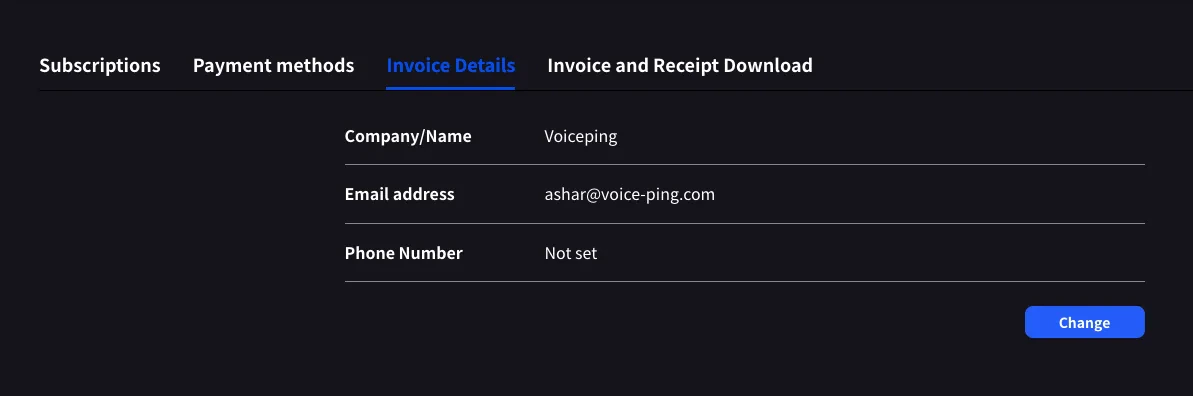
Invoice Detailsชื่อผู้เรียกเก็บเงิน อีเมล และหมายเลขโทรศัพท์ที่ปรากฏในใบแจ้งหนี้ PDF ของคุณ
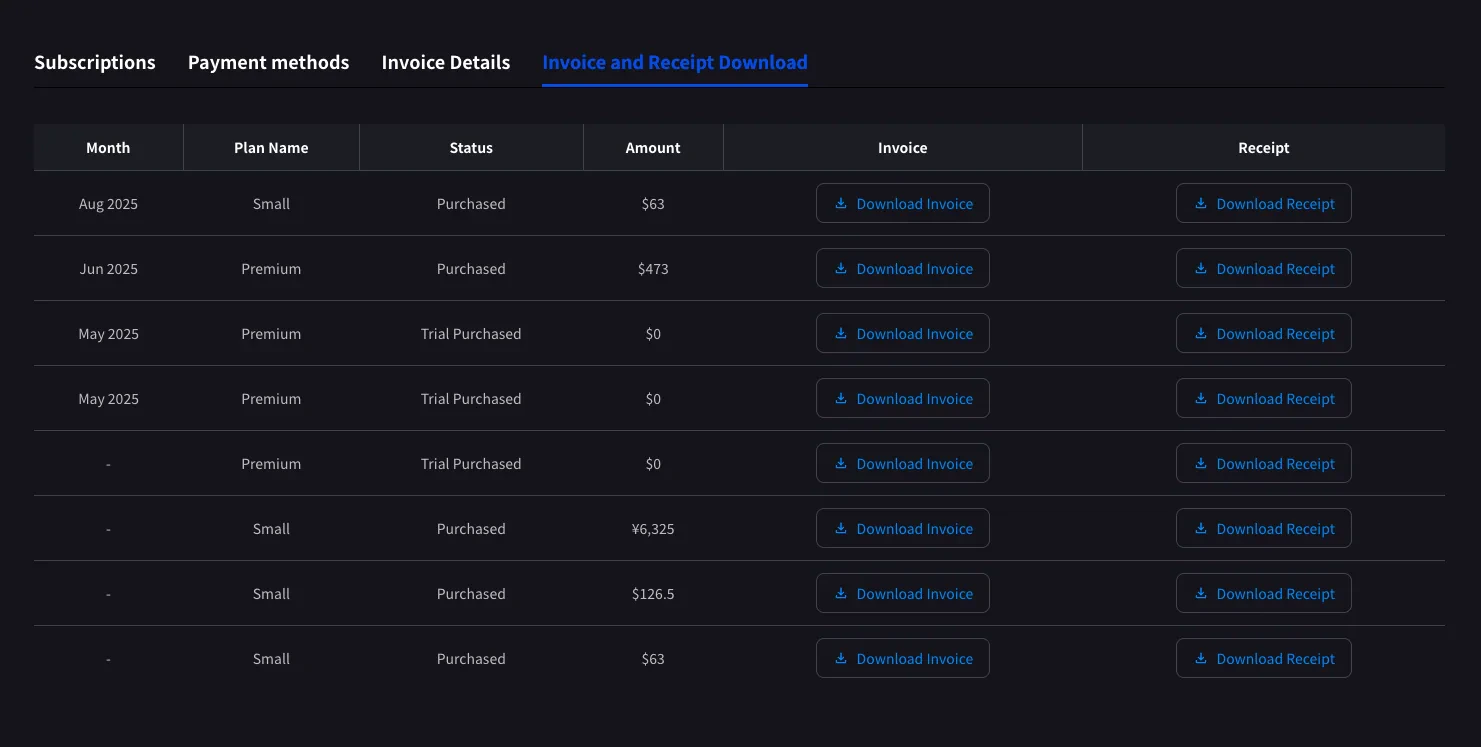
Invoice and Receipt DownloadMonthly รายการค่าใช้จ่ายพร้อมใบแจ้งหนี้ PDF และใบเสร็จรับเงินที่ดาวน์โหลดได้
Billing HistoryFull subscription, payment-method, trial, cancellation, restore, renewal, and payment-failure event log

Invoice Details

ตั้งชื่อ อีเมล และโทรศัพท์ที่ Stripe ประทับลงในไฟล์ PDF ใบแจ้งหนี้ของคุณ
PC — Invoice Details tab with Company/Name, Email address, Phone Number fields and Change button
คลิก Change เพื่อแก้ไขฟิลด์ใดๆ
อัปเดต before วันที่เรียกเก็บเงินครั้งถัดไปของคุณ Stripe อ่านฟิลด์เหล่านี้ในขณะที่สร้างใบแจ้งหนี้ การแก้ไขในภายหลังจะไม่รีสแตมป์ PDF ที่ผ่านมา

Invoice and Receipt Download

การเรียกเก็บเงินที่เสร็จสมบูรณ์ทุกรายการจะปรากฏเป็นแถวพร้อมเดือน ชื่อแผน สถานะ จำนวนเงิน และปุ่มดาวน์โหลดสำหรับทั้งใบแจ้งหนี้ PDF และใบเสร็จ Stripe
PC — Invoice and Receipt Download tab with monthly list, Download Invoice and Download Receipt buttons per row
ปุ่มเปิด
Download Invoiceใบแจ้งหนี้ PDF สำหรับการแชร์ บันทึก หรือส่งต่อไปยังการเงิน
Download ReceiptReceipt download or stored receipt link; if unavailable, the hosted receipt/invoice fallback opens
เฉพาะการเรียกเก็บเงินที่เสร็จสมบูรณ์แล้วเท่านั้นที่ปรากฏที่นี่ การเปลี่ยนแปลงแผนที่กำหนดเวลาไว้จะปรากฏขึ้นหลังจากวันที่เรียกเก็บเงินครั้งถัดไป เมื่อ Stripe สร้างใบแจ้งหนี้ $0 แถวที่มีสถานะ Trial Purchased จะถูกบันทึกด้วยเช่นกัน ซึ่งช่วยติดตามเมื่อการทดลองเริ่มขึ้น

Billing History

Use Billing History when you need the full audit trail, not only completed invoice rows.
ColumnWhat it shows
StatusEvent result, such as purchase, upgrade, scheduled change, cancellation, restore, payment-method change, trial update, renewal, or payment failure
Event Date (UTC+9)When the billing event was recorded
Plan NameThe plan involved in the event, including tiered Individual / Small minute labels when available
Start Date / End DateThe subscription period affected by the event
PriceThe billed amount when the event has a displayable charge
Use Billing History for “what changed and when?” Use Invoice and Receipt Download when finance needs the actual invoice PDF or receipt.

บน Mobile (ฮับ Billing)

แอพมือถือยุบฟีเจอร์เดียวกันลงในฮับ Billing รวมถึงบันทึกเหตุการณ์ (Billing Activity) ที่บันทึกทุกการย้ายการสมัคร
1

เปิดฮับ Billing

เปิดเมนูด้านข้างจากหน้าจอหลัก แตะ Billing (ไอคอนรถเข็น)
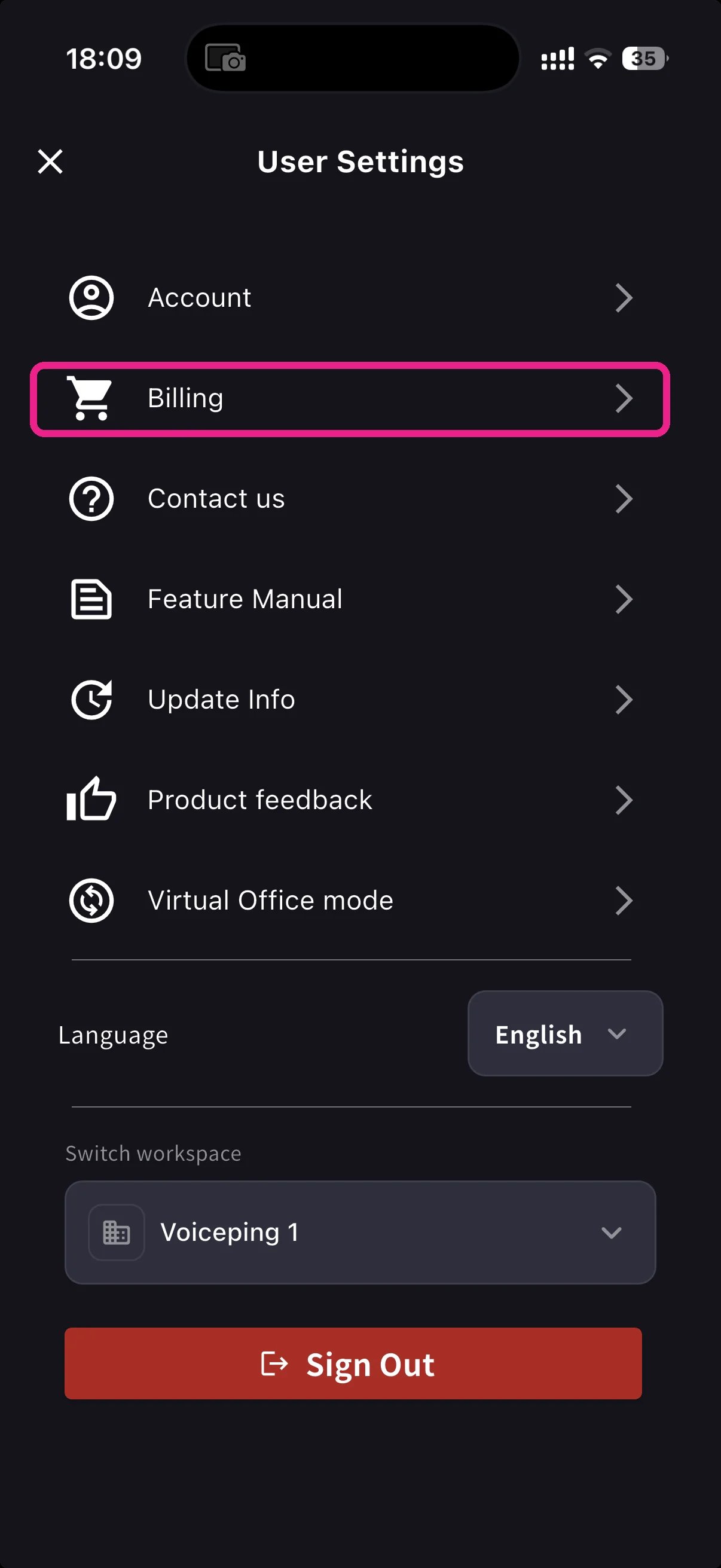
User Settings with Billing row highlighted
2

เลือกทางลัด

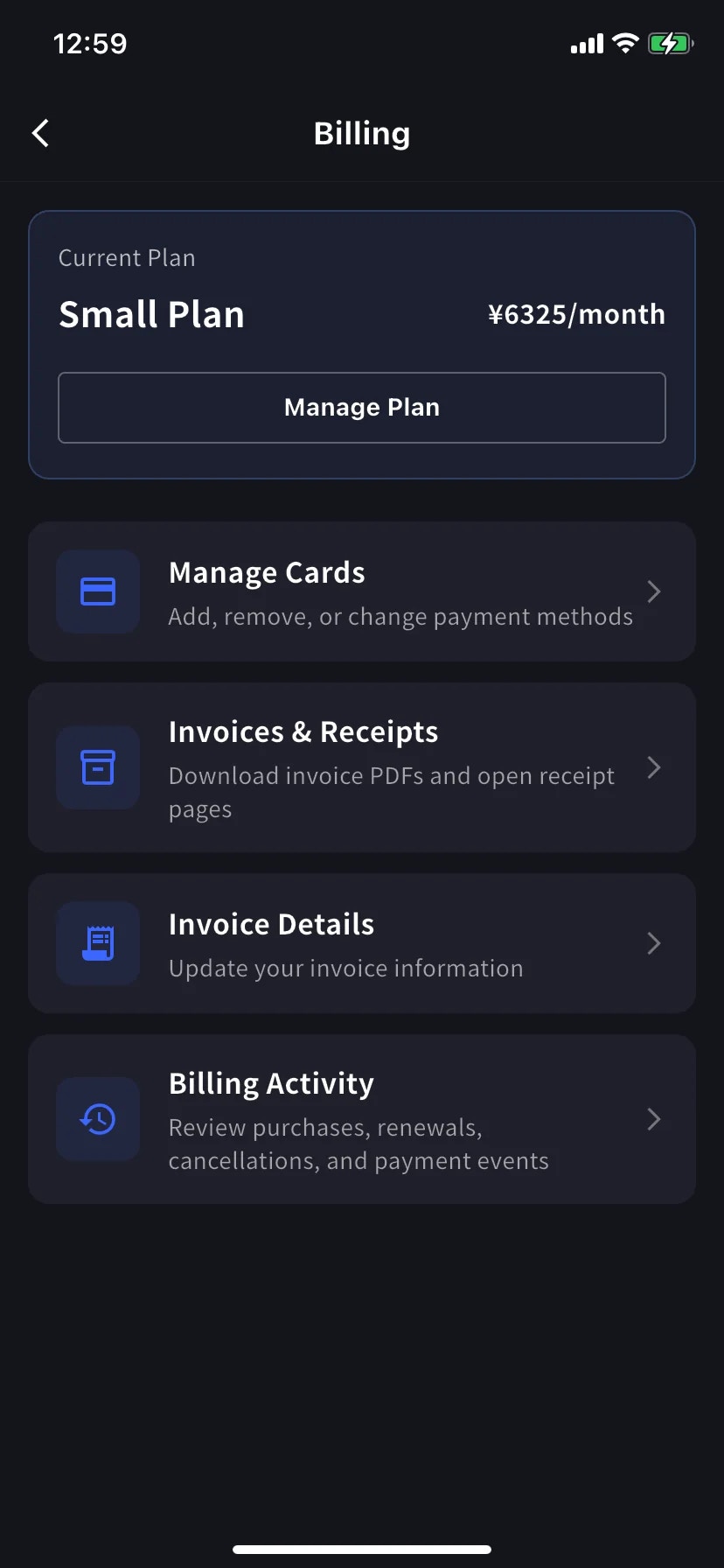
ใต้การ์ด Current Plan มีทางลัด 3 รายการที่ครอบคลุมการออกใบแจ้งหนี้:
Billing hub — Current Plan card and feature shortcuts including Invoices & Receipts, Invoice Details, Billing Activity
Shortcutมันมีไว้เพื่ออะไร
Invoice Detailsชื่อผู้เรียกเก็บเงิน อีเมล โทรศัพท์
Invoices & ReceiptsInvoice PDFs and receipt downloads or stored receipt links
Billing Activityบันทึกเหตุการณ์ของการย้ายการสมัครสมาชิกทุกครั้ง พร้อมการประทับเวลาและ IP

Invoice Details (mobile)

ช่องเดียวกับแท็บ PC: ชื่อ อีเมล โทรศัพท์ สำหรับใบแจ้งหนี้ PDF ของคุณ
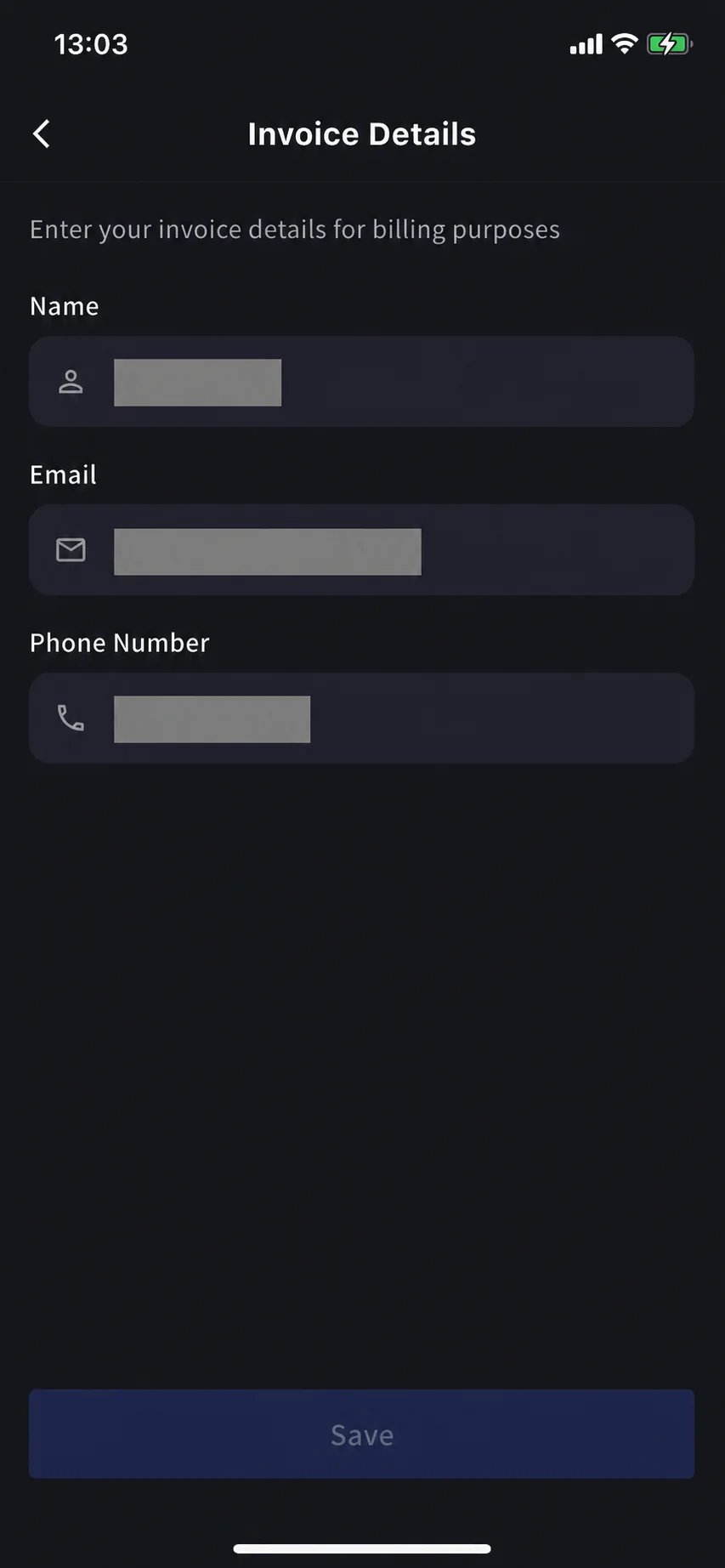
Mobile Invoice Details — Name, Email, Phone Number form
อัปเดต before วันที่เรียกเก็บเงินครั้งถัดไปของคุณ Stripe อ่านฟิลด์เหล่านี้ในขณะที่สร้างใบแจ้งหนี้ การแก้ไขในภายหลังจะไม่รีสแตมป์ PDF ที่ผ่านมา

Invoices & Receipts (mobile)

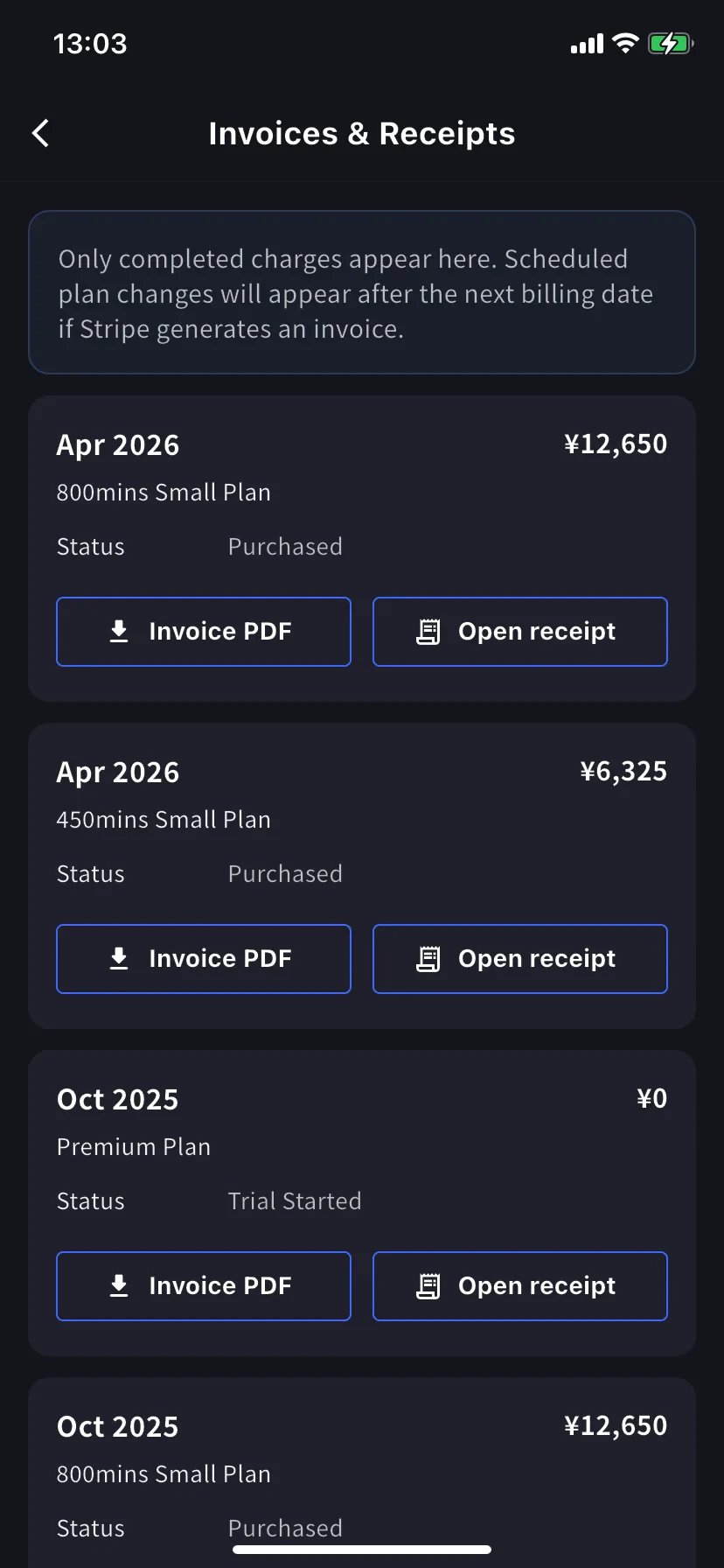
การเรียกเก็บเงินที่ผ่านมาจะปรากฏเป็นบัตรรายเดือน การ์ดแต่ละใบมีสองการกระทำ
Mobile Invoices & Receipts — monthly list with Invoice PDF and Open receipt buttons
ปุ่มเปิด
Invoice PDFใบแจ้งหนี้ PDF ที่ดาวน์โหลดได้สำหรับการแชร์ บันทึก หรือส่งต่อ
Open receiptReceipt download or stored receipt link; if unavailable, the hosted receipt/invoice fallback opens

Billing Activity (mobile only)

บันทึกเหตุการณ์: ทุกอย่างที่พื้นที่ทำงานของคุณทำกับการสมัครรับข้อมูลรวมอยู่ในที่เดียว
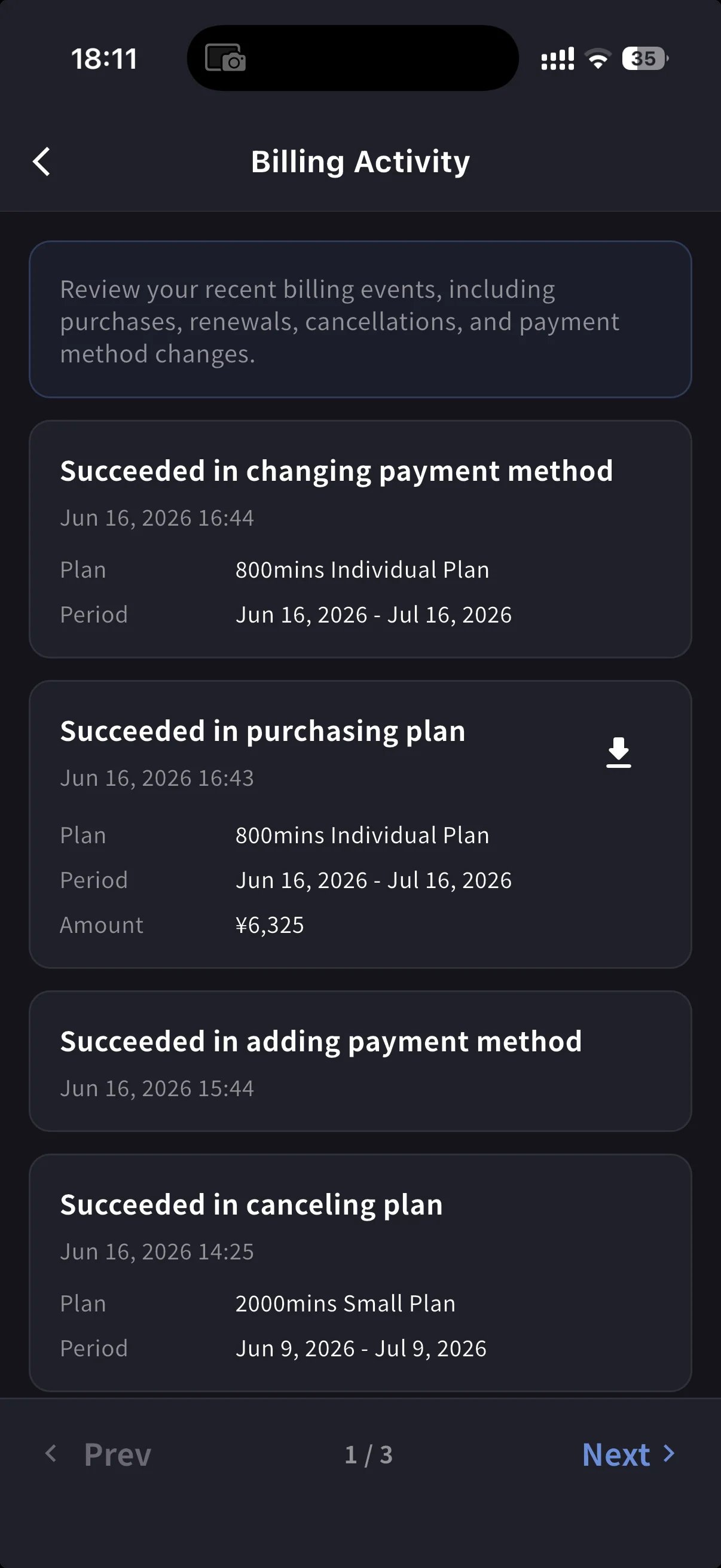
Billing Activity log — upgrade, cancel, restore events with timestamp and IP
แต่ละแถวประกอบด้วย:
  • ชื่อเหตุการณ์ เช่น Succeeded in upgrading plan, Subscription will be canceled on the next payment date, Succeeded in restoring subscription
  • การประทับเวลา (YYYY/MM/DD HH:MM)
  • แผน ระยะเวลาการเรียกเก็บเงิน และจำนวนเงิน หากมี
  • IP Address — ใครดำเนินการจากที่ไหน สำหรับการตรวจสอบและการตรวจสอบความปลอดภัย
  • ไอคอนดาวน์โหลดสำหรับการเรียกเก็บเงินที่เสร็จสมบูรณ์ — ดึงใบแจ้งหนี้ PDF สำหรับกิจกรรมนั้น
ใช้มันเพื่อตอบเมื่อสิ่งนั้นเกิดขึ้นโดยไม่ต้องค้นหาอีเมล
On PC, use Billing History for the full event log and Invoice and Receipt Download for finance documents. On mobile, Billing Activity gives a compact activity log with timestamps, IP address, and invoice download actions where available.

เคล็ดลับ

  • Bill-to changes apply to future invoices only. อัปเดต Invoice Details ก่อนวันที่เรียกเก็บเงินครั้งถัดไปเพื่อหลีกเลี่ยงไม่ให้ต้องออกใหม่
  • Receipts vs invoices. The invoice is the charge document. The receipt action opens the stored receipt/download when available; otherwise it opens the hosted Stripe fallback.
  • Mobile and PC stay in sync. การแก้ไขบนพื้นผิวหนึ่งจะปรากฏอีกด้านหนึ่งทันที