
เฉพาะเจ้าของและผู้จัดการพื้นที่ทำงานเท่านั้นที่จัดการสมาชิกได้ ดูรายละเอียดสิทธิ์ของแต่ละบทบาทได้ที่ ประเภทสมาชิกและสิทธิ์ใน VoicePing
เปิด Manage Users
- เปิด VoicePing แล้วเลือก Admin จากแถบด้านซ้าย
- เลือกแท็บ Manage Users
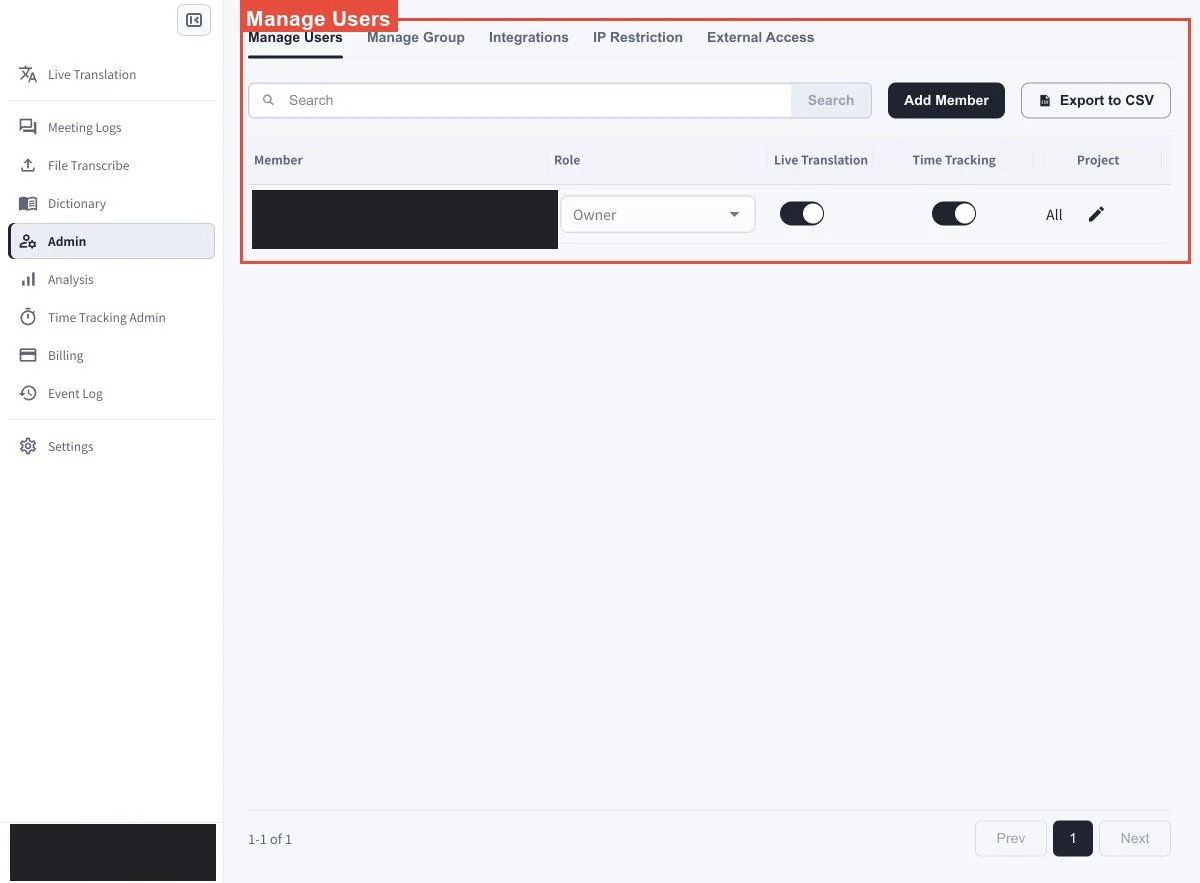
คำอธิบายหน้าจอ
เปลี่ยนบทบาทของสมาชิก
ค้นหาสมาชิก แล้วเปิดเมนูแบบเลื่อนลงในคอลัมน์ Role เลือกบทบาทที่ต้องการกำหนด แถวของเจ้าของพื้นที่ทำงานจะแสดง Owner การจัดการสิทธิ์และการโอนความเป็นเจ้าของแตกต่างจากการเปลี่ยนบทบาททั่วไป โปรดดู ประเภทสมาชิกและสิทธิ์ใน VoicePing ก่อนเปลี่ยนสิทธิ์ผู้ดูแล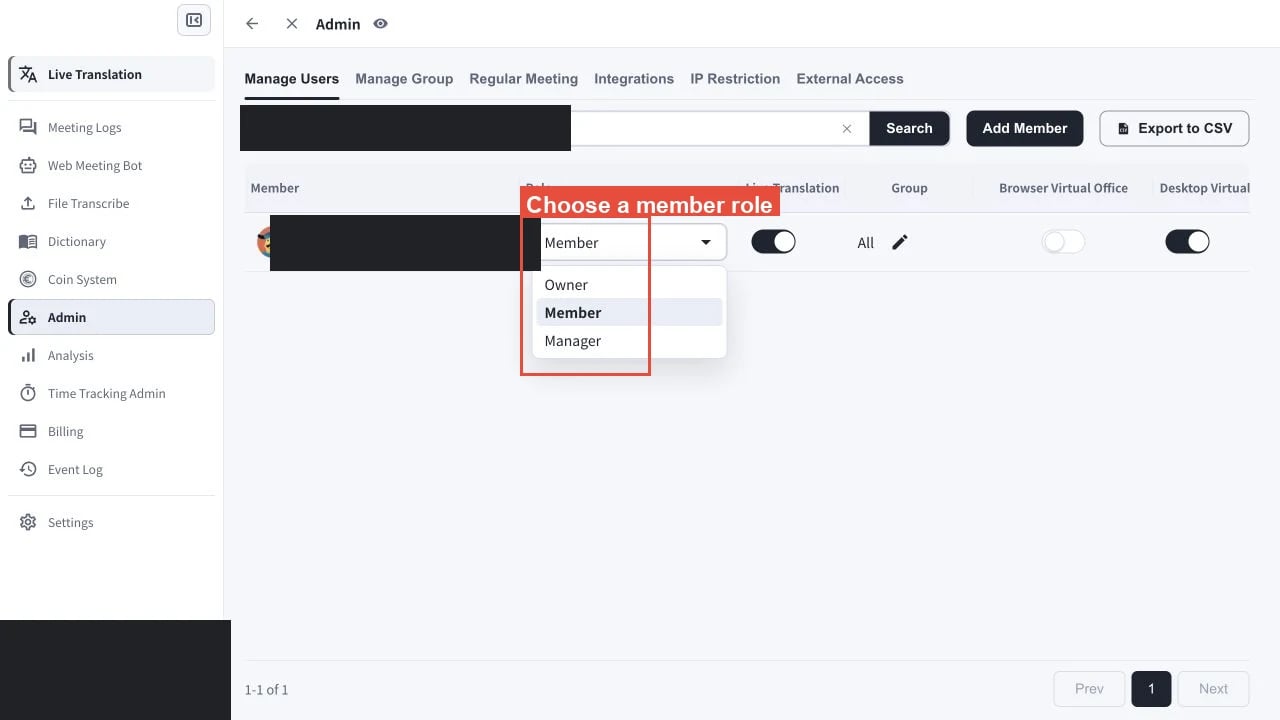
ข้อกำหนดเบื้องต้น: การเปลี่ยนบทบาท การโอนความเป็นเจ้าของ และการลบสมาชิก ต้องมีสมาชิกที่ใช้งานอยู่อีกคนซึ่งไม่ใช่เจ้าของพื้นที่ทำงานปัจจุบัน
โอนความเป็นเจ้าของหรือลบสมาชิก
โอนความเป็นเจ้าของพื้นที่ทำงาน
เปิดเมนู Role ของสมาชิกที่ใช้งานอยู่อีกคน แล้วเลือก Owner เฉพาะเจ้าของพื้นที่ทำงานปัจจุบันเท่านั้นที่ตรวจสอบและยืนยันการโอนได้ ผู้จัดการที่ไม่ใช่เจ้าของจะเห็นข้อจำกัดและคลิก Change ไม่ได้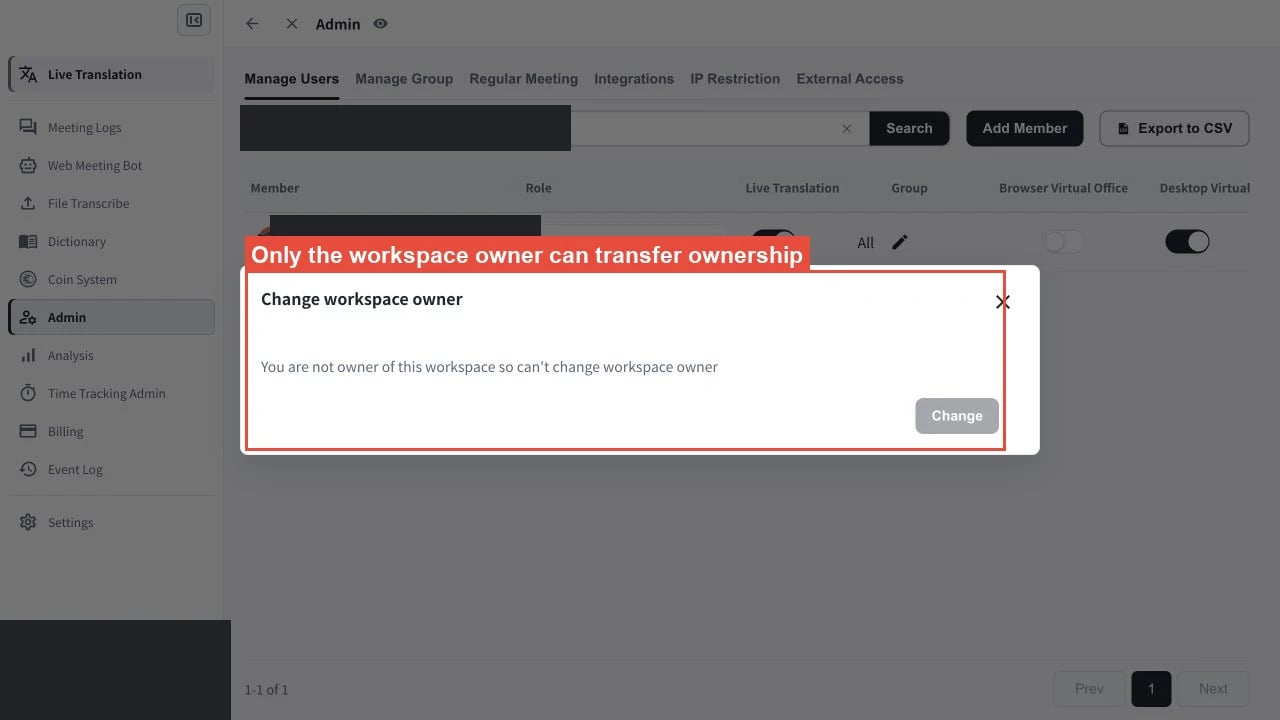
ลบสมาชิก
ค้นหาสมาชิกใน Manage Users เลือกการดำเนินการลบของสมาชิกรายนั้น แล้วยืนยันการลบ ไม่สามารถลบเจ้าของพื้นที่ทำงานปัจจุบันได้ หากต้องการนำบัญชีนั้นออกจากพื้นที่ทำงาน ให้โอนความเป็นเจ้าของก่อน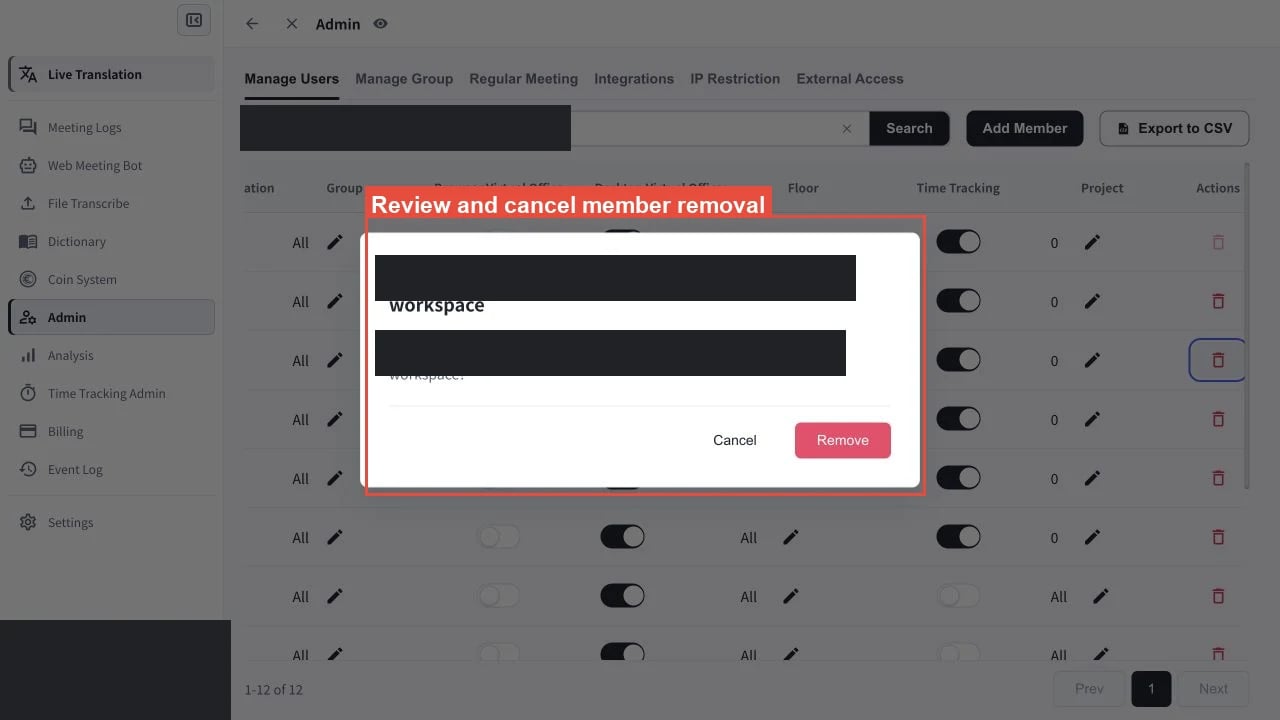
เปลี่ยนสิทธิ์การเข้าถึงฟีเจอร์
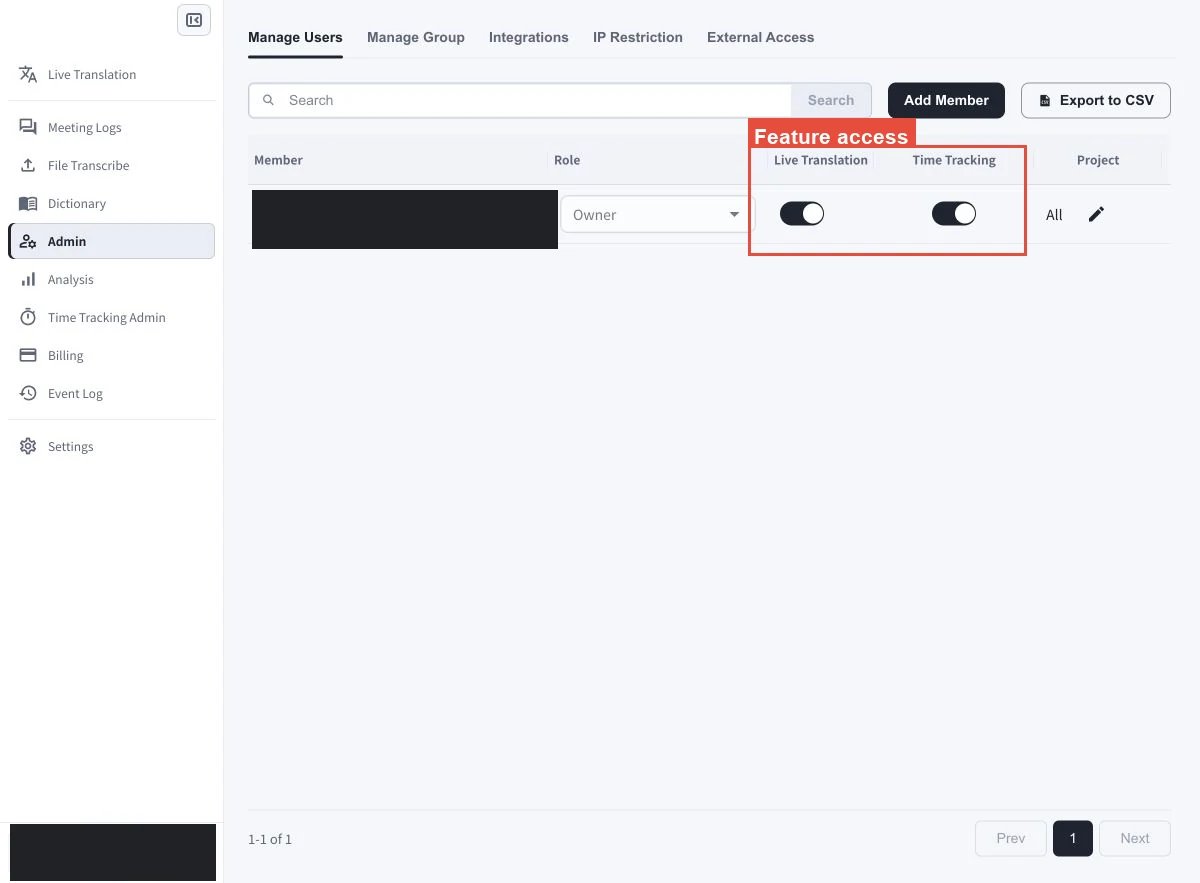
ใช้สวิตช์ในแถวของสมาชิกเพื่อควบคุมสิทธิ์การเข้าถึง การเปิดสวิตช์จะให้สิทธิ์ ส่วนการปิดสวิตช์จะนำสิทธิ์ออก ตัวควบคุมฟีเจอร์สำหรับสมาชิกแต่ละคนประกอบด้วย:- Live Translation
- Browser Virtual Office
- Desktop Virtual Office
- Time Tracking
เปลี่ยนสิทธิ์การเข้าถึงกลุ่ม โปรเจกต์ หรือชั้น
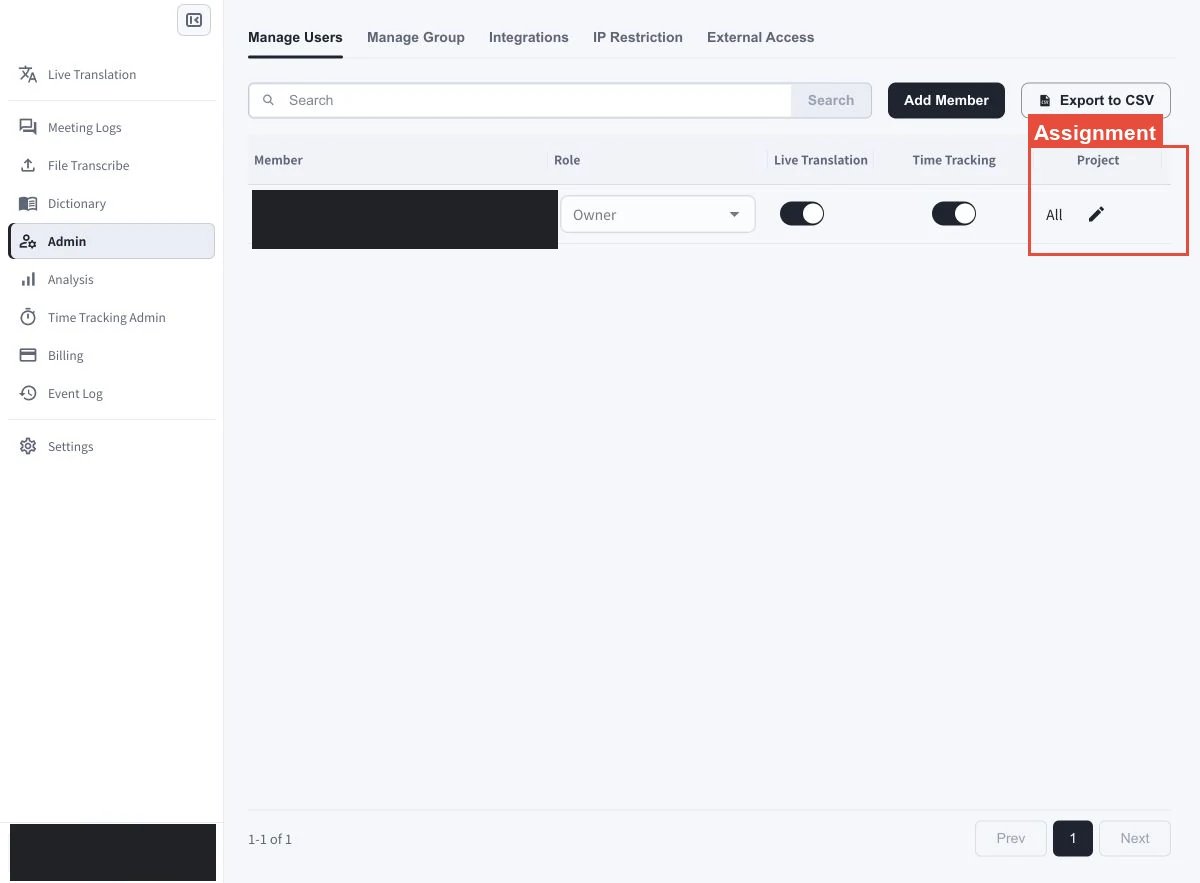
- กลุ่ม: ในคอลัมน์ Group ให้เลือกไอคอนดินสอในแถวของสมาชิก เลือกกลุ่มที่สมาชิกควรเข้าถึงได้ แล้วบันทึกการเปลี่ยนแปลง
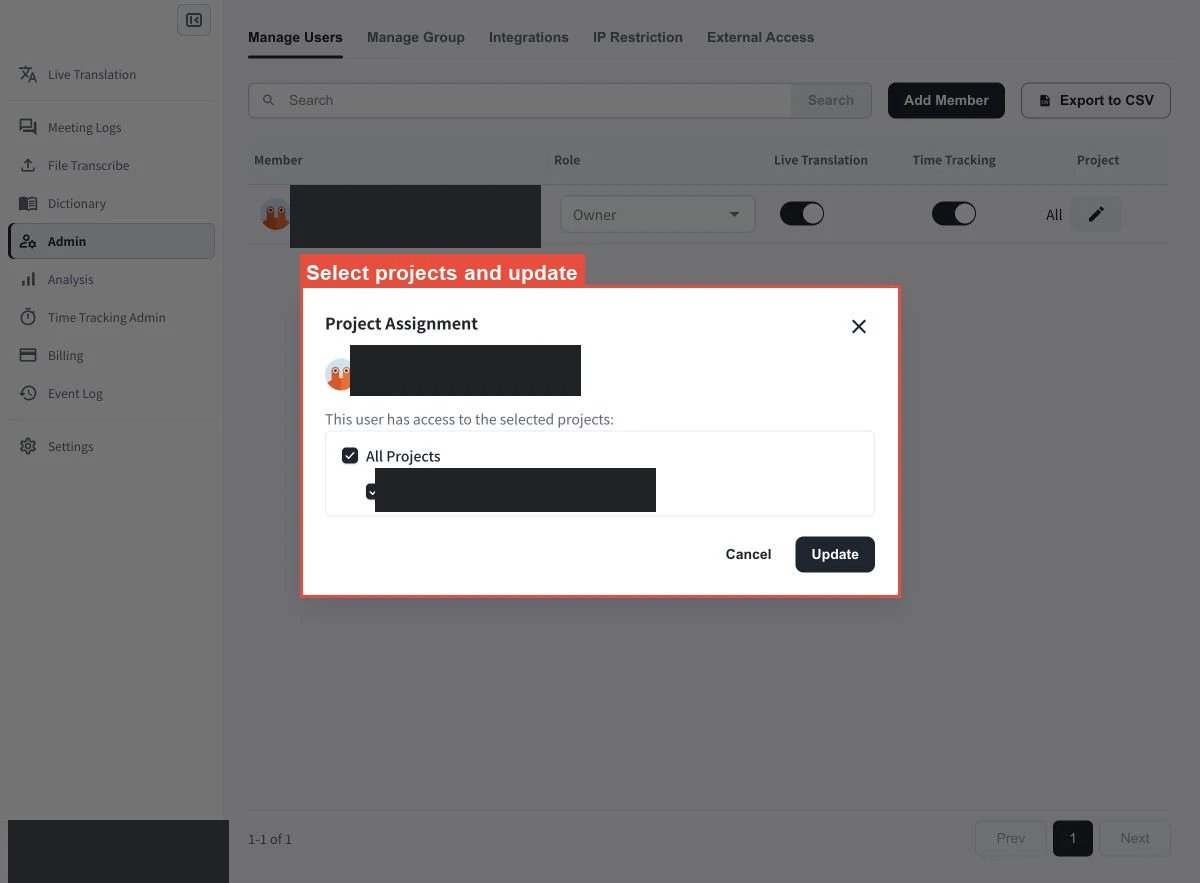
- โปรเจกต์: เลือกโปรเจกต์ที่สมาชิกใช้บันทึกเวลาและจัดการงานได้
- ชั้น: ใช้ตัวควบคุมการกำหนดชั้นเพื่อเลือกชั้นสำนักงานเสมือนที่สมาชิกเข้าถึงได้
หมายเหตุเกี่ยวกับแพ็กเกจและนโยบายชั้น
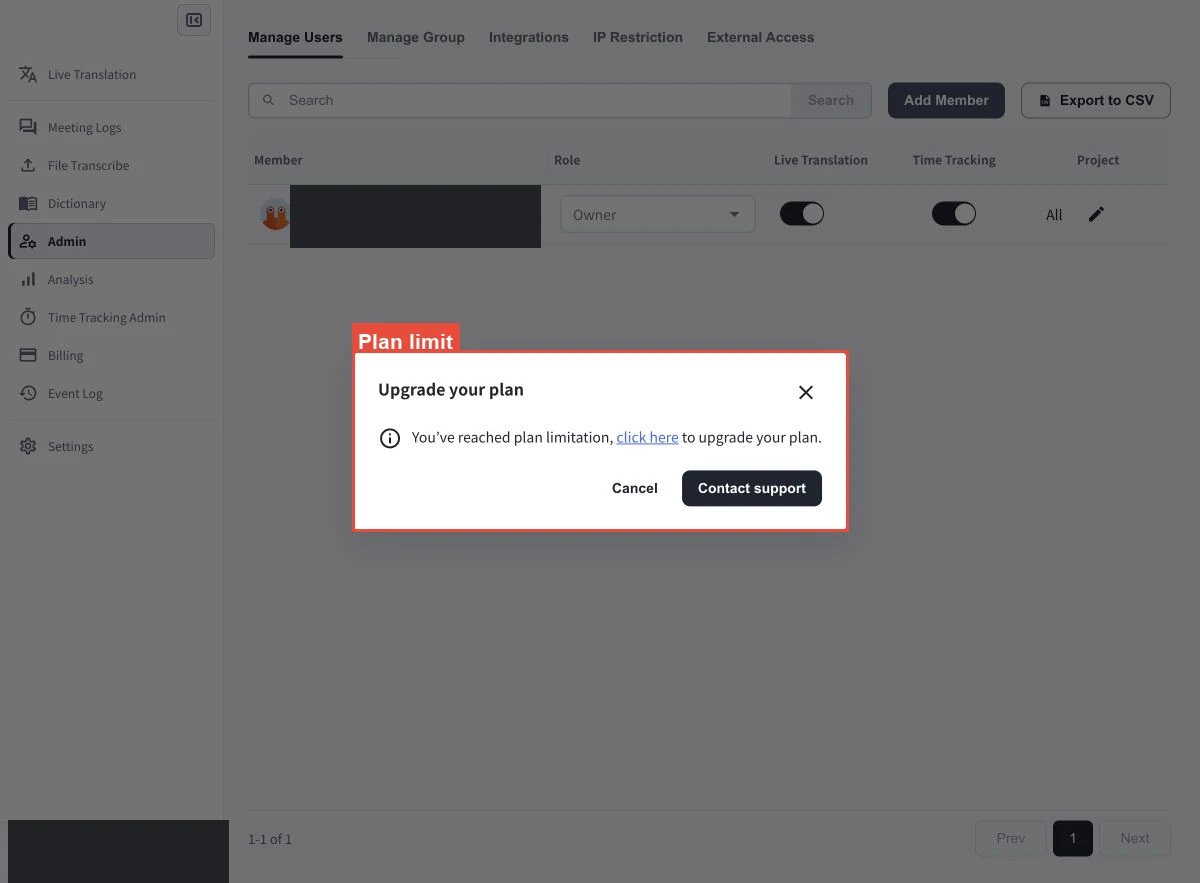
- ระบบจะบล็อกคำเชิญเมื่อพื้นที่ทำงานมีสมาชิกถึงขีดจำกัดของแพ็กเกจ
- ไม่สามารถเปลี่ยนเป็นแพ็กเกจ Individual ได้จนกว่าจะเหลือสมาชิกที่ใช้งานอยู่เพียงหนึ่งคน
- การกำหนดชั้นเป็นไปตามนโยบาย การตั้งค่านโยบายของกลุ่มหรือสมาชิกอาจทำให้ไม่สามารถกำหนดชั้นที่มีอยู่ได้
เพิ่มหรือส่งออกสมาชิก
- เลือก Add Member เพื่อเชิญสมาชิกใหม่เข้าสู่พื้นที่ทำงาน
- เลือก Export to CSV เพื่อดาวน์โหลดรายชื่อสมาชิกปัจจุบัน
เนื้อหาที่เกี่ยวข้อง
ลิงก์อย่างเป็นทางการ
เว็บไซต์อย่างเป็นทางการ (ภาษาอังกฤษ)
ไปที่เว็บไซต์อย่างเป็นทางการของ VoicePing
X (Twitter)
ติดตาม VoicePing บน X
ติดตาม VoicePing บน Facebook
ติดตาม VoicePing บน LinkedIn