
1. PC
- 상단 메뉴에서 Billing → Payment methods를 열고 새 신용카드를 등록합니다.
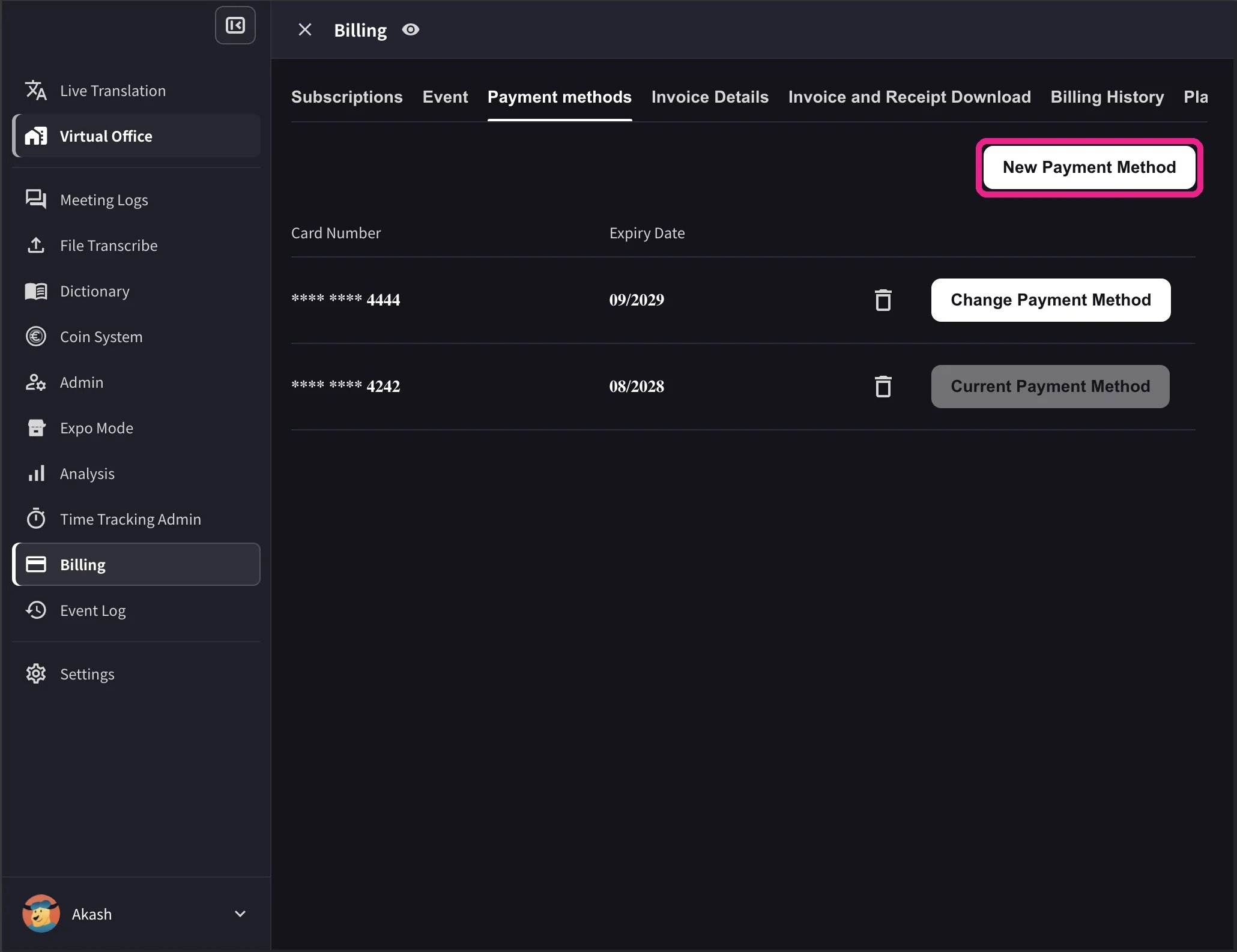
- 카드 목록에서 사용할 카드의 Change Payment Method를 클릭합니다. 변경이 완료되면 해당 카드에 Current Payment Method가 표시됩니다.
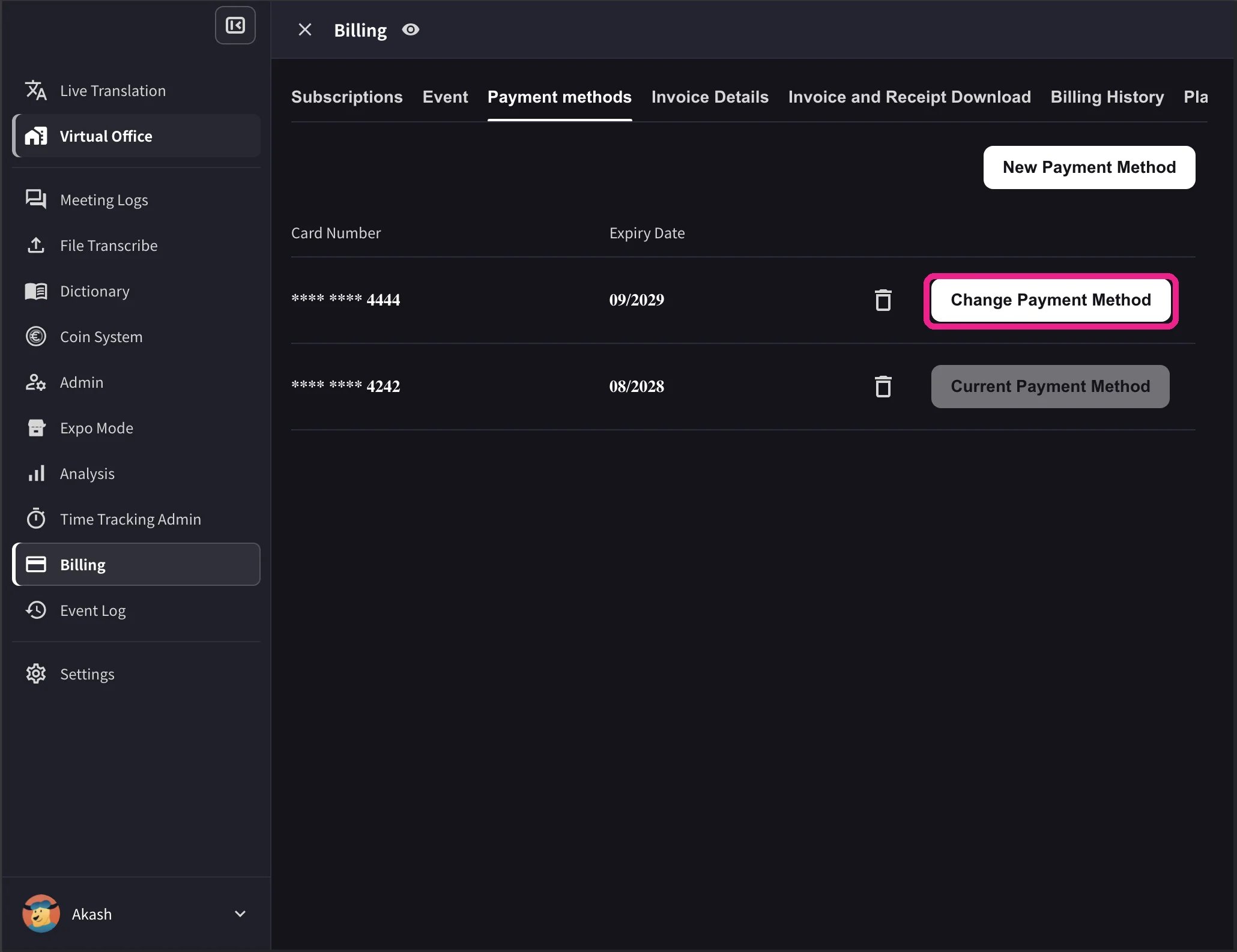
데스크톱 카드 목록에는 유효기간과 삭제 아이콘도 표시됩니다. Change Payment Method는 활성 Stripe 구독이 있고 해지 예약이 없는 워크스페이스에서만 표시됩니다. 워크스페이스 결제 통화를 지원하지 않는 카드에는 변경 버튼 대신 Not Supported가 표시됩니다.
2. 모바일 앱
모바일 앱에서는 카드 관리가 Billing → Manage Cards 아래에 있습니다.1
Manage Cards 열기
사이드 메뉴에서 User Settings → Billing → Manage Cards를 엽니다. 등록된 모든 카드가 표시되며, 사용 중인 카드에는 Using Now가 표시됩니다.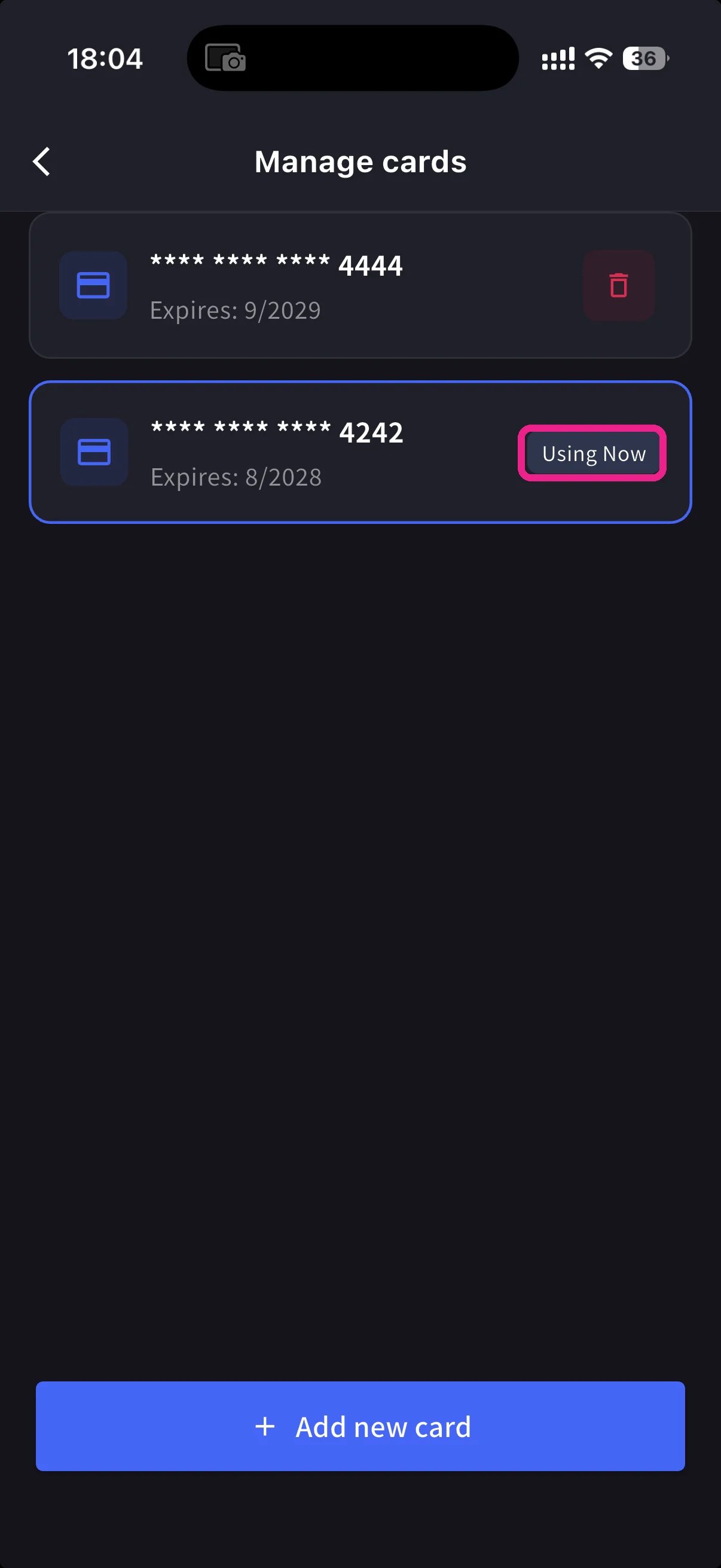
2
새 카드 추가
하단의 파란색 + Add new card 버튼을 탭합니다. 카드 추가 시트에는 두 가지 방법이 있습니다.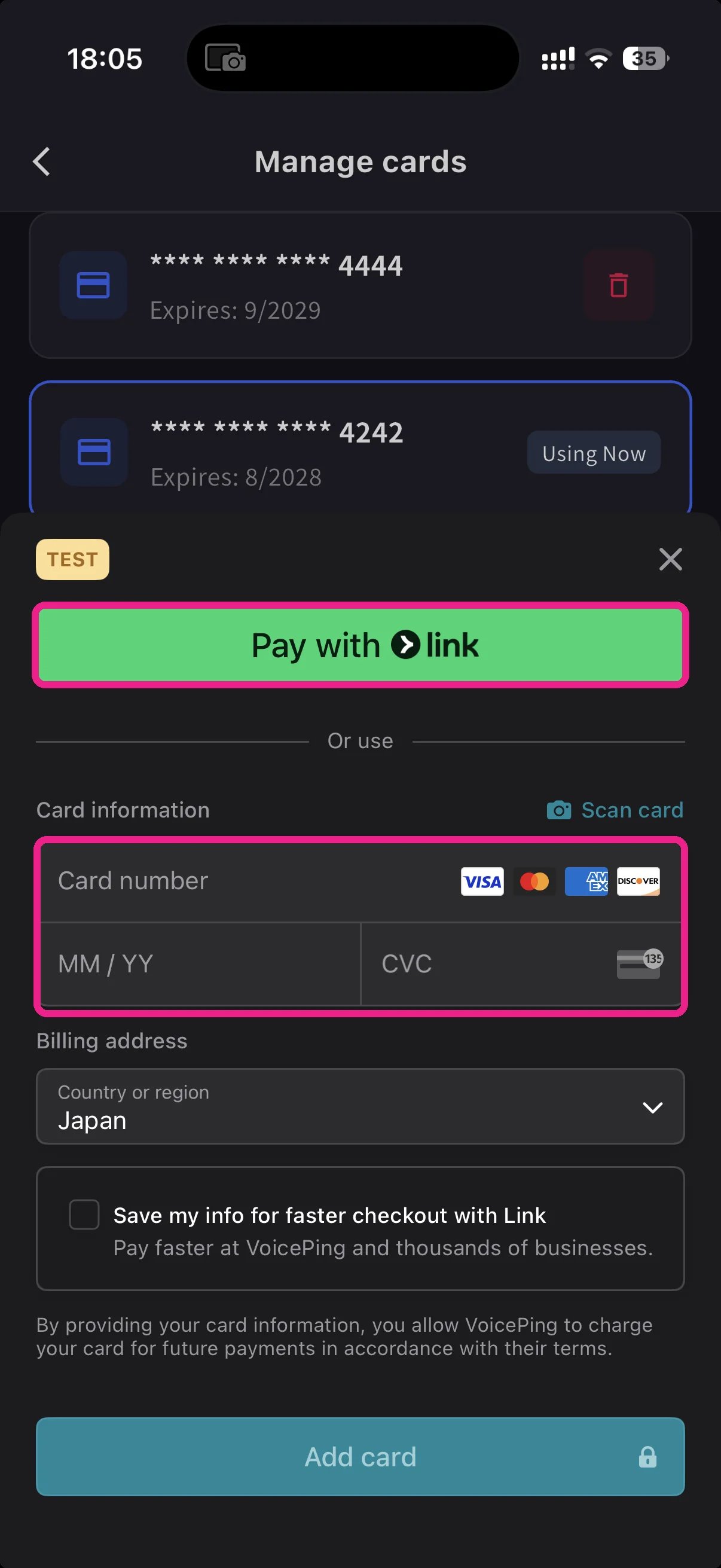
- Pay with Link — 전화번호가 Stripe Link에 연결되어 있으면 저장된 카드 정보를 불러옵니다.
- Manual card — 카드번호, MM/YY, CVC를 입력하거나 📷 Scan card로 카드를 스캔합니다. 청구 국가를 선택하고 Add card를 탭합니다.
3
사용 카드 전환
Manage Cards로 돌아와 사용할 카드를 탭합니다. Using Now 표시가 해당 카드로 이동하고 향후 결제는 선택한 카드로 진행됩니다.
카드는 Stripe에서 토큰화됩니다. VoicePing은 원본 카드 번호를 저장하지 않습니다.
관련 문서
- 플랜 변경, 해지 및 체험 종료 — 업그레이드, 다운그레이드, 해지
- 청구서, 영수증 및 결제 내역 — 청구서 PDF, 영수증, 이벤트 로그
공식 링크
공식 웹사이트
VoicePing 공식 웹사이트 열기
X (Twitter)
X에서 VoicePing 팔로우하기
Facebook 페이지 열기
LinkedIn 페이지 열기