한 번의 회의로부터 고객 제안서 초안 작성

상황. 제안 리뷰 회의가 방금 끝났습니다. 고객은 목표를 공유했고, 보안과 관련한 두 가지 우려를 표명했으며, 단계별 타임라인을 요청했습니다. 이제 그 대화를 공식적인 제안서로 바꿔야 합니다. 핵심은 글을 쓰는 것이 아니라 ― 어떤 시그널도 놓치지 않는 것입니다. 이 워크플로우는 MCP Access 를 이미 활성화하고 AI 클라이언트에 연결했다고 가정합니다.
1

특정 회의를 찾기

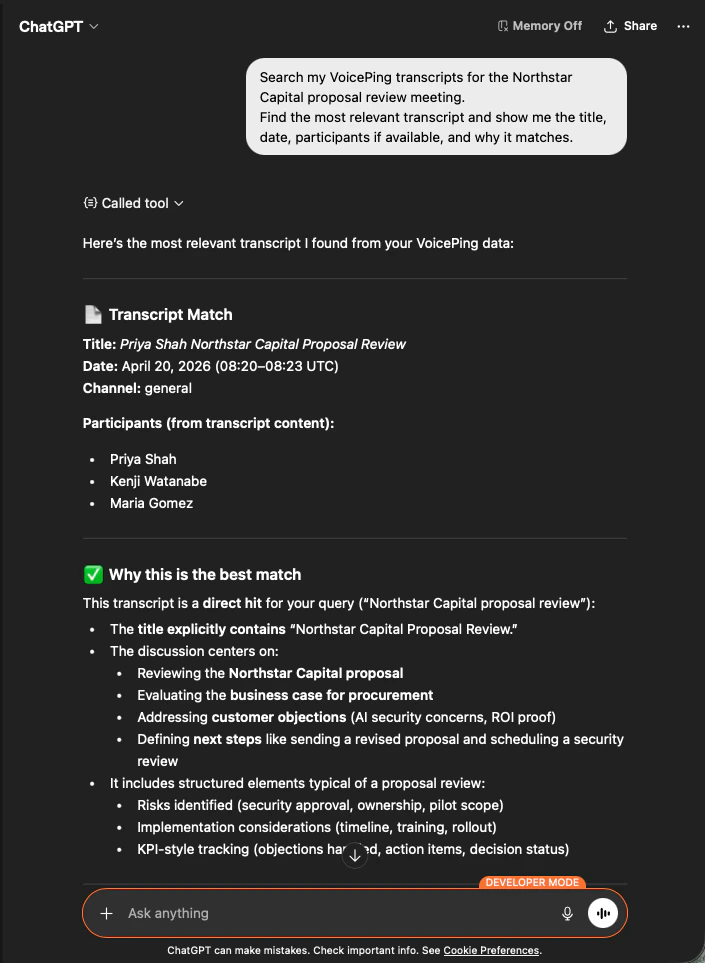
Search my VoicePing transcripts for the Northstar Capital proposal review meeting.
Find the most relevant transcript and show me the title, date, participants
if available, and why it matches.
AI는 정확한 회의록을 식별하고, 참석자를 나열하고, 왜 일치하는지 설명합니다 ― 그래서 제안서가 올바른 회의를 근거로 한다는 것이 확실합니다.
ChatGPT identifying the Northstar Capital proposal review transcript with participants and match reasoning
2

구조화된 제안서 입력값 추출

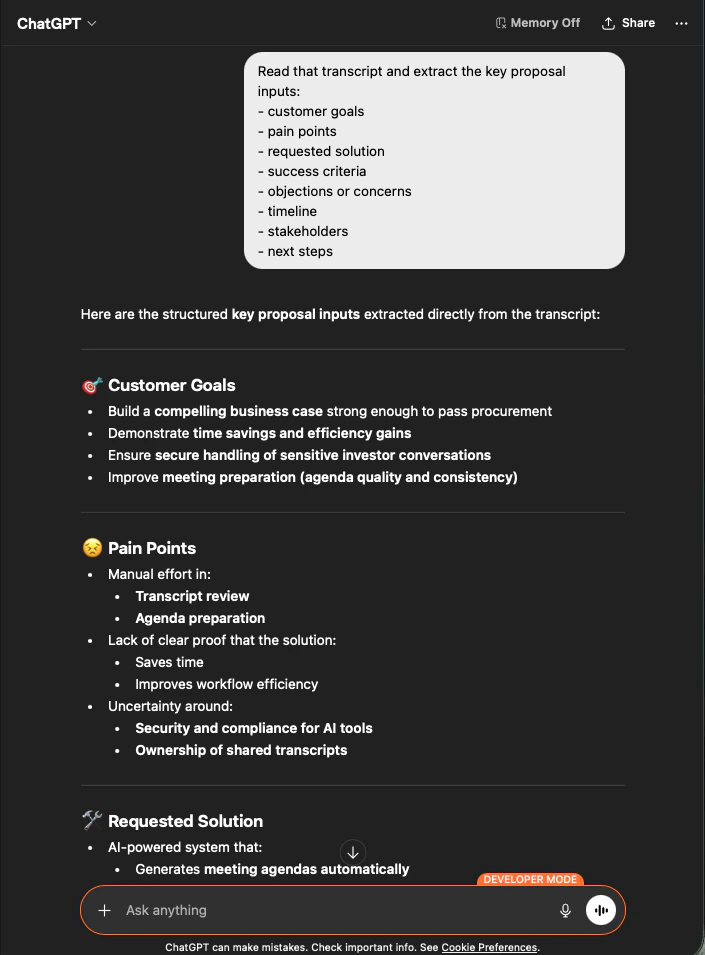
Read that transcript and extract the key proposal inputs:
- customer goals
- pain points
- requested solution
- success criteria
- objections or concerns
- timeline
- stakeholders
- next steps
AI는 요청한 그룹화 그대로 모든 입력값을 뽑아냅니다. 이것이 제안서의 골격입니다 ― 지어낸 것은 없고, 모든 것이 회의록으로 추적 가능합니다.
ChatGPT extracting structured proposal inputs — customer goals, pain points, requested solution — from a Northstar Capital transcript
3

제안서 초안 생성

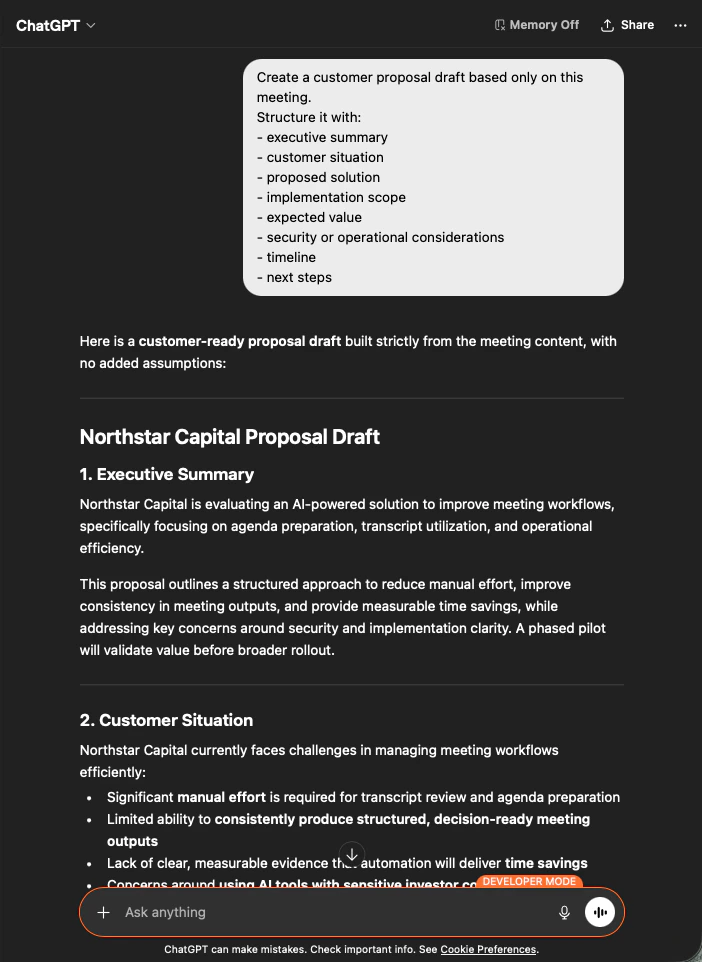
Create a customer proposal draft based only on this meeting.
Structure it with:
- executive summary
- customer situation
- proposed solution
- implementation scope
- expected value
- security or operational considerations
- timeline
- next steps
결과물은 완전한 제안서 초안입니다 ― 먼저 요약, 이어지는 각 섹션은 회의 내용에서만 채워집니다. 톤을 다듬은 뒤 발송하면 됩니다.
ChatGPT producing a customer-ready Northstar Capital proposal draft built strictly from meeting content
AI에게 “based only on this meeting”“with no added assumptions” 을 명시하는 것이, 그대로 보낼 수 있는 제안서와 한 줄씩 팩트체크가 필요한 제안서를 가르는 차이입니다.

다음 단계

외부 접근 개요

스코프, 라이프사이클 제어, 이벤트 로그 허브로 돌아가기.

MCP Access 활성화 방법

Claude, ChatGPT, Codex, Claude Code, Gemini CLI용 설정 가이드.