
只有工作區擁有者與管理員可以管理成員。各角色的權限請參閱 VoicePing 成員類型與權限。
開啟 Manage Users
- 開啟 VoicePing,然後在左側邊欄中選擇 Admin。
- 選擇 Manage Users 分頁。
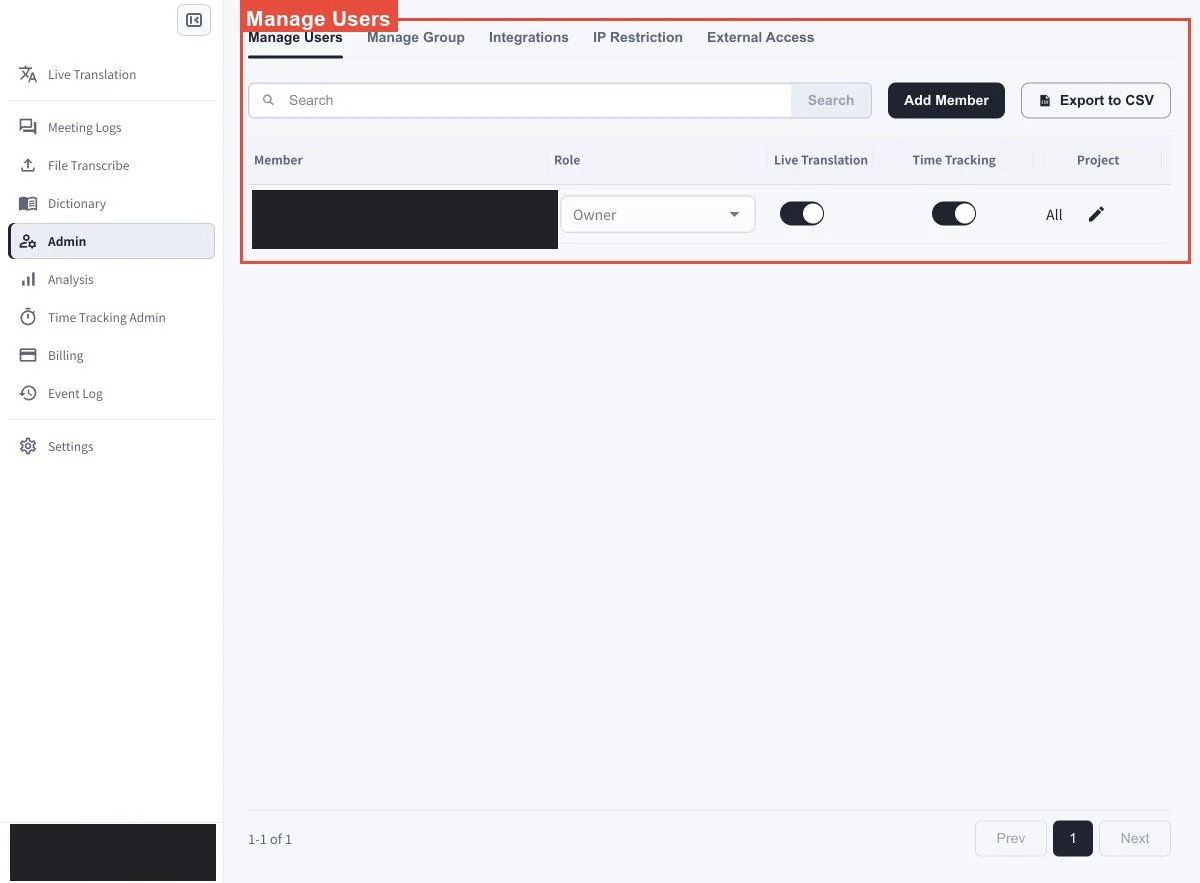
畫面說明
變更成員角色
找到目標成員,然後開啟 Role 欄中的下拉式選單。選擇要指派的角色。 工作區擁有者所在列會顯示 Owner。擁有者權限與所有權的處理方式不同於一般角色;變更管理權限前,請先參閱 VoicePing 成員類型與權限。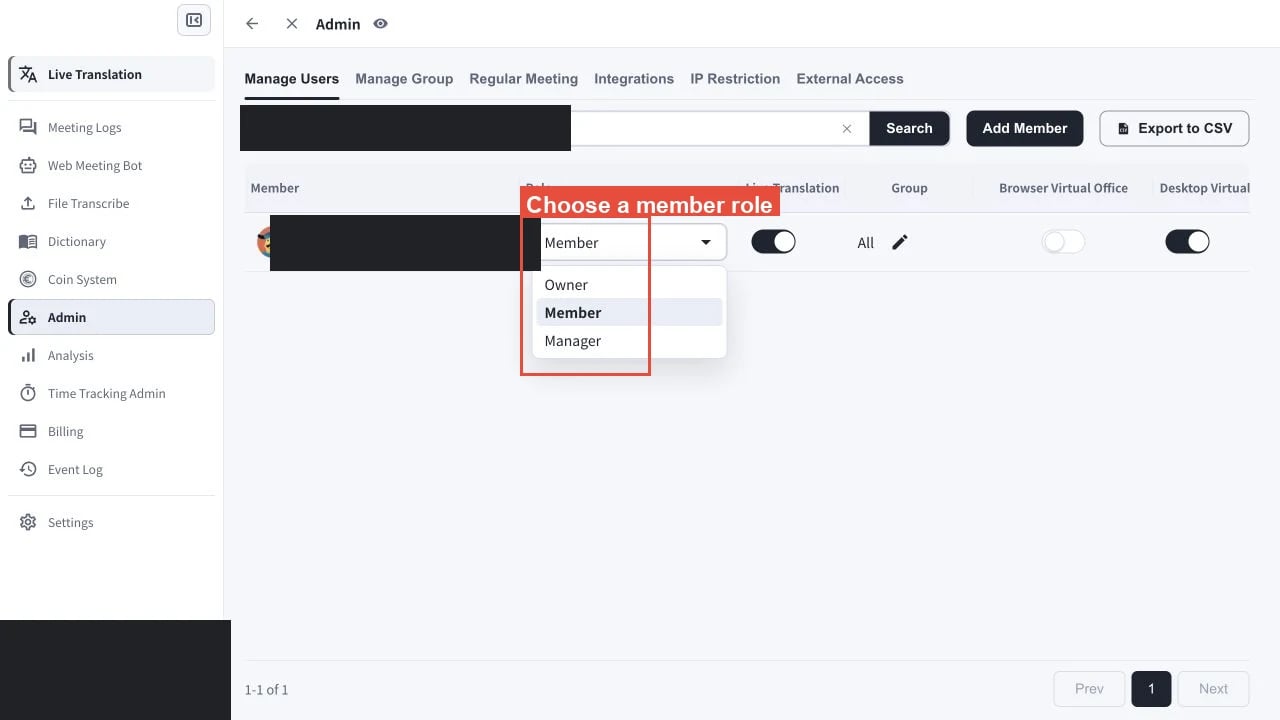
先決條件:變更角色、移轉擁有權或移除成員時,工作區中必須還有另一名非擁有者的啟用成員。
轉移擁有權或刪除成員
轉移工作區擁有權
開啟另一名啟用成員的 Role 下拉式選單並選擇 Owner。只有目前工作區擁有者可以檢查並送出移轉。不是擁有者的管理員會看到下方限制,無法選擇 Change。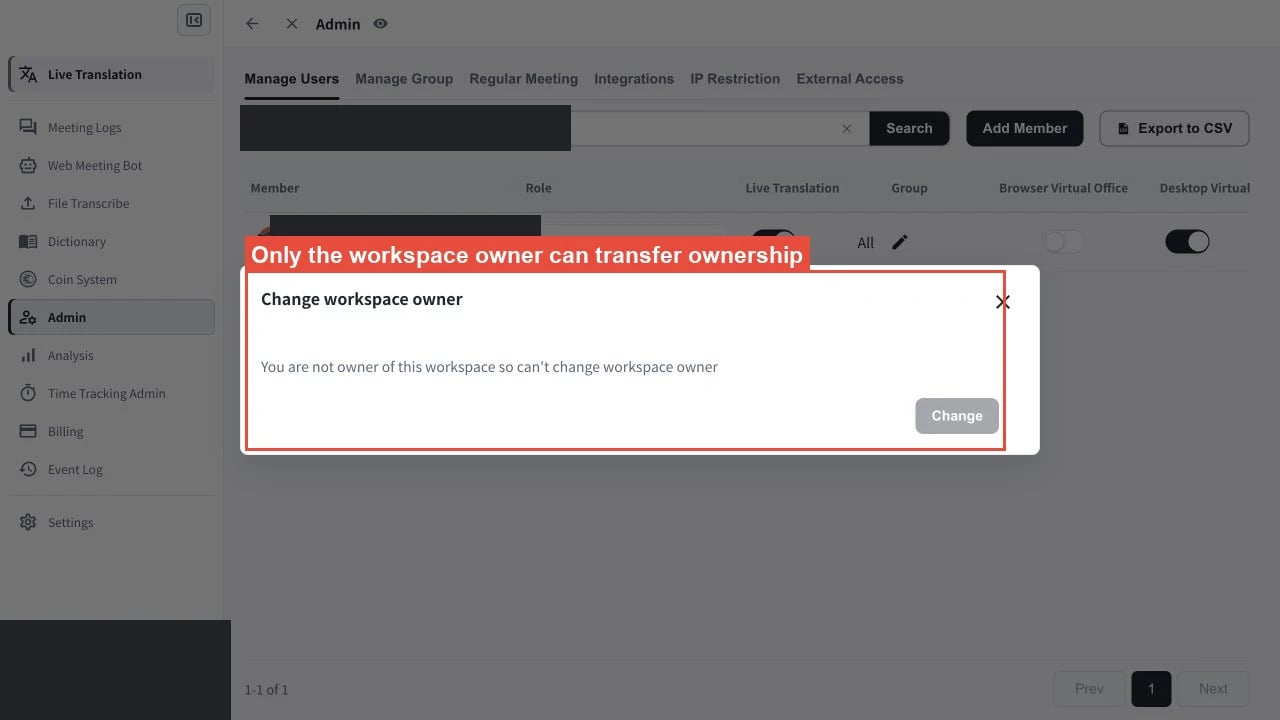
刪除成員
在 Manage Users 中找到目標成員,選擇該成員的刪除操作,然後確認刪除。目前的工作區擁有者無法被刪除;如需從工作區移除該帳號,請先轉移擁有權。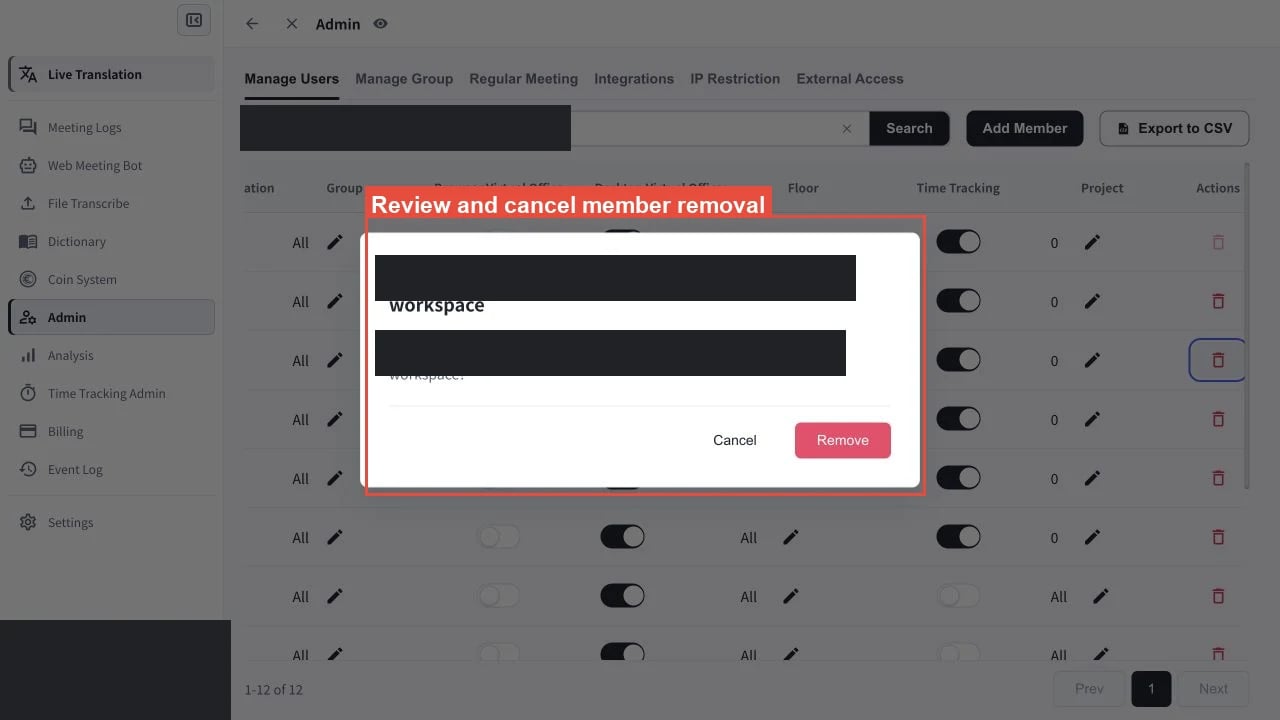
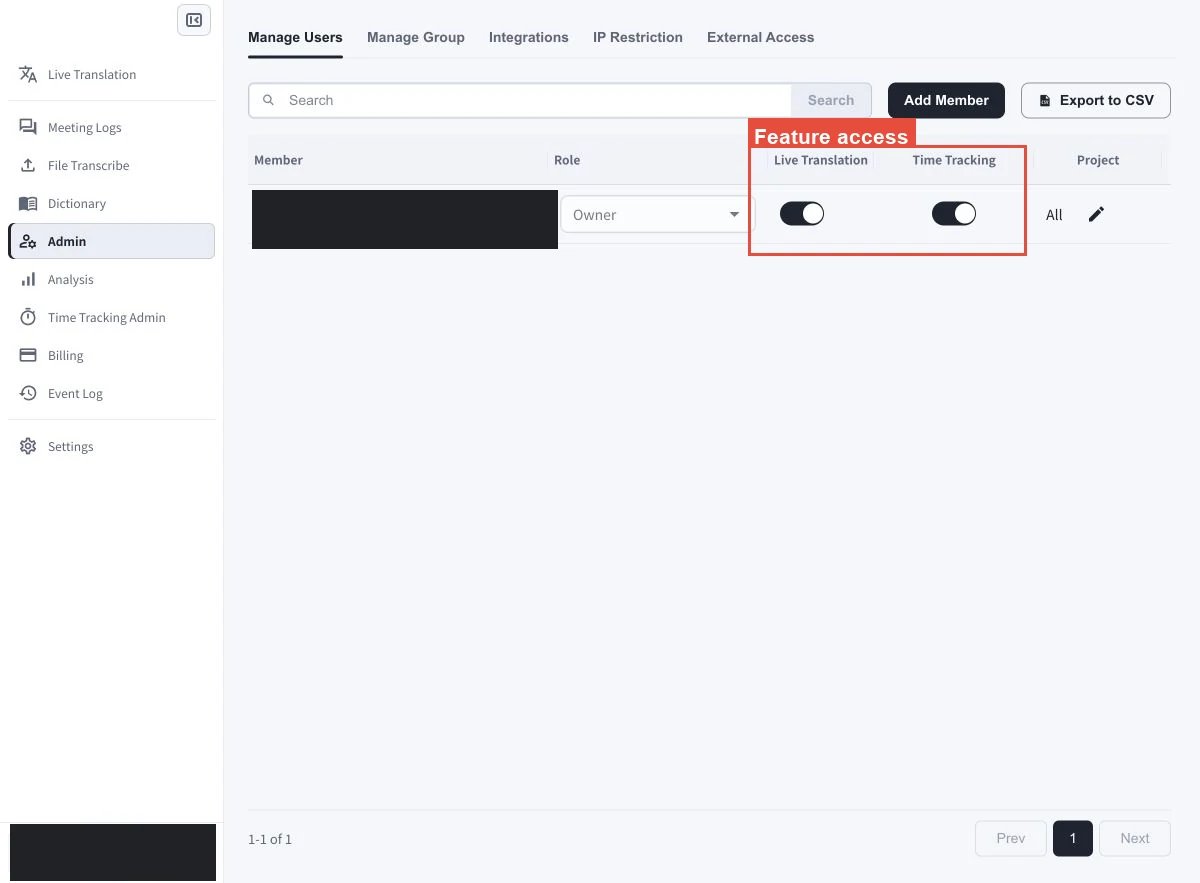
變更功能存取權
使用成員所在列中的開關控制存取權。開啟即授予權限,關閉則移除權限。 每位成員的功能控制項包括:- Live Translation
- Browser Virtual Office
- Desktop Virtual Office
- Time Tracking
變更群組、專案或樓層存取權
- 群組: 在 Group 欄中,選擇目標成員所在列的鉛筆圖示。選擇該成員可以存取的群組,然後儲存變更。
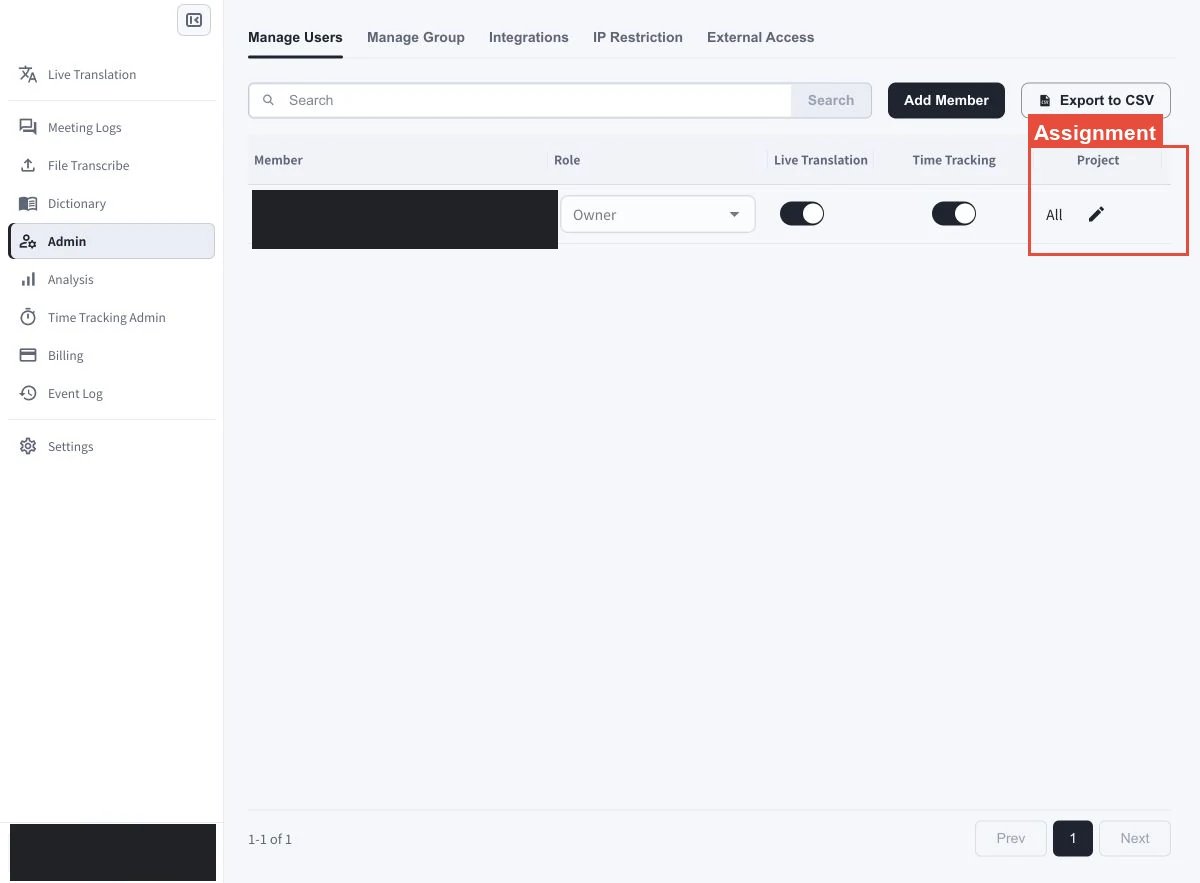
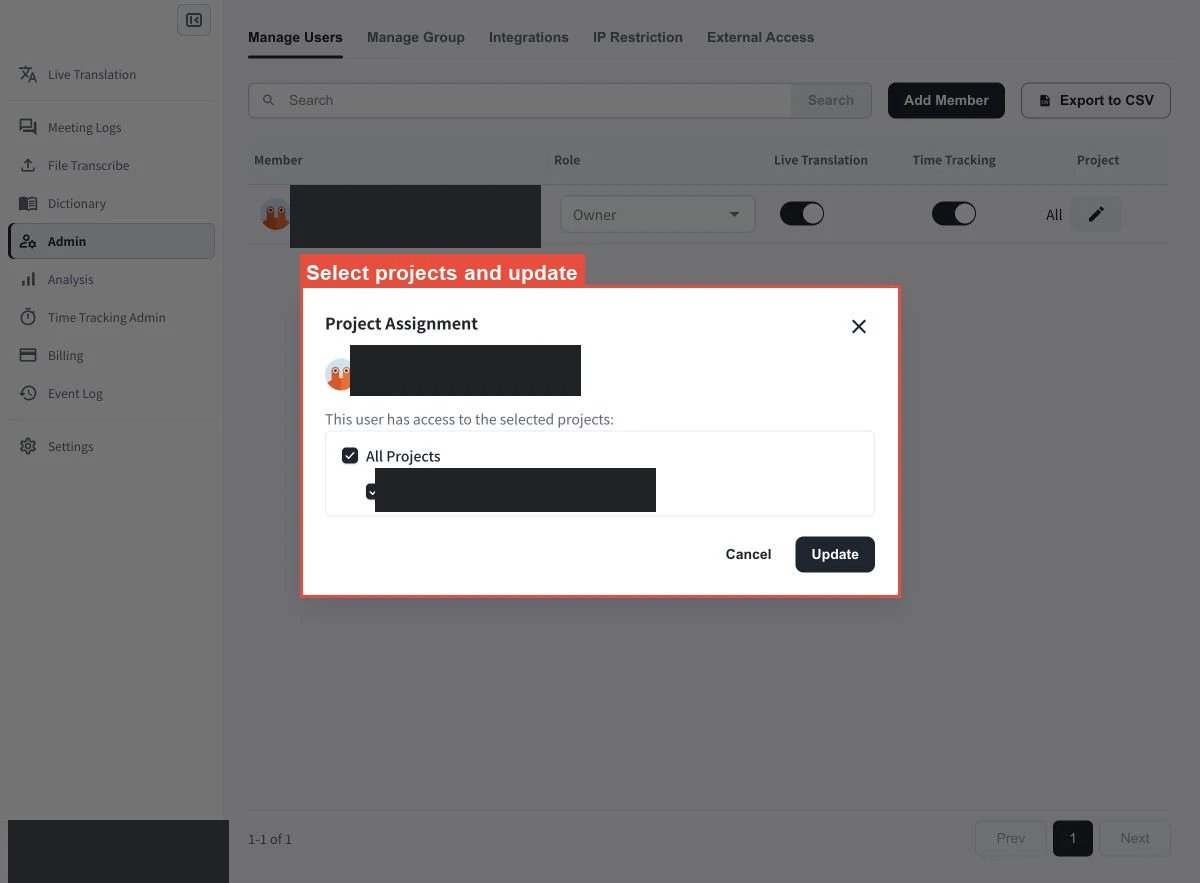
- 專案: 使用成員的專案指派控制項,選擇該成員可用於時間追蹤和管理的專案。
- 樓層: 使用樓層指派控制項,選擇該成員可以存取的虛擬辦公室樓層。
方案和樓層原則說明
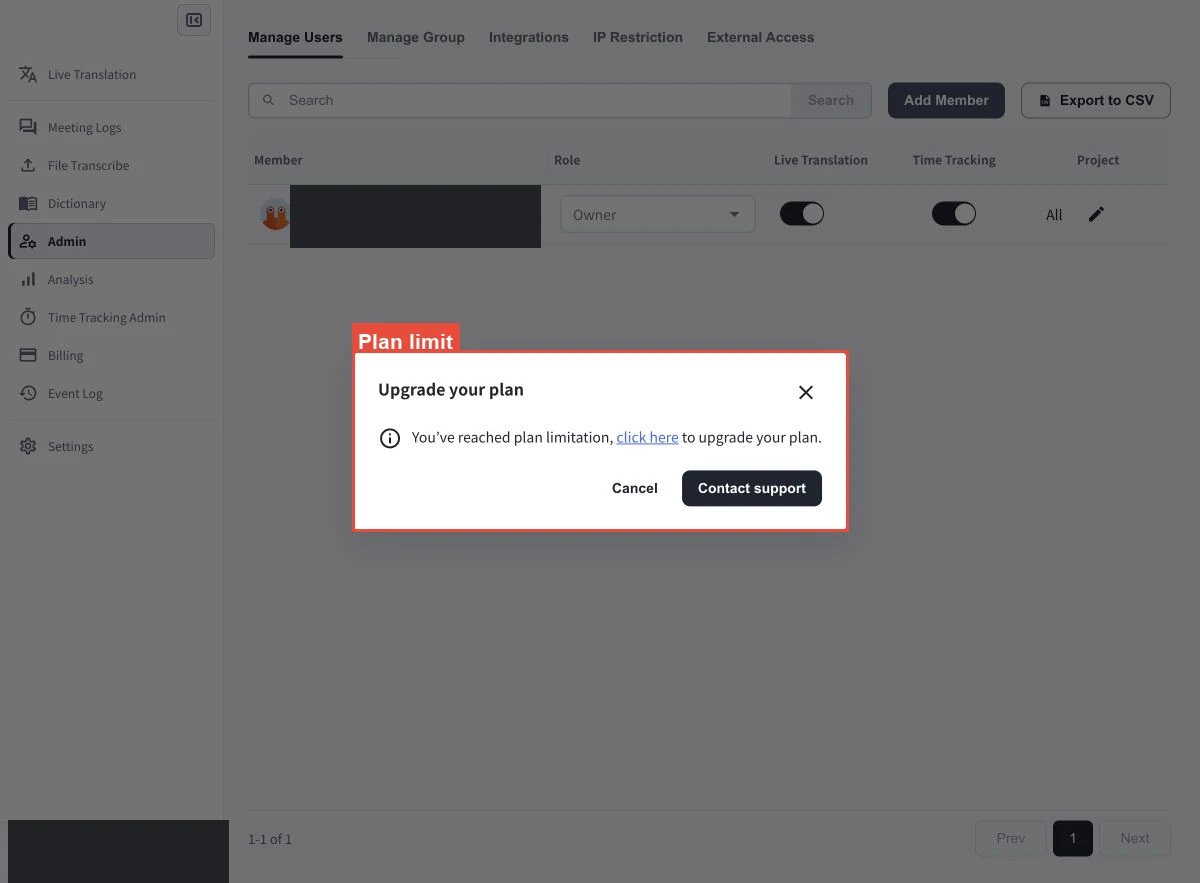
- 工作區達到方案的成員人數上限時,系統會阻止繼續邀請。
- 在只剩一名有效成員之前,無法切換到 Individual 方案。
- 樓層指派受原則限制。群組或成員原則設定可能會阻止原本可用的樓層指派。
新增或匯出成員
- 選擇 Add Member 邀請新的工作區成員。
- 選擇 Export to CSV 下載目前的成員清單。