30 秒內寄出後續追蹤信

情境。 會議剛結束,每個人大約只記得 40% 的決議內容。率先寄出第一封摘要信的人,就能定義這場會議的官方紀錄 — 並把行動項目固定下來。這是任何業務或專案團隊中槓桿最高的習慣。 此工作流程假設您已啟用 MCP 存取 並連接好 AI 用戶端。
1

擷取會議內容

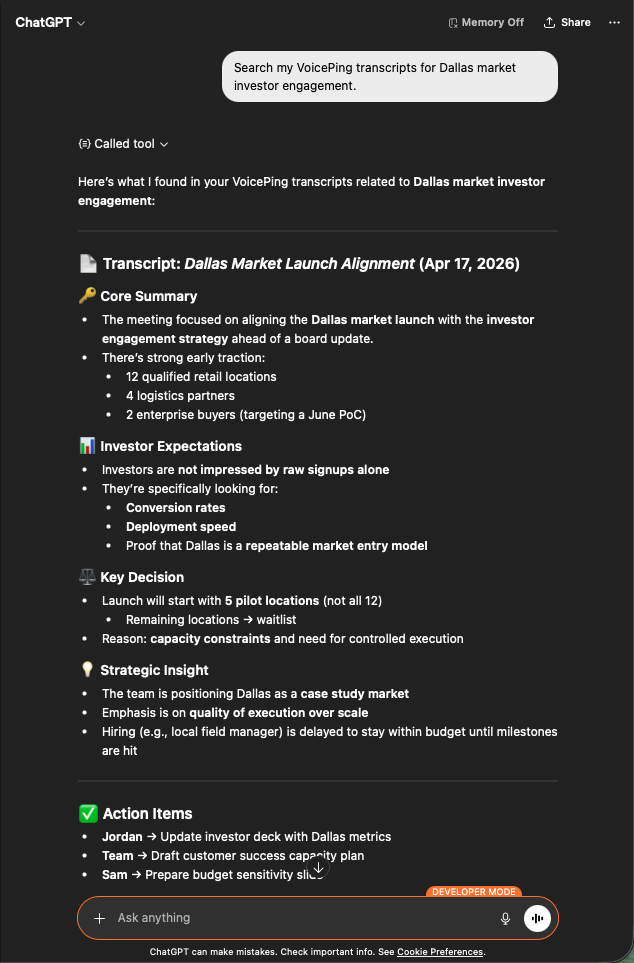
Search my VoicePing transcripts for Dallas market investor engagement.
您會得到一份結構化的回顧:核心摘要、投資人期待、關鍵決策、策略洞察,以及帶有負責人的行動項目。正是後續追蹤信所需要的素材。
ChatGPT surfacing a Dallas Market Launch transcript with core summary, investor expectations, key decisions, and action items
2

請 AI 草擬信件

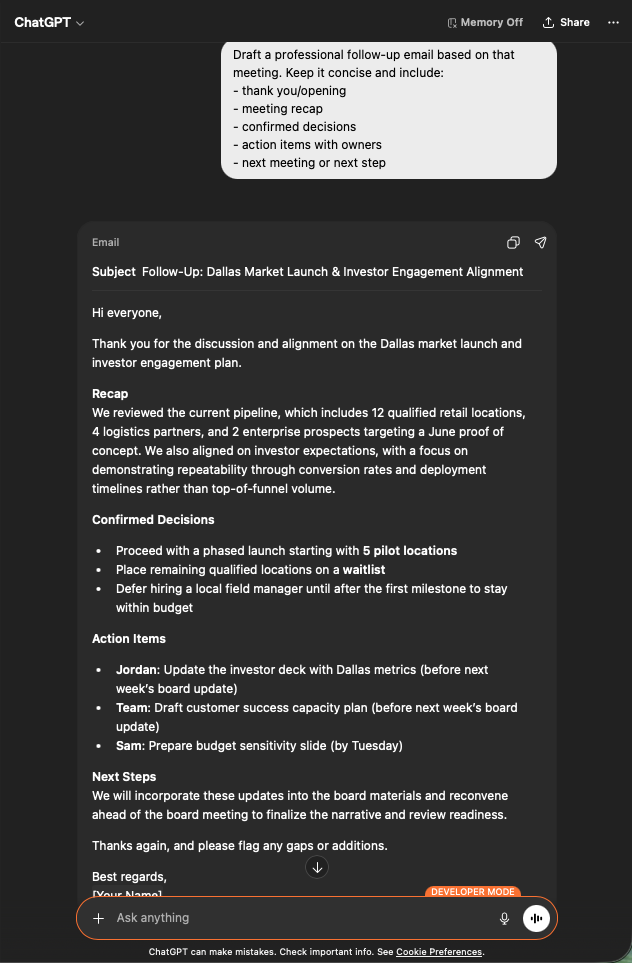
Draft a professional follow-up email based on that meeting.
Keep it concise and include:
- thank you / opening
- meeting recap
- confirmed decisions
- action items with owners
- next meeting or next step
您會得到一封可直接寄出的信件:主旨行、精簡的回顧、條列式決策、指派給正確負責人並附截止日的行動項目。貼入 Gmail、檢視後送出即可。
ChatGPT generating a professional follow-up email draft with subject, recap, decisions, and assigned action items
為何此事重要。 後續追蹤品質是成交速度的領先指標。把它變成 30 秒的工作,就能消除人們跳過這道流程的理由。

下一步

外部存取總覽

回到總覽,了解權限範圍、生命週期控制與事件記錄。

如何啟用 MCP 存取

Claude、ChatGPT、Codex、Claude Code 與 Gemini CLI 的設定指南。