
從過往會議建立客戶端可直接使用的議程

情境。 您週一要與客戶(例如 Northstar Capital)進行追蹤會議,過去兩週已和他們開過三次會:需求探索、資安審查,以及 ROI 討論。您可以重新閱讀每份會議記錄、手動拼湊出議程;或者,您也可以直接詢問 AI。 此工作流程假設您已啟用 MCP 存取 並連接好 AI 用戶端。
1

請 AI 找出相關的過往會議

直接給 AI 客戶名稱,讓它自動找出重要的過往對話。
Search my VoicePing transcripts for Northstar Capital meetings.
Find the most relevant previous meetings with this customer and list the
meeting titles, dates, and short reason why each one is relevant.
AI 會回傳過去的三次會議,附上日期以及一行「為何重要」的說明 — 您立即就能看見這段客戶關係的脈絡。
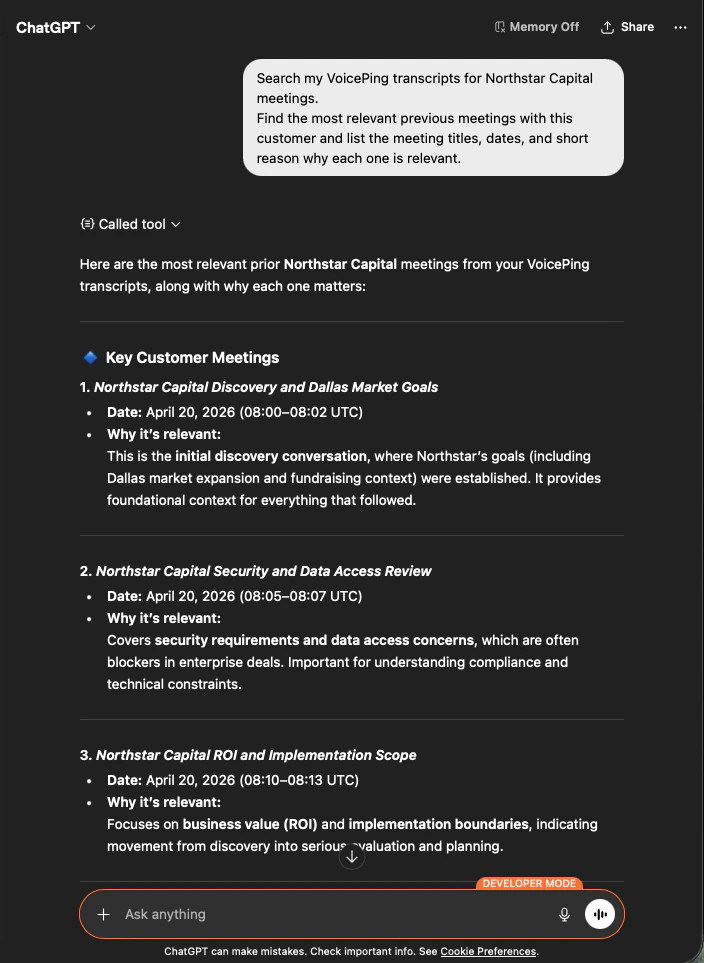
ChatGPT searching VoicePing transcripts and returning the three most relevant Northstar Capital meetings with dates and relevance notes
2

請 AI 產出可直接發給客戶的議程

接著請它將這些會議轉化為您能直接寄出的內容。
Make the agenda client-ready.
Keep it concise, practical, and written as something I can paste into
a calendar invite or meeting doc.
您會得到一份六段式、具時間分配的議程 — 成功標準(Success Criteria)、試行範圍(Pilot Scope)、資安與資料政策(Security & Data Policy)、提案計畫(Proposal Plan)、未解風險(Open Risks),以及最終決策(Final Decisions) — 全部都根據實際對話內容建構。
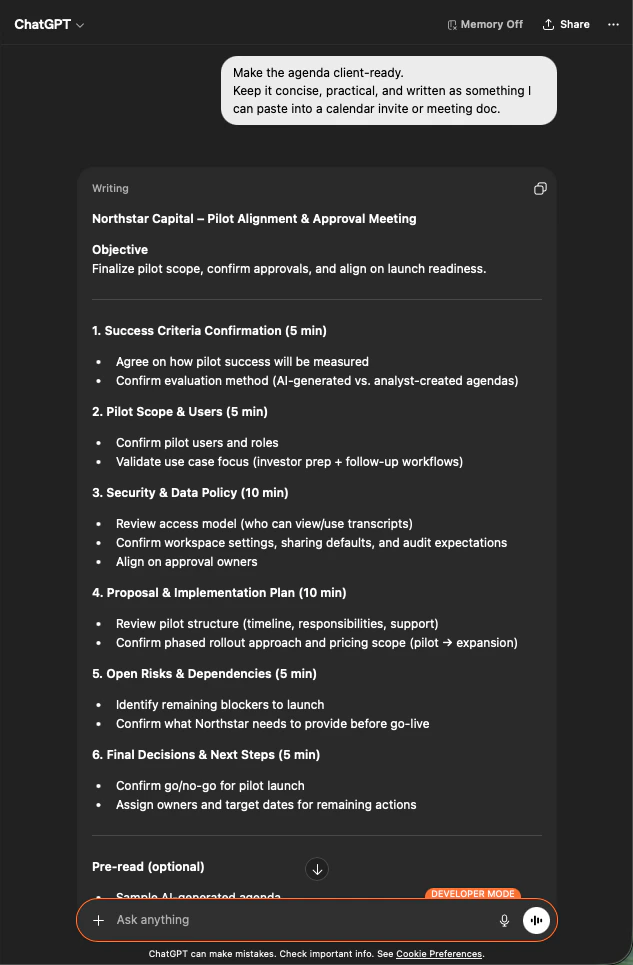
ChatGPT producing a time-boxed, six-section meeting agenda for Northstar Capital based on prior transcripts
為何這很有用。 原本 20 分鐘的準備工作,變成 60 秒就能完成。而且這份議程真正反映了該客戶的歷程 — 並非一份通用模板。
**共通模式:**搜尋會議記錄 → 縮小至關鍵會議 → 指定您需要的輸出格式。同樣的三步驟提示詞結構可套用於本網站所有工作流程 — 以及您自行設計的任何流程。

下一步

外部存取總覽

回到總覽,了解權限範圍、生命週期控制與事件記錄。

如何啟用 MCP 存取

Claude、ChatGPT、Codex、Claude Code 與 Gemini CLI 的設定指南。