找出藏在案件裡的瓶頸

情境。 案件推進變慢,但原因並不明確 — 從來就不是單一原因。通常是資安疑問、客戶端負責人不清、試行停滯與提案反覆修改的綜合結果。您需要看到整體模式,而不只是單一事件。 此工作流程假設您已啟用 MCP 存取 並連接好 AI 用戶端。
1

浮現所有瓶頸訊號

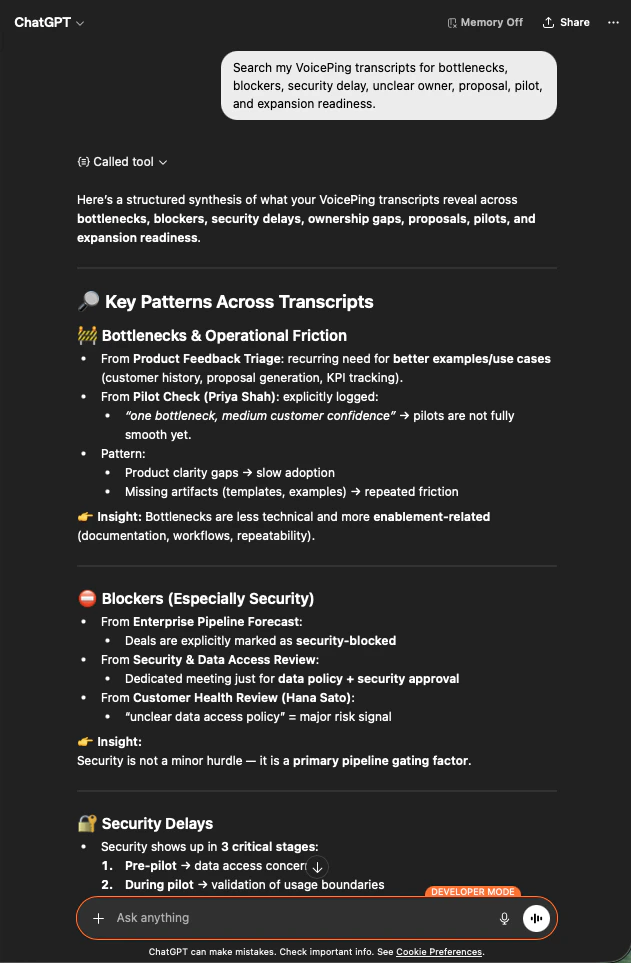
Search my VoicePing transcripts for bottlenecks, blockers, security delay,
unclear owner, proposal, pilot, and expansion readiness.
AI 會跨會議記錄進行綜合分析:列出在營運阻力、資安阻礙、延遲與負責人缺口方面的關鍵模式 — 並為每項指出其來源會議。
ChatGPT surfacing bottleneck patterns across VoicePing transcripts — operational friction, security blockers, ownership gaps
2

將瓶頸分組以便採取行動

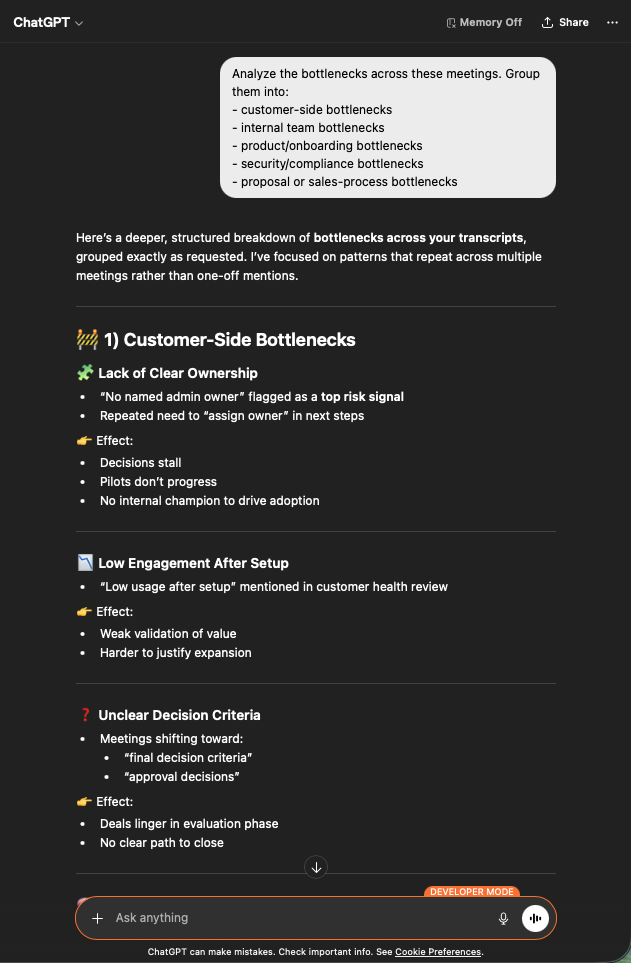
Analyze the bottlenecks across these meetings. Group them into:
- customer-side bottlenecks
- internal team bottlenecks
- product / onboarding bottlenecks
- security / compliance bottlenecks
- proposal or sales-process bottlenecks
現在您有了清楚的分類。客戶端議題(負責人不清、互動不足、決策標準不明)、內部、產品、資安、業務流程 — 每類都有跨會議的反覆佐證。
ChatGPT grouping bottlenecks across customer-side, internal, product, security, and sales-process categories
3

針對每個瓶頸取得行動計畫

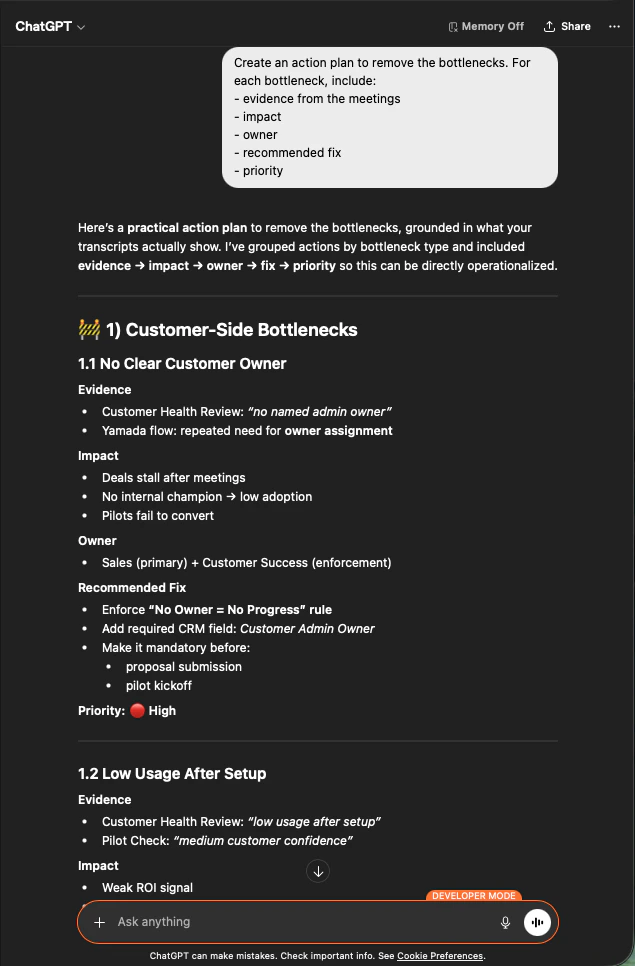
Create an action plan to remove the bottlenecks. For each bottleneck, include:
- evidence from the meetings
- impact
- owner
- recommended fix
- priority
每一項現在都附有證據、影響、負責人、建議對策與優先順序。這就是您帶進高階主管會議的文件。
ChatGPT producing a prioritized action plan per bottleneck with evidence, impact, owner, recommended fix, and priority
為何這是創辦人層級的槓桿。 您不再爭論哪一筆交易卡住,而是著手修正讓所有交易停滯的共同模式。

下一步

外部存取總覽

回到總覽,了解權限範圍、生命週期控制與事件記錄。

如何啟用 MCP 存取

Claude、ChatGPT、Codex、Claude Code 與 Gemini CLI 的設定指南。