
四種操作
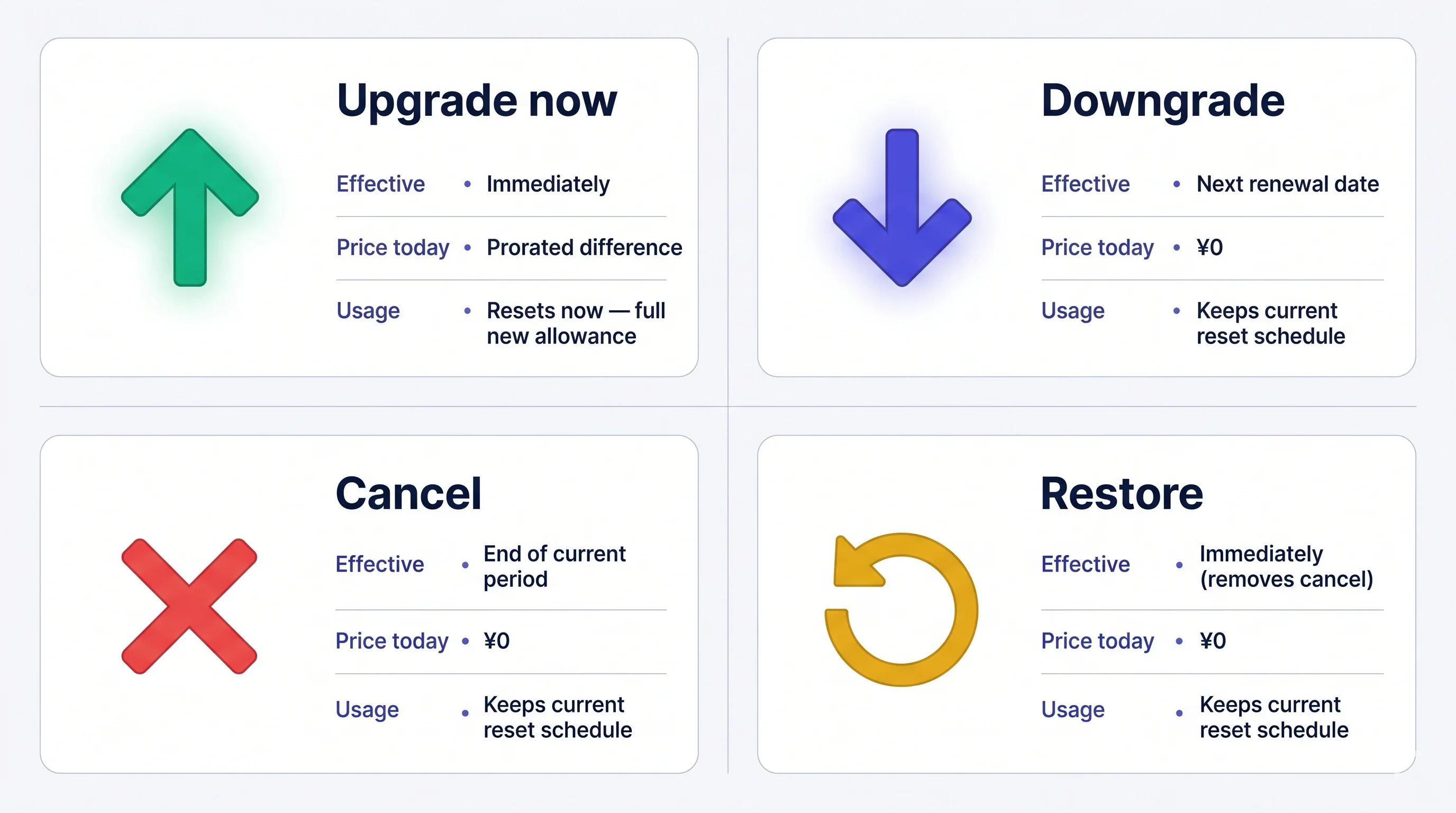
費用一經扣款即不予退款。取消後,目前方案在本期結束前仍可使用,且可在到期前免費恢復自動續訂。
開啟 Manage Plan
前往側邊選單 → User Settings → Billing → Manage Plan,或直接點選 Current Plan 卡片上的 Manage Plan。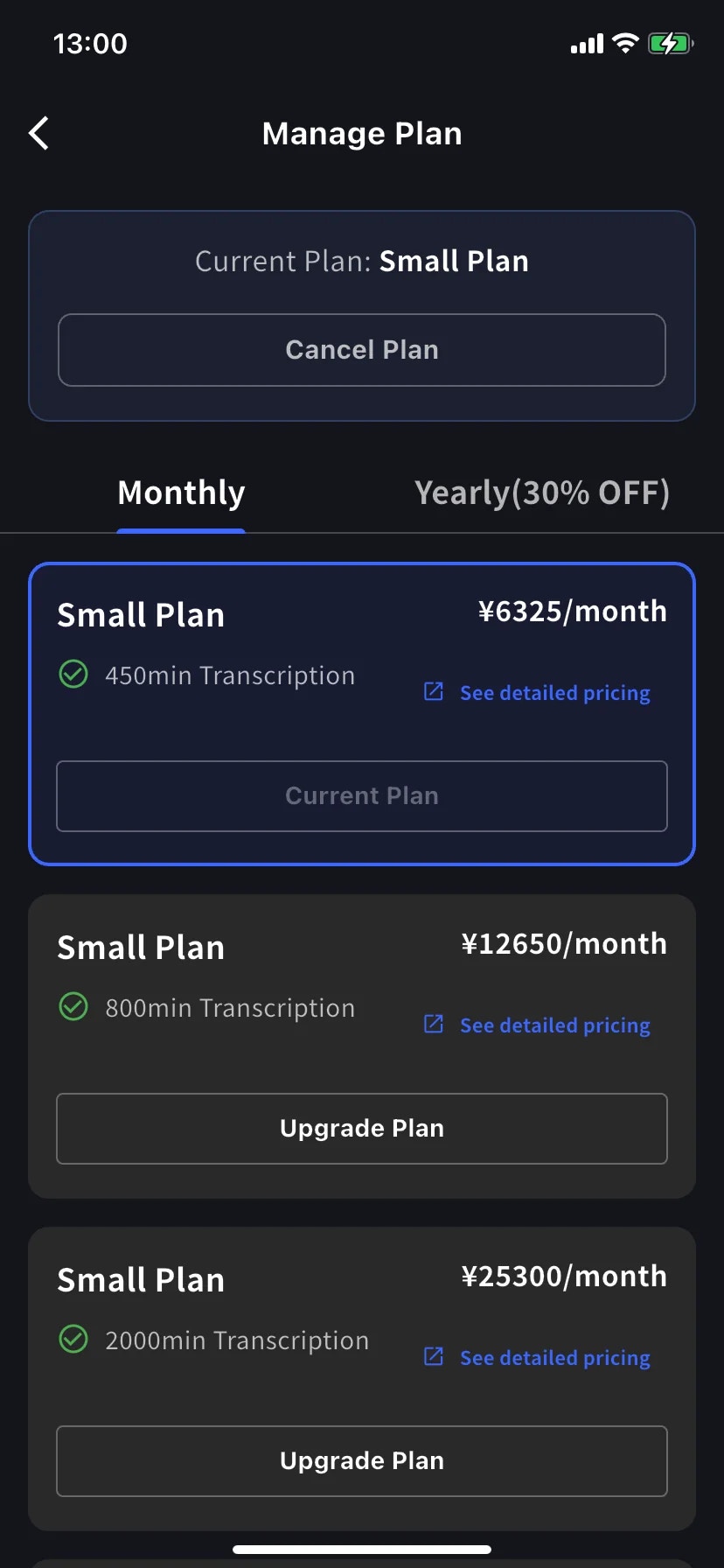
- 使用 Monthly/Yearly 分頁切換月付與年付方案。價格皆以月均價顯示,但年付會一次收取全年費用。
- 目前方案會以藍色外框標示,按鈕顯示 Current Plan。
- 較高層級顯示 Upgrade Plan;較低層級顯示 Change Plan。
- Cancel Plan 位於畫面頂端、目前方案標記旁。
立即升級
1
點選目標方案的 Upgrade Plan
進入 Order confirmation 後,橫幅會說明工作區將立即切換至新方案,今天會依比例收取價差。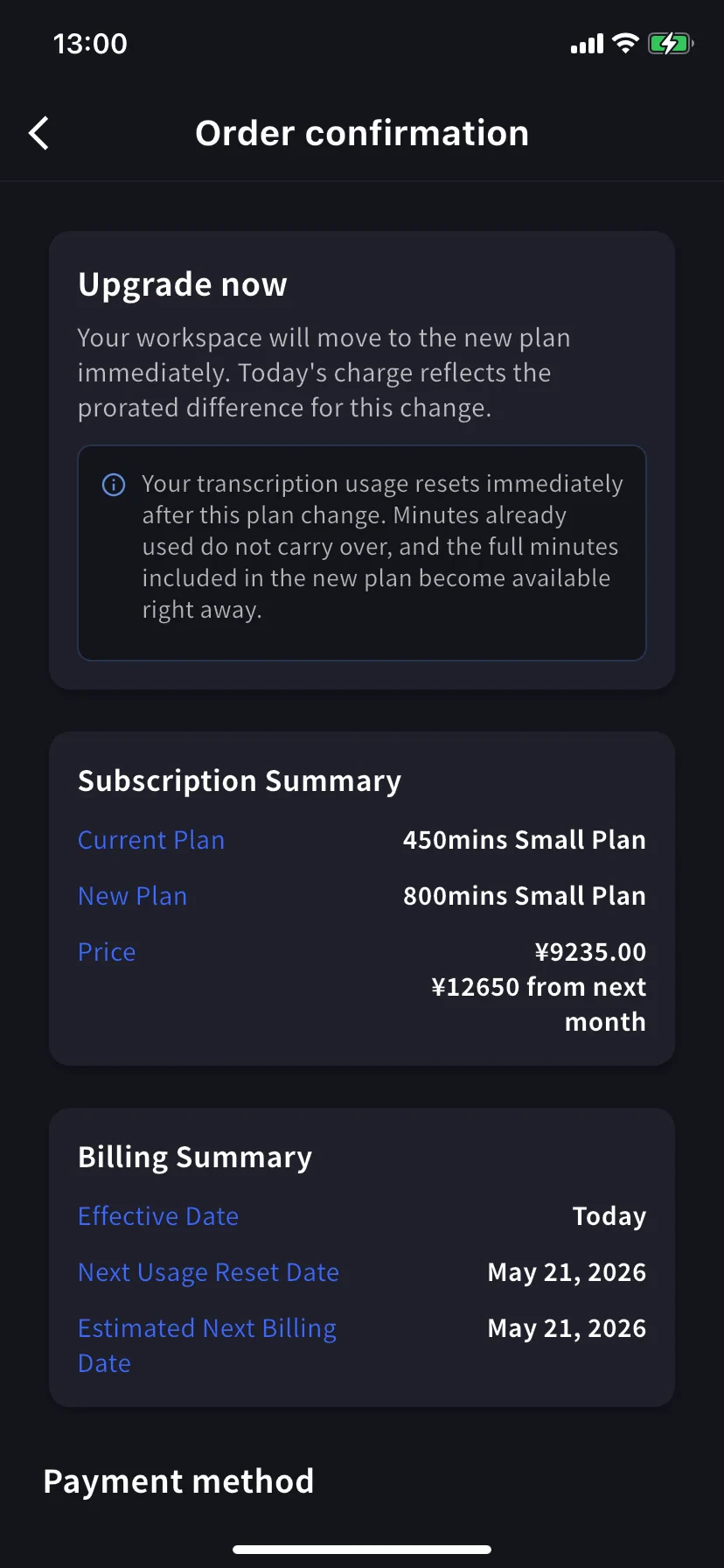
轉錄用量會立即重置。 已使用的分鐘不會結轉,新方案的完整分鐘數會立即生效。
2
選擇或新增信用卡
捲動至 Payment method,選擇現有信用卡,或點選 + Add new card 開啟 Stripe 表單(使用 Link 或手動輸入;請參閱行動版帳單管理)。完成後勾選條款與隱私權核取方塊。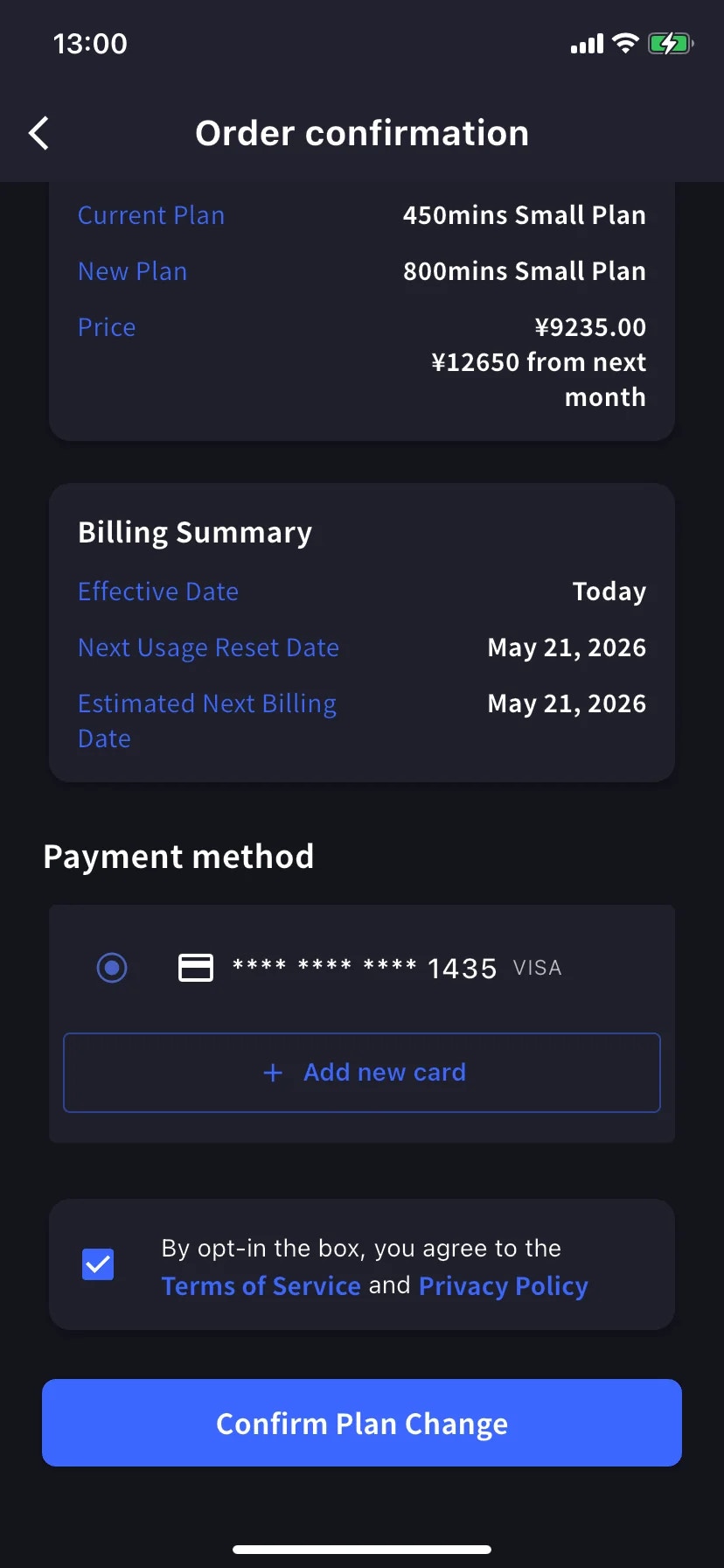
3
Confirm Plan Change
點藍色 Confirm Plan Change 按鈕。扣款處理期間按鈕短暫變暗。成功後會回到 Manage Plan,並顯示綠色的 Plan purchase completed 通知;新方案會標示為目前方案。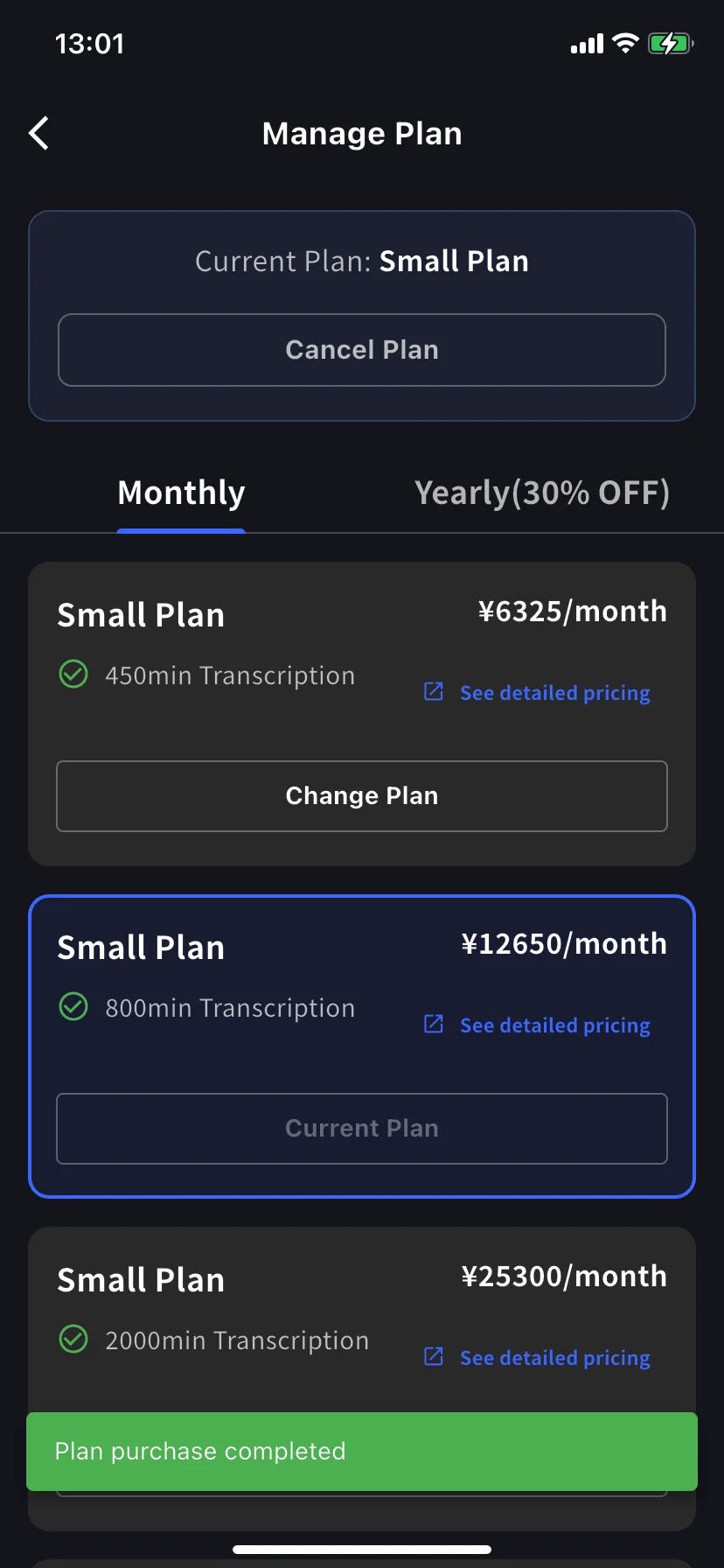
降級 — 下次續訂生效
在較低層級點選 Change Plan。確認頁面會說明目前方案持續至本計費週期結束,新方案則於下次續訂時生效。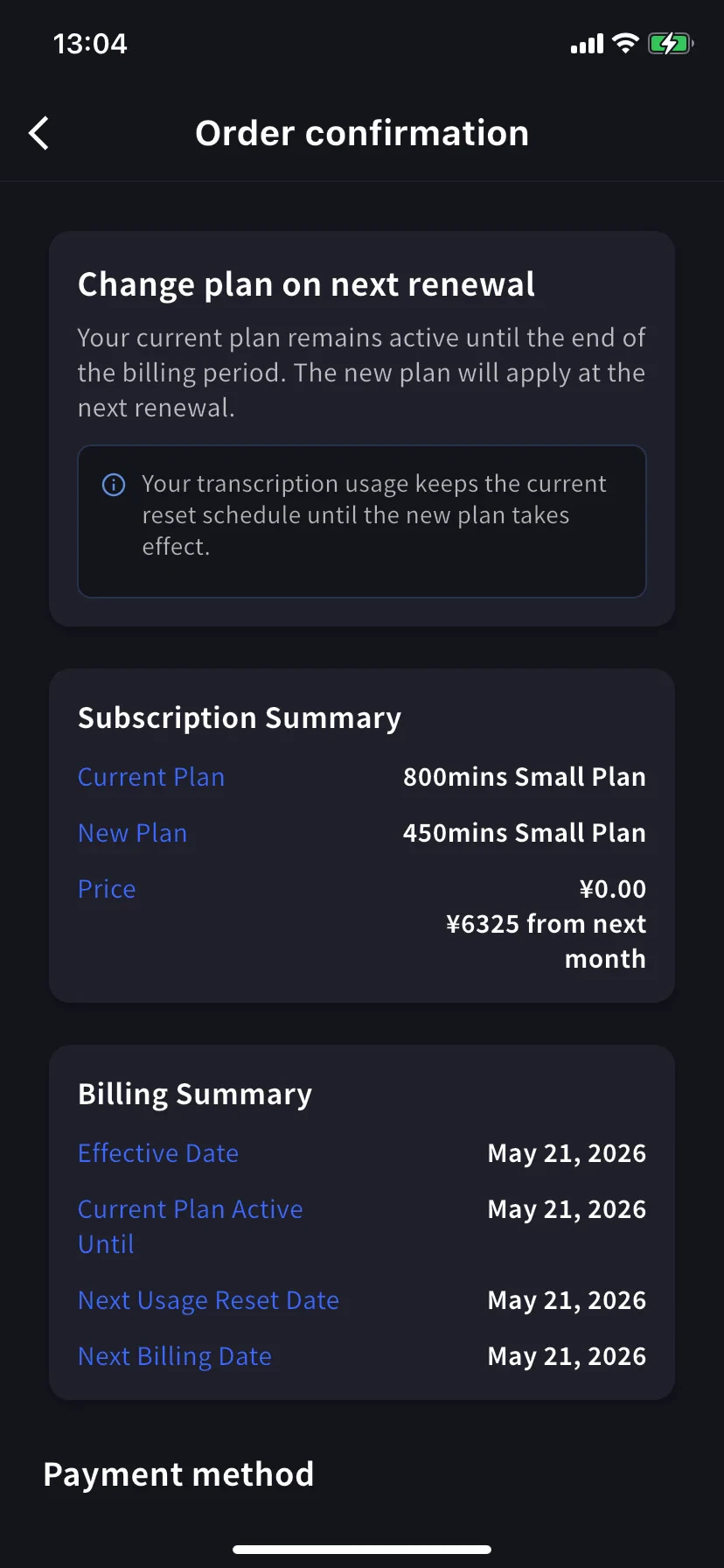
用量仍依原排程重置。 續訂前可繼續使用目前方案的分鐘數;較低額度會在續訂後生效。
取消訂閱
1
點選 Manage Plan 頂端的 Cancel Plan
畫面會開啟含紅色 ⊗ 圖示的表單,並要求選擇取消原因。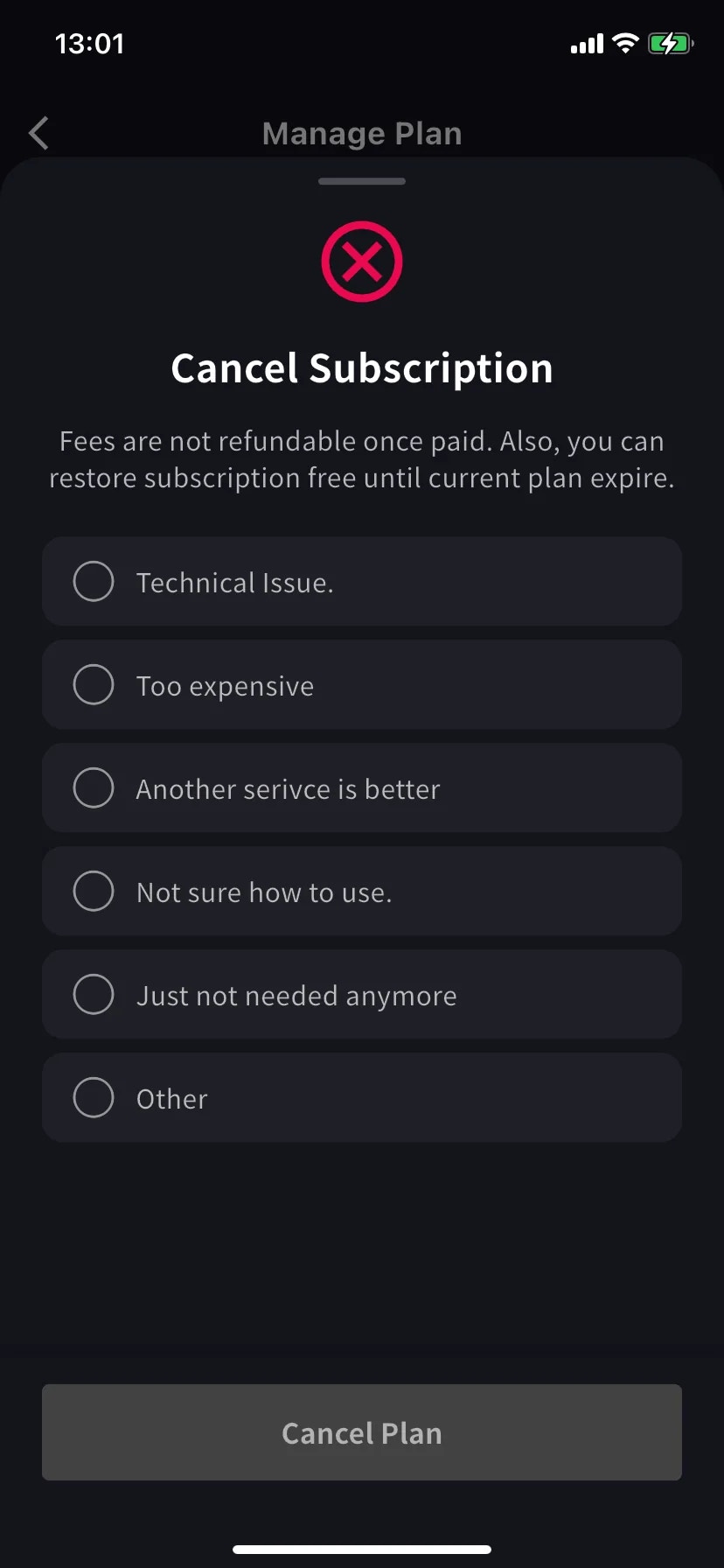
2
點 Cancel Plan
目前方案橫幅會改為 Scheduled to be canceled after this period ends,並顯示 Restore 按鈕。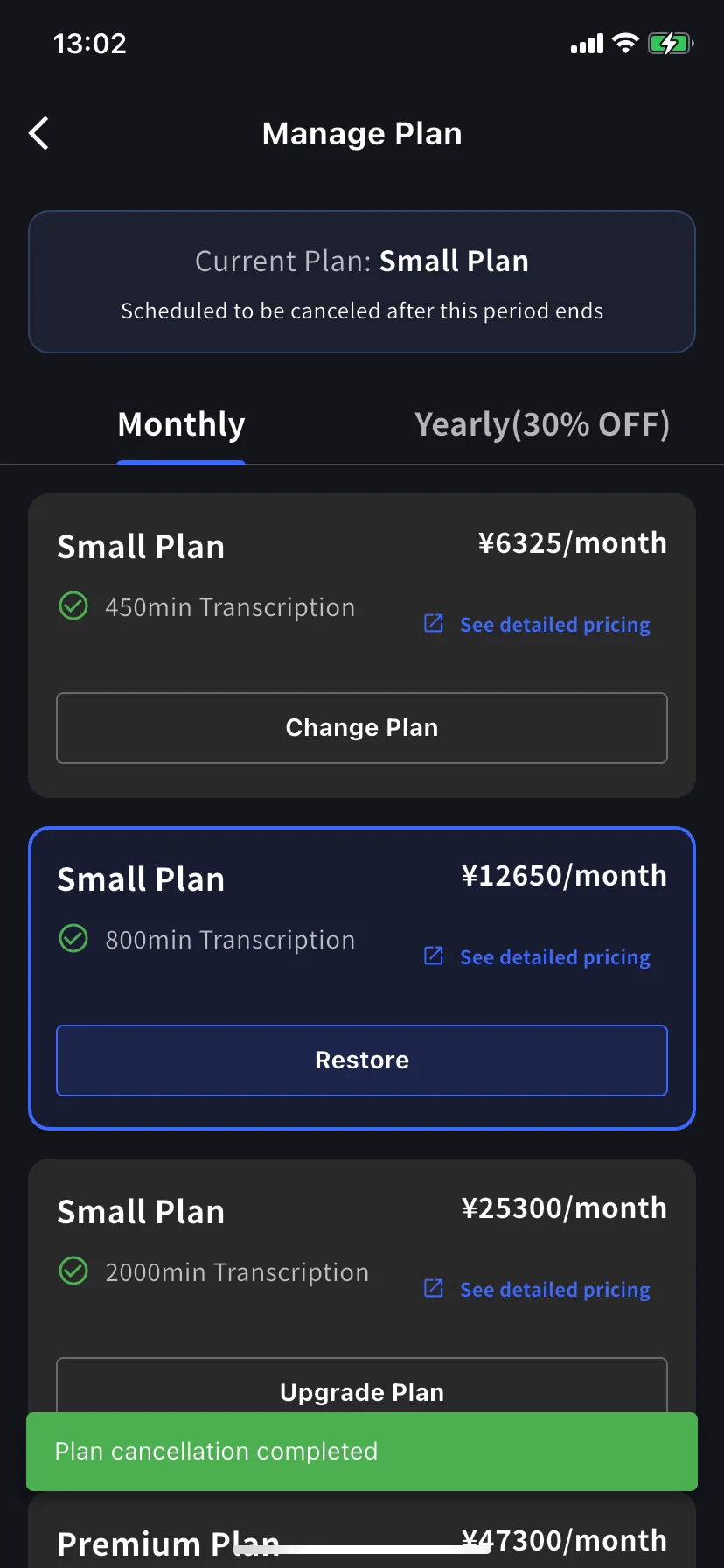
恢復自動續訂
若要撤銷取消,請在目前方案上點選 Restore。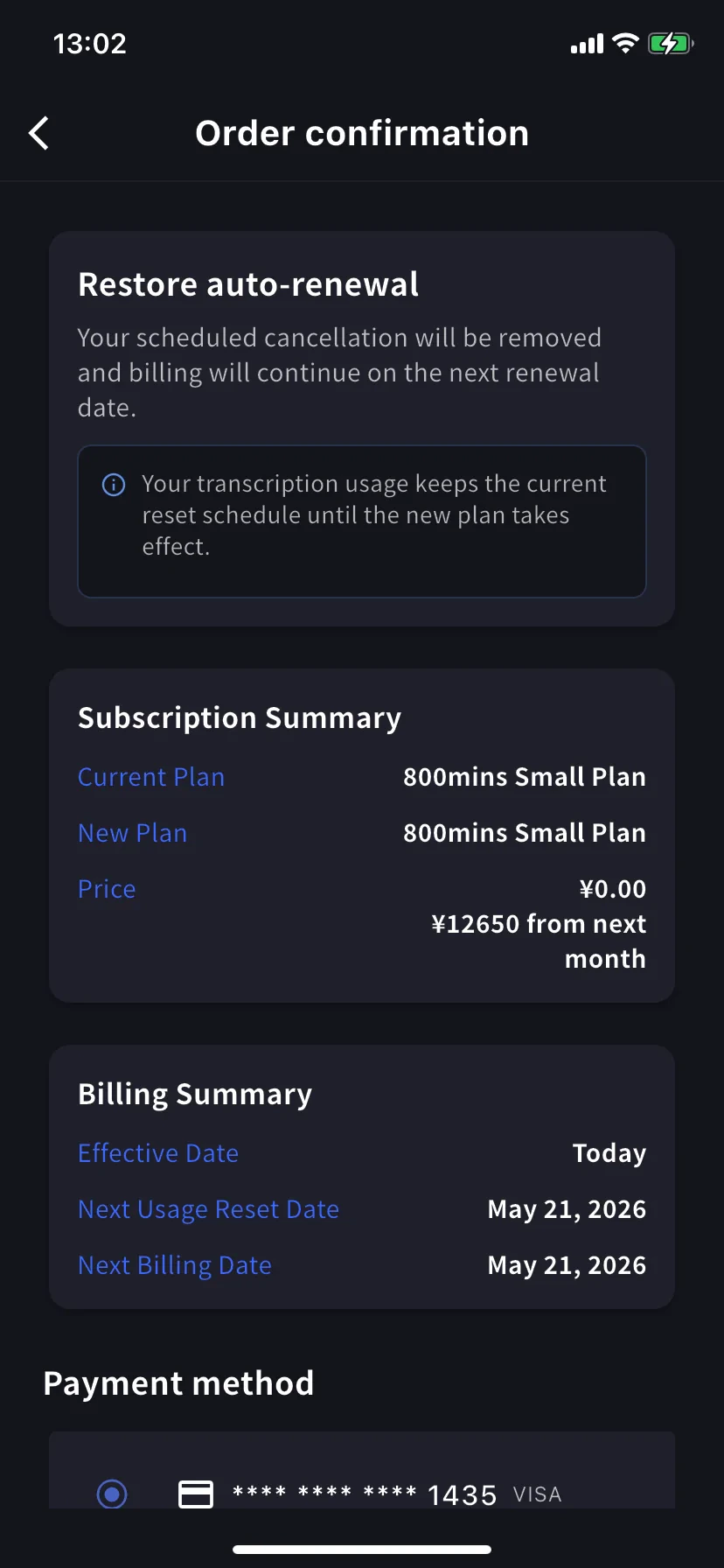
用量仍依目前排程重置;恢復自動續訂不會重置分鐘數。
確認目前的操作
三種操作使用相同的確認版面(Subscription Summary/Billing Summary/Payment method/Confirm)。請查看橫幅標題確認操作類型:使用提示
- 年付方案標示 7 折。 將同層級的 Monthly 切換為 Yearly,會立即套用年付價格。
- 完成後查看 Billing Activity。 所有操作都會記錄時間與 IP 位址,方便多人管理工作區時稽核。
- 降級不等於取消。 降級後仍使用較低層級的付費方案;取消則會在本期結束後回到 Free。
- 可先新增信用卡。 若確定要升級,可先在 Manage Cards新增信用卡,升級時即可直接選用。
相關頁面
- 行動版帳單管理 — 信用卡、發票、收據與操作記錄
- 方案變更、取消與試用結束 — PC 管理介面的對應流程
- 定價 — 方案層級與分鐘數額度
- 免費方案/免費試用