
1. PC
- 開啟頂端導覽列 → Billing → Payment methods,並新增信用卡。
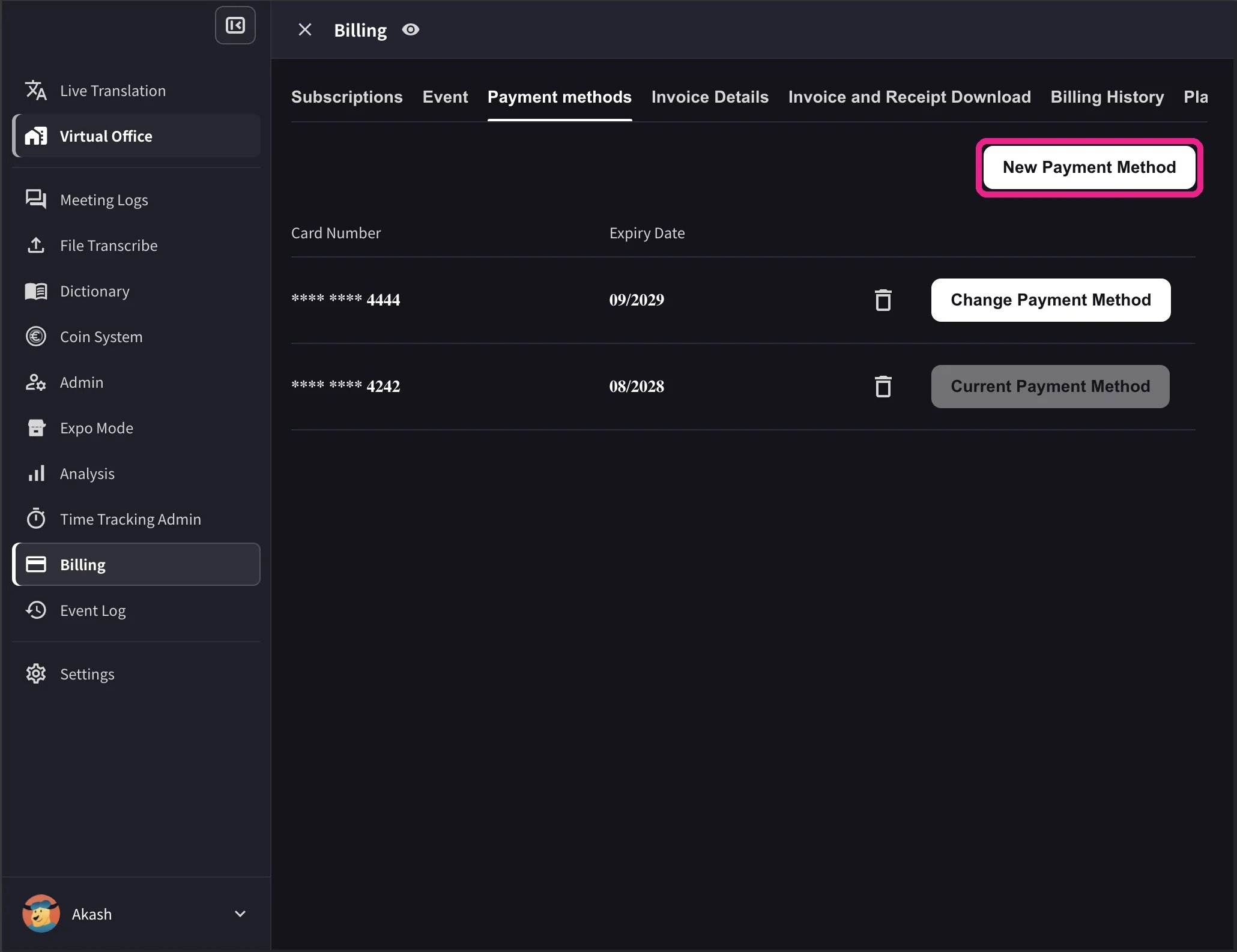
- 在卡片清單中,找到要使用的卡片並點選 Change Payment Method(變更付款方式)。完成後,目前使用的卡片會顯示 Current Payment Method。
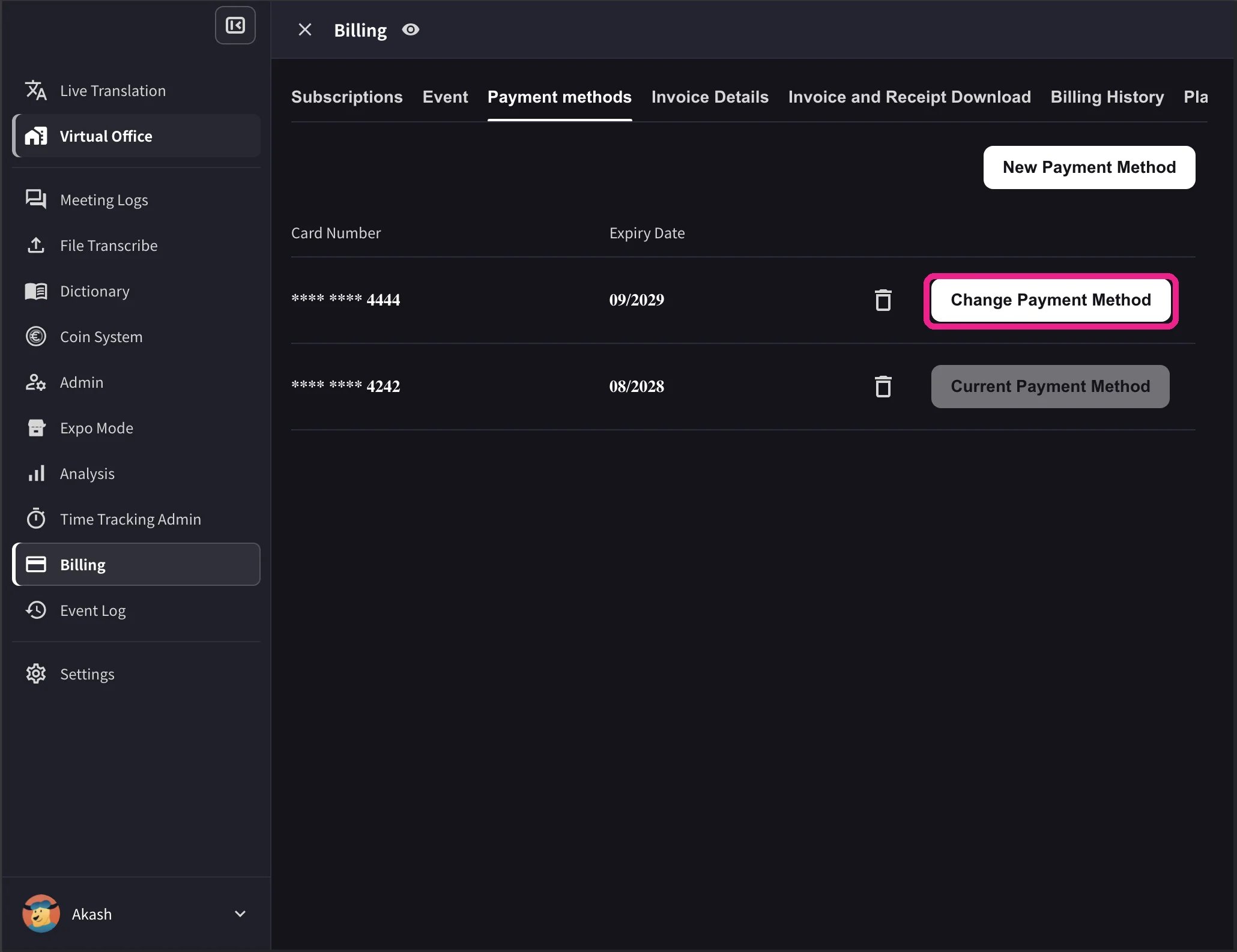
桌面版清單也會顯示卡片到期日與刪除圖示。只有工作區有有效的 Stripe 訂閱,且未排定取消時,才會顯示 Change Payment Method。不支援工作區結算幣別的卡片會顯示 Not Supported,無法切換。
2. 行動版
在手機 App 中,卡片管理位於 Billing → Manage Cards。1
開啟 Manage Cards
側邊選單 → User Settings → Billing → Manage Cards。所有已登錄的卡片都會列出,使用中的卡片會有 Using Now 標籤。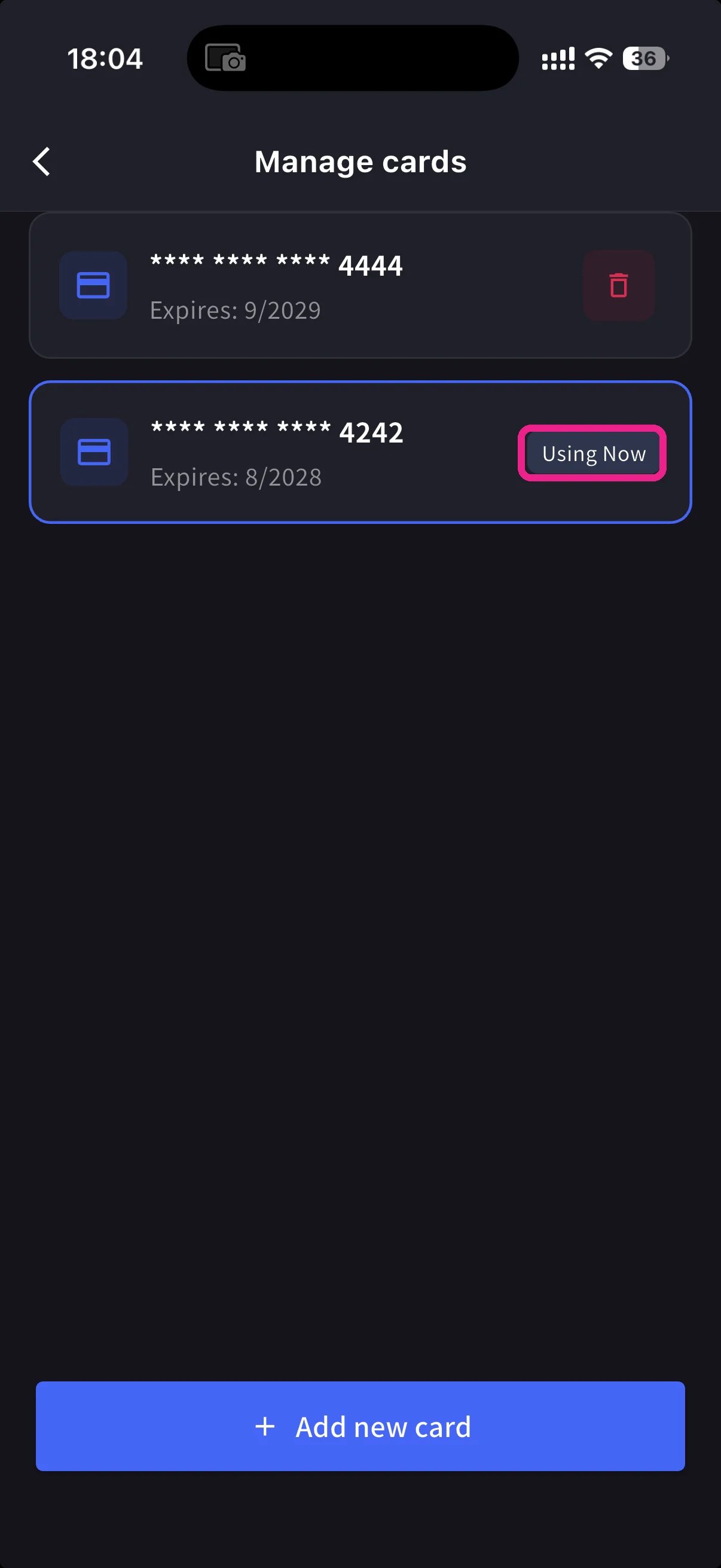
2
新增卡片
點選底部藍色的 + Add new card 按鈕。新增卡片有兩種方式: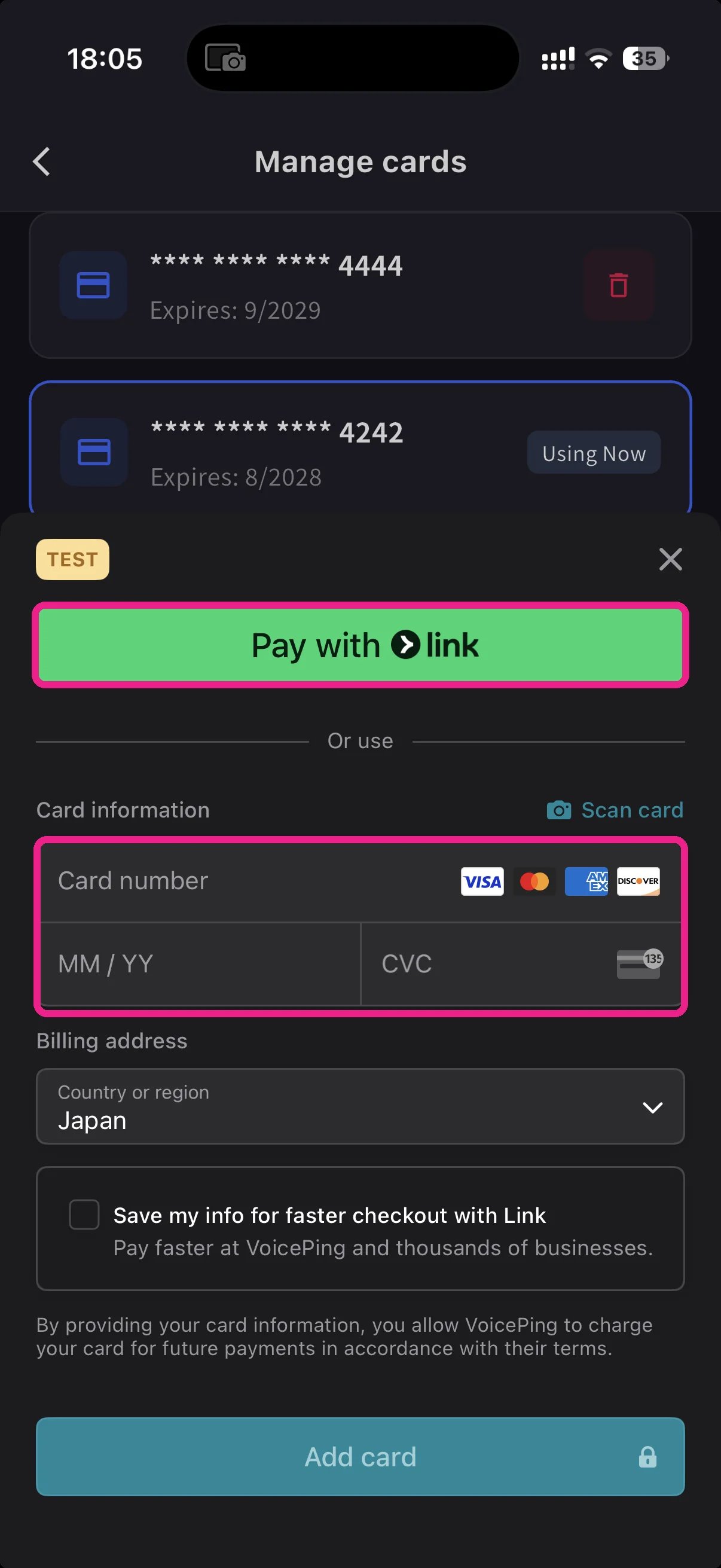
- Pay with Link — 如果您的電話號碼已連結 Stripe Link,可快速完成付款。
- Manual card — 輸入卡號、MM/YY、CVC,或點 📷 Scan card 用相機自動填入。選擇帳單國家,然後點 Add card。
3
切換使用中的卡片
回到 Manage Cards,點要使用的卡片。Using Now 標籤會移到該卡,之後的扣款會使用所選卡片。
信用卡資料由 Stripe 進行權杖化處理。VoicePing 不會儲存原始卡號。