
How to Delete Your Account
- Click the gear icon at the top right of the app

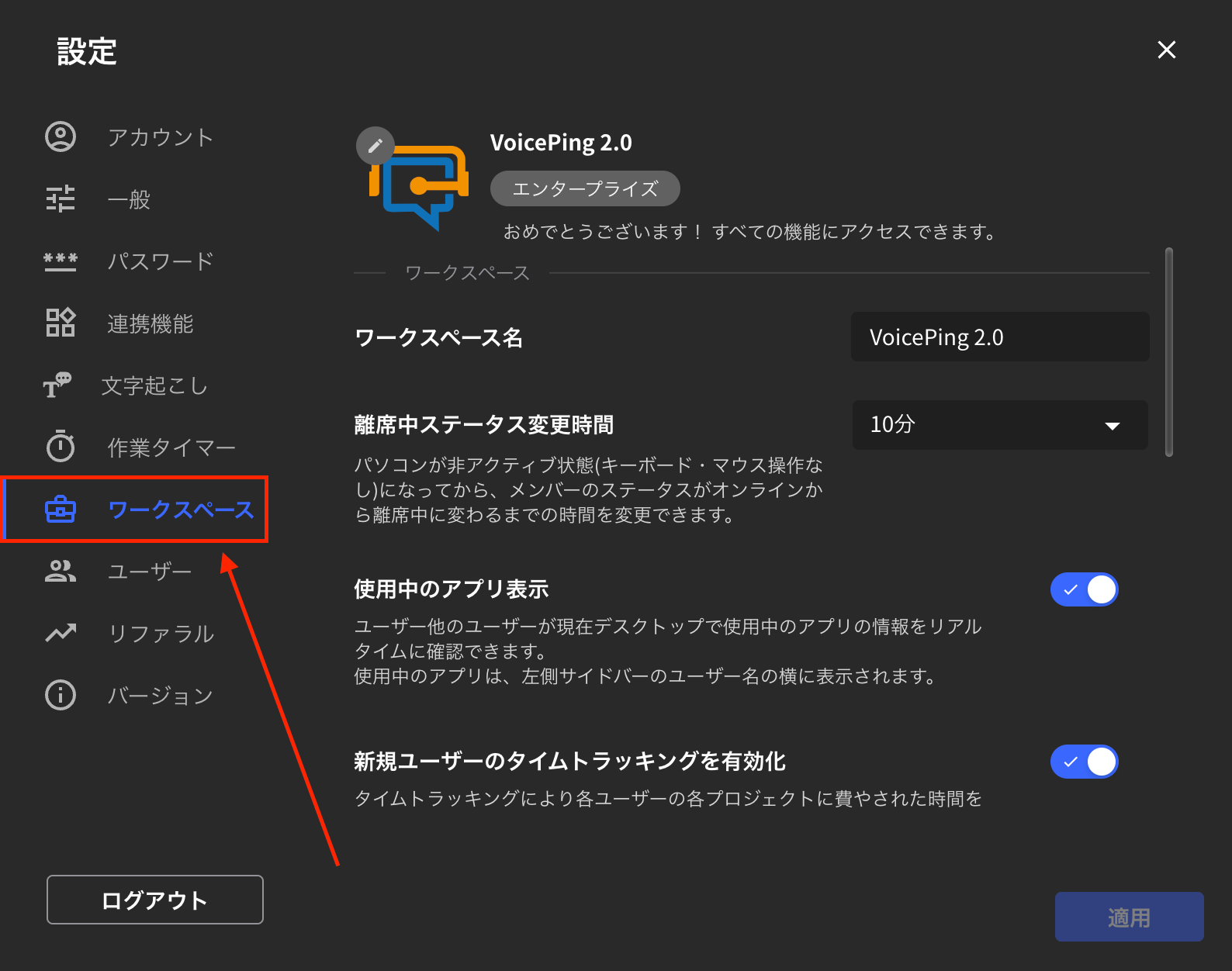
- Click the “Workspace” tab
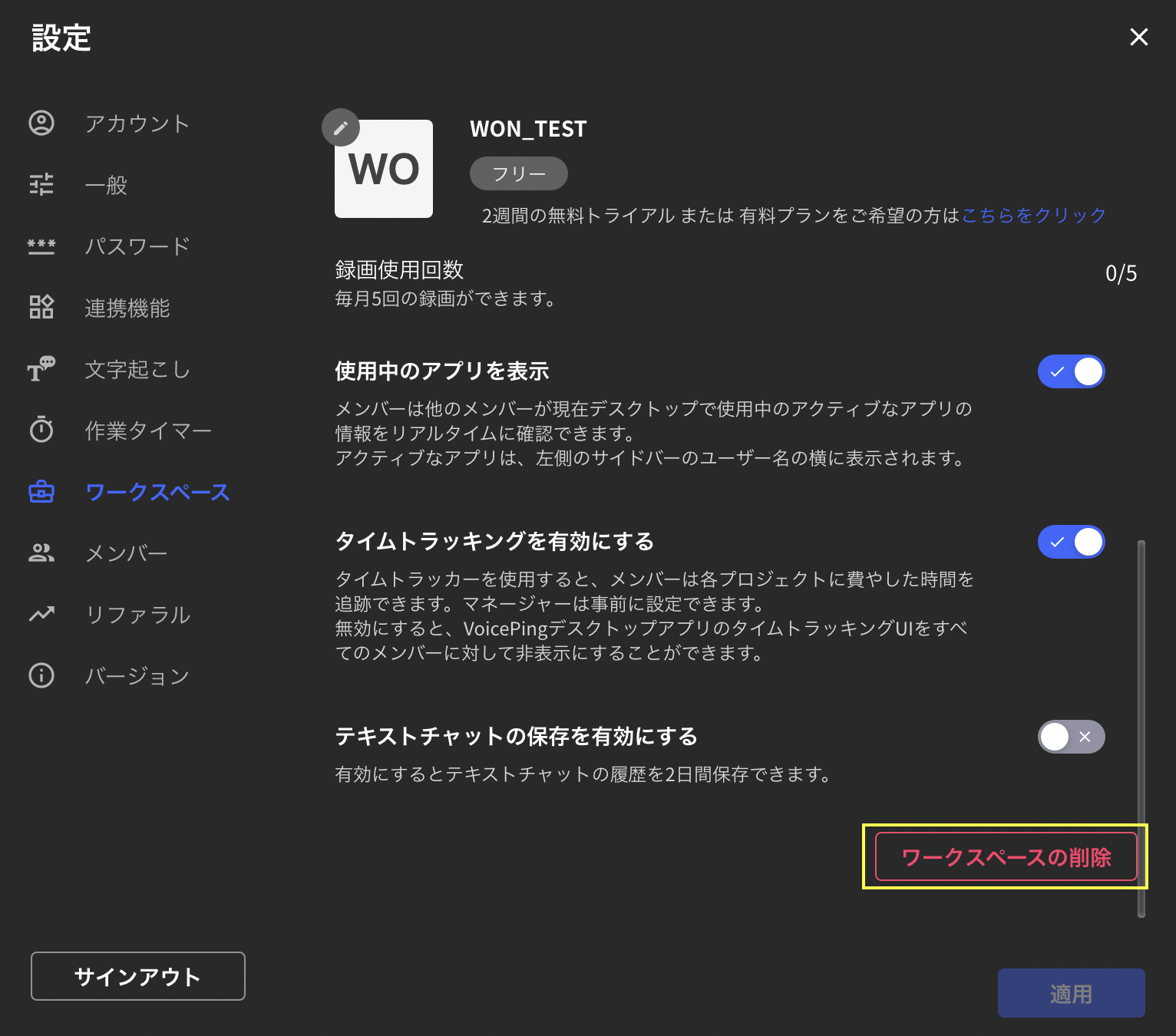
- Scroll down and click “Delete Workspace” on the bottom right
- Enter the workspace name you want to delete and click “Delete” at the bottom right

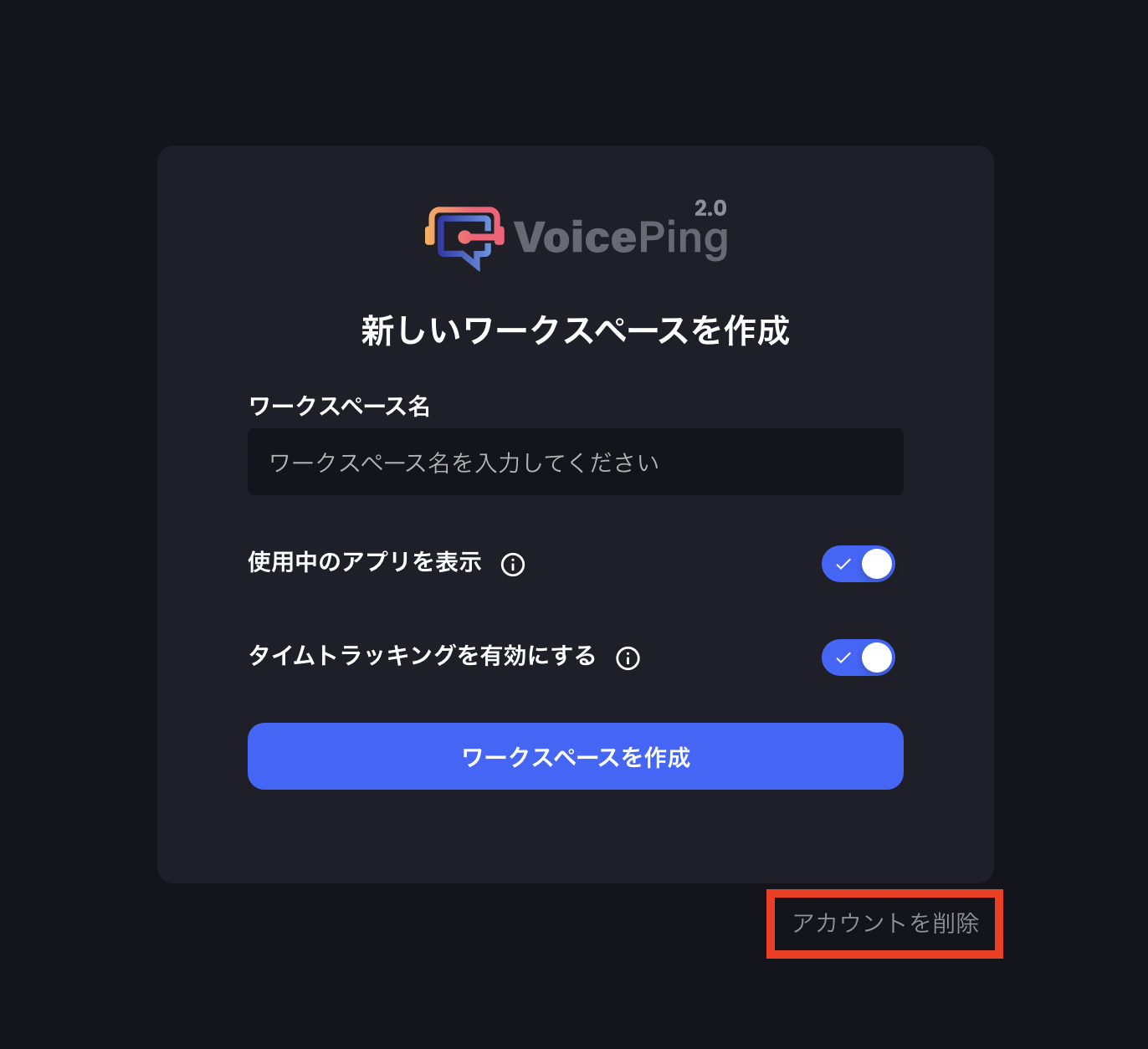
- Click “Delete Account” at the bottom right of the screen that appears
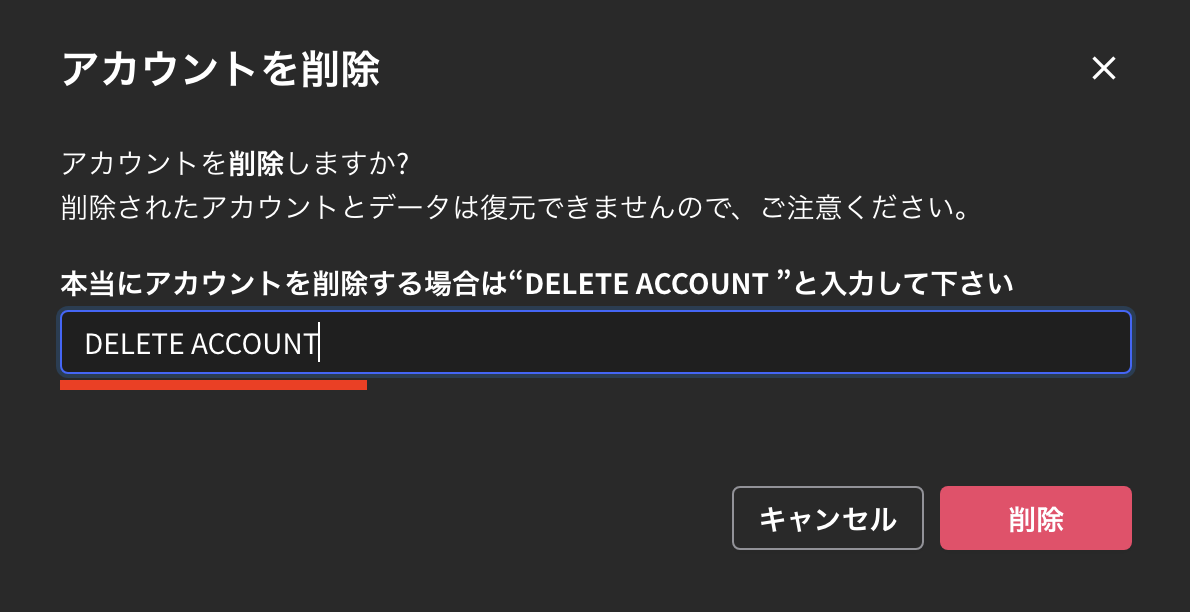
- Enter “DELETE ACCOUNT” and click “Delete” at the bottom right to complete the account deletion
Official Links
Official Website
Visit our official website
X (Twitter)
Follow us on X
Like us on Facebook
Connect on LinkedIn